Automating scheduling and payroll integration can save businesses time, reduce errors, and cut costs. By connecting these systems, companies eliminate manual data entry, which is a common source of payroll mistakes. This integration ensures accurate paychecks, compliance with labor laws, and better workforce management. Here’s what you need to know:
- Error Reduction: EY’s research puts the error rate for traditional payroll processes at close to 20%, and the cost of fixing a single error at $291. Removing the re-keying step removes the most common cause.
- Time Savings: EY found a full-time payroll employee loses an average of 29 weeks a year to correcting mistakes.
- Cost Savings: Errors are expensive at scale – EY estimates up to $922,131 a year for a 1,000-employee company.
- Compliance: Automated systems help follow labor laws, apply pay rules, and generate audit trails to avoid fines and legal issues.
- Better Insights: Real-time data syncing offers visibility into labor costs, schedules, and attendance.
For businesses of all sizes, linking scheduling and payroll systems streamlines operations, improves accuracy, and enhances compliance. Tools like BizBot can help identify affordable solutions tailored to your needs.
How Scheduling and Payroll Systems Connect
What Automated Scheduling Software Does
Automated scheduling software is designed to simplify shift assignments, integrate employee preferences and availability, and manage labor budgets using constraint-based algorithms. It ensures compliance with strict rules, like legal limits on consecutive workdays, while also aiming for goals such as reducing overtime costs. Beyond just creating schedules, these systems keep track of when employees clock in and out. They often rely on tools like biometric facial recognition, GPS geofencing for mobile teams, or digital time clocks to verify attendance, providing “proof of presence”. Additionally, the software flags issues like missed punches, tardiness, or unauthorized overtime, alerting managers before the data moves forward in the process.
What Payroll Systems Do
While scheduling software organizes work shifts, payroll systems handle the financial side by converting worked hours into accurate employee compensation. These systems calculate wages by applying pay rules, tax regulations, and deductions, then process payments – often through direct deposit – and produce digital pay stubs. They also manage more complex calculations, such as federal, state, and local tax withholdings, deductions for benefits like insurance and 401(k) plans, wage garnishments, and additional earnings like tips, bonuses, or reimbursements. For businesses with various locations or roles, payroll systems can also allocate labor costs by project or department using job codes and location data.
How the Integration Works
Integrating scheduling and payroll systems ensures that efficient scheduling translates into accurate payroll processing. This connection is made possible by secure API transfers of key data, including employee IDs, shift details, hours worked (both regular and overtime), and pay codes. For instance, platforms like SchedulePro use “Timesheet” endpoints to gather actual worked hours or “Payroll” endpoints to retrieve data adjusted by pay rules engines. Meanwhile, systems like TimeTrex operate on a single native database where scheduling and payroll functions are unified, removing the need for external data transfers. Before finalizing payroll, these systems lock the pay period, check for issues like incomplete punches, verify approvals, apply pay rules for calculations (such as shift differentials and taxes), and generate ACH files for bank payments. This streamlined process not only prevents last-minute changes but also ensures accuracy and compliance throughout the payroll cycle.
Easily Schedule and Pay Employees with Paychex Flex® and When I Work
Steps to Connect Scheduling and Payroll Systems
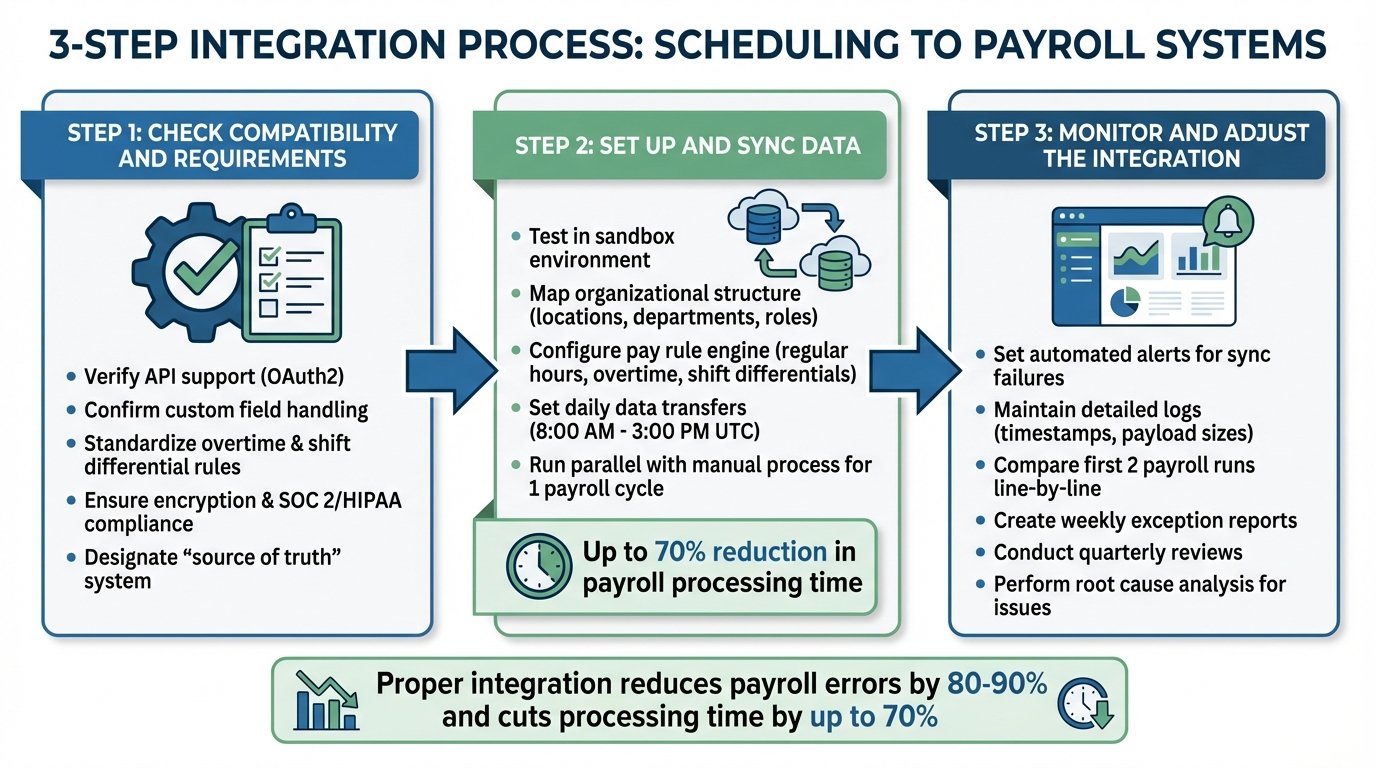
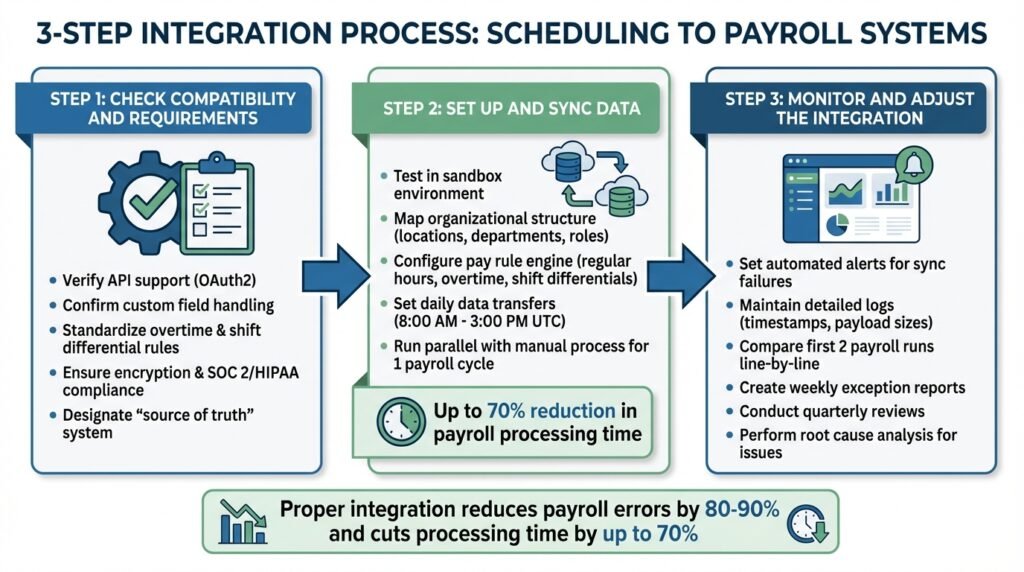
3-Step Process for Integrating Scheduling and Payroll Systems
Linking scheduling and payroll systems can save time, reduce errors, and simplify workforce management. Here’s a clear guide to help you integrate these systems effectively.
Step 1: Check Compatibility and Requirements
Start by ensuring your scheduling and payroll systems can securely connect. Look for features like API support (e.g., OAuth2) to enable automated data sharing using unique employee identifiers (UUIDs).
Next, confirm that both systems can handle custom fields, such as shift differentials or project-specific cost allocations. Standardize rules for overtime, rounding, and shift differentials ahead of time.
Security is critical. Make sure both platforms use encryption for data in transit and at rest and meet standards like SOC 2 or HIPAA, if applicable. Determine which system will act as the “source of truth” for employee records – this is often your HR system or payroll provider – to avoid conflicting updates during synchronization.
Once compatibility and data mapping are sorted, you’re ready to move on to data setup.
Step 2: Set Up and Sync Data
Begin by testing the integration in a sandbox environment. This helps ensure that data mapping, pay rule configurations, and UUID alignment are correct. Map your organizational structure – covering locations, departments, and roles – so data flows accurately between systems.
Configure the pay rule engine to automatically calculate payable hours from shift data. It should account for regular hours, overtime, double overtime, shift differentials, and unpaid meal breaks before sending data to payroll. Accurate time tracking ensures compliance with pay rules.
Set up daily data transfers to capture updates, such as between 8:00 AM and 3:00 PM UTC the day before payroll processing. Run the integrated system alongside your manual process for at least one payroll cycle to verify accuracy. That parallel run is also how you get a real before-and-after figure for your own business, which is worth more than any vendor’s percentage.
Step 3: Monitor and Adjust the Integration
Once the integration is live, regular monitoring is essential to maintain accuracy. Use automated alerts to catch synchronization failures immediately. Keep detailed logs of each integration job, including timestamps and payload sizes, to help with troubleshooting and audits.
For the first two live payroll runs, compare results line-by-line with accounting records to ensure everything is functioning as expected. Only sync manager-approved time punches to avoid errors.
Create weekly exception reports and conduct quarterly reviews to address discrepancies promptly and maintain system reliability. Monitor key metrics like error rates, processing time, and cost savings to evaluate the integration’s performance. If issues arise, perform a root cause analysis to fix the underlying problem – such as mismatched employee identifiers – instead of just correcting individual errors.
Benefits of Connecting Scheduling with Payroll Systems
Integrating scheduling and payroll systems offers clear advantages in improving accuracy, saving time and money (often by using the best business banking tools), and ensuring compliance.
Better Accuracy and Fewer Errors
When scheduling and payroll systems work together, manual data entry – one of the biggest sources of payroll mistakes – becomes a thing of the past. The scale of the problem is documented. A December 2022 study by EY, widely reported in payroll industry coverage, found that organizations running traditional payroll processes could expect an error rate of nearly 20%, that fixing a single payroll error costs a business $291, and that for a 1,000-employee company correcting those errors could cost up to $922,131 a year.
Earlier versions of this article claimed integration cuts payroll errors by 60% to 90% in one place, 80% to 90% in another, and “as much as 80%” in a third. Three different figures for the same claim, none of them sourced, which is how we knew they were invented. They have been removed. There is no published number for how much integration reduces errors, and anyone quoting one should be asked where it came from.
The mechanism is easy enough to state without a percentage. By creating a single, trusted source for work hours, overtime, and leave data, these systems ensure that approved time records flow directly into payroll instead of being retyped. That removes the transcription step where most errors originate. Managers can catch problems – like missed clock-outs – before payroll is finalized. The software also applies pay rules automatically, whether it’s calculating shift differentials, holiday pay, or overtime, and flags discrepancies between scheduled and actual hours for review.
Time and Cost Savings
The time cost of getting payroll wrong is measurable, and EY measured it:
“Full-time payroll employees lose an average of 29 weeks per year fixing mistakes in traditional systems.” – Ernst & Young
That is the number worth holding onto. Several others that used to appear in this section – a range for reduced processing time, a share of payroll admin time saved, and a worked example of scheduling hours for a 50-person team – had no source and have been removed. So have three claims about time theft: that nearly half of workers pad their timesheets, that manual methods lose a set percentage of payroll to it, and a dollar figure for the annual cost of buddy punching. Every version of those we could find traced back to another vendor blog rather than to any published study.
What remains true, and does not need a statistic: biometric verification and geofencing make it physically harder for one person to clock in for another, and an integrated system removes the gap between what was scheduled, what was worked, and what gets paid.
Better Compliance and Reporting
Integrated systems play a key role in maintaining compliance with labor laws. They act as a safeguard, using rules-based engines to prevent employees from exceeding daily or weekly hour limits and automatically applying pay rules such as the FLSA “Regular Rate of Pay” or California’s “7th Day” rule.
Cloud-based systems ensure your business stays up to date by automatically updating tax tables and labor law requirements. Three statistics previously supported this section – a share of employers failing to track hours properly, a proportion of businesses facing legal trouble from payroll errors, and an annual cost of non-compliance. None could be sourced, and all three are gone. The regulatory exposure is real regardless: wage and hour claims are decided on records, and if you do not have them, you lose.
For reporting, integrated systems provide real-time insights into labor costs versus scheduled hours. They also maintain detailed, time-stamped audit trails of schedule changes, approvals, and adjustments. These records are essential for defending against wage and hour lawsuits and meeting FLSA requirements to retain payroll records for at least three years.
Using BizBot to Find Integration Tools
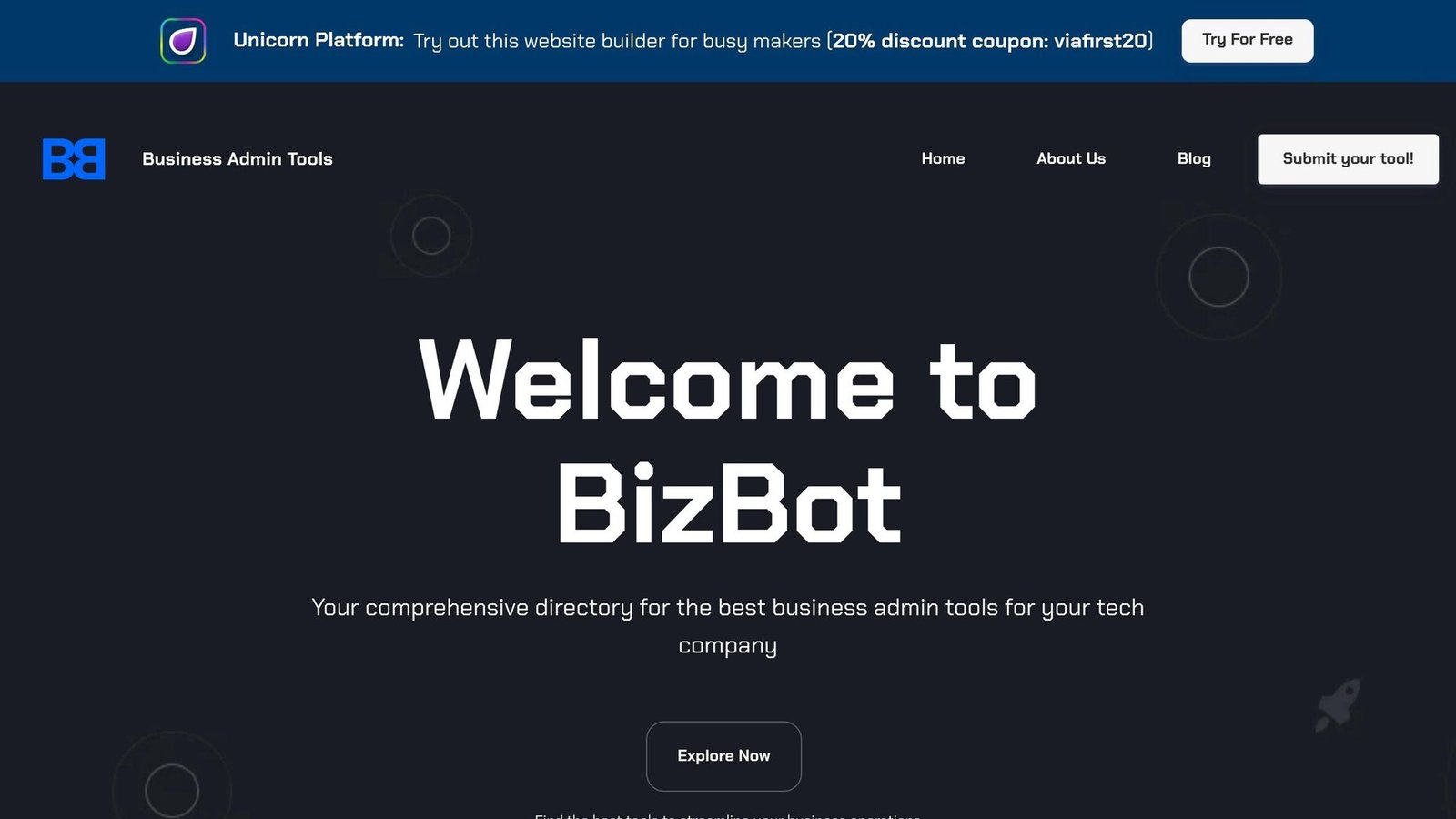
BizBot’s Tool Directory
BizBot categorizes business administration tools into straightforward sections like HR management, accounting, payroll solutions, and more. This structure helps businesses quickly find tools that integrate scheduling and payroll systems. The focus is on tools that streamline processes by enabling a seamless flow of data – reducing the need for duplicate manual entries. When exploring the directory, look for features such as two-way integration to sync pay rate changes automatically, automated compliance updates to flag issues like overtime violations, and real-time data syncing to pull attendance logs directly into payroll calculations. Security is another critical factor – opt for tools with 256-bit SSL encryption and SOC 2 Type II compliance to safeguard sensitive employee information. This organized approach allows businesses to discover cost-effective solutions without compromising efficiency or security.
Tools for Small Businesses and Freelancers
BizBot also highlights affordable, user-friendly options tailored for small businesses and freelancers looking to improve their workflows on a budget. Many tools featured include “Free Forever” plans or low-cost entry points ideal for small teams. ClockIt offers a free basic plan with paid upgrades above it, and Homebase bundles scheduling with payroll; check both vendors’ current pricing directly rather than relying on figures quoted in an article.
Homebase publishes a customer case study on Student Agencies, a Cornell-based organization, which is one of the few examples in this category with a named source behind it. Riley McGuire, Director of HR, runs biweekly payroll in about 90 minutes; the previous HR director could spend an entire day on it. Homebase reports the organization saves roughly $10,000 a year, largely by dropping ADP and consolidating payroll into its Homebase plan. Two caveats worth stating plainly: this is a vendor-published case study about its own customer, and we previously cited it with a date we could not confirm and a processing time of “60 to 90 minutes” that did not match the source.
Conclusion
Linking automated scheduling software with payroll systems eliminates the need for error-prone manual data entry. This connection ensures worked hours are converted into accurate paychecks without anyone retyping them.
Accuracy matters for retention, and here there is a real number. Research by the Workforce Institute at Kronos, published in 2017, found that 49% of American workers will start a new job search after experiencing only two problems with their paycheck. We previously published this as “53% of employees might leave after repeated payroll mistakes”, which was both the wrong figure and vaguer than the survey, since the survey was specific about two errors.
But the benefits go beyond just accuracy. These integrated systems handle overtime rules automatically, monitor compliance with labor laws, and offer real-time insights into labor costs. This allows managers to adjust schedules proactively, avoiding budget surprises. Additionally, automated compliance features help protect businesses from costly legal penalties.
For those ready to embrace this shift, BizBot provides a curated directory of scheduling and payroll tools tailored to different business needs. Whether you’re a small team, freelancer, or a larger operation, the platform highlights tools that fit various budgets and requirements. Features like two-way data syncing, biometric verification, and mobile self-service options make it easier to find the right solution for your operations.
FAQs
What data should sync between scheduling and payroll?
Key details to keep in sync are employee hours worked, scheduled shifts, and actual clock-in and clock-out times. Keeping these aligned ensures wages are calculated correctly and compliance standards are met. By streamlining these processes, payroll becomes more efficient, and errors are minimized.
Which system should be the source of truth?
Pick one system and make it authoritative for employee records, usually your HR system or payroll provider. The point is to avoid two systems both believing they own a pay rate. Everything else syncs from there.
How do you test an integration before going live?
To effectively test the integration between scheduling and payroll systems, focus on a few critical steps. Begin by verifying essential functions such as data transfer accuracy, pay calculations, and compliance checks using well-structured test cases. Simulate realistic scenarios to confirm that hours worked, deductions, and taxes are processed correctly. Incorporate automated testing tools to identify potential errors early and ensure smooth data flow between systems. Finally, carefully review the test results to spot any discrepancies or compliance issues before moving forward with live deployment.
More on this topic
Browse all 52 articles on HR & People Ops.