Data Loss Prevention (DLP) isn’t just for large corporations. Small and medium-sized businesses (SMBs) use these tools to protect critical data, meet compliance standards, and avoid costly breaches. This article originally carried three SMB case studies. One of them holds up and is below. The other two were anonymous, carried results that no published source supports, and have been withdrawn – we explain what was wrong with them rather than quietly deleting them.
What is left:
- Engineering consultancy (verified): io Consulting secured client and design data with a managed, cloud-hosted DLP service instead of hiring security staff it could not find.
- Healthcare and retail examples (withdrawn): unnamed companies, unsourceable numbers, and in one case a quotation that does not match what the person actually said.
- What to do instead: prioritize high-risk data, roll out in phases, and start with the built-in DLP you are already paying for.
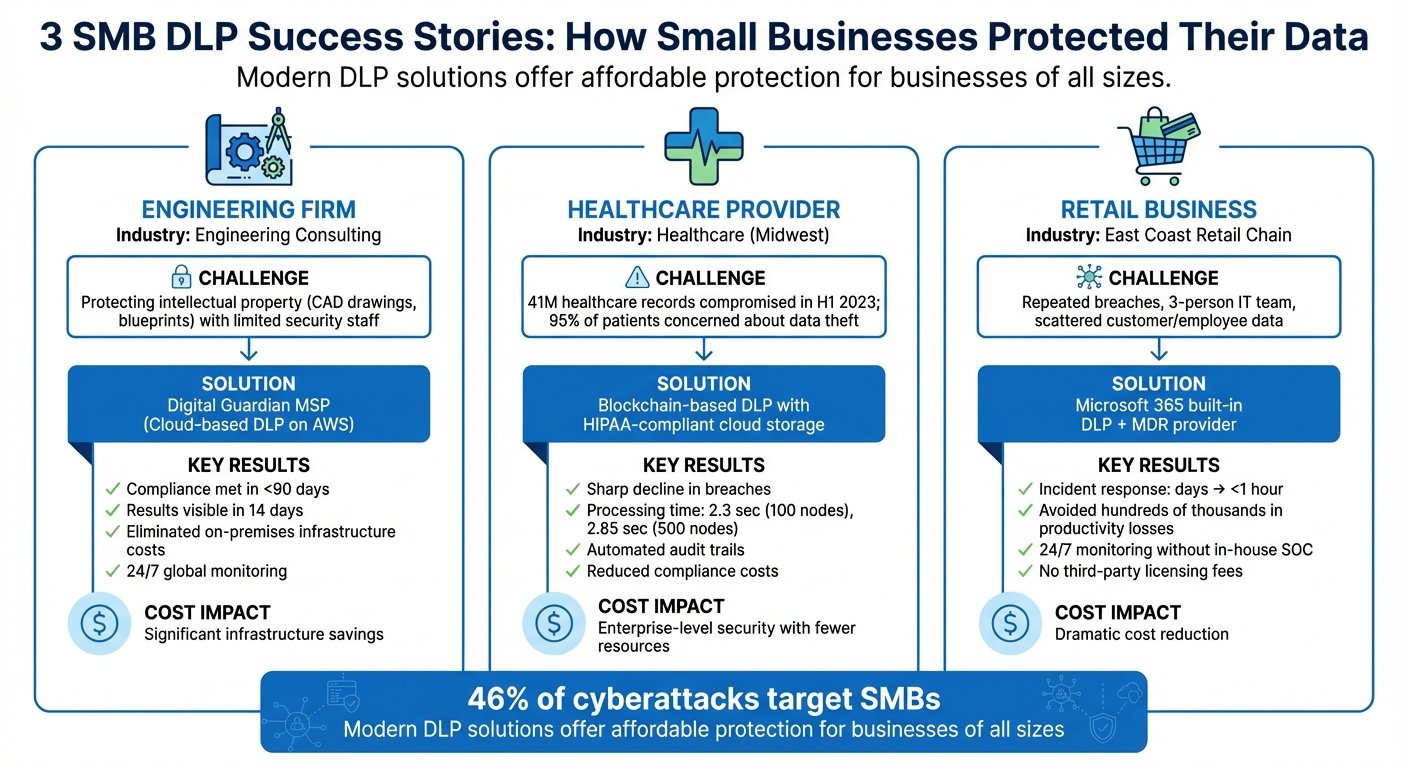
SMB DLP: challenges, solutions and what the evidence supports
Case Study 1: Engineering Firm Protects Trade Secrets with Digital Guardian MSP
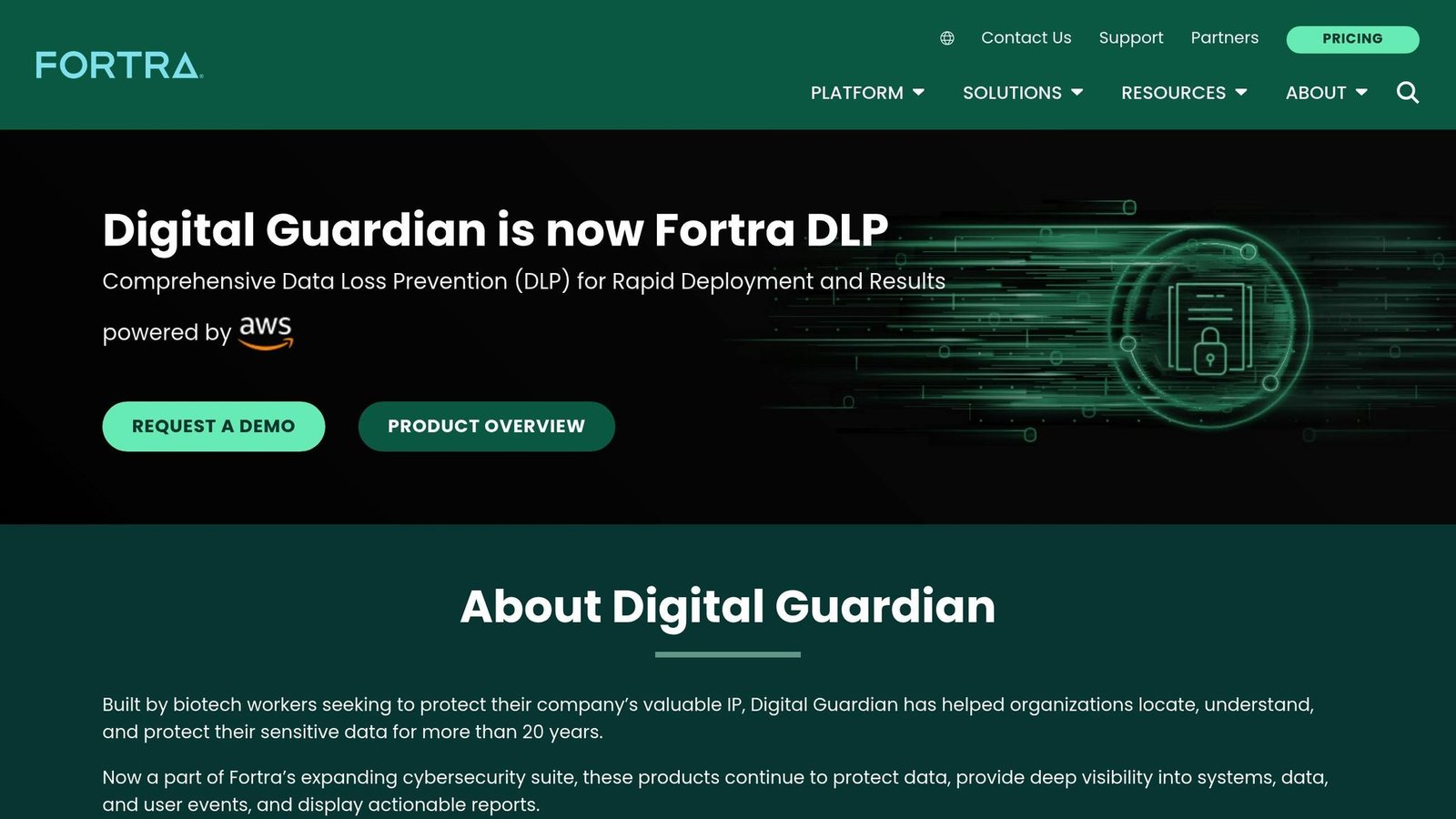
io Consulting appears as a named customer on Fortra’s own page for midsize companies, which is where the quotation below comes from. It is a vendor page, so read it as the vendor’s account, but the company and the person are real and the words are theirs.
Challenges Faced
The firm needed to safeguard its growing repository of intellectual property – design specifications, CAD drawings, and blueprints – from external attack and from insiders. Like most companies its size, it could not hire the security staff to do that in-house, and it had client compliance obligations to satisfy. That combination is what pushes SMBs towards managed DLP rather than a tool they run themselves.
Solution Implemented
io Consulting used Digital Guardian’s Managed Security Program, a cloud-hosted platform run on AWS. The service supplies the analysts as well as the software: policy tuning for regulated data such as PCI, PII and PHI, plus monitoring outside business hours. The point of a managed program is that you are buying the staffing, not the license.
Results Achieved
Fortra states on that page that its mid-market DLP customers “achieve results and value in 14 days or less”. Note the scope: that is a claim about its mid-market customers in general, not a measured outcome published for io Consulting specifically. An earlier version of this article attached the 14-day figure to io Consulting directly, and also claimed the firm met compliance deadlines in under 90 days. The 90-day claim appears nowhere in Fortra’s material and has been removed.
What the source does support is the reason the firm chose a managed service, in the customer’s own words:
“With Fortra Managed Security Program, we can be completely transparent with our clients about how we handle their data, giving them peace of mind that their sensitive data is fully protected.”
– John Barton, Chief Information Officer, io Consulting
The practical gain for a firm this size is visibility: knowing how files move between endpoints, email, and cloud storage. Whether that visibility is worth the subscription depends on how much of your value sits in documents somebody could email out.
Case Study 2: Withdrawn – the healthcare example
This section previously described “a small healthcare provider in the Midwest” that adopted blockchain-based DLP, reported a sharp fall in breaches and lower compliance costs, and cited processing times of 2.3 seconds across 100 nodes and 2.85 seconds across 500.
None of it could be checked. The provider was not named. The node timings look like they came from a lab benchmark in an academic paper rather than from any clinic’s production system. A claim that 95% of the practice’s patients were worried about data theft had no survey behind it. And the section carried a quotation attributed to Scott Doughman, Chief Business Officer of Seal Storage Technology, about blockchain immutability “restoring trust”. Doughman is real and Seal Storage does offer HIPAA-compliant blockchain-based storage, but that is not what he said. His actual published statement is about the company achieving HIPAA compliance, not about restoring patient trust. Putting invented words in a named executive’s mouth is the worst thing on this page, and it is gone.
What is actually true about blockchain and PHI
The architecture the section described is real and worth understanding, minus the invented results. You do not put Protected Health Information on a chain. You store the records in ordinary HIPAA-compliant cloud storage – see our list of HIPAA cloud storage providers – and write only cryptographic hashes to the ledger. The ledger then proves a record has not been altered, and produces an access log nobody can quietly edit.
That solves one problem: tamper-evident audit trails. It does not solve access control, exfiltration by an authorized user, or ransomware, which are the things that actually cause healthcare breaches. For most small practices, encrypted storage with proper role-based access and logging gets you the same audit position with vendors who answer the phone. Blockchain DLP is worth a look if you have a specific reason to distrust your own audit logs.
Case Study 3: Withdrawn – the retail example
This section described “a small retail chain on the East Coast” with three IT staff that turned on Microsoft 365 Business Premium’s built-in DLP, added a Managed Detection and Response provider, and thereby cut incident resolution “from days to less than an hour” while avoiding productivity losses “worth hundreds of thousands of dollars”.
No company, no figures anybody published, and the same phrase about hundreds of thousands of dollars used twice in one section. It is gone. So is the comparison table that used to sit further down: it described a completely different pair of scenarios from the case studies above it, including industrial espionage “costing $100,000 per lost customer” and an 18-month partner compliance mandate. Two versions of the same article had been spliced together.
The part of that story that stands up on its own
The underlying advice was sound, which is why the fabricated numbers were not doing any work. If you already pay for Microsoft 365 Business Premium or the E3/E5 tiers, DLP policies are included. You can scope a policy to credit card numbers or health identifiers, apply it to Exchange, SharePoint, OneDrive and Teams, and run it in report-only mode first to see what would have been blocked. That costs nothing beyond the licenses you hold.
The honest caveat: built-in DLP covers Microsoft’s own surfaces well and everything else poorly. Files leaving through a personal Dropbox account, a USB stick, or a browser upload to an unsanctioned app are where small teams actually lose data, and covering those needs endpoint agents you have to manage. That is the real reason SMBs end up buying a managed service, and it is a staffing decision more than a software one.
Lessons and Best Practices for SMBs Using DLP
Common Challenges
Budget comes first. IBM’s Cost of a Data Breach research put the global average cost of a breach at close to $4.9 million in 2024, up about 10% year on year. That average is dominated by large organizations, so do not treat it as your exposure; treat it as the reason DLP budgets exist at all. The same research found that breaches involving compromised credentials took an average of 292 days to identify and contain, which is the number that should actually worry a small team, because it is a detection problem rather than a spending problem.
An earlier version of this section claimed 46% of cyberattacks target SMBs, that enterprise DLP costs over $10,000 a year, that 72% of organizations run two or more DLP tools with 29% struggling to manage them, and that 77% of organizations suffer insider-driven data loss. We could not find primary sources for any of those and have dropped them all.
The challenges that remain, without invented precision: SMBs rarely have dedicated security staff, so false positives go unreviewed and alert fatigue sets in fast. Hybrid work puts company data on personal devices you do not control. And DLP tooling priced for enterprises assumes an analyst exists to tune it.
Implementation Strategies
Start with a data audit to classify information into risk levels – high (personally identifiable information, intellectual property), medium (internal guides), low (public material). You cannot protect everything, and trying to is how SMB DLP projects die.
Then roll out in phases. Begin with a pilot in one high-risk department such as Finance or HR, run policies in monitor-only mode long enough to see the false positive rate, and only then start blocking. Focus first on data in motion: unauthorized uploads to personal cloud storage, attachments to external addresses, USB copies.
Use adaptive policies that respond to user behaviour rather than blanket blocks, and prefer tools that warn the employee at the moment of the action. A warning that explains itself trains people. A silent block just generates a helpdesk ticket and a workaround.
Conclusion
One thing this article’s history demonstrates better than any of its case studies: be suspicious of DLP marketing. Of three SMB success stories originally published here, one was real and traceable to a named company and a named executive. The other two were unnamed companies with precise-sounding results, and they did not survive checking.
The defensible claims are narrow. Managed DLP lets a company with no security staff get monitored coverage, which is what io Consulting bought. Built-in DLP in a Microsoft 365 subscription you already hold costs nothing extra to switch on and covers Microsoft surfaces. Detection time, not tooling spend, is what determines how bad a breach gets. Everything beyond that – the percentages, the ROI multiples, the anonymous companies with 40% improvements – should be treated as sales material until someone links you to the study.
Start with a data inventory, cover email and cloud storage first, run in monitor mode before you block, and expand only when the alerts you get are ones a human can actually act on. If you are shopping for tools, BizBot’s directory lists options by budget, and our guide to network DLP implementation covers the rollout in more detail.
FAQs
How can small and medium businesses (SMBs) select the best DLP solution for their needs?
To select the right Data Loss Prevention (DLP) solution, small and medium-sized businesses (SMBs) should begin by identifying and organizing their sensitive data. This includes customer details, financial documents, or intellectual property, and determining where this data resides – whether in cloud applications, servers, or employee devices. Additionally, account for any industry-specific regulations like HIPAA or GDPR that your business must comply with.
When evaluating DLP providers, focus on compatibility, scalability, and budget. Prioritize solutions that integrate with your current tools (such as Microsoft 365 or Google Workspace), provide solid data monitoring, and are simple to manage without a large IT team. Cloud-based DLP is often the practical option for SMBs, since you can start small and grow.
Run a pilot before you commit. Watch the false positive rate above everything else. A tool that flags fifty harmless actions a day will be switched off within a month, whatever its detection rate looks like on paper.
What are some budget-friendly ways for SMBs to implement data loss prevention (DLP)?
Small and medium businesses don’t need a large budget to start. Cloud platforms like Microsoft 365 and Google Workspace include security features that can detect, block, or encrypt sensitive data without extra licenses. Pair them with lightweight mobile device management (MDM) to extend coverage to laptops, tablets, and phones from one console.
Prioritize critical data such as customer details, payment records, or intellectual property. Label that data and enforce strict rules only on those high-risk assets. This keeps both the tooling load and the expense down.
Employee training is the cheapest control available and usually the one skipped. Most SMB data loss is somebody emailing the wrong attachment, not an attacker.
Roll out in phases, start with one department or one data type, evaluate, then expand. Subscription pricing that scales with headcount helps manage cost. BizBot’s directory lists options suited to SMB budgets.
How can blockchain-based DLP systems improve data security for healthcare organizations?
Blockchain-based DLP systems store access-control policies and audit logs in a ledger that cannot be rewritten. Every access attempt and policy change is recorded in a way that is transparent and tamper-evident, which is useful when you need to prove to a regulator that a log was not edited after the fact.
They also use decentralized, encrypted, role-based permissions to control who reads protected health information. What they do not do is stop an authorized user from misusing access, and they do not prevent ransomware. For most small practices, encrypted HIPAA-compliant storage with strict role-based access and immutable logging achieves the same audit outcome with a shorter list of things that can go wrong.
More on this topic
Browse all 79 articles on Security & Compliance.