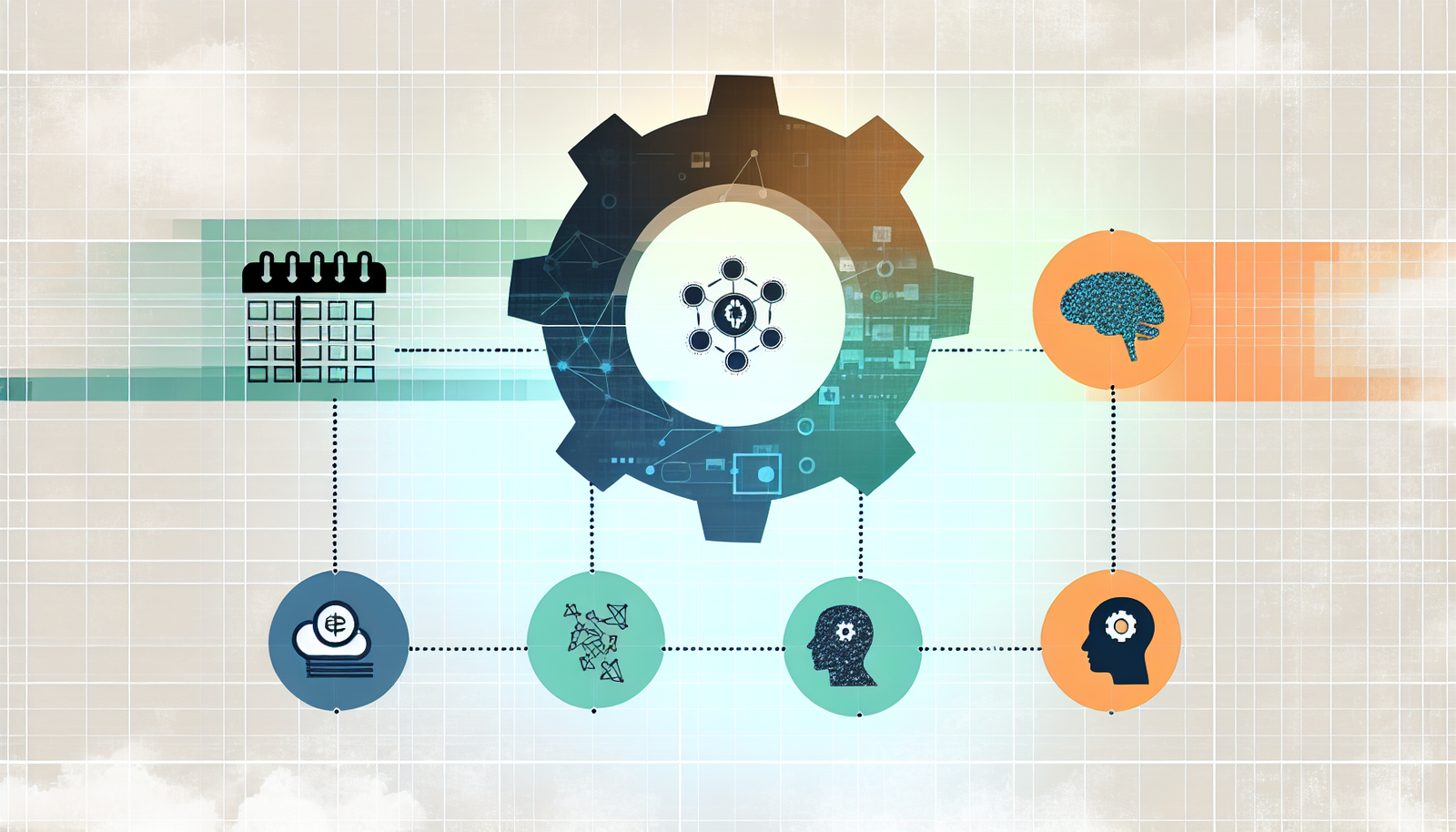

In today’s digital age, leveraging technology and organizing your small business efficiently can significantly impact its success. This guide covers the essential tools and systems small business owners need to streamline operations, enhance security, and drive growth. Here’s a quick overview:
- Financial Management: Use online accounting software for better money tracking.
- Operations Management: Implement ERP tools for smoother production and service delivery.
- Marketing Management: Digital marketing can widen your customer reach.
- Human Resource Management: HR software simplifies team management.
- Digital Transformation: Embrace cloud computing, data analytics, and AI for operational efficiency.
- Information Systems: Incorporate CRMs, ERPs, and BI systems for automation and data-driven decisions.
- Hardware and Software: Essential tech includes computers, cloud servers, and industry-specific applications.
- Security: Employ firewalls, VPNs, and data encryption to protect your business online.
Selecting the right tools involves considering their features, ease of use, scalability, and cost. Training your team on new systems and overcoming implementation challenges are crucial steps. Stay informed on emerging technologies like AI, AR/VR, and blockchain to keep your business competitive. This comprehensive approach ensures your small business can thrive in the digital landscape.
Defining Business Administration
Business administration is all about managing your business’s resources and daily operations to hit your goals. For small businesses, this means keeping an eye on a few key areas:
- Financial management: This is about tracking your money – what’s coming in, what’s going out, and making sure your business stays profitable. Using online accounting software can help you see your finances clearly.
- Operations management: This involves managing how you make your products or deliver your services, keeping stock, and handling deliveries. Tools like ERP (Enterprise Resource Planning) can make these tasks smoother.
- Marketing management: This is how you get people to buy what you’re selling, through advertising, setting prices, and finding the best ways to reach customers. Digital marketing can help you reach more people with less effort.
- Human resource management: This is about hiring, training, and looking after your team. HR software can help with things like paying your team, following laws, and checking how well everyone’s doing.
The move to digital has brought new tech that small businesses can use to do better work, make smarter decisions, reach more customers, and plan ahead, even with fewer resources.
Digital Transformation and Business Administration
New tech has changed the game, making it important for small businesses to update how they run things:
- Cloud computing lets small businesses use big tech like storage and software without spending a lot of money. This means you can grow your business without big upfront costs.
- Data analytics helps you understand your business better, using AI and big data tools to make smart moves and plan for the future. Now, even small businesses can use data in big ways.
- Process automation with AI, machine learning, and IoT (Internet of Things) can take over routine tasks, making things run smoother and cutting down on mistakes. This is great for small teams that need to do a lot with a little.
- Enhanced cybersecurity is more important than ever as businesses do more online. Using things like firewalls and encryption helps keep your business safe.
- Remote work/communications with tools like video calls, file sharing, and VPNs makes it easier to work with people all over the world.
Small businesses need to jump on these digital changes to keep up with bigger companies. With the right planning and tech, even small teams can make a big impact.
The Essentials of Information Systems for Small Businesses
What are Information Systems?
Information systems are the tools and tech that businesses use to get things done. This includes software to keep track of money, manage customer info, organize business operations, handle orders and stock, and make sense of business data. For small businesses, key information systems are:
- Accounting systems for keeping an eye on money coming in and going out
- Customer relationship management (CRM) systems to keep track of customers and sales
- Enterprise resource planning (ERP) systems to connect different parts of the business like inventory and HR
- Supply chain management (SCM) systems to manage how products are made and delivered
- Business intelligence (BI) systems to help understand business data better
These systems help businesses run smoothly, make smart decisions, and stay competitive.
Importance of Information Systems for Small Businesses
In today’s digital world, small businesses need these systems to:
Process Automation
- Make tasks easier and faster with less manual work
- Cut down on mistakes and costs
- Keep things consistent and reliable
Data-Driven Decisions
- Use data to understand customers and business better
- Spot opportunities and fix problems early
- Use data to plan and make smart moves
Organizational Agility
- Change quickly when needed
- Start new things fast
- Stay strong even when times are tough
Customer Engagement
- Make it easy for customers to help themselves
- Keep customers happy and coming back
- Listen to what customers say to improve
Competitive Edge
- Keep up with or even get ahead of bigger companies
- Work smarter and faster
- Always look for ways to do better
By using these information systems, small businesses can do a lot with a little, understand their business better, quickly adapt, take good care of customers, and always be improving.
Key Components of an Effective Small Business Information System
Hardware and Software Requirements
To set up a good information system for your small business, you need the right tools and programs.
Hardware
- Computers & Mobile Devices: Everyone needs a computer or a laptop to get to company info and systems. Phones and tablets let you work from anywhere.
- Printers & Scanners: A shared printer and scanner make it easy to turn paper documents digital. All-in-one devices save space.
- Servers: Servers keep all your data safe in one spot and let devices talk to each other. Using cloud servers can save you money on equipment.
- Backup Drives: External hard drives keep a copy of your data safe in case something goes wrong with your devices.
Software
- Operating Systems: Windows and MacOS let you use business apps and software.
- Office Suites: Tools like Microsoft Office or Google Workspace are great for making documents, spreadsheets, and presentations.
- Accounting Software: Programs like QuickBooks help you keep track of money, pay your team, and sort out taxes.
- CRM Platforms: Systems like Salesforce and Zoho CRM help you keep track of your customers to sell more and offer better service.
- Industry-Specific Software: Certain businesses need special programs to make their work easier, like in healthcare or manufacturing.
Networking and Data Management Essentials
Sharing info and managing data is important. Here’s what you need:
- Internet Connectivity: A fast and stable internet connection is a must for working remotely and using the cloud.
- WiFi & LAN: Wireless and wired networks let devices in your office connect to each other.
- Cloud Storage: Services like Dropbox keep your files safe online and let you get to them from anywhere.
- On-Site Servers: Devices like NAS give you lots of storage right in your office.
- Data Backups: Keeping copies of your data in the cloud or on external drives protects you from losing info if something breaks.
- Access Controls: Setting who can see or use certain files keeps your data safe.
Security Considerations
Keeping your business’s information safe is crucial. Here’s how:
- Use firewall and anti-malware software on all devices.
- Turn on multi-factor authentication for extra security when using cloud services.
- Use VPN connections to keep remote work secure.
- Encrypt your hard drives and important files for extra protection.
- Make sure only the right people can get to important info with access controls.
- Keep backups of important data to protect against threats like ransomware.
- Have rules like using strong passwords and not sharing files carelessly to keep things safe.
With the right tools, programs, and safety measures, your small business can have an information system that meets your needs without breaking the bank.
Selecting the Right Business Administration Tools
This section helps you understand how to pick the best tools for managing your business and gives you a quick look at some top options for different business needs. We compare these options in a simple table that shows what they do, their good and bad points, how much they cost, and who they’re best for.
Evaluation Criteria for Business Tools
When picking tools for managing your business, think about these points:
- Core features: Make sure the tool does what you need. For example, good accounting software should help with bills, tracking spending, and making financial reports.
- Ease of use: It should be simple to use so everyone in your team can use it without needing a lot of training.
- Scalability: The tool should grow with your business. It should offer different plans based on your needs like how many people are using it or how much data you have.
- Integration capabilities: It’s great if the tool works well with other software you’re using. This makes your work smoother.
- Customer support: Good support means you can get help when you need it, through phone, email, or online guides.
- Costs: Look at the price and decide if it’s worth it for the features it offers.
Project Management Tools Comparison
| Tool | Key Features | Pros | Cons | Pricing | Best For |
|---|---|---|---|---|---|
| monday.com | Custom boards, automations, integrations | Flexible, customizable | Can be hard to learn | $8–$16/month/user | Teams working on complex projects |
| Asana | Tasks, due dates, project views | Good free option, easy to use | Can be overwhelming when big | Free – $10.99/month/user | Small teams starting out |
CRM Software Comparison
| Tool | Key Features | Pros | Cons | Pricing | Best For |
|---|---|---|---|---|---|
| Pipedrive | Deal pipelines, email integration, reporting | Easy to use, great for sales | Not very customizable | $12.50–$62/month/user | Sales teams focusing on deals |
| Salesforce | Contact management, forecasting, campaigns | Lots of features, very customizable | Can be complicated | $25–$300/month/user | Big companies with lots of customers |
Workplace Communication Tools Comparison
| Tool | Key Features | Pros | Cons | Pricing | Best For |
|---|---|---|---|---|---|
| Microsoft Teams | Video meetings, chat, file sharing | Works well with Office, lots of features | Can get messy with a lot of people | $5–$20/month/user | Businesses using Microsoft stuff |
| Slack | Channels, threaded chat, app integrations | Flexible, good for teams in different places | Can be distracting | Free – $12.50/month/user | Tech teams working together |
HR Software Comparison
| Tool | Key Features | Pros | Cons | Pricing | Best For |
|---|---|---|---|---|---|
| SnapHRM | Employee database, payroll, onboarding | Free for small teams | Not for big tasks | Free – $5/month/user | Very small teams |
| Freshteam | Recruiting, onboarding, time-off tracking | User-friendly, good for hiring | Not the best for reports | $16-$19/month/user | Small to medium businesses hiring people |
Cashflow & Invoicing Software Comparison
| Tool | Key Features | Pros | Cons | Pricing | Best For |
|---|---|---|---|---|---|
| CashAnalytics | Cashflow forecasting, invoicing, expense tracking | Easy reports, simple to use | Web only | $15/month/user | Businesses focusing on money flow |
| Invoice Simple | Online invoicing, recurring invoices, payment processing | Customizable, great for small teams | No full accounting | $15/month/user | Freelancers and very small teams |
Document Management Tools Comparison
| Tool | Key Features | Pros | Cons | Pricing | Best For |
|---|---|---|---|---|---|
| Google Drive | Cloud storage, document creation, sharing permissions | Lots of free space, easy to share | Not the strongest security | Free – $20/month/user | Small teams using Google products |
| Dropbox | File versioning, sharing links controls, mobile access | Easy to use, lots of features | Pricier than some | $9.99–$20/month/user | Businesses needing advanced file sharing |
Implementing Information Systems in Your Business
How to Choose Which Systems to Adopt
Picking the right tech tools for your small business can seem hard. Here’s how to make it easier:
- Figure out what you need: Take a close look at your business and find spots where tech could help. This helps you choose tools that fit your needs.
- Look into different options: Check out several options for the tools you’re considering. Look at what they offer, how much they cost, and what other people say about them.
- Try it out first: See if you can try the tool for free. Use it in a small test to see if it really helps your work.
- Think about costs and benefits: Make sure the benefits of using the tool (like saving time or being more organized) are worth the cost.
By focusing on what you really need and doing your homework on options, you can find tools that help without making things too complicated.
Integrating New Systems
When you’re adding new tools to your business, it’s important to fit them into how you already work:
- Understand your current process: Knowing how things are done now helps you figure out how to bring in new tools.
- Plan how to add the new tools: Start with the most important parts of your work. Slowly add more as everyone gets used to it.
- Choose someone to lead the change: Have someone in charge of making sure the new tool is used right in their area.
- Listen to your team: Get feedback from the people using the new tools. Use their input to make things better.
- Keep improving: Always look for ways to make using the new tools better.
With careful planning and listening to your team, new tools can make work easier instead of harder.
Training Your Staff
Teaching your team to use new tools well is key:
- Start simple: Make sure everyone knows the basics before moving on to more complicated stuff.
- Use real-life examples: Show how the tool fits into the work they’re already doing.
- Help each other out: Have people who learn fast help others who might be struggling.
- Make helpful resources: Create easy guides, videos, and FAQs that people can look at when they have questions.
- Keep learning: After the first training, keep offering chances to learn more as questions come up.
Good training helps everyone feel comfortable and confident using new tools.
Overcoming Challenges and Troubleshooting Issues
Top Implementation Challenges
Bringing in new systems can be tough for small businesses. Here are some common hurdles:
- Employee resistance to change: Sometimes, people don’t want to try new things. This can make it hard to start using new tools.
- Ask employees what they think early on and listen to their worries
- Explain how the new system will make their jobs easier
- Provide plenty of training and help
- Poor leadership buy-in: If the bosses aren’t fully on board, employees won’t be either.
- Include leaders in choosing the system
- Show them how the new system can improve decision-making
- Encourage leaders to lead by example in learning the system
- Underestimating resource requirements: New systems need things like computers, internet capacity, and time from employees to set up and learn. Not planning for these can cause issues.
- Fully research what you’ll need and how much it’ll cost
- Make sure you have enough time and people available
- Plan for unexpected problems
Troubleshooting Guide
When you run into problems, here’s what to do:
Technical problems and bugs
- Look for answers in the product’s help center or online forums
- Report any issues clearly to the product’s support team
- If there are internet issues, check your connections and equipment
Poor user adoption
- Ask users what’s making it hard for them to use the new system
- Offer more training and quick reference guides
- Get feedback from those who are struggling and involve them in finding solutions
Data migration difficulties
- Move data over in small parts to make it easier to handle
- Check your data before and after moving it to make sure it’s right
- Allow extra time for moving complex data
Connectivity and integration problems
- For online tools, make sure your internet connection is strong
- Check that the connections between different tools are set up right
- Consider getting help from the product’s team if they offer it
Cost overruns
- Keep an eye on your budget and adjust as needed
- Talk to your product provider about getting a better deal
- Think about adding new features gradually
Where to Find Help
If you’re stuck, here are some places to look for help:
- Vendor customer support: Your product provider should have a support team you can ask for help.
- Knowledge bases and forums: Many products have online manuals, FAQs, and community forums.
- Integrator and consultant services: Experts can help set things up, but they usually charge a fee.
- Online communities: Websites like Reddit and Quora have lots of advice from people who’ve been in your shoes.
- Industry media: Business and tech news sites often have useful tips and information.
Don’t hesitate to reach out for help! Using the resources available and asking for advice when you need it is important for small businesses trying to use new systems.
What adoption actually looks like
Two worked examples follow. They are deliberately generic: the case studies that used to sit here described companies that do not exist and quoted sales increases nobody measured, so they have been removed rather than dressed up. What is below is the shape these projects take in practice, without numbers we cannot stand behind.
A small retailer moving to a CRM
The trigger is almost never ambition. It is that customer information now lives in three places at once and somebody has been contacted twice, or not at all. A shop selling both in person and online typically has orders in the ecommerce platform, enquiries in a shared inbox, and the regulars in one person’s head.
What a CRM changes is that there is one record per customer and everyone can see it. What it does not change is whether anyone updates it. The projects that work start by importing only what is already accurate, usually order history, and adding fields later. The ones that stall start by designing the perfect record and then discovering nobody fills it in during a busy week.
The realistic first-year gain is fewer dropped follow-ups and less time spent reconstructing what was agreed. Whether that shows up as revenue depends on how much you were losing to those things, which is worth measuring before you buy rather than after.
A small agency moving to project management software
Here the trigger is usually that two people think someone else is doing the same task, or a deadline moves and nobody downstream hears about it. An agency running twenty projects at once hits this well before it hits any technical limit.
A project tool helps because it makes work visible and gives every task an owner. The honest cost is that people resist being tracked, and a tool that becomes a surveillance instrument gets quietly abandoned. Teams that succeed agree on a small set of statuses everyone actually uses, and accept that the tool reflects reality only as well as people update it.
The thing to watch is scope. Most agencies need shared visibility, not resource forecasting and burn-down charts. Buying the larger product and using a tenth of it is the most common expensive mistake in this category.
What both have in common
Neither project fails on the software. They fail on data that was wrong going in, on nobody owning the system after launch, and on automating a process that did not work manually. If you want a number to judge yourself against, measure your own baseline first: how long the task takes today, and how often you have to correct it.
Future Trends Impacting Small Businesses
Emerging Technologies
New technologies like artificial intelligence (AI), augmented reality (AR)/virtual reality (VR), and blockchain could really change the game for small businesses soon. It’s smart to start understanding these now.
AI and Machine Learning
AI is getting better at tasks like analyzing data, predicting trends, and handling customer service with chatbots. Small businesses can use AI to speed up their work and make smarter choices. As AI gets more advanced, it could take over routine jobs, freeing up people to do more creative work.
AR and VR
AR and VR let us see and interact with data in new ways, train staff, connect with customers, and even create new products. AR adds digital stuff to the real world, while VR creates a completely digital world. As these technologies become more affordable, small businesses can use them to change the way they work and sell.
Blockchain
Blockchain is a secure, open way to store data that can help with tracking products, making contracts, and handling payments. It’s safe and doesn’t need middlemen. Small businesses can start small with blockchain in areas like shipping and payments to get ready for bigger projects.
Quantum Computing
Quantum computing is a new way of processing data that could change how we do things like making predictions and solving complex problems. It’s still early days, but keeping an eye on this technology will help businesses prepare for the future.
Evolving Trends
There are also ongoing trends that small businesses need to keep up with.
Cybersecurity
As businesses use more technology and data, the risk of cyberattacks grows. It’s important to protect your business with things like firewalls, VPNs, backups, and encryption, and teach your staff about security risks. Cybersecurity is a must for both your tech systems and your overall business plan.
Remote and Hybrid Work
Working from home or having a mix of office and home work is becoming more common. Businesses need the right tools for team communication, collaboration, and management, no matter where everyone is. Planning how to work well together, even when apart, is key.
Sustainability
People care more about the environment now, so businesses need to think about using less resources and being more eco-friendly. This can also save money. Being green is good for the planet and can make customers like you more.
Servitization
Some businesses are making money by offering services along with their products, like customization or data insights. This helps keep customers happy and coming back. Small businesses should think about adding services to their products to give more value.
By keeping up with new technologies and trends, small businesses can stay flexible and grab new opportunities as they come.
Conclusion and Key Takeaways
It’s really important for small businesses to use the right tech tools to help their work run smoother, make smart choices based on data, improve how they serve customers, and stay ahead in the market. Starting to use new tech might seem tough at first, but it’s worth it in the long run.
Here’s what we’ve learned:
- Start by understanding what your business needs. Tools like CRM, ERP, and BI can help with automating tasks and giving you important insights.
- When picking tools, look at what they offer, how easy they are to use, if they can grow with your business, how well they work with other tools you use, and how much they cost. Try them out before making a final decision.
- To get everyone on board with new tech, offer plenty of training and start with small steps. Have some team members lead the way in using it.
- Make plans for moving data safely, setting up security, fixing any issues that come up, and getting help when you need it. Use online guides, experts, and the tool’s customer service.
- Stay up to date with new tech like AI, AR/VR, blockchain, and quantum computing. Keep improving your systems and strategies to deal with things like cybersecurity, working from home, and being eco-friendly.
As technology keeps changing fast, being able to adapt is key. Even though it might be hard at times, updating your systems and how you do things helps your business keep offering great value to customers. This leads to making more money and staying strong in the market.
Common questions
Do I need both a CRM and a project management tool?
Usually yes, eventually, because they answer different questions. A CRM tells you what is happening with a customer; a project tool tells you what is happening with the work. Trying to run one inside the other is possible for a while and gets awkward fast. That said, do not buy both in the same month. Start with whichever failure is currently costing you something you can name.
How much should a small business spend on this?
There is no honest per-employee figure, because the range is enormous and depends on what you are replacing. The more useful discipline is to price the whole stack once a year and check what each line is actually doing. Most small companies find at least one subscription nobody has opened in months, and per-seat tools quietly billing for people who left.
What should I set up first?
Whatever breaks first when you get busy. For most small businesses that is either the place customer conversations live or the place work is tracked. Setting up something because it is on a best-practice list, rather than because it is currently failing, is how you end up with software you never open.
When is a spreadsheet still the right answer?
Longer than most vendors will tell you. A spreadsheet is fine until two people need to edit the same record at once, or until someone starts keeping a private copy because the shared one is wrong. Those two moments are the real signal — not revenue, not headcount.
What usually goes wrong?
Three things, in this order: the data was already inconsistent before it was migrated, nobody owned the system after launch, and the process being automated did not work manually either. None of them are software problems, which is why changing tools rarely fixes them.
More on this topic
Browse all 86 articles on Business Operations, or jump straight to our buying guide: Best Productivity Tools for Small Teams.