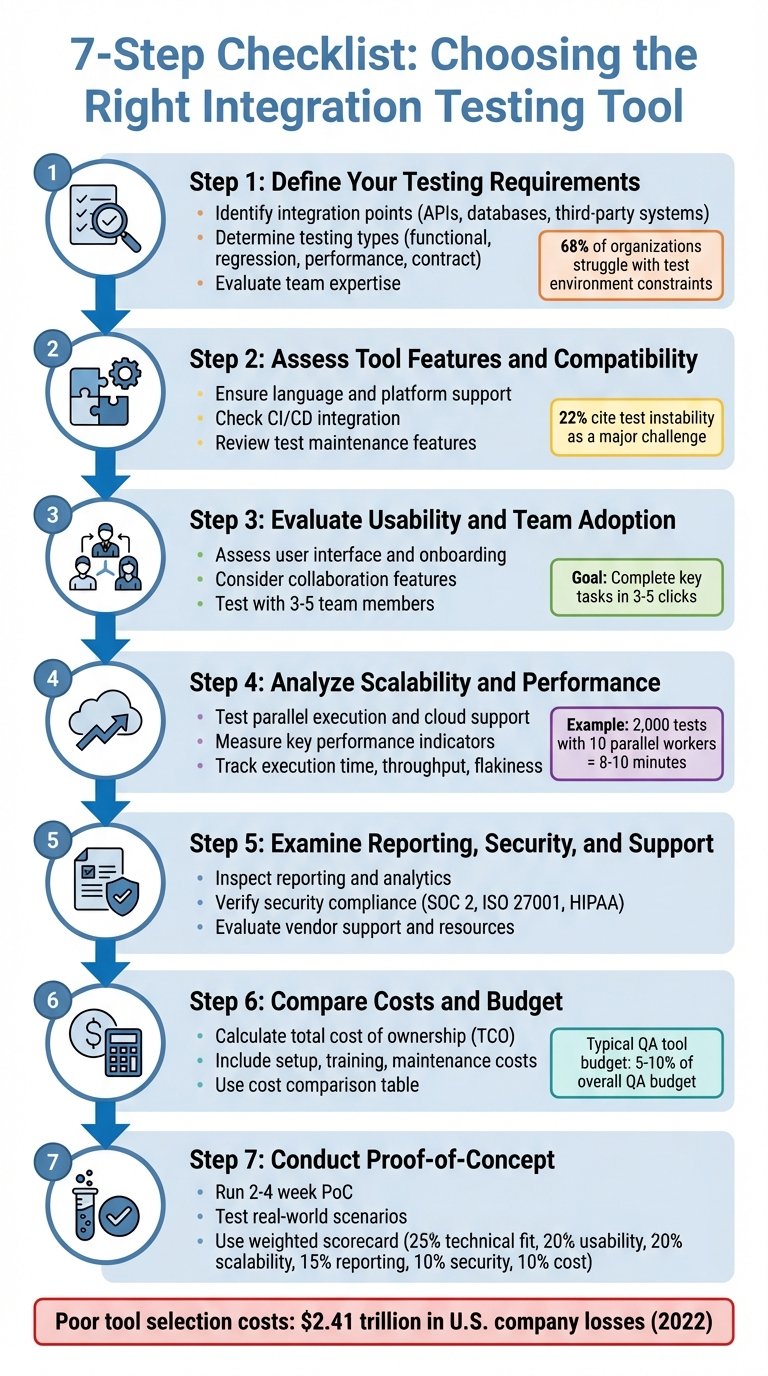
A software trial should answer one question: can your team complete an important job reliably, at an acceptable total cost? A polished demo is useful, but it is not evidence that a product fits your workflow.
This guide gives small teams a repeatable comparison method. Use the same tasks, sample data and scoring rules for two shortlisted products. It is an editorial worksheet, not a vendor ranking or a claim that BizBot has tested the products you select.
1. Choose one workflow before choosing features
Write a concrete outcome, such as “capture a new enquiry, assign an owner and schedule a follow-up without copying information between spreadsheets.” Avoid a broad goal such as “improve productivity.” If you are still deciding which type of software you need, start with our guide to IT tools for business.
Record who performs the task, how it works today and what goes wrong. Time a few representative attempts with the current process. Note errors and handoffs as well as minutes spent; a faster process that loses information is not an improvement.
2. Set pass-or-fail requirements
Separate essentials from preferences before opening a trial account. A missing essential requirement should not disappear inside a high overall score.
- Access: Can each role see and change only the information it needs?
- Data: Can you import the required fields and export usable records and attachments?
- Connections: Does the integration you need work on the plan you would actually buy?
- Commercial fit: Are the minimum seats, usage limits and contract terms acceptable?
Use synthetic or approved, minimized sample data first. Do not upload customer records, credentials or confidential documents just to make a demonstration feel realistic. Record unresolved security or contractual questions as “not verified,” not as a pass.
3. Run the same five tests in each product
- Normal task: Complete the main workflow from start to finish.
- Exception: Try a duplicate record, missing field or incorrect entry, then recover.
- Handoff: Have another team member continue the work without a verbal explanation.
- Connection: Check the actual transfer to a required system, including what happens when it fails.
- Exit: Export the result and check that it remains understandable outside the product.
Use the same sample size and people where practical. Record setup time separately from repeat-task time. A screenshot or a short factual note is more useful than “felt easy.” If a trial blocks a feature, ask for evidence or a suitable demonstration; do not assume the paid version passes.
4. Copy this comparison scorecard
Give each area a score from 0 to 3: 0 = failed, 1 = substantial workaround, 2 = works with minor friction, 3 = works as required without a workaround. Use “not tested” instead of guessing. These are example weights; change them before testing to reflect your workflow.
- Core task accuracy — 35%: Were the records and outputs correct?
- Team usability — 25%: Could the intended users finish independently?
- Integration reliability — 20%: Did required data arrive correctly, with visible errors?
- Administration and exit — 20%: Were permissions, maintenance and export manageable?
For each area, keep four fields: Product A score, Product B score, evidence, and open questions. Multiply each score by its weight and add the results for a total out of 3. Do not calculate a final ranking while required tests remain unverified, and reject any option that fails a mandatory requirement.
5. Compare total cost, not just the headline plan
Estimate the first year: subscription for the required seats, usage charges, paid integrations, setup or migration, training and ongoing administration. Keep your own staff-time estimate separate from vendor charges. Check renewal pricing, billing frequency, cancellation and what happens when the trial ends before entering payment details.
For example, a hypothetical $40 monthly plan costs $480 annually before extras. If setup takes six hours, include that time at your chosen internal hourly cost rather than calling setup free. This is an illustration, not a current vendor price.
6. Make a keep, extend or stop decision
Choose a product only when the essential requirements pass, evidence supports the score and an owner can manage the rollout. Extend the evaluation only for a specific unanswered question with a deadline. Stop if the main workflow still needs unacceptable manual work.
Before committing, document how you would leave. Our business software exit-plan guide covers that next step. Keep your completed scorecard so the team can revisit the decision using evidence rather than memory.