Disclosure: This page contains commercial links. BizBot may earn a commission from qualifying purchases. Paid placements do not buy a better ranking. Read our affiliate disclosure.
A customer calls while a technician is finishing a vehicle. Another person has requested a quote online, and tomorrow’s appointments still need to be confirmed. For a busy auto detailing owner, these tasks can quickly pile up. When customer details, bookings, estimates, and job notes sit in different places, it becomes harder to respond promptly and keep work organized.
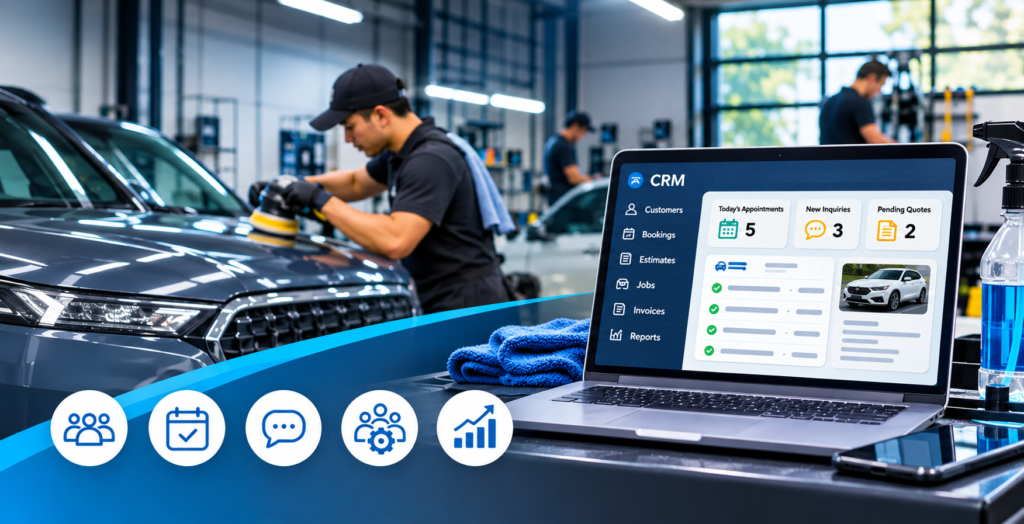
Customer Relationship Management (CRM) software can bring many activities into one system. For detailing businesses, the right platform can connect customer communication with scheduling, quoting, invoicing, and job coordination. That can make daily management clearer as bookings increase over time, while keeping customer needs and bookings in view as work increases.
Keep Customer and Vehicle Details in One Place
Detailing work often depends on knowing a vehicle’s condition, service history, and the customer’s preferences. If details are stored in notebooks, messages, or separate spreadsheets, staff may have to search for information before each appointment.
A CRM system can create a central customer record. Depending on the software, it may include:
- Customer contact details and communication history.
- Vehicle information, service notes, and previous work.
- Estimates, invoices, and appointment records.
- Photos or videos from vehicle inspections.
Organized records help staff understand customer requests and make handovers between team members easier.
Improve Scheduling, Quotes, and Booking Management
Auto detailing businesses may receive requests by phone, email, social media, or their websites. Tracking every conversation manually can make it difficult to see which customers need a response and which jobs are confirmed.
CRM and business management software may bring these steps together through online booking, appointment calendars, quote creation, and reminders. Staff can record an inquiry, prepare an estimate, and track whether the customer has approved it.
For example, a shop offering interior cleaning and ceramic coating can plan appointments around the time and staff each service requires. Automated confirmations and reminders, where available, can also reduce unnecessary back-and-forth communication.
Strengthen Customer Communication with CRM Auto Detailing Tools
Customers may need updates before an appointment, information while a job is underway, or a reminder about a future booking. Consistent communication helps them know what to expect.
Industry-focused software can connect customer records with messages, reminders, and job updates. Businesses comparing CRM auto detailing software should check whether a platform supports their actual communication and operational needs, rather than choosing one based on a long feature list.
The U.S. Small Business Administration explains that CRM systems can help businesses organize sales efforts, manage leads from different sources, and bring customer information together. Its guidance on streamlining customer communications provides further context.
Automation should be used thoughtfully. A reminder can save time, but a customer with a specific concern may need a personal response.
Coordinate Jobs, Staff, and Mobile Routes
Growing businesses must coordinate more than customer conversations. Owners may need to assign tasks, manage staff availability, plan mobile visits, and track job progress.
Automotive business software may combine customer management with tools such as:
- Task assignment: Allocate job stages to employees.
- Employee scheduling: Match work with staff availability.
- Route planning: Organize visits for mobile teams.
- Job inspections: Save photos or videos to document vehicle condition.
- Invoicing and payments: Prepare invoices and collect payments.
Urable offers automotive business tools that include line-item scheduling, mapping and routing, photo and video inspections, quoting, invoicing, and payment processing. The right combination depends on whether a business operates from a shop, provides mobile services, or does both.
Use Business Records to Plan Growth
Customer and job records can help owners see which services are requested most often, when schedules are busiest, and where delays or unanswered inquiries occur.
Some platforms provide reports or dashboards; others require owners to review booking, sales, and invoice records separately. Consistent information can guide decisions about staffing, appointment availability, and services. Owners should also consider job time, material costs, and seasonal demand before changing prices or schedules.
A CRM does not make decisions on its own. Its value lies in giving owners information they can use to improve business processes.
How to Choose a CRM for an Auto Detailing Business
The best system is one that fits the business’s workflow and budget. Before committing, owners should consider:
- Industry fit: Does it support detailing appointments, estimates, inspections, and job coordination?
- Ease of use: Can employees learn it without disrupting daily work?
- Mobile access: Can staff use it away from the shop?
- Pricing: Are there extra charges for users or payment services?
- Integrations and data access: Does it connect with essential tools, and can records be exported?
- Support and security: Is help available, and are customer details handled responsibly?
A trial or demonstration can help staff test common tasks. A short test using typical bookings and invoices can reveal whether the system fits the team’s routine.
Final Thoughts
CRM software can help auto detailing businesses organize customer information, manage bookings, coordinate jobs, and communicate consistently. The right platform should fit the services, team size, and working style of the business. Comparing essential features, costs, data access, and ease of use helps owners choose a system that supports steady, manageable growth as customer demand and workloads continue to grow.
Frequently Asked Questions
How often should customer records be updated?
Update records after each job or whenever contact details, vehicle information, or service preferences change.
Can employees have different levels of access?
Some platforms offer user roles and permissions, allowing owners to limit access to information based on each employee’s responsibilities.
Does a CRM connect with email and social media?
Some systems offer integrations with selected communication channels, but supported platforms vary. Check compatibility before choosing a tool.