Disclosure: This page contains commercial links. BizBot may earn a commission from qualifying purchases. Paid placements do not buy a better ranking. Read our affiliate disclosure.

When choosing a data warehouse platform, consider these key factors:
-
Handling Growth and Speed
- Scalability to accommodate increasing data volumes
- High performance with fast query response times
- Data compression and parallel processing capabilities
-
Connecting Data Sources
- Support for structured, semi-structured, and unstructured data
- Native connectors or APIs for the BI tools you already use
- Automated ingestion, transformation, scheduling, and error handling
-
Keeping Data Secure
- Encryption for data at rest and in transit
- Role-based access control, multi-factor authentication, and audit logging
- Compliance with the regimes that apply to you, such as GDPR, HIPAA, or PCI-DSS
- Independent certification such as SOC 2 or ISO 27001
-
Cost Considerations
- Evaluate total cost of ownership (TCO), including licensing, storage, and maintenance
- Pricing models: pay-as-you-go, subscription-based, or perpetual licensing
- Compare costs across vendors to find the best value
-
Vendor Support and Community
- Responsive and knowledgeable support team
- Access to comprehensive training materials and documentation
- Active user community for troubleshooting and best practices
| Criteria | Key Considerations |
|---|---|
| Growth and Speed | Scalability, query performance, data compression, parallel processing |
| Data Integration | Data format compatibility, BI tool integration, reliable ingestion process |
| Data Security | Encryption, access controls, regulatory compliance, vendor reputation |
| Cost | TCO, pricing models (pay-as-you-go, subscription, perpetual) |
| Vendor Support | Support team, training resources, user community |
Carefully evaluate your organization’s needs and prioritize these criteria to select the most suitable data warehouse platform.
1. Handling Growth and Speed
As your business expands, your data warehouse needs to keep up. A scalable platform can grow with your increasing data volumes without costly upgrades or complex migrations. This allows you to handle more data without disrupting operations.
Growing Data Needs
Organizations collect data from various sources like IoT devices, social media, and customer interactions. Your data warehouse must scale to accommodate that growth without a re-platforming project every eighteen months.
Measuring Performance
To evaluate performance, consider:
- Query Response Time: How quickly the system retrieves and analyzes data for timely decision-making.
- Data Compression: Reducing storage needs and improving query speed by minimizing data transfer and processing.
- Parallel Processing: Distributing workloads across multiple nodes or processors for faster query execution and handling large data volumes efficiently.
Test these on your own queries during a trial. Vendor benchmarks are run on workloads chosen by the vendor, which is a reasonable thing for them to do and a poor basis for your decision.
| Performance Metric | Description |
|---|---|
| Query Response Time | How quickly the system can retrieve and analyze data |
| Data Compression | Reducing storage needs and improving query speed |
| Parallel Processing | Distributing workloads across multiple nodes or processors for faster execution |
Scalability and Performance
Look for platforms that can scale horizontally by adding more nodes or resources as needed. Advanced query optimization techniques like partition pruning and cost-based optimization can further improve performance and efficiency.
Parallel processing is key for handling complex queries and large data volumes. By distributing the workload, parallel processing allows for faster query execution and better overall performance.
2. Connecting Data Sources
Multiple Data Formats
A modern data warehouse should integrate with various data sources, including:
- Structured Data: Databases with organized data in tables and rows
- Semi-Structured Data: Logs, XML files, and other partially organized formats
- Unstructured Data: Emails, documents, social media content, and other unorganized data
This versatility allows you to consolidate and analyze all your organization’s data within a single platform, regardless of its format or origin.
BI Tool Compatibility
For effective data analysis and visualization, your data warehouse must work with the business intelligence (BI) and visualization tools your team already uses. Look for platforms that integrate natively or provide APIs for tools like:
| BI Tool | Description |
|---|---|
| Tableau | Widely used data visualization software |
| Power BI | Microsoft’s business analytics solution |
| Qlik | Data analytics platform for guided analytics |
Check the connector yourself rather than trusting a logo on a compatibility page. “Supported” sometimes means a community-maintained driver that nobody has updated in two years.
Data Integration Process
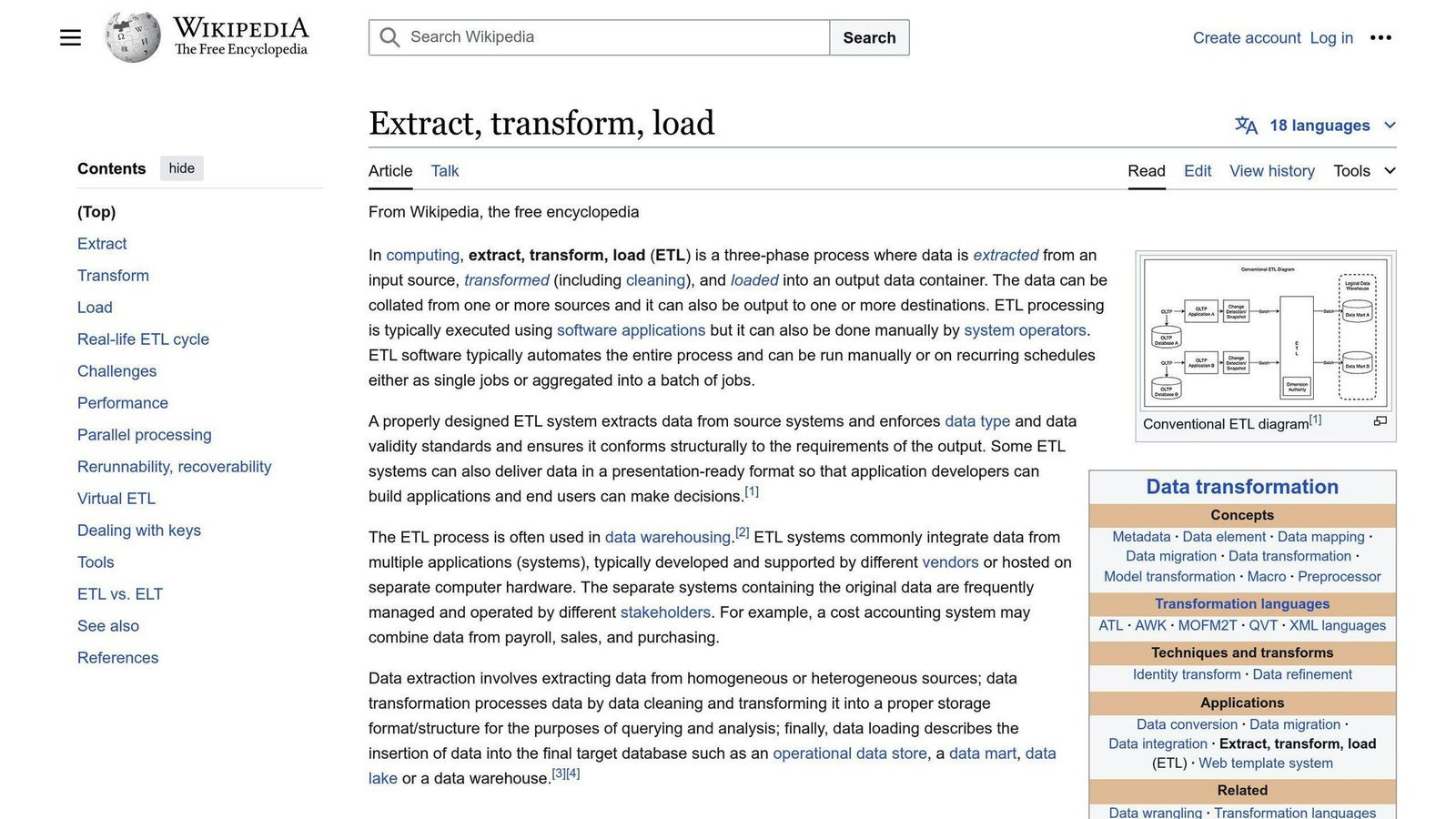
A reliable data integration process is crucial for efficiently loading and transforming data into your data warehouse. Evaluate the platform’s capabilities for:
- Automated Data Ingestion: Pulling data from multiple sources
- Data Transformation and Cleansing: Preparing data for analysis
- Scheduling and Monitoring: Managing data pipelines
- Incremental and Full Data Loads: Handling different load types
- Error Handling and Data Validation: Ensuring data quality
Error handling is the one people skip when evaluating and regret later. Ask what happens to a nightly load when one source returns malformed rows: does the pipeline stop, skip, or quietly write nulls?
3. Keeping Data Secure
Protecting sensitive data stored in a data warehouse is crucial. When evaluating a data warehouse platform, assess its security capabilities and compliance with the regulations that apply to your industry.
Encryption and Access Control
Strong encryption and granular access controls safeguard data from unauthorized access. Look for platforms offering:
- End-to-end encryption: Both data at rest and in transit, using industry-standard algorithms like AES-256.
- Access management: Role-based access controls (RBAC), multi-factor authentication (MFA), and audit logging to restrict access based on roles and responsibilities.
Regulatory Compliance
Many industries have strict data privacy and security regulations, such as:
- General Data Protection Regulation (GDPR)
- Health Insurance Portability and Accountability Act (HIPAA)
- Payment Card Industry Data Security Standard (PCI-DSS)
Ensure the platform meets your industry’s compliance requirements. Look for built-in features like:
| Compliance Feature | Description |
|---|---|
| Data Masking | Obscuring sensitive data |
| Pseudonymization | Replacing identifiable data with pseudonyms |
| Automated Reporting | Generating compliance reports |
Verify the platform has undergone security audits and obtained relevant certifications, such as SOC 2 or ISO 27001. Ask for the current report, not the badge on the marketing page; certifications expire and scopes are narrower than people assume.
Vendor Security Reputation
Consider the vendor’s reputation and track record in data security:
- Security practices and incident response protocols
- Transparency in reporting and addressing vulnerabilities
- Dedicated security teams and bug bounty programs
- Participation in industry security initiatives
- Regular platform updates with security patches and enhancements
4. Cost Considerations
Understanding Total Costs
When choosing a data warehouse platform, it’s crucial to evaluate the Total Cost of Ownership (TCO). The TCO includes not just the initial purchase or subscription fee but also ongoing expenses like maintenance, support, scaling, and potential add-ons or third-party tools. Assessing the TCO gives you a view of the long-term commitment, not just the first invoice.
Pricing Model Options
Vendors offer various pricing models to cater to different business needs:
Pay-as-you-go: You pay based on actual usage, typically calculated by factors like storage capacity, compute resources, or data transfer volumes. This model offers flexibility and avoids upfront costs, but expenses can increase rapidly with high usage. Watch for the classic failure here: one badly written recurring query that scans everything and quietly costs more than the licence would have.
Subscription-based: Organizations pay a fixed recurring fee, often annually or monthly, for access to the platform and its features. This model provides cost predictability and scalability but may result in higher long-term costs for moderate usage.
Perpetual licensing: A one-time upfront payment grants perpetual access to the platform, with optional annual maintenance fees. While the initial cost is higher, this model can be more cost-effective in the long run for stable, high-volume workloads. However, it may lack the flexibility to scale resources dynamically.
Cost Comparison
| Pricing Model | Advantages | Disadvantages |
|---|---|---|
| Pay-as-you-go | Flexible, no upfront cost | May become costly with high usage |
| Subscription-based | Predictable costs, scalable | Potentially higher long-term cost |
| Perpetual licensing | One-time cost, full ownership | High initial cost, ongoing maintenance |
When evaluating pricing models, consider your budget, anticipated growth, and usage patterns. Some vendors offer hybrid models or discounts for long-term commitments. Whatever the model, set spending alerts on day one.
5. Vendor Support and Community
Getting Help When Needed
When choosing a data warehouse platform, consider the level of support provided by the vendor. A responsive and knowledgeable support team makes a real difference during implementation and afterwards. Research the vendor’s reputation by reading online reviews, case studies, and industry reports. Look for feedback on their responsiveness, expertise, and ability to resolve issues promptly, and weigh customer reviews above vendor-published case studies.
Also find out about their support channels, such as dedicated support teams, online forums, and knowledge bases. Check what response times your contract tier actually guarantees, rather than what the sales team says is typical.
Learning Resources
Access to comprehensive training materials and thorough documentation helps your team use the platform properly. Evaluate the availability of training resources, including online courses, webinars, and hands-on workshops. Well-structured documentation, with clear explanations and examples, shortens the learning curve and lets your team use the platform’s full capabilities.
It’s also worth checking whether the vendor updates training and documentation as new features are released. Stale documentation is a reliable early sign of a product that has stopped getting attention.
Community Insights
An active user community is a useful resource for troubleshooting, sharing tips, and learning from other people’s mistakes. Investigate the vendor’s community forums, user groups, and online resources.
Look at the level of activity, how quickly questions get answered, and the overall tone. A forum full of unanswered questions tells you more about a platform than its feature list does.
| Support Resource | Description |
|---|---|
| Vendor Support | Responsive customer service, dedicated support teams, online forums, and knowledge bases |
| Training Materials | Online courses, webinars, hands-on workshops, and clear documentation |
| User Community | Community forums, user groups, and online resources for sharing knowledge and best practices |
Key Takeaways
When choosing a data warehouse platform, evaluate your organization’s needs and prioritize the criteria accordingly. Here are the key points:
1. Handling Growth and Speed
- Assess current and future data storage requirements to ensure the platform can scale.
- Evaluate performance capabilities like query speed and parallel processing, on your own queries.
2. Connecting Data Sources
- Consider the platform’s ability to integrate with various data sources and formats.
- Ensure compatibility with existing BI tools and data integration processes.
3. Keeping Data Secure
- Prioritize data security by evaluating encryption, access controls, and regulatory compliance features.
- Research the vendor’s reputation and track record in data security.
4. Cost Considerations
- Understand the total cost, including licensing, storage, and maintenance fees.
- Explore pricing models that fit your budget and usage patterns.
- Compare costs across vendors to find the best value.
5. Vendor Support and Community
- Evaluate the vendor’s support offerings, responsiveness, and expertise.
- Access to training materials and an active user community can aid learning.
| Criteria | Key Points |
|---|---|
| Growth and Speed | Assess scalability for future data needs. Evaluate performance capabilities like query speed and parallel processing. |
| Data Integration | Ensure compatibility with various data sources and formats. Check compatibility with existing BI tools and data integration processes. |
| Data Security | Prioritize encryption, access controls, and regulatory compliance features. Research the vendor’s security reputation and track record. |
| Cost | Understand total cost of ownership, including licensing, storage, and maintenance. Explore pricing models that fit budget and usage patterns. Compare costs across vendors. |
| Vendor Support | Evaluate support offerings, responsiveness, and expertise. Check access to training materials and an active user community. |
One last point. This article deliberately quotes no performance benchmarks and no cost figures, because the numbers that circulate for data warehouses are almost all vendor-run tests on vendor-chosen workloads. Run a proof of concept with your own data and your own queries before you sign anything.
More on this topic
Browse all 53 articles on Data & Analytics.