Disclosure: This page contains commercial links. BizBot may earn a commission from qualifying purchases. Paid placements do not buy a better ranking. Read our affiliate disclosure.
AI-powered Digital Asset Management (DAM) systems are transforming how organizations handle digital files. By automating tasks like tagging, search, and rights management, AI saves time, reduces errors, and boosts efficiency. Here’s what you need to know:
- Time Savings: Tagging, transcription and text extraction happen at upload instead of by hand.
- Better Search: AI uses natural language and visual search to help users find files faster without exact keywords.
- Rights Management: Automates compliance tracking, flagging expired licenses, and ensuring proper usage.
- Key Features: Computer vision, speech-to-text, OCR, and machine learning improve workflows at every stage.
- Business Impact: Prevents data breaches, avoids licensing fines, and reduces duplicate content creation.
AI-powered DAM systems are essential for managing the growing volume of digital content efficiently. Companies can start small, test AI features, and scale gradually for the best results.
AI Features That Improve DAM Workflows
AI has revolutionized Digital Asset Management (DAM) systems by streamlining processes and removing tedious manual tasks. Let’s break down the key technologies driving this change:
Computer vision takes center stage by analyzing every pixel in images and video frames. It can automatically identify objects, scenes, and locations – think “Eiffel Tower” or “red sports car” as examples. This extends to facial and logo recognition, which pinpoints specific individuals and brand logos, streamlining talent management and ensuring brand compliance.
For audio and video content, Automatic Speech Recognition (ASR) works by converting spoken dialogue into time-coded text transcripts, making the content searchable within the DAM. Similarly, Optical Character Recognition (OCR) extracts text from images, product packaging, ads, or scanned documents, transforming previously unsearchable content into discoverable assets. Natural Language Processing (NLP) takes it a step further by understanding the context of text, enabling automated captions, summaries, and accessibility-focused alt-text generation.
Behind the scenes, unsupervised machine learning groups related files into thematic clusters without human input, creating an intuitive, self-organized library. Additionally, perceptual hashing generates unique digital fingerprints for each asset, detecting duplicates or near-duplicates – like resized or slightly altered versions – so teams can maintain a single source of truth.
A note on the numbers that used to sit here. This section previously carried a headline facial recognition accuracy rate and a case study about an unnamed organization whose automated license monitoring supposedly saved it millions in a single year. Neither could be traced to any source, so both have been removed. That matters more than it sounds: accuracy figures for face recognition are meaningless without the conditions attached to them. NIST’s evaluations show results swinging on image quality, how many reference images the gallery holds, and the demographics of the people being matched. A vendor percentage quoted without those conditions tells you nothing about your own library.
Automated Tagging and Metadata
Manually entering metadata is a time-consuming process prone to human error and inconsistency. Different team members might tag similar assets with varying terms, making search unreliable and leading to misplaced content.
AI eliminates this headache by generating metadata automatically the moment assets are uploaded. Computer vision scans images and videos, identifying elements like objects, colors, and settings. For example, it can instantly recognize a product and its blue background. For video, ASR transcribes spoken words into searchable, time-stamped text.
AI also handles more complex tasks. Facial recognition cross-references individuals with talent databases to automatically apply proper usage rights. Logo detection identifies brand marks to ensure compliance from the start. Meanwhile, OCR extracts embedded text from images – like product labels or presentation slides – making it searchable.
We used to quote a percentage cut in classification time here. It had no source behind it and has been removed. What is documented is the appetite rather than the result: in a Forrester study commissioned by Hyland, surveyed in October 2023, 81% of decision-makers predicted that AI-enabled automation would meaningfully improve content-heavy processes over the following two to three years, while just 30% said they were already augmenting their automation efforts with AI. Expectation is not evidence of a return, and Forrester did not measure one.
AI-Powered Search and Discovery
Traditional DAM search relies on exact keyword matches, which often forces users to guess the exact terms used during tagging. This rigid system struggles when filenames are unclear or when the content wasn’t tagged with the right keywords. The result? Teams waste time running multiple searches, digging through folders, or even recreating missing assets.
AI-powered search changes the game by understanding intent and context, not just keywords. Using Natural Language Processing (NLP), these systems interpret full sentences and conversational queries. For instance, instead of searching for exact filenames, you can type “product photos with blue backgrounds from last quarter” and get accurate results.
Orange Logic, which sells one of these systems, describes the mechanism as letting people “search in their own natural language”, with NLP that “understands context and intent”. We previously ran a longer quotation attributed to Orange Logic that does not appear anywhere in their published material. It has been removed.
Visual search adds another layer, letting users find assets based on visual characteristics rather than text. This approach uncovers content that might not be tagged manually, relying on attributes like colors or shapes. OCR and speech-to-text transcription also make hidden content searchable, whether it’s text within an image or dialogue in a video. For example, you could locate a specific quote from a 60-minute interview or find a product mention in a slide deck.
AI also learns from user behavior, offering personalized recommendations based on past searches and selections. It suggests on-brand, relevant content and even supports multilingual discovery, allowing global teams to search in their native language. A speed figure that used to appear here has been removed as unsourceable. The honest version is that the gain depends on how badly your current library is tagged: if your metadata is already disciplined, semantic search adds convenience rather than hours.
Automated Rights Management and Compliance
Managing licensing terms, usage rights, and compliance manually can be a legal and financial minefield. Teams must track expiration dates, monitor where assets are used, and ensure proper permissions are in place. A single mistake – like using an image beyond its licensing terms – can lead to costly penalties.
AI simplifies this process by automating rights management. Facial recognition identifies talent in images and videos, cross-referencing them with talent databases to apply correct usage rights and licensing terms. The system tracks these rights in real-time, sending alerts when content is used improperly or when licenses are about to expire.
For regulatory compliance, AI detects and flags Personally Identifiable Information (PII), Protected Health Information (PHI), and financial data to ensure adherence to laws like GDPR, HIPAA, and CCPA. The stakes are documented: IBM’s Cost of a Data Breach Report 2024 put the global average breach cost at $4.88 million, with healthcare the costliest sector for the fourteenth year running at $9.77 million. We previously attached the $4.88 million figure to healthcare specifically, which misread the report. Advanced systems can also redact sensitive information automatically, so documents comply with regulations at scale.
“AI enables organizations to bridge the gap between the demand for speed and the need for control… providing the intelligent oversight required to meet compliance, governance, and brand standards.” – MediaValet
AI also tackles challenges posed by synthetic media and AI-generated content. Systems can track metadata fields like prompts, generation sources, and fact-checking status, reducing intellectual property risks. Logo detection ensures brand consistency by flagging incorrect or outdated logos before distribution. Every action – approvals, edits, and distributions – is logged for detailed auditing, making compliance easier to manage.
How AI Improves Each Stage of DAM Workflows
In a Digital Asset Management (DAM) system powered by AI, every step – from uploading content to analyzing its performance – becomes faster and more precise. These workflows involve multiple stages, starting with content entering the system and ending with its distribution and analysis. AI transforms these processes by automating repetitive tasks and uncovering insights that would take hours for humans to identify. Let’s explore how AI enhances content upload, asset retrieval, and performance analytics.
Content Upload and Organization
Uploading and organizing content is often a time-consuming bottleneck in traditional DAM systems. Teams are typically tasked with manually entering metadata, categorizing assets, and organizing files into folders – an effort that eats up valuable time. AI changes the game by processing assets as soon as they’re uploaded.
Using computer vision, AI scans images and videos to identify objects, colors, and other attributes, automatically generating smart tags. For instance, a product photo is instantly tagged with details like its name, background color, and setting. Optical Character Recognition (OCR) extracts text from scanned documents, packaging, or presentations, while speech-to-text tools transcribe audio and video files, making all content searchable and machine-readable.
AI also reduces clutter during asset ingestion. In regulated industries, it identifies sensitive information – like protected health information (PHI) or financial records – and flags these assets for encryption, ensuring compliance. Three separate claims that digital content has grown by a specific percentage since 2020 appeared in earlier versions of this article. None had a source, and all have been removed. The point stands without them: libraries grow faster than the people paid to catalogue them, which is the whole argument for tagging at ingest.
“A DAM system without AI won’t keep up with the demands of modern content operations.” – Canto
Once content is efficiently uploaded and organized, the next hurdle is making it easy to locate and reuse.
Finding and Reusing Assets
After assets are stored, the challenge shifts to finding them quickly. Traditional keyword searches often fall short, requiring users to guess exact terms, which can result in irrelevant results or no matches at all. This not only wastes time but can lead to unnecessary duplication of assets.
AI-powered semantic search changes this by understanding the intent behind queries. Users can type conversational phrases like “product shots with natural lighting from Q3” and get accurate results. Visual search adds another layer by identifying assets based on dominant colors or objects, even if those assets lack textual tags. Additionally, AI can recommend similar or related assets based on current projects or past usage, ensuring valuable content doesn’t get overlooked.
Two percentages used to sit in this paragraph – one for retrieval speed, one for reduced duplicate creation. Neither could be sourced, so both are gone. What is worth measuring in your own system is the duplicate rate: perceptual hashing catches near-identical files at upload, which is where most duplication starts, and it is the one benefit you can audit yourself by counting how many near-copies of the same shoot are already in your library. AI further simplifies workflows by automating rights tracking and version control, ensuring teams always use the most current, approved version of an asset and minimizing the risk of outdated content being used in campaigns.
With assets easily retrievable, the focus shifts to maximizing their effectiveness through performance analytics.
Performance Analytics and Predictions
Understanding which assets drive the best results is critical for refining future campaigns, but tracking this manually at scale is nearly impossible. AI steps in by analyzing historical data and usage patterns to predict trends and measure asset performance.
Machine learning models identify high-performing assets and the formats that resonate most with audiences. This data feeds into predictive trend analysis, helping teams make informed creative decisions before campaigns even launch. AI also streamlines workflows by automating approval processes and task assignments based on content type and historical patterns.
Real-time ROI tracking provides actionable insights, allowing organizations to adjust strategies on the fly. AI also manages asset lifecycles by archiving outdated content and flagging assets nearing license expiration, helping teams avoid compliance risks while staying focused on top-performing, on-brand materials. An unsourced figure for improved content efficiency has been removed from the end of this section.
“AI doesn’t replace people – it frees them up to focus on high-value tasks that drive innovation and growth.” – MediaValet
Business Benefits of AI in DAM Workflows
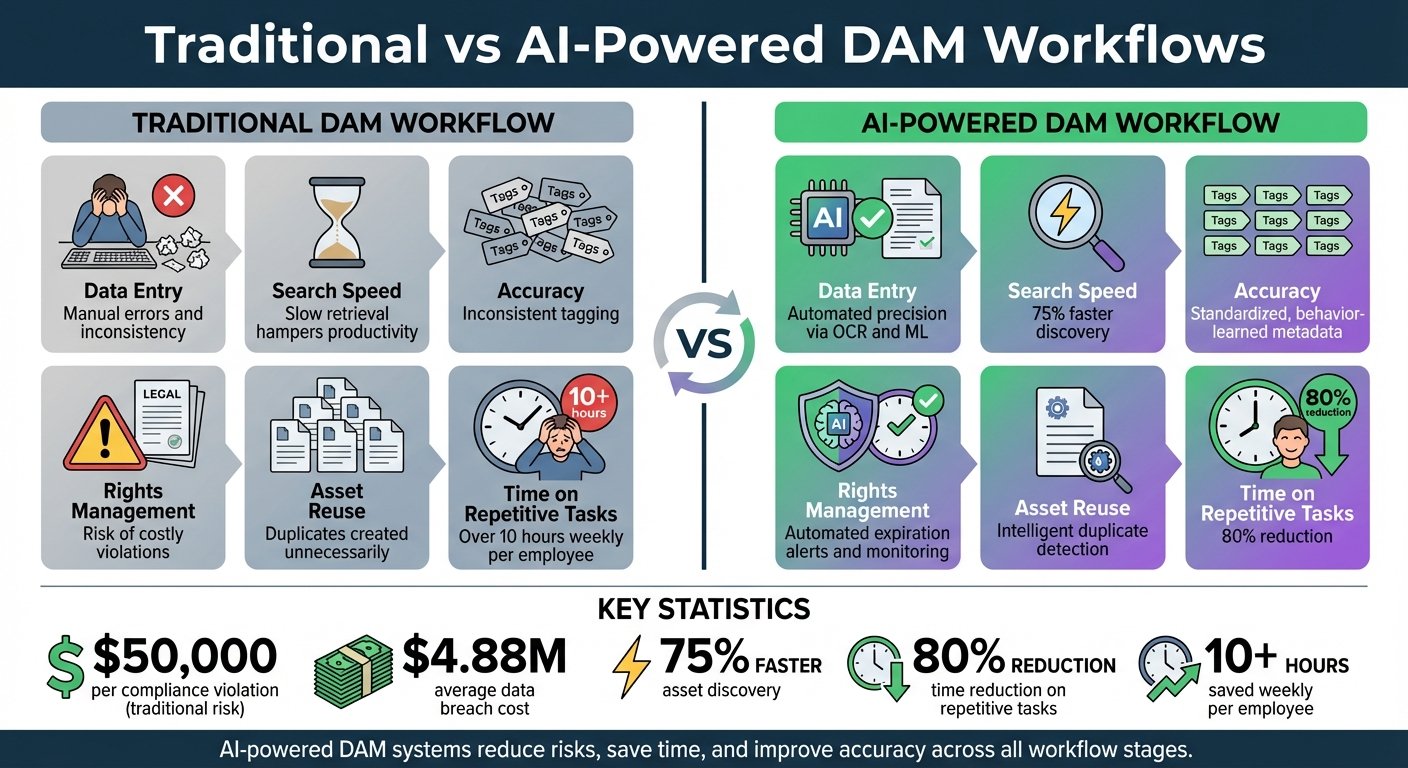
Traditional vs AI-Powered DAM Workflows Comparison
Switching from manual processes to AI-powered Digital Asset Management (DAM) workflows moves work off people and onto the ingest pipeline. Tagging, transcription and text extraction stop being jobs somebody does after the fact. This is where the productivity argument actually lives, and it is worth being blunt about the version of this paragraph we published before: it carried a time-saved percentage and a weekly hours-per-employee figure, neither of which had a source. Both have been removed rather than softened, because a number with a vague attribution is worse than no number at all.
Avoiding unnecessary costs is the other half of the case. Compliance violations, such as using assets with expired rights, carry real penalties, though the per-violation dollar figure we used to print here could not be sourced and is gone; the amount depends entirely on which statute you fall under and on the licence you breached. On breaches, the number is documented: IBM’s Cost of a Data Breach Report 2024 put the global average at $4.88 million. AI helps mitigate these risks with automated rights management and real-time monitoring, flagging potential issues before they escalate. Duplicate detection also prevents teams from paying twice to recreate files that already exist but can’t be found.
AI also brings greater accuracy and consistency to the table. Unlike manual metadata entry, which is prone to errors and inconsistencies, AI applies standardized, machine-learned tags across thousands of assets at once. That addresses a problem the Forrester study commissioned by Hyland found in 42% of the organizations it surveyed: large amounts of critical content hiding in information silos across the enterprise. In the same study, 81% expected AI-enabled automation to meaningfully improve content-heavy processes within two to three years. A quotation from a named marketing manager at a DAM vendor also used to appear here, crediting AI with a specific cut in retrieval times. Neither the person nor the quote could be traced anywhere, so it has been removed.
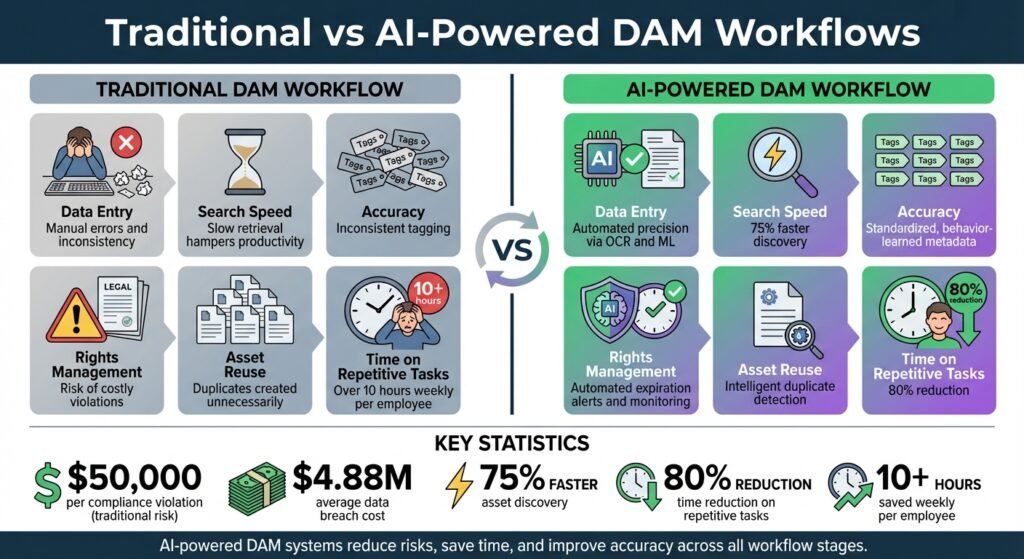
To better understand the impact of AI, here’s a side-by-side comparison of traditional and AI-powered DAM workflows:
Traditional vs AI-Powered DAM Workflows
| Feature | Traditional DAM Workflow | AI-Powered DAM Workflow |
|---|---|---|
| Data Entry | Manual errors and inconsistency | Automated precision via OCR and ML |
| Search Speed | Depends on someone having typed the right keyword | Semantic and visual search, no exact term needed |
| Accuracy | Inconsistent tagging | Standardized, behavior-learned metadata |
| Rights Management | Risk of costly violations | Automated expiration alerts and monitoring |
| Asset Reuse | Duplicates created unnecessarily | Intelligent duplicate detection |
| Repetitive Tasks | Tagging and transcription done by hand after upload | Handled automatically at ingest |
As the table shows, AI-powered DAM workflows shift work off people and reduce a few specific risks. It does not tell you the size of the gain in your organization, and no honest table could.
How to Add AI to Your DAM System
Integrating AI into your Digital Asset Management (DAM) system doesn’t mean tearing everything down and starting from scratch. The process begins with identifying where your current workflows falter and then carefully testing AI features in smaller settings before expanding them across your organization. In the Forrester study commissioned by Hyland, 81% of decision-makers expected AI-enabled automation to improve content-heavy processes within two to three years while only 30% were already doing it, which is roughly the gap this section is about. Here’s a step-by-step guide to help you move from evaluation to a tested rollout.
Evaluate Your Current Workflows
Before diving into AI, take a close look at your workflows to uncover inefficiencies. Are you struggling with asset searchability, repetitive tagging, or compliance tracking? For example, if your legal team has trouble managing usage rights, AI-powered rights management might be the first feature to explore.
Start by auditing your existing metadata. Look at both descriptive metadata (like keywords) and administrative metadata (such as rights or expiration dates). This baseline will help you measure the impact of AI once it’s in place. To prioritize effectively, use a simple 2×2 prioritization grid that plots potential AI use cases based on “Value” and “Effort.” Focus on “quick wins” – features that provide high value with minimal effort, such as video transcription or duplicate detection. As Nate Holmes, Sr. Manager of Product Marketing at Acquia, puts it:
“Toggling on an out-of-the box video transcription feature is going to be much less effort than training a custom model to recognize your product photography.”
Before activating AI, clean up your asset library. Remove outdated or off-brand content so the AI learns from high-quality data. Otherwise you are paying a vendor to index your mess faster. Additionally, establish governance rules early. Define responsibilities for managing AI risks, document customer consent for data usage, and ensure compliance with security standards like the Cloud Security Alliance (CSA) AI Security Framework.
Test AI Features Before Full Rollout
Once you’ve identified workflow gaps, test AI solutions on a smaller scale to ensure they meet your needs. During this pilot phase, keep auto-generated metadata separate from human-generated metadata. This allows you to toggle AI tags on or off to assess their quality without compromising your existing metadata. Carlie Mason, Director of Growth Marketing at MediaValet, gives the reason: keeping them apart ensures that “metadata derived from the AI service doesn’t corrupt the quality of existing metadata”.
For better auditing, assign unique user accounts to each AI provider (like Microsoft Cognitive Services or Google Vision). This makes it easier to track specific actions and isolate metadata added by each service. If one provider underperforms, you can switch without disrupting your entire system. Test features individually by setting up different AI services for specific tasks, such as “product identification” or “general keywords”.
Use a Plan-Do-Study-Adjust (PDSA) cycle to refine your approach. Start by planning a solution, test it in a limited workflow with a small team, evaluate the results, and make adjustments based on feedback. To maintain quality, set confidence thresholds. MediaValet’s guidance is to auto-convert tags into standard keywords only above a 99.9% confidence level, and to let users filter searches by confidence below that. This human-in-the-loop process ensures relevance and accuracy before scaling up. Over time, use deleted auto-tags as negative signals and confirmed tags as positive signals to improve the AI model. Once the pilot phase delivers consistent results, you can begin integrating these features into your DAM system step by step.
Conclusion
AI-powered DAM systems are reshaping how digital assets are managed, simplifying processes and boosting efficiency. By taking over repetitive tasks like tagging, metadata entry, and rights tracking, AI allows teams to concentrate on creative projects that add real value. How much time that returns to you is not something anyone can quote from a blog post, including this one, which is why the retrieval-speed percentage that used to close this article has been removed.
The risk side is easier to pin down. IBM’s Cost of a Data Breach Report 2024 put the global average breach cost at $4.88 million. AI tackles these risks head-on by automatically enforcing compliance policies, spotting anomalies in real time, and managing rights and licenses without constant human intervention.
Another perk? AI helps uncover underused assets and reduces unnecessary spending. With semantic search powered by AI, assets become easier to find and reuse, cutting down production costs and speeding up the launch of campaigns and products.
To make the most of these benefits, it’s best to start small, test thoroughly, and scale up gradually. Using a 2×2 prioritization framework can help identify quick wins, while a Plan-Do-Study-Adjust cycle ensures continuous refinement with human oversight to maintain quality and brand consistency. This approach builds on AI’s strengths – from smarter tagging to automated compliance – offering a comprehensive upgrade to digital asset management. As Nate Holmes from Acquia writes:
“Knowing how to harness its power to automate time-consuming tasks, streamline your workflows, and improve the effectiveness of your content efforts is a determining factor in the success of your DAM practices.”
Content libraries keep growing whether or not anyone is cataloguing them. That, rather than any percentage, is the argument for automating the boring half of digital asset management.
FAQs
How does AI make searching in DAM systems faster and more accurate?
AI streamlines the way digital asset management (DAM) systems operate by automating the creation of metadata and tags for files. This means assets become much easier to find. Whether you’re using natural language, visual, or voice-based searches, AI ensures you can quickly pinpoint the files you need. The result? Less time spent digging through files and more time for teams to actually use the assets effectively.
What AI technologies help automate tasks in digital asset management (DAM)?
AI technologies are transforming how tasks are automated within digital asset management (DAM) systems. Some of the standout technologies include machine learning, which drives smarter automation and decision-making processes; computer vision, which enables systems to analyze and understand images; and natural language processing (NLP), which makes handling text and metadata far more efficient.
On top of that, predictive analytics and AI-powered metadata generation simplify workflows by automatically tagging and organizing assets. This automation ensures smoother processes at every stage, from content creation to distribution.
How does AI improve compliance and rights management in Digital Asset Management (DAM)?
AI-powered Digital Asset Management (DAM) systems make handling compliance and rights management a whole lot easier by automating tedious, error-prone tasks. With tools like computer vision and natural language processing, AI can swiftly detect content that might violate intellectual property laws, industry regulations, or usage rights. It doesn’t just stop there – it flags these issues, alerts the right teams, or even applies the correct metadata automatically to keep everything in line.
These systems also connect with licensing databases to manage details like expiration dates, geographic restrictions, and attribution requirements. When new assets are uploaded, AI verifies permissions, tags files correctly, and routes them for approval. This process creates an auditable trail that supports legal and governance requirements. By minimizing the risk of rights violations and saving time for marketing and legal teams, AI ensures your digital library stays compliant with changing regulations, all while keeping things efficient and scalable.
More on this topic
Browse all 20 articles on AI & Automation, or jump straight to our buying guide: Best Automation and Integration Tools.