Effective task tracking is crucial for team success. It allows teams to:
- Prioritize tasks
- Allocate resources efficiently
- Monitor progress in real-time
Here are the 10 essential tips for optimizing task tracking:
- Set Clear Goals and Objectives
- Define specific, measurable, achievable, relevant, and time-bound goals
- Track progress regularly to stay on track
- Choose the Right Task Tracking Tool
- Weigh usability, collaboration, customization, integration and reporting
- Check how the tool is priced before the team gets attached to it
- Prioritize Tasks Effectively
- Use methods like Eisenhower Matrix, ABC Analysis, MoSCoW Method, and “Eat the Frog”
- Consider task dependencies and impact on the project
- Break Down Large Tasks into Smaller Ones
- Identify the parent task and divide it into manageable subtasks
- Sequence the subtasks and estimate time and resources required
- Establish a Task Assignment Process
- Assess individual strengths and skills
- Set clear expectations and deadlines
- Encourage open communication and feedback
- Track Progress and Identify Bottlenecks
- Map task dependencies and monitor progress
- Identify areas where tasks are slowing down or stuck
- Foster Collaboration and Communication
- Encourage open communication and use collaboration tools
- Build a habit of giving and taking feedback
- Set Realistic Deadlines and Buffers
- Assess project scope, team skills, and availability
- Allow for unexpected delays and communicate deadlines clearly
- Review and Reflect on Task Performance
- Look back at finished work and ask what actually slowed it down
- Gather insights from the people who did the work
- Continuously Improve Task Tracking Processes
- Assess the process itself, not just the tasks running through it
- Change one thing at a time so you can tell what worked
By following these tips, teams can streamline their workflows, reduce bottlenecks, and improve collaboration.
1. Set Clear Goals and Objectives
Clear goals and objectives are the foundation of effective task tracking for teams. When team members understand what needs to be accomplished and by when, they can focus their efforts on achieving those goals. This increases motivation and productivity, as everyone is working towards a common objective.
What makes a goal clear?
A clear goal is:
- Specific: Clearly defines what needs to be done
- Measurable: Quantifiable, so progress can be tracked
- Achievable: Realistic and attainable
- Relevant: Aligns with the team’s overall objectives
- Time-bound: Has a specific deadline or timeframe
Example of a clear goal:
Instead of “increase sales,” set a goal like “increase sales by 10% within the next 6 months.” That 10% is an illustration of the shape of a good goal, not a benchmark — pick a number your own history supports.
Tracking progress
Regularly track progress against these objectives to:
- Identify areas that need improvement
- Make adjustments accordingly
- Stay on track and achieve goals
Remember, clear goals and objectives are essential for effective task tracking. By setting specific, measurable, achievable, relevant, and time-bound goals, you can increase motivation, productivity, and ultimately, achieve success.
2. Choose the Right Task Tracking Tool
Selecting the right task tracking tool is vital for effective team collaboration and productivity. With many options available, it’s essential to consider the following factors:
Key Features to Consider
| Feature | Description |
|---|---|
| User-Friendliness | Easy to use and navigate, even for non-tech-savvy team members |
| Collaboration Features | Real-time commenting, file sharing, and task assignment |
| Customization Options | Ability to customize workflows, fields, and views to fit your team’s needs |
| Integration | Integration with other tools and platforms your team uses |
| Reporting and Analytics | Reporting that answers your actual questions, not a wall of default charts |
| Data Export | Whether you can get your tasks and history out in a usable format if you leave |
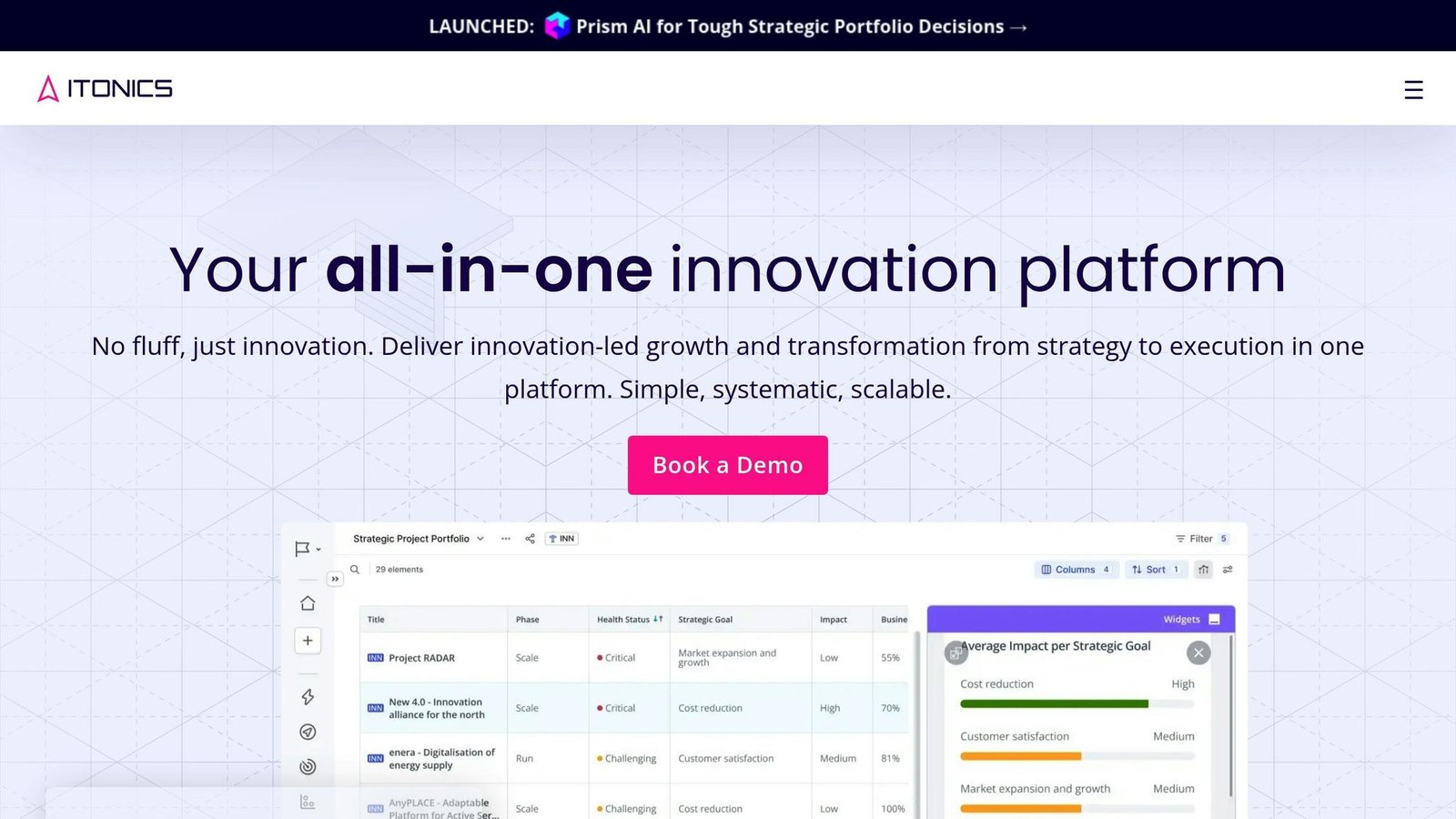
Some widely used task tracking tools include Trello, Asana, Jira, and ClickUp. All four are actively developed and sold. Which suits you depends less on feature lists than on how your team already works: Jira assumes software development conventions, Trello assumes a board, and the other two try to be general.
A Note on Cost
No prices are quoted in this article, because rates in this category change often and vary by region. Three things to check on the vendor’s own pricing page before you commit:
- Whether the headline monthly figure assumes annual billing. Displaying the annual rate with “/month” beside it is standard practice across this category. The month-to-month price is usually meaningfully higher.
- What counts as a billable user. Some tools charge for guests, viewers or automation users; some do not. On a team with contractors and clients, this decides the bill.
- Which features sit behind which tier. Dependencies, timeline views, custom fields and reporting are frequently on a higher plan than the one the free trial puts you on.
Most small teams do not need the top tier. Start on the cheapest plan that has the one feature you cannot work without, and upgrade when a real constraint appears rather than in anticipation of one.
3. Prioritize Tasks Effectively
Effective task prioritization is crucial for team productivity and achieving project goals. It helps allocate resources efficiently, minimize delays, and ensure high-impact tasks are completed on time.
Determine Task Urgency and Importance
To prioritize tasks, determine their urgency and importance. You can use the Eisenhower Matrix, which categorizes tasks into four quadrants:
| Quadrant | Description |
|---|---|
| Urgent and Important | Tasks that are both urgent and important should be done immediately. |
| Important but Not Urgent | Tasks that are important but not urgent should be scheduled. |
| Urgent but Not Important | Tasks that are urgent but not important should be delegated. |
| Not Urgent or Important | Tasks that are neither urgent nor important should be eliminated. |
The quadrant most teams get wrong is the second. Important-but-not-urgent work is what prevents next quarter’s emergencies, and it is the first thing dropped when this quarter’s emergency arrives.
Use Task Prioritization Methods
Several methods can help you prioritize tasks:
- ABC Analysis: Label tasks as A (high priority), B (medium priority), or C (low priority) based on their importance and deadlines.
- MoSCoW Method: Categorize tasks as Must-Haves, Should-Haves, Could-Haves, and Won’t-Haves to prioritize them based on their impact on the project.
- Eat the Frog: Identify the most challenging task and tackle it first to boost productivity and momentum.
Any of these works. None of them works if everything ends up labelled A, or Must-Have. The value of a prioritisation method is entirely in what it forces you to demote.
Consider Task Dependencies
Task dependencies can significantly impact your project timeline and resource allocation. Identify tasks that are dependent on each other and prioritize them accordingly. This ensures you’re working on tasks that are critical to the project’s success.
By prioritizing tasks effectively, you can ensure your team is working on high-impact tasks that drive project success. Regularly review and adjust your task priorities to adapt to changing project requirements and deadlines.
4. Break Down Large Tasks into Smaller Ones
Breaking down large tasks into smaller, manageable parts is essential for effective task tracking. This technique helps reduce complexity, increase motivation, and make progress more measurable.
Why Break Down Tasks?
Breaking down tasks helps you:
- Identify dependencies between tasks
- Create a logical sequence of tasks
- Estimate the time and resources required for each subtask
- Track progress and make adjustments as needed
How to Break Down a Task
To break down a large task, follow these steps:
1. Identify the Parent Task
Start by identifying the main task or project that needs to be broken down.
2. Divide the Task into Subtasks
Divide the parent task into smaller, bite-sized tasks. Each subtask should be a self-contained unit that contributes to completing the parent task.
3. Sequence the Tasks
Determine the order in which the subtasks need to be completed. Some tasks may depend on the completion of others, while some can be done concurrently.
4. Estimate Time and Resources
Estimate the time and resources required for each subtask. This will help you plan and schedule your work more effectively.
There is a limit. Subtasks small enough that recording them takes as long as doing them are overhead, not tracking. If people start skipping the tool, you have gone past it.
5. Establish a Task Assignment Process
Assigning tasks to team members is crucial for effective task tracking. It ensures that each team member knows their responsibilities, deadlines, and expectations. A well-established task assignment process helps to:
- Divide tasks among team members to improve project efficiency
- Allocate tasks based on individual strengths and skills to enhance productivity
- Give team members a sense of responsibility and ownership to boost morale
- Build a team where people support and rely on each other
To establish an effective task assignment process, follow these guidelines:
Assess Individual Strengths and Skills
Before assigning tasks, assess each team member’s strengths, skills, and workload capacity. This helps to match tasks with the right person, ensuring that each task is completed efficiently and effectively.
Set Clear Expectations and Deadlines
Clearly communicate the task requirements, deadlines, and expectations to each team member. Ensure that they understand their responsibilities and the impact of their tasks on the overall project.
Every task should have exactly one owner. Two owners means nobody, and a task assigned to a group is a task assigned to no one.
Encourage Open Communication and Feedback
Foster an open communication culture where team members can ask questions, seek clarification, and provide feedback on their tasks. This helps to identify and resolve issues early on, ensuring that tasks are completed on time and to a high standard.
Task Assignment Process Checklist
| Step | Description |
|---|---|
| 1 | Assess individual strengths and skills |
| 2 | Set clear expectations and deadlines |
| 3 | Name a single owner for each task |
| 4 | Encourage open communication and feedback |
By establishing a task assignment process that considers individual strengths, sets clear expectations, and encourages open communication, you can ensure that your team is working efficiently towards your project goals.
6. Track Progress and Identify Bottlenecks
Tracking progress and identifying bottlenecks are essential steps in task tracking for teams. By monitoring task dependencies and tracking progress, you can detect and diagnose bottlenecks or delays, and identify their root causes and impacts.
Map Task Dependencies
Use tools like Gantt charts, network diagrams, or dependency matrices to visualize task dependencies. This helps you understand the sequence, duration, and interdependence of tasks, as well as the critical path, which determines your project completion date.
Monitor and Track Progress
Use tools like project management software, dashboards, or status reports to monitor and track task dependencies. This helps you measure and report the progress, performance, and status of tasks, as well as the issues, risks, or changes that affect them.
The most useful bottleneck signal is age, not count. A column with twelve items moving through it is healthy; a column with three items that have not moved in a fortnight is where your project is actually stuck.
Benefits of Tracking Progress and Identifying Bottlenecks
| Benefit | Description |
|---|---|
| Identify areas where tasks are slowing down or stuck | Analyze the root causes of bottlenecks and delays |
| Develop strategies to mitigate or eliminate bottlenecks | Improve task efficiency and productivity |
| Improve team collaboration and communication | Make sure the team is working towards the same goals |
Remember, tracking progress and identifying bottlenecks is an ongoing process that requires regular monitoring and analysis.
7. Foster Collaboration and Communication
Effective task tracking for teams relies on collaboration and communication among team members. Here are some tips:
Encourage Open Communication
Create an environment where team members feel comfortable sharing their thoughts, ideas, and concerns. Regular team meetings, one-on-one check-ins, and an open-door policy can help.
Use Collaboration Tools
Utilize tools like project management software, instant messaging apps, and video conferencing tools to facilitate communication and collaboration among team members.
Decide where status lives and keep it there. Status that exists in the tracker, in a chat thread and in a weekly email is status that is wrong in at least two of those places.
Foster a Culture of Feedback
Encourage team members to provide feedback on tasks, processes, and project progress. This helps identify areas for improvement and promotes accountability.
Benefits of Collaboration and Communication
| Benefit | Description |
|---|---|
| Prevents misunderstandings | Ensures everyone is on the same page |
| Promotes unity and shared responsibility | Fosters a sense of teamwork |
| Identifies areas for improvement | Encourages accountability |
8. Set Realistic Deadlines and Buffers
Setting realistic deadlines and buffers is crucial for effective task tracking and team performance. Unrealistic deadlines can lead to stress, burnout, and decreased productivity.
Assess the Project Scope
To set realistic deadlines, assess the project scope by considering:
- Task complexity
- Required resources
- Potential challenges
Break down large tasks into smaller, manageable subtasks to estimate the time required for each task.
Consider Team Skills and Availability
Consider your team’s skills, experience, and availability when setting deadlines. Ensure each team member has the necessary training and knowledge to complete their tasks efficiently.
Availability is the number people get wrong. Nobody has five working days a week for project work. Meetings, support, holidays and interruptions take a large share before you assign anything.
Allow for Unexpected Delays
Allow for buffers in your deadline setting to mitigate unexpected delays due to technical issues, changes in project scope, or team member unavailability. Put the buffer at the end of the project where it protects the delivery date, not inside every task where it quietly gets consumed.
Communicate Deadlines Clearly
Communicate deadlines clearly to your team, ensuring each team member understands their tasks, deadlines, and dependencies. Use project management tools to track progress and identify potential bottlenecks.
| Deadline Setting Tips | Description |
|---|---|
| Assess project scope | Consider task complexity, resources, and potential challenges |
| Consider team skills and availability | Account for meetings, support and leave before allocating project time |
| Allow for unexpected delays | Hold buffer at the project level rather than padding every task |
| Communicate deadlines clearly | Ensure team members understand tasks, deadlines, and dependencies |
9. Review and Reflect on Task Performance
Reviewing finished work tells you where the time actually went, which is rarely where the plan said it would.
Compare Estimates to Actuals
Look at the tasks that took much longer than estimated and find the pattern. Usually it is a category of work — anything involving a third party, anything requiring sign-off, anything nobody had done before. Adjust future estimates for that category rather than telling people to estimate better.
Gather Insights from the Team
Ask the people who did the work what got in their way. Do it soon after delivery, while the detail is fresh, and separately from any performance conversation. Blame produces silence, and silence produces the same delay next time.
Look at What You Cancelled
Tasks that sat in the backlog for months and were then closed unfinished represent planning effort spent on work nobody needed. A high rate of these means the intake process is letting through more than the team can absorb.
| Task Performance Metrics | Description |
|---|---|
| Estimate accuracy | Compare estimated against actual duration, grouped by type of work |
| Cycle time | Measure how long a task takes from being started to being finished |
| Abandoned task rate | Track how many planned tasks are closed without being done |
10. Continuously Improve Task Tracking Processes
Section 9 examines the work. This section examines the process that manages the work. They are different problems, and improving one does not fix the other.
Change One Thing at a Time
If you add a new status column, a new required field and a weekly review in the same month, you will not know which of them helped. Make one change, run it for a few weeks, and keep it only if someone can say what improved.
Remove Before You Add
Tracking processes accumulate. Fields that were needed once, statuses that map to a workflow you no longer use, automated reminders nobody reads. Audit the process periodically and delete what is no longer earning its place. A tracker people fill in honestly because it is short beats a thorough one they fill in carelessly.
Watch for the Tool Being Bypassed
The clearest sign that a tracking process has become too heavy is work being coordinated somewhere else — in chat, in a side spreadsheet, in someone’s head. That is not an adoption problem to be solved with training. It is feedback about the process.
| Process Health Signals | Description |
|---|---|
| Update lag | How long after something happens does the tracker reflect it |
| Field completion | Which required fields get filled with placeholder values |
| Shadow tracking | Whether work is being coordinated outside the tool |
Conclusion
By following these 10 practical tips, you can improve your team’s task tracking, and with it your ability to see problems while there is still time to act on them.
Effective Task Tracking is Key
Task tracking enables teams to prioritize work, allocate resources, and see progress as it happens. Done well, it reduces bottlenecks and improves collaboration.
Continuous Improvement
Priorities change, and a tracking process that fitted the team a year ago may not fit it now. Review the process itself on a schedule, not only when it fails.
Remember
The best task tracking process is the lightest one your team will actually keep up to date. Accuracy beats completeness. A short, current board is worth more than a detailed, stale one.
FAQs
Why is task tracking important?
Task tracking helps teams stay organized and focused. It allows them to:
- Prioritize tasks
- Allocate resources efficiently
- Monitor progress in real-time
With a task tracker, teams can see what task is being done, who’s doing it, and when it needs to be done by. This helps keep track of the progress of each task and overall project.
How much should a task tracking tool cost?
These tools are almost always priced per user per month, and the figure shown on a pricing page usually assumes you pay for a year up front. Work out the annual total for the number of people who genuinely need an account, and check whether guests and viewers are billed. Free tiers are real and are enough for many small teams; the common reason to move off one is needing dependencies or reporting rather than needing more tasks.
More on this topic
Browse all 40 articles on Project & Team Management, or jump straight to our buying guide: Best Project Management Tools for Small Teams.