Quick facts
| Best for | Self-employed professionals and service businesses up to about a dozen people that bill by hour or project. |
|---|---|
| Category | Finance and Accounting |
| Pricing from | USD 23.00 /month (Lite, US list price; promotional USD 2.30 /mo for 3 months). Extra team members USD 11 /user /month |
| Free plan | No |
| Free trial | 30 days |
| Team size | solo, 2-10, 11-50 |
| Last verified | 18 August 2026 — how we verify |
Quick verdict
Consider it if: Invoicing and chasing payment is your daily job and accounting is a month-end compliance chore.
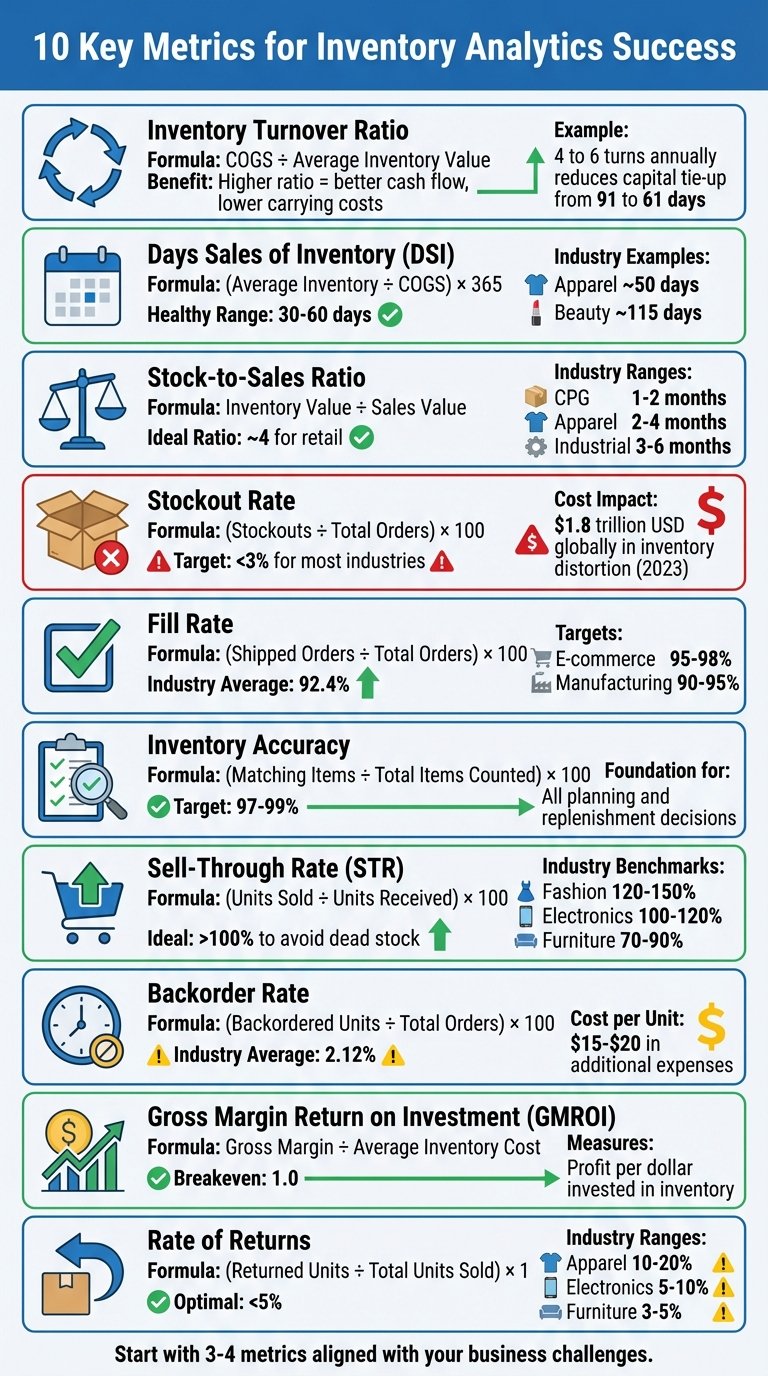
Look elsewhere if: You carry stock, need real inventory valuation, or run multiple entities and complex departmental reporting.
Compiled from the vendor’s own documentation and pricing pages, checked on the date above. We have not tested this product hands-on. How we evaluate software.
Compare FreshBooks with QuickBooks and Xero · Not sure what you need?
FreshBooks is cloud accounting software built first around invoicing and getting paid, with the bookkeeping layered underneath. It started as an invoicing tool for freelancers and grew into a full double-entry system, which shows in the design: creating a professional invoice, chasing it and taking payment is smoother here than in most general ledgers, while the accounting side feels like the part you visit at month end. If your business sells time and services to clients, that emphasis is the whole point.
What you can actually do with it
The pieces are arranged around a client and a project, so time and costs flow toward a bill without re-keying.
- Invoice and get paid. Branded invoices, recurring billing, retainers, automatic late reminders and online card or bank payment on the invoice itself.
- Send estimates and proposals. Quote a job, get it accepted with an e-signature on the higher tiers, and convert it into an invoice when the work starts.
- Track time against projects. Built-in timers and timesheets record billable hours that drop straight onto the next invoice.
- Capture expenses and receipts. Photograph receipts, import bank and card transactions, and categorise costs so they can be rebilled to a client or claimed at tax time.
- Keep double-entry books. Journal entries, a chart of accounts, bank reconciliation and standard reports give your accountant something they can work with.
- Watch project profitability. Compare what a project cost in time and expenses against what you billed for it, rather than finding out at year end.
- Work with clients and your accountant. A client portal for invoices and files, plus a dedicated accountant login, cut down on emailed PDFs.
Who it fits best
FreshBooks suits self-employed professionals and small service businesses: consultants, designers, marketers, developers, trades, lawyers and small agencies with up to roughly a dozen people. It is a particularly good fit if you bill by the hour or by project, want invoicing to be effortless, and treat accounting as a compliance chore rather than a daily activity.
It fits less well for product businesses. If you carry stock, need real inventory valuation, run a shop or manufacture anything, a general accounting package will serve you better. It is also a stretch for larger companies with multiple entities, heavy departmental reporting or complex payroll.
Things worth knowing before you commit
- Lower tiers cap billable clients. The entry plan limits how many clients you can bill, which is a hard ceiling rather than a nudge, so check the cap against your client list before choosing.
- Extra team members cost extra. Most plans charge per additional user on top of the subscription, so a growing team raises the bill faster than the headline tier suggests.
- Accounting features are gated upward. Double-entry reports, bank reconciliation and accountant access sit above the cheapest plan, as does project profitability.
- Inventory and advanced stock handling are weak. Treat it as a services tool; product sellers usually end up bolting on another system.
- Payroll is a partnership, not a native module. Availability and integration depend on your country, so verify it covers your jurisdiction before you plan around it.
Alternatives to compare it against
The main comparison is with general small-business accounting suites such as QuickBooks Online and Xero, which handle inventory, multiple users and complex reporting better but make invoicing and time tracking feel more like work. At the cheaper end, Wave and Zoho Books cover invoicing plus basic books for less, with Wave offering a free tier and Zoho making sense if you already use other Zoho apps. If your real need is project delivery rather than accounts, a client-work platform such as Paymo bundles tasks, time and invoicing and hands the ledger to your accountant.
Plan tiers, client caps, per-user charges and pricing change regularly. Check FreshBooks’ own pricing page for the current details before you sign up.
Further reading
- Accounting App for Freelancers: Essential Features — a feature checklist aimed at exactly the self-employed users FreshBooks was built for.
- Choosing the Right Self Employed Invoice Generator — worth reading if invoicing alone is the job and full double-entry books are overkill.
- 5 Accounts Receivable Automation Workflow Examples — patterns behind the automatic late reminders and chasing FreshBooks automates.
- For Business Owners: Choosing the Right Accounting Software — helps decide whether a services-first tool or a general ledger suits your business.
Have you used FreshBooks?
One sentence is enough. Would you pick it again, and why or why not? We publish the critical reviews too — that is the point.