

As a business owner, finding the right accounting software is crucial, but with so many options it can feel overwhelming.
The good news is that once you understand what actually differs between these products – automation, integration, and how well they scale – the shortlist gets short fast.
In this post, we compare the main accounting platforms so you can make an informed decision. You’ll see how QuickBooks, Xero, FreshBooks and others handle invoicing, payroll, compliance and inventory, and where each one falls down.
Navigating Financial Solutions with the Right Accounting Software
Accounting software matters for managing cash, tracking expenses, preparing taxes, and making decisions on real numbers. This overview covers the features worth weighing when the buyer is a small business.
Understanding the Role of Accounting Software in Cash Flow Management
Accounting software helps with cash flow in a few concrete ways:
- Automating invoicing and tracking accounts receivable makes payment timing more predictable. Recurring invoices and automatic reminders do most of the work here, and reminders in particular tend to be the highest-value feature nobody switches on.
- Expense and accounts payable tracking prevents late fees. You control when bills get paid based on what is actually in the account.
- Financial reports give visibility into cash position. Dashboard summaries help you spot the low points in a month or year before you hit them.
- Bank feed integration automates reconciliation, saving time and reducing the transcription errors that make cash flow analysis wrong.
The Benefits of Automating Payroll Management
Automated payroll through accounting software offers:
- Automatic local, state, and federal tax withholding calculations, updated as rates change. This removes the manual arithmetic that causes most payroll errors.
- Flexible pay schedules – weekly, bi-weekly, semi-monthly – which lets you align payroll with cash inflows.
- Automatic filing of forms like W-2s and 1099s.
- Direct deposit.
- Payroll cost reporting over time, which is what informs hiring and raise decisions.
One caution: payroll modules are usually priced separately, often per employee per month on top of the base subscription. Check that before comparing headline prices.
Evaluating CRM Integration for a Client-Centric Approach
CRM capability inside or alongside an accounting platform helps with client relationships:
- Centralized client profiles, communication history, and transaction data in one place.
- Purchase history and account status to inform what you offer whom.
- Activity tracking to spot accounts going quiet before they churn.
- Automatic logging of client interactions, so the knowledge is not stuck in one person’s inbox.
Be realistic here. Accounting-native CRM features are usually basic. If client relationships are the core of your business, you probably want a real CRM that connects to your accounting rather than a CRM tab inside it.
Considering Scalability for Growing Enterprises
As a business grows, the software has to keep up:
Flexible plans – the ability to add users and features without a migration.
Custom roles and permissions – access granted by need as the team expands.
Transaction volume – the product stays responsive as invoice and payment counts grow.
Add-on capabilities – connections to CRM, inventory and other systems as complexity increases.
The realistic failure mode is not the software falling over. It is discovering that the tier you need costs several times what you are paying, at the point where switching is most painful.
Budgeting Properly
To budget accurately for accounting software:
- Compare monthly fees at the feature tier you actually need, not the entry tier. Check annual subscription discounts.
- Factor in one-time setup, data migration, and training costs.
- Check what support costs. It ranges from email-only to 24/7 live assistance, and the difference shows up in the price.
- Check for transaction fees on payments, e-filings, and some bank connections. These are the costs that surprise people.
- Ask what happens at renewal. Introductory pricing that lapses after a year is standard in this category.
Assessing Key Features and Benefits of Accounting Software
When evaluating accounting software, dig into the core features and check them against how you actually work. The right tools streamline financial processes and give visibility into the business. The wrong ones add a subscription and a data entry job.
Automated Invoicing: A Path to Efficient Billing
Automating invoicing saves time and gets you paid sooner. Features worth checking:
- Customizable invoice templates
- Recurring billing on weekly, monthly or custom schedules
- Payment reminders and tracking
- Payment gateway integration for card payments
- Automatic sync with the ledger to simplify reconciliation
Automated invoicing improves cash flow mainly by removing the delay between doing the work and sending the bill, which for most small businesses is the real problem.
Streamlined Expense Tracking for Financial Clarity
Expense tracking shows where the money goes. Prioritize:
- Mobile receipt capture
- Expense categorization for reporting
- Splitting expenses across departments or projects
- Mileage tracking
- Direct bank sync for matched transactions
Receipt capture is only as good as the habit behind it. Test the mobile app before buying, because that is the feature your team will either use daily or abandon in a fortnight.
Inventory Management Solutions for Product-Based Businesses
For product businesses, inventory tied to accounting matters. Look for:
- Real-time stock levels across locations
- Automated purchase order generation
- Low stock alerts
- Profit margin reporting by product
Built-in inventory in general accounting packages is usually adequate for simple stock and inadequate for anything involving assemblies, serial numbers, or multiple warehouses. If you are in that category, budget for a dedicated inventory system that integrates, rather than hoping the accounting module stretches.
Simplifying Payroll
Payroll gets complicated as headcount grows. Look for:
- Employee setup with custom pay rates and schedules
- Automated federal and state tax calculations
- Direct deposit
- Accessible pay stubs
Check state coverage specifically. Several payroll modules handle some states well and others barely, and multi-state payroll is where cheap options stop being cheap.
Tax Compliance and Planning
Consider features like:
- Automatic sales tax calculation on invoices
- Reminders for quarterly payments
- Tax form documentation and filing
- Year-end liability projections
Sales tax across multiple states is the one area where the built-in feature often is not enough and a specialist add-on becomes necessary. Ask about it up front if you sell nationwide.
Comparing Top Accounting Software Options for Small Businesses
QuickBooks: Broad Features, Broad Learning Curve
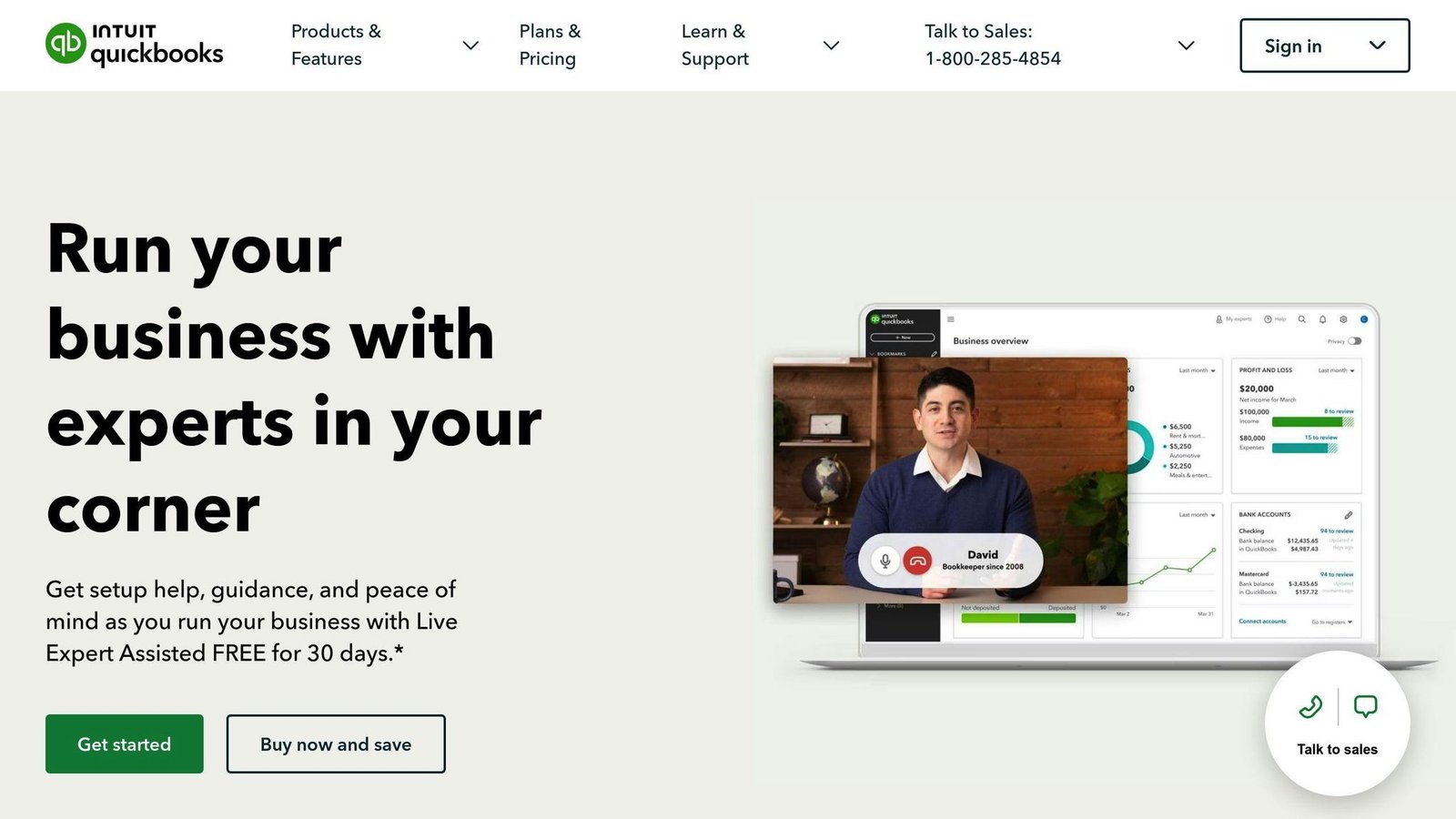
QuickBooks is the default choice in the US small business market, which matters practically: your accountant almost certainly knows it, and the third-party app ecosystem is the largest of any product here. It covers invoicing, expense tracking, inventory, and reporting, with automated bank feeds and mobile apps.
Pricing tiers scale from sole traders to growing companies. The downside is the feature set itself. The interface carries decades of accumulated functionality, and less technical users find it heavy going at first. Price increases at renewal are also a recurring complaint.
Xero: Real-Time Data and Collaboration
Xero suits growing businesses that want several people in the books at once, with a clear dashboard and good bank reconciliation. It connects sales, inventory, and payment data reasonably well.
It lacks some of the advanced capability larger organizations need, and per-user costs mount for bigger teams. Its US payroll offering is also weaker than its position elsewhere, so check that before committing if you have employees.
Sage Accounting: Heavier Tools for Larger Businesses
Sage Intacct and Sage 50 target financial planning and analysis, with customizable dashboards and reporting and support for multi-entity and global consolidation.
They involve more complexity and a steeper learning curve, and the core platforms lack some of the convenience features smaller packages have had for years. This is enterprise-shaped software, and for a business under about 20 people it is almost certainly the wrong purchase.
Wave Accounting: Free, With a Reason
Wave offers free invoicing and accounting, with paid payments, payroll, and bookkeeping services alongside. For a bootstrapped startup with simple needs, the free tier genuinely covers the basics.
Be clear about the model: the free product exists to sell you payment processing, payroll and bookkeeping. That is not a criticism, but it explains where the feature gaps are. Wave lacks the customization and integrations of paid platforms, and it fits solo operators and very small teams rather than anyone with growth plans.
FreshBooks: Invoicing First
FreshBooks is built around invoicing and project billing for solopreneurs and small service teams, with flat-rate pricing, good invoice customization, automated late payment reminders, and project profitability reporting.
It trails QuickBooks and Xero on larger teams and on genuine double-entry accounting depth, and third-party integrations are more limited. Its client billing limits on lower tiers catch people out. For freelancers whose main problem is getting invoices out and getting paid, it is a good fit; for anyone whose main problem is bookkeeping, it is not.
Making an Informed Decision: How to Evaluate Accounting Software
Aligning Features with Business Goals
Start by defining what you need the software to do, then check each platform against that list rather than against its own marketing.
Build a checklist of must-have capabilities:
- Automating invoicing, expense tracking, and reporting
- Payroll, taxes, and compliance workflows
- Sales order and inventory management
- Real-time financial dashboards
- Integration with the other apps you run
Then rank the candidates on how well they deliver those specific things. Separate must-haves from nice-to-haves before you look at any demo, because demos are designed to expand your list.
The Importance of Integrations
Work out which other apps are essential to your sales, marketing, and ecommerce workflows, then verify which accounting systems connect to them properly.
Typical integration needs:
- CRM software
- Ecommerce platforms
- Business intelligence tools
- Payroll providers
- Banking services
Check whether an integration is native or via a paid third-party connector. “Integrates with” often means “connects through Zapier at extra cost”, which is a different proposition.
Hands-On Free Trials
Vendor demos show the software working. Trials show it working for you.
Set up a trial and do your most frequent tasks:
- Generating invoices
- Processing payments
- Managing expenses
- Running financial reports
Bring your own data. A trial with sample data tells you almost nothing, because sample data is always tidy.
Pricing Models and Long-Term Cost
Capability is worth less if the price becomes unaffordable at the tier you end up on.
Compare:
- Service fees at your real tier
- Support costs
- Edition tiers and what triggers an upgrade
- Introductory discounts and what happens when they end
- Contract terms
Project these over three to five years. Prefer simple pricing and month-to-month terms where you can get them, because the cost of switching accounting systems is what gives vendors their pricing power.
Customer Reviews
Read candid reviews across several sites, weighted towards businesses of your size and type. Useful signals:
- How hard it was to get started
- What annoys people after a year
- What features users keep asking for
- Whether integrations work as advertised
- Support responsiveness
Discount vendor-published case studies. They exist to sell, they are never negative, and the results in them are almost never independently measured. Reviews from customers who have since left are more informative than any of them.
Conclusion
Choosing accounting software that matches your needs and budget matters. Define the must-haves, compare properly, and use free trials with your own data.
Recap of Essential Considerations
- Core features: invoicing, expense tracking, financial reporting, inventory. Add payroll, tax preparation, or CRM only if you need them.
- Ease of use: an interface your team will actually use daily. Software that is a chore gets bypassed, and bypassed accounting software produces wrong numbers.
- Scalability: capability and user licences that grow without forcing a migration.
- Data security: encryption, backups, and a clear statement of where your data lives.
- Customer support: availability and responsiveness, and what it costs.
- Budget: total cost at the tier you will be on in two years, including payroll and payment fees.
Where Each One Fits
There is no single right answer, but the fits are fairly predictable. Xero and QuickBooks Online cover most small businesses that need real bookkeeping, with QuickBooks favoured if your accountant’s preference matters and Xero if multi-user collaboration does. FreshBooks suits freelancers whose problem is invoicing rather than accounting. Wave suits people who need something free and simple and should be treated as a starting point rather than a destination. Sage suits companies large enough to have a finance function.
Implementing Your Choice
- Test key workflows during the trial, with real data.
- Migrate historical financial data so reporting is continuous. Budget more time for this than you expect; it is the part that goes wrong.
- Train staff using the vendor’s tutorials and knowledge base.
- Set up rules, workflows and access permissions before people start using it, not after.
- Connect bank accounts and cards for automatic transaction syncing.
- Use support during setup. It is included in what you are paying and it is never cheaper to work it out alone.
Get this right and your books stop being a monthly scramble. Get it wrong and you will pay for the software twice: once in fees, once in the migration away from it.
More on this topic
Browse all 53 articles on Finance & Accounting, or jump straight to our buying guide: Best Accounting Software for Small Businesses.