
Choosing an invoice generator when self-employed can feel overwhelming given the many options.
This guide provides clear criteria to select the best self-employed invoice generator to streamline your freelance or small business workflows.
We’ll explore key considerations like customization capabilities, accounting software integration, diverse payment options, and advanced features to automate invoicing and recurring billing.
Introduction to Invoice Generators for the Self-Employed
Invoice generators are essential tools for self-employed professionals to streamline billing and accounting. When choosing a self employed invoice generator, key criteria to consider include:
Understanding Self Employed Invoice Generators
Self employed invoice generators automate the process of creating, sending, and tracking invoices. Key features include:
- Customizable invoice templates
- Ability to add business branding
- Options to accept online payments
- Integration with accounting software
- Automatic calculation of taxes and totals
- Email/PDF invoice delivery
For independent contractors and freelancers, these tools simplify billing clients and managing finances.
Advantages of Streamlined Invoicing
Using an automated invoice generator offers many benefits:
- Saves time by reducing manual work of creating invoices
- Enables recurring invoices for regular clients
- Provides payment reminders to improve cash flow
- Presents a professional image with branded templates
- Allows tracking payments and invoice status
- Integrates with accounting systems
- Reduces accounting errors with accurate totals
With streamlined invoicing, self-employed professionals can get paid faster and focus more on core business activities.
Exploring Online and Offline Invoice Generation Options
When selecting a self employed invoice generator, professionals can choose between:
- Online invoicing platforms – Web-based tools for creating, sending and tracking invoices. Offer anywhere accessibility and automatic syncing across devices.
- Downloadable invoice templates – File types like Excel, Google Sheets or Word documents to customize invoices offline. Useful for basic invoicing needs.
Consider bandwidth needs, accounting software integrations, and desired features when deciding between online or offline tools.
How do I make an invoice for self employment?
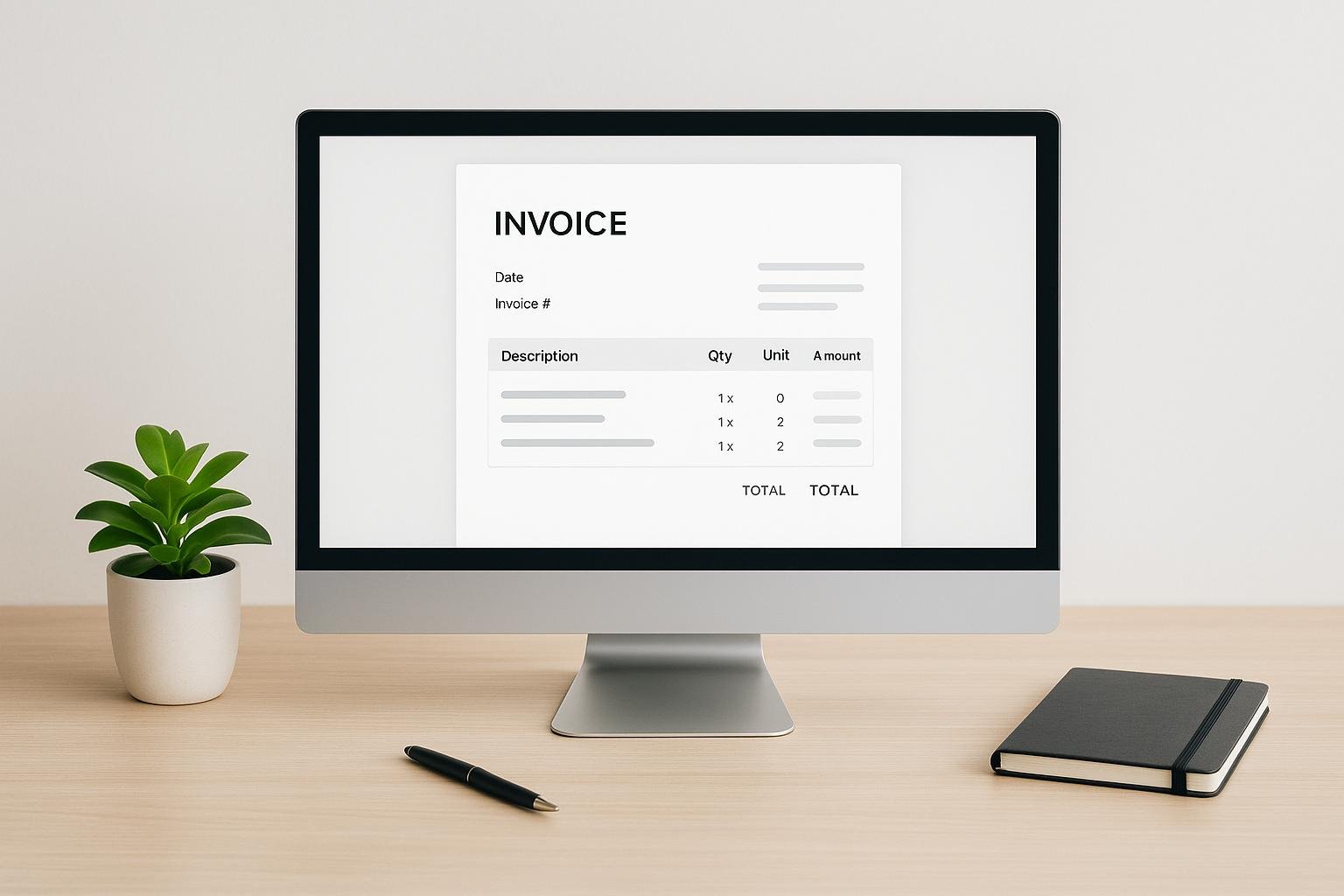
When creating an invoice as a self-employed professional, there are several key details to include:
What should be included on a self-employed invoice?
- Name of the client and contact information. This ensures your client knows who to pay and how to reach you.
- A unique invoice number. Create a simple numbering system to keep track of all your invoices.
- An issue date. The date you sent or handed the client the invoice.
- A due date. When you expect payment, typically 30 days from the issue date.
- An itemized list of the services you provided/tasks you completed. Detail what you did so the client understands what they are paying for.
- Itemized cost of these services/tasks. Break down your rates and hours to justify your total.
- Total cost of services. The total amount due.
- Payment terms and instructions. How and when you expect to be paid (e.g. within 30 days, checks payable to Your Name).
To easily create professional invoices, use an self employed invoice generator like Freshbooks or Wave. These tools do the heavy lifting so you can focus on your work and get paid on time. Their customizable invoice templates handle calculations and even let you accept online payments. Consider exporting to PDF or Excel for more flexibility.
For a simple DIY option, download a free freelance invoice template for Word, Google Docs or Excel and customize it to your needs. Just be sure to include all key details listed above.
With a solid invoicing process in place, you can confidently track payments and avoid late or missing invoices as a self-employed professional.
Can I create an invoice myself?
Yes, with the right tools, creating professional invoices yourself is easy. Here are some tips:
Use an invoice template
- Start with an invoice template in Word, Excel, Google Docs or other software. Templates have the layout and formulas already set up.
- Customize the template with your business name, logo, contact info, etc.
- Many software options have multiple templates for different business types.
Include key details
- Date, invoice number, payment terms
- Your contact info and your client’s
- Itemized list of services/products provided
- Total amount owed
Format for clarity
- Organize info clearly in an easy-to-read format
- Use a larger font for important details
- Highlight totals and due dates
Go digital
- Email invoices directly to clients
- Save on printing/mailing costs
- Get paid faster with online payment links
With user-friendly templates and some simple customization, anyone can create professional invoices themselves. The key is including the right information in an easy-to-understand format for your clients.
How do I create an invoice for freelance work?
Creating professional invoices is an important part of running a freelance business. Your invoice serves as the bill for your services and helps ensure timely payment.
When creating a freelance invoice, be sure to include key details like:
- Your name, business name, contact information: Provide your full name (or registered business name), email address, phone number, and mailing address so clients can get in touch.
- Client name and address: List who the invoice is being sent to and their full address.
- Invoice number: Number invoices sequentially so you and your client can keep track of payments.
- Date: The date the invoice is sent.
- Payment due date: Typically 30 days from the invoice date.
- Description of work: Give a brief summary of the service provided, naming the client and the period, for example “Content writing services for [client name] website, March 2023”.
- Line items: Breakdown of each service/deliverable, number of hours worked, hourly rate, total cost.
- Total amount due.
- Payment terms: When is payment expected, which payment methods are accepted.
- Your signature. This makes the invoice official.
Using an invoice generator can simplify creating professional invoices. Many options like Freshbooks and Zoho Invoice have templates that do the formatting for you.
Be sure to track when invoices are sent and payments received. Following up on late payments is part of the job.
Is QuickBooks free for invoices?
No. QuickBooks has no permanently free tier. It offers a 30-day free trial, and heavily discounted introductory pricing, but after that you pay a monthly subscription.
An earlier version of this section got the details badly wrong, and the corrections matter because they change the answer. It claimed Simple Start included 50 free invoices a month with additional invoices at $0.50 each, and it priced Essentials at $7 per user per month, below Simple Start. Neither is true. There is no per-invoice charge on any QuickBooks Online plan and no monthly invoice cap, and Essentials costs more than Simple Start, not less. Those figures could not be sourced anywhere and have been replaced with the list prices published on Intuit’s own pricing page:
- QuickBooks Simple Start – $38/month list
- QuickBooks Essentials – $85/month list
- QuickBooks Plus – $140/month list
- QuickBooks Advanced – $340/month list
- 30-day free trial on all plans
Two caveats. First, Intuit runs deep introductory discounts, often around 90% off for the first three months, and the price you see advertised is usually that promotional rate rather than the list price above. Budget for the list price, because that is what you will pay in month four. Second, these are US list prices and Intuit changes them, so check the page before you commit.
QuickBooks integrates invoicing directly into full accounting software, so it provides more reporting, automation, and financial oversight than a standalone invoice generator. Whether that is worth $38 a month depends entirely on whether you need the accounting. If all you want is to send a handful of invoices a month, it is not.
For genuinely free invoicing, look at Zoho Invoice and Wave, both of which have free tiers, and check their current limits directly rather than trusting a comparison table.
Selecting the Best Self Employed Invoice Generator
As a self-employed professional, choosing the right invoice generator is crucial for efficiently managing your finances and presenting a professional image to clients. When assessing your options, here are some key criteria to consider:
Comparing Free vs Paid Invoice Generators
Free invoice generators offer basic templates and features but often lack customization options and more advanced capabilities. Paid services typically provide:
- More professional template designs fit for client presentations
- Advanced features like accounting software integrations, automated reminders and recurring billing
- Better customization of templates, logos, fonts, colors etc.
- Premium customer support
The increased productivity and professionalism often makes paid software worth the investment for established freelancers and consultants. Those just starting out can benefit from free generators to test workflows before upgrading. Be honest about which side of that line you are on. Clients do not pay faster because your invoice has a nicer font.
Accounting Software Integration
Integrating an invoice generator with accounting platforms like QuickBooks or Xero keeps your books in step with your billing. Key features to evaluate include:
- Real-time syncing of invoice data with general ledger
- Payment tracking against invoices automatically
- Time savings from eliminating duplicate data entry
Direct integration removes the manual export and import of invoice data into the accounting system. This prevents data discrepancies and saves administrative time.
Customization Capabilities of Invoice Templates
An invoice generator used for client billing should reflect your personal or business brand. When assessing customization, consider:
- Logo and color scheme insertion to match branding
- Font and layout flexibility for unique style
- Multiple template creation for different business needs
Customizing invoices projects professionalism to clients. It matters most when your client’s accounts payable team has never met you.
Diverse Payment Processing Options
The best invoice generators connect to various payment gateways like Stripe or PayPal to enable:
- Credit card payments for client convenience
- Bank transfers for large invoices
- Recurring billing for long-term projects
- Partial payments toward larger amounts
More payment flexibility makes it easier for clients to pay you. Check the processing fee before you switch card payments on, though: on a large invoice, a percentage fee costs more than waiting a week for a bank transfer.
Automating Invoicing and Recurring Billing
Generating and sending invoices manually is time-consuming. The most effective tools provide automation for:
- Bulk invoice generation for efficiency
- Scheduled email sending of invoices to clients
- Recurring invoices for ongoing project billings
- Payment reminders for overdue invoices
Automated payment reminders are the feature most worth paying for. They do the chasing you would otherwise put off.
When selecting your ideal self employed invoice generator, assess both current business needs and future growth plans. Weigh the benefits of free basic services versus paid platforms with advanced integrations, customizations, and automation capabilities.
Digital Invoice Generators: Excel, PDF, and Online Platforms
As a self-employed professional, having an efficient invoicing system is crucial for getting paid on time and keeping your finances organized. When choosing a self employed invoice generator, you have a few format options to consider – Excel, PDF, and online platforms. Each offers distinct advantages depending on your business needs and preferences.
Using Excel for Custom Invoice Generation
For those who want maximum control and customization over invoice design and data, Excel invoice templates provide a flexible DIY approach. Benefits of generating self employed invoices in Excel include:
- Full customization over invoice fields, design, formulas, and integrations with other spreadsheets
- Downloadable as .xlsx file for easy sharing via email and storage
- Familiar interface for those already using Excel for accounting/bookkeeping
- Free basic templates available online to then customize
- Ability to include visuals like logo and color formatting
Before settling on Excel, consider the learning curve if you’re less familiar with spreadsheets. Sharing and collaborating are also clumsier than with the cloud-based options below, and nothing chases a late payer for you.
The Convenience of PDF Invoices
PDF invoice generators create professional, print-ready invoices perfect for sharing and retaining records. When evaluating self employed invoice generator PDF tools, key advantages include:
- Consistent presentation with custom branding
- Easy to print for physical copies
- Share via email or cloud for digital distribution and storage
- Convert to/from Excel if needed for accounting
- Template variety from general to industry-specific
Potential downsides of PDF invoices include lack of automatic syncing with accounting software and the need to generate one invoice at a time rather than bulk.
Utilizing Online Invoice Generators for Efficiency
For streamlined invoicing capabilities from anywhere, online invoice generators are ideal. When researching self employed invoice generator online platforms, look for:
- Cloud-based access via web and mobile
- Template options with automatic calculation features
- Email directly from platform or integrate with other business apps
- Client database for bulk invoicing and tracking
- Payment processing like PayPal, Stripe, bank transfers
- Accounting integrations for automated syncing
While online generators offer good efficiency and collaboration, the associated monthly fees and learning new software may deter some. Offline options like Excel or PDF may better suit those wanting more control or lower costs.
No matter which self employed invoice generator format you choose, ensure it allows customization to your branding, calculates totals automatically, facilitates easy sharing and payments, and helps you get organized. The right solution depends on your budget, existing tools, and preference for DIY versus automated features.
Invoice Templates for Various Professions
Choosing the right invoice template is crucial for self-employed professionals to ensure their unique business needs are met. The template should capture key details required for their profession while remaining simple to generate repeatedly.
Freelance Invoice Template Essentials
Freelancers juggle multiple clients, so a template that’s easy to duplicate and share is essential. Key elements include:
- Client details: Fields to capture client name, address, email
- Itemization: Line items detailing work description, hours/quantities, rates, taxes
- Payment terms and due dates: Clearly indicate payment terms and due dates for the client
- Freelancer details: Your name, address, tax info
- Downloadable file formats: Offer .pdf,.doc,.xls formats for client convenience
Many self employed invoice generators provide pre-made freelance templates that are modifiable. Opting for an online invoice generator also allows easy generation and sharing.
Consulting Invoice Template Features
Consultants bill clients based on project deliverables, so the template should:
- Track time spent on calls, meetings, deliverables
- Capture expenses like travel costs
- Summarize work delivered during the period
- Facilitate approvals before sending the final invoice
Tools like Toggl allow time tracking while QuickBooks helps account for expenses. An Excel invoice template can also be customized to consulting needs.
Optimizing Small Business Invoices
As small businesses scale operations, their invoicing needs grow too. The template should:
- Allow customization of line items, taxes, discounts etc
- Integrate with accounting software like QuickBooks
- Offer bulk invoicing to bill multiple customers
- Provide invoice analytics on payments, outstanding dues
Zoho Invoice and Freshbooks are self employed invoice generators that scale with small businesses.
Sole Trader Invoice Template Considerations
Sole traders need simple invoices to share with clients. Essential elements:
- Tax and legal compliance
- Basic client and item details
- Due dates and payment options
- Contact information
Wave offers free invoicing for sole traders, as does PayPal. Check the current terms of any free tier directly, since providers move features between free and paid plans regularly. Overall, matching the invoice generator to your profession ensures efficiency.
Advanced Invoicing Features for the Self-Employed
Mobile Receipts and Invoicing on the Go
As a self-employed professional, having the ability to create invoices and track receipts on the go using your mobile device can greatly improve efficiency. Mobile apps allow you to generate invoices, record expenses, and accept payments no matter where you are. This enables real-time invoicing and money management without needing access to a computer.
When evaluating self employed invoice generators, consider ones with dedicated mobile apps. Key features to look for include:
- Snap photos of receipts to instantly log expenses
- Create professional invoices with custom branding
- Accept credit card payments
- Sync data with web and desktop apps
- Offline access to continue working when internet connectivity is limited
Choosing an invoice generator with capable mobile apps means you can conduct business and track financials wherever your work takes you.
Facilitating Credit Card and Bank Payments
For self-employed professionals, getting paid quickly and easily is a top priority. Integrating credit card and bank payment options directly into your invoice generator makes this easier for both you and your clients.
When reviewing solutions, seek ones providing:
- Secure PCI-compliant payment processing
- Support for accepting credit cards and ACH bank transfers
- Ability to send payment reminders and track payment status
- Automatic payment matching to invoices
- Low payment processing fees
Opting for an invoice generator that handles payments means no more chasing down checks from clients. Just read the fee schedule first: card processing on invoices is usually priced per transaction plus a percentage, and on high-value work that adds up fast.
Setting Up Recurring Billing Systems
If you have ongoing engagements with consistent deliverables, a recurring billing system can save time while ensuring regular payments. The best self employed invoice generators make setting up subscriptions and repeating invoices simple.
Functionality to look for includes:
- Flexible recurring schedule options (weekly, monthly, etc)
- Automatic generation of invoices by schedule
- Support for subscription-based or retainer-style billing
- Ability to easily update billing details
- Email reminders before invoices are sent out
With recurring billing established, you eliminate the need to manually generate invoices for long-term clients. This creates consistency for both parties and gives you assurance of steady payments.
Integrating Payroll Software with Invoicing
As a solopreneur, you may pay yourself inconsistently amidst client work. Integrating your invoicing solution with payroll software helps ensure you get paid on time too.
When evaluating integration capabilities, look for:
- Data syncing between systems
- Easy transfer of earnings/profits to payroll
- Automated tax calculations
- Direct deposit payroll funded by invoice payments
- Unified financial reporting
Getting your invoice generator and payroll system to communicate gives you one view of your finances. For a sole trader with no employees, though, this is usually more machinery than the job needs.
Conclusion: Final Thoughts on Invoice Generators
Choosing the right self employed invoice generator is crucial for streamlining operations and maximizing productivity. When evaluating solutions, focus on core features like customization, automation, integration, reporting, and security.
Prioritize solutions that:
- Allow easy template customization
- Integrate with other business software
- Offer recurring invoicing to save time
- Provide detailed financial reporting
- Have strong security and compliance
The ideal invoice generator fits into the way you already work. Review free trials thoroughly to ensure the solution meets all business requirements before purchasing, and check the price you will be paying once any introductory discount runs out.
One last thing worth saying plainly: if you send fewer than about ten invoices a month, a free tool or a spreadsheet will do the job, and the money is better spent elsewhere.
More on this topic
Browse all 53 articles on Finance & Accounting, or jump straight to our buying guide: Best Accounting Software for Small Businesses.