Disclosure: This page contains commercial links. BizBot may earn a commission from qualifying purchases. Paid placements do not buy a better ranking. Read our affiliate disclosure.
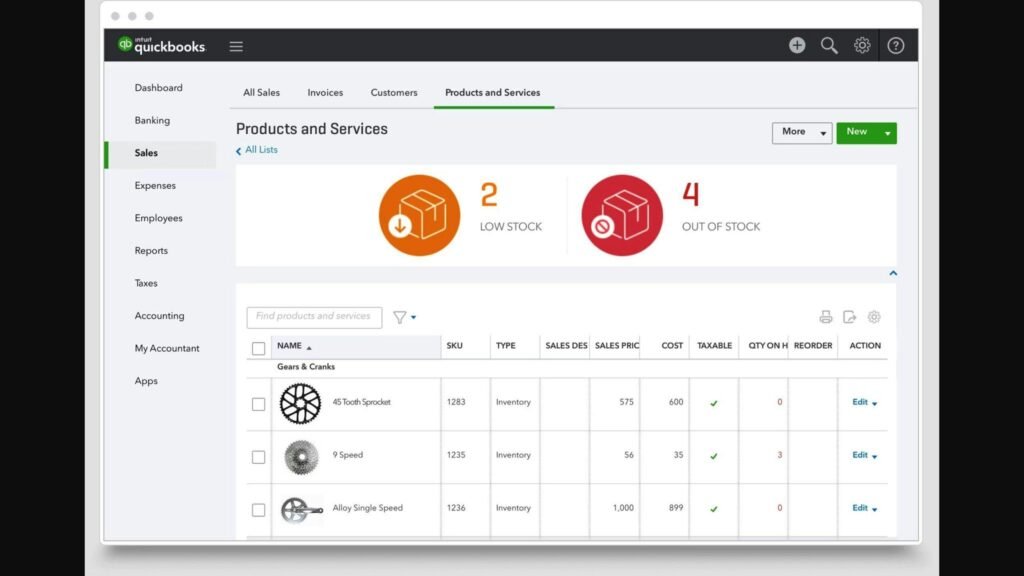
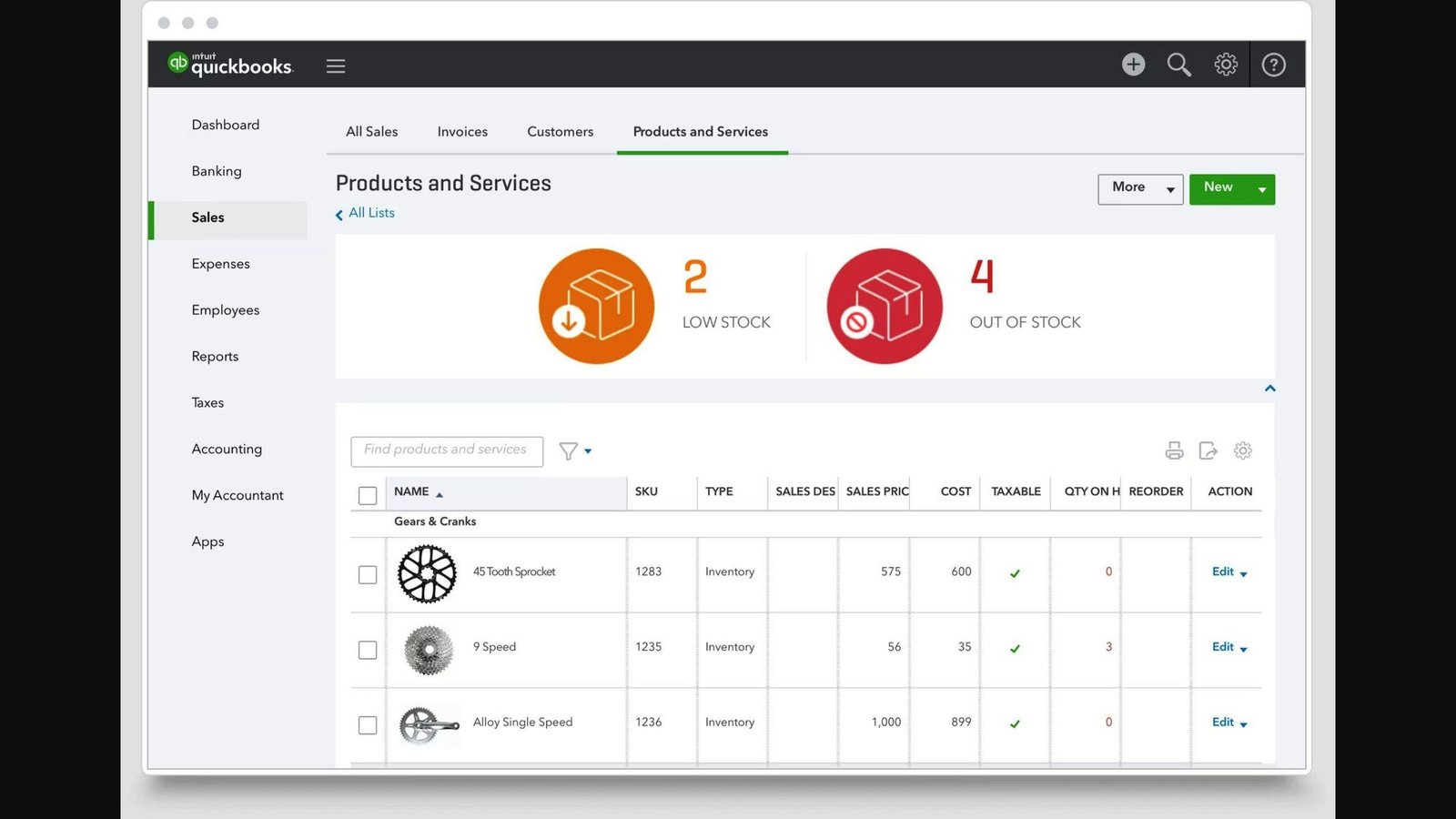
Integrating inventory management software with QuickBooks streamlines your business operations, making inventory tracking and financial management more efficient. Here’s what you need to know:
- Understanding Inventory Management and QuickBooks: Inventory software tracks stock levels and predicts sales, while QuickBooks manages finances. Combining them automates stock updates and financial records.
- Preparing for Integration: Ensure compatibility, back up data, and clean up records before integration.
- Step-by-Step Integration Guide: Choose compatible software, back up QuickBooks data, map data fields, and test integration before going live.
- Common Challenges and Solutions: Address data syncing issues, missing records, and software compatibility.
- Top Inventory Management Software for QuickBooks:
- Acctivate: Real-time tracking and custom reports. No published rates — quote only, plus a substantial onboarding fee.
- Fishbowl: Clear inventory view and order management. Now a subscription, from $229/month billed annually.
- inFlow: Handles orders and updates inventory in real time. From $129/month billed annually.
- Cin7: Manages inventory and orders, integrates with QuickBooks. Cin7 Core from $349/month.
- Choosing the Best Software: Look for reliable two-way sync, scalability, customization, a usable interface, ongoing support, and a price you can actually find out.
A warning before the detail. Every price in this category has risen sharply, and three of the four figures this article previously carried were wrong by a factor of two or more. All rates below were checked against the vendors’ own pricing pages in August 2026 and should be confirmed before you budget.
Preparing for Integration
Before you mix inventory software with QuickBooks, think about:
- Technical stuff: Make sure both systems can talk to each other. Online systems usually make this easier.
- Matching versions: Check that your version of QuickBooks works with the inventory software.
- Moving data: Plan how to move your inventory info to the new system.
- Backing up data: Always save your QuickBooks data somewhere safe before you start.
- Cleaning up data: Fix any mistakes in your inventory or money records to avoid problems later.
Step-by-Step Integration Guide
Getting your inventory software to work with QuickBooks helps keep your stock and money matters in line. Here’s how to do it, step by step:
- Choose Compatible Software
Pick software that says it works with QuickBooks, and check whether it means QuickBooks Online or QuickBooks Desktop. They are different integrations and not every product does both. - Back Up QuickBooks Data
Always save a copy of your QuickBooks data before you start. This way, you can get your data back if something goes wrong. - Map Data Fields
Make sure the information matches up between your inventory software and QuickBooks. This includes things like product codes and descriptions. - Import Historical Data
Bring over any old stock information to keep your records complete. - Connect Software Follow the steps given by the software companies to link your inventory system and QuickBooks.
- Test Integration Try it out with a few sample products and sales to make sure everything is working together properly.
- Go Live
Once you’re sure it works, start using your inventory software with QuickBooks for real. - Review Integration
Check now and then to make sure everything is still running as expected.
Common Challenges and Solutions
Data Syncing Issues
If updates in one system don’t show up in the other, double-check how you’ve matched up the information.
Missing Records
If some information seems to be missing, look for any settings that might be hiding it.
Errors Importing Data
Make sure your information is formatted correctly. If you’re having trouble, try bringing in smaller amounts at a time.
Access and Permissions
Make sure you have the right permissions to connect the systems.
Software Compatibility
Only use software versions that are meant to work together. You might need to update.
If you run into problems, reach out to the software companies for help.
Top Inventory Management Software for QuickBooks
| Software | Key Features | Pros | Cons | Pricing (August 2026) |
|---|---|---|---|---|
| Acctivate | – Tracks inventory in real time – Helps with buying more stock
– Lets you make custom reports |
– Makes tracking easier – Gives useful business info
– Works well with QuickBooks |
– Hard to use – Takes time to learn
– No published price |
Quote only. One-time licence fee plus annual subscription, plus $1,000 per month for setup and onboarding until go-live |
| Fishbowl | – Lets you see all your inventory – Helps manage orders
– You can customize it |
– Fits well with QuickBooks – Good for growing businesses | – Expensive for smaller businesses – Implementation is a separate, required purchase | Fishbowl Inventory Essentials $229/month billed annually (2 users) |
| inFlow | – Handles orders from many places – Tracks inventory in real time
– Lets you report in different ways |
– Saves time with automation – Gives deep insights with data | – Order caps on lower plans | Entrepreneur $129/month billed annually, or $161 monthly (2 team members) |
| Cin7 | – Manages inventory – Handles orders
– Works with QuickBooks |
– Makes supply chain smoother – Keeps data accurate
– Joins systems together |
– The most expensive entry point here | Cin7 Core Standard $349/month (5 users) |
Acctivate
Acctivate helps QuickBooks users manage growing operations by tracking inventory accurately, controlling purchases, getting insights through reports, and syncing with QuickBooks.
It has features like tracking inventory as it changes, checking products’ quality, making custom analytics, and detailed tracking by serial or lot number. Acctivate fits into QuickBooks to keep financial and inventory data together.
On price, be clear-eyed. Acctivate does not publish rates. Its packages are Starter (1 user), Professional (5 users) and Enterprise (10 users), and the model is a one-time initial licence fee plus an annual subscription. Separately, setup and onboarding is billed at $1,000 for each month until go-live, which Acctivate says is typically around 90 days — so budget roughly $3,000 for implementation alone before any software cost. An earlier version of this article quoted $99 a month, which was not a figure Acctivate publishes. It can also be tough to learn.
Fishbowl
Fishbowl links to QuickBooks and offers a clear view of inventory, order management, and customization.
It tracks inventory in different places and lets you access it on the go. Fishbowl automates the process from taking orders to sending invoices, and you can set it up to control inventory your way.
The pricing has changed fundamentally since this article was first written. Fishbowl no longer sells a one-time perpetual licence. It is a subscription: Fishbowl Inventory Essentials is $229 per month billed annually for 2 users, Growth is $429 for 5 users and Scale is $729 for 10. Implementation is a separate, required purchase. If you came here expecting a $1,000 one-off, that option no longer exists.
inFlow
inFlow suits QuickBooks users handling orders from several channels. It updates inventory in real time, automates order management, and offers flexible reporting.
Pricing is tiered by team members and annual sales orders, which is the detail that matters. Entrepreneur is $129 per month billed annually or $161 monthly, and covers 2 team members and 1,200 sales orders a year — roughly a hundred orders a month, which a real e-commerce business will pass quickly. Small Business is $349 annually or $436 monthly for 5 members and 12,000 orders. Mid-Size is $699 or $874 for 10 members and unlimited orders. Enterprise is $2,249 a month. inFlow also sells a separate barcode-scanning product, inFlow Stockroom, at $99 a month billed annually. An earlier version of this article listed inFlow at $49 a month; that was wrong by more than a factor of two.
Cin7
Cin7 covers inventory, orders and QuickBooks sync in one system, with multi-channel selling and warehouse management.
It is now sold as two products: Cin7 Core for growing businesses and Cin7 Omni for enterprises. Cin7 Core Standard is $349 per month and covers 5 users and 6,000 sales orders a year; Pro is $599 for 10 users and 24,000 orders; Advanced is $1,199 for 15 users and 120,000 orders. Cin7 Omni is quote-based. The old $79 a month figure in this article was well out of date — Cin7 is the most expensive published option here, not the cheapest.
Choosing the Best Software
Making inventory software work with QuickBooks is mostly about matching what you actually do to what the plan actually includes. A few things to check.
Top Evaluation Criteria
When you’re picking inventory software to use with QuickBooks, here’s what to keep an eye out for:
Two-Way Sync That Works
- Check whether data flows both ways or only one. One-way sync means you will still be doing manual work somewhere.
- Confirm it supports your QuickBooks edition specifically, Online or Desktop.
The Caps, Not Just the Price
- Several of these products cap annual sales orders as well as users. inFlow’s entry plan allows 1,200 sales orders a year; Cin7 Core Standard allows 6,000. Work out your annual order count before you compare monthly rates, because the cap is what forces the upgrade, not the headcount.
- Look for software that lets you add more users, locations and sales channels as the business grows — and find out what that costs before you need it.
Customization
- Having software that lets you set things up your way, like custom reports or tracking options, can really help make your life easier.
- Make sure the software can handle special tracking needs you might have, like serial or lot numbers.
User-Friendly Interface
- Go for software your team can learn quickly. Acctivate is the most capable option here and also the one users most often describe as hard to learn; that trade-off is real.
- Check if there’s a mobile app if people need to count stock away from a desk.
Ongoing Support
- Make sure the company behind the software is there to help with setup, any problems you run into, and updates.
The Total Cost, Including Implementation
- Two of the four here charge separately for implementation, and in Acctivate’s case that alone can run to several thousand dollars before the software fee starts. Ask for the subscription and the implementation as two separate numbers, in writing.
- Trying it out first with a free trial or demo is still a good idea.
If your requirements are modest, it is worth asking whether you need any of this. QuickBooks Online includes basic inventory tracking, and for a business with a few dozen SKUs and low order volume, $349 a month buys very little you cannot already do.
Maximizing the Benefits
Best Practices
Getting value out of the combination is about how you run it day to day, not just whether it connects. Here’s how:
Streamline Workflows
- Make sure the software shares data automatically. That means less typing and fewer mistakes.
- Set up automatic updates. For instance, if your stock gets low, let the software create a new order in QuickBooks without you having to do anything.
- Use tools like barcode scanners and apps to keep track of your stock easily and update QuickBooks without delay.
Enhance Data Quality
- Regularly check your data to fix any mismatches between your inventory system and QuickBooks.
- Organize your products, customers, and suppliers the same way in both systems so everything matches up.
- Decide who can see and do what in the systems to keep your data safe.
Boost Analysis and Reporting
- Create reports that show exactly what you need to know to run your business better, using the detailed info from both systems.
- Set the system to send out reports automatically so everyone stays in the loop.
- Look at past sales and stock levels alongside your financials to plan better for the future.
One habit worth building: reconcile the inventory valuation in your inventory system against the inventory asset account in QuickBooks every month. If those two numbers drift apart, the integration is not doing what you think it is, and you want to find that out in month two rather than at year end.
Conclusion
Connecting inventory management software with QuickBooks genuinely helps small businesses that have outgrown spreadsheets. It removes repetitive work, keeps stock and financial numbers aligned, and gives you reporting neither system provides alone.
Key Benefits
- Work smarter, not harder – When these systems talk to each other, a lot of the repetitive work is done automatically. This means people can spend their time on things that add more value.
- Keep your numbers straight – With updates happening in real time, your inventory and financial numbers stay aligned. This means you can trust your data when making big decisions.
- Make better choices – You can pull up detailed reports about how much you’re selling and what it’s costing you. Seeing these trends helps you make smarter decisions.
- Smooth out the kinks – The whole process from getting an order to getting paid can run more smoothly. This makes your business more efficient.
- Happy customers – Knowing exactly what’s in stock means you can get orders out the door faster. This makes your customers happy.
Key Takeaways
- Linking QuickBooks with inventory software gives you more tools than QuickBooks offers alone for tracking stock and orders.
- It’s important to pick the right software and move your data over carefully.
- Price this properly. The cheapest option here is $129 a month, the most expensive published one is $349, and one vendor will not tell you at all without a sales call. Add implementation on top of all of them.
With a bit of planning, and a realistic budget, making QuickBooks work with inventory management software can pay for itself. Just do not start from the assumption that it is cheap.
FAQs
Here are some common questions and simple answers about connecting your inventory management software with QuickBooks:
What are the key benefits of integrating inventory management with QuickBooks?
- Everything works together, saving you time.
- QuickBooks updates automatically when your stock changes.
- Your inventory and money records are more accurate.
- You can easily see what you’re spending and making.
- Processes that used to take a lot of time are now faster.
- You get better reports and insights.
What capabilities should I look for in inventory management software?
When picking software to work with QuickBooks, make sure it can:
- Keep track of your inventory in real time.
- Use barcodes and work on mobile devices.
- Manage orders and purchases.
- Predict how much stock you’ll need.
- Let you make your own reports.
- Share data with QuickBooks in both directions.
- Grow with your business without a punishing tier jump.
What are some common challenges with integrating inventory software and QuickBooks?
You might run into issues like:
- Trouble getting the systems to share data correctly.
- Missing information or mistakes because of syncing problems.
- Difficulty formatting data for the integration.
- Not having the right access to connect the systems.
- Using software versions that don’t work well together.
- Unexpected bugs or errors during setup.
How can I troubleshoot problems with my inventory and QuickBooks integration?
If you’re having trouble, try these steps:
- Double-check how you’ve matched up the data fields.
- Look at sync logs for any error messages.
- Make sure you have the right permissions.
- Start with a small test to see if the integration works.
- Check that both systems are using compatible versions.
- Ask for help from the software’s support team.
- Think about getting an expert to help sort it out.
Is there an easy way to set up the integration?
Yes, the simplest way is to use an app from the QuickBooks App Store. These apps make connecting the systems easy and usually don’t need much technical know-how.
What options do I have for getting help with the integration?
If you’re stuck, you can:
- Look for help guides or support from the app you’re using.
- Get a QuickBooks expert to help you out.
- Contact QuickBooks support.
- Ask questions in online forums.
- Reach out to your inventory software’s support team.
Getting help early can save you a lot of trouble, so don’t hesitate to reach out if you need it.
Related Questions
Does QuickBooks have an inventory management system?
Yes, QuickBooks Online includes basic inventory tracking: stock levels, reorder reminders, and inventory reports. For a small business with modest SKU counts and order volume, that is often enough, and worth exhausting before you add a second system at $129 a month or more.
Does QuickBooks have a perpetual inventory system?
QuickBooks Online tracks inventory continuously as transactions are entered, which is perpetual in effect. Adding a dedicated inventory system extends that with multi-location, barcode and multi-channel handling rather than changing the underlying method.
Which software is recommended for doing inventory management?
It depends on your order volume and how many people need access, which is exactly what these products price on. Zoho Inventory is worth a look alongside the four here if budget is the binding constraint; it is considerably cheaper than any of them, with a free tier for very low volumes. For heavier multi-channel operations, Cin7 Core and inFlow are the more capable options and priced accordingly.
Which inventory tracking method is used in QuickBooks Online?
QuickBooks Online uses the first-in, first-out (FIFO) method for valuing inventory. This means it assumes the first items you bought are also the first ones you sell. QuickBooks Desktop offers average cost as well.
More on this topic
Browse all 86 articles on Business Operations, or jump straight to our buying guide: Best Productivity Tools for Small Teams.