Disclosure: This page contains commercial links. BizBot may earn a commission from qualifying purchases. Paid placements do not buy a better ranking. Read our affiliate disclosure.
Disclosure: Some links in this article are affiliate links. If you sign up through one, BizBot may earn a commission at no extra cost to you. It does not change which tools we list, or what we say about them — including the parts that are critical. How we evaluate software.
Managing customer conversations across multiple channels can quickly become overwhelming for small and growing businesses. Tidio solves this by combining live chat, AI chatbots, and help desk tools into one platform, making it easier to respond faster, automate support, and convert more visitors into customers.
Instead of switching between tools or relying on manual replies, businesses can use Tidio to centralize communication, streamline workflows, and improve customer experience without adding complexity.
This review covers what happens after you install it: what the AI agent needs from you before it earns its keep, which jobs it genuinely does well, what to measure once it is live, and the point at which a growing team outgrows it. If you want the shorter buying-decision view instead, our Tidio tool page sets out fit, pricing shape and the alternatives worth shortlisting.
Tidio Features at a Glance
| Feature | What It Does | Why It Matters |
|---|---|---|
| AI Chatbot (Lyro) | Automatically responds to customer questions using your data | Provides 24/7 support and reduces manual workload |
| Live Chat | Enables real-time conversations with website visitors | Improves engagement and increases conversion rates |
| Help Desk | Organizes messages into tickets for tracking and management | Keeps customer support structured and efficient |
| Automation Flows | Triggers messages based on user behavior | Captures leads and nurtures users automatically |
| Multichannel Support | Connects chat, email, and messaging platforms in one place | Centralizes communication for better visibility |
| Lead Generation Tools | Captures visitor data through chat interactions | Turns website traffic into qualified leads |
Quick Rundown: What Tidio Does
Tidio is an all-in-one customer communication platform designed to help businesses manage support, automate responses, and capture leads.
It combines live chat, AI chatbot functionality, and a help desk system into a single interface. Businesses can respond to customers in real time while also automating repetitive tasks like answering common questions or qualifying leads.
For teams trying to scale without increasing workload, this combination makes a noticeable difference.
Key Features of Tidio
AI Chatbot (Lyro AI Agent)
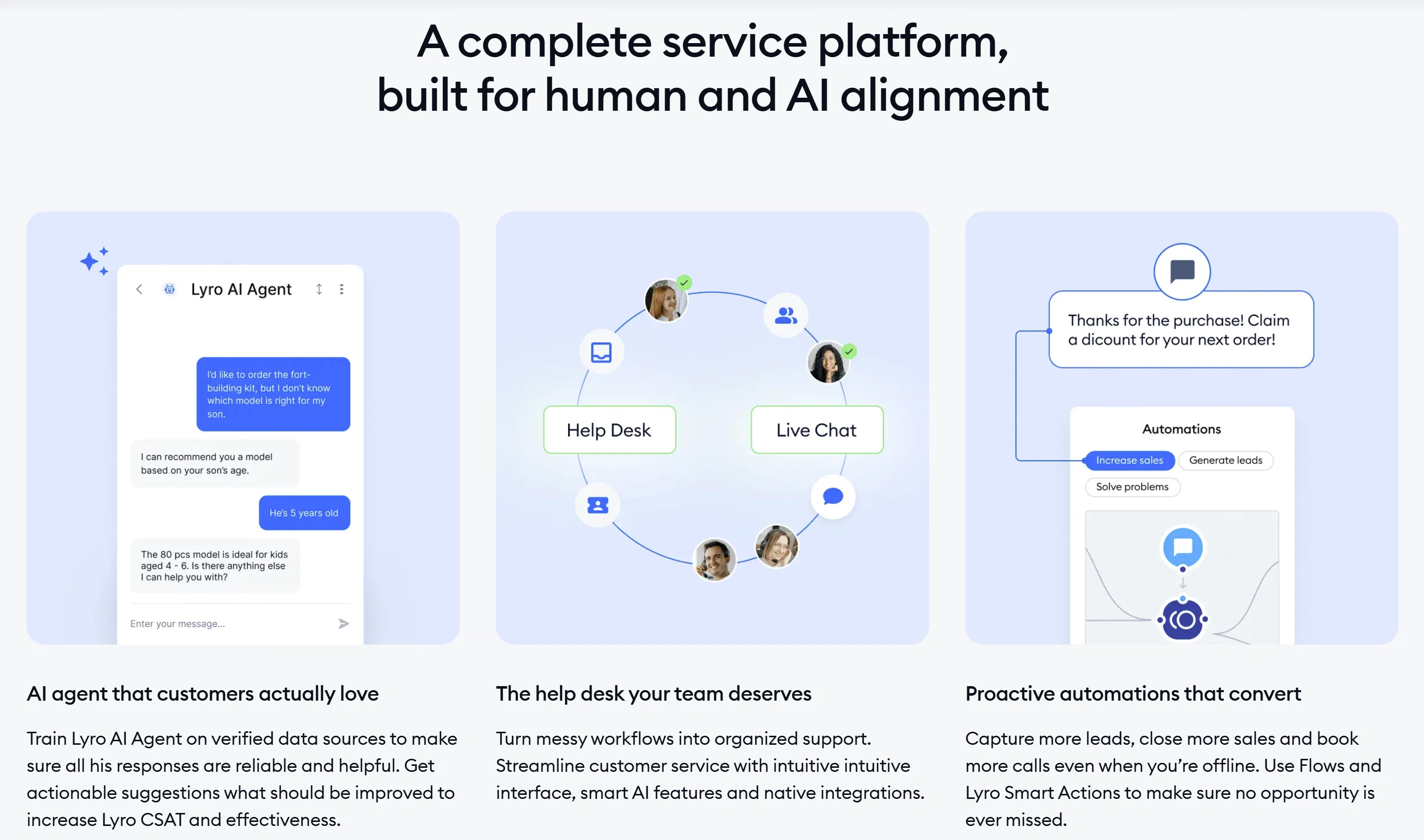
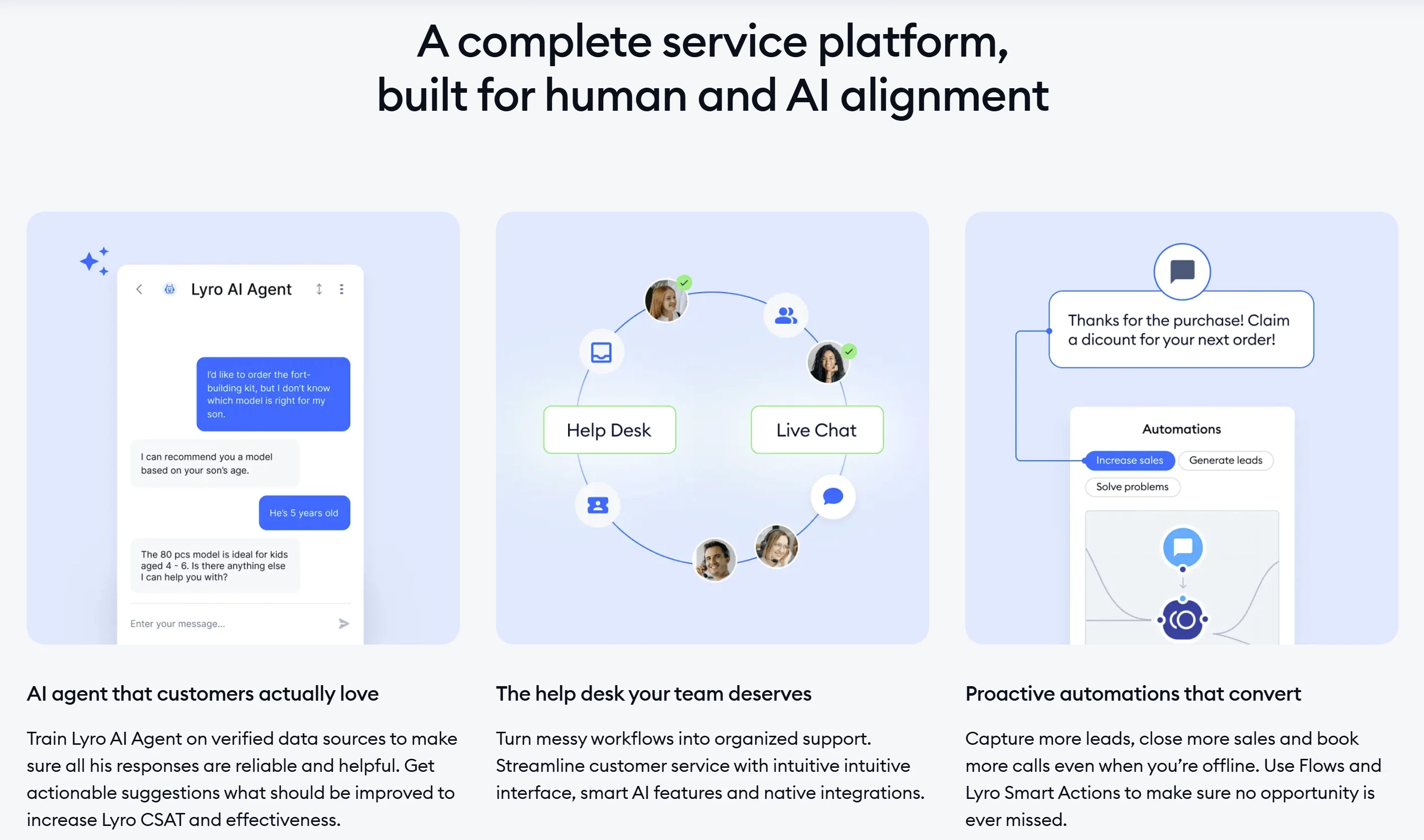
Tidio’s AI chatbot, Lyro, can handle customer questions automatically using your existing content and data. This reduces response time and allows businesses to provide support even outside working hours.
The important thing to understand is that Lyro is not answering from general world knowledge. It answers from what you give it: help articles, product data, and the answers you write for it. That makes resolution rate a function of your documentation rather than of the model. A shop that writes clear answers to its twenty most repeated questions gets confident, specific replies. A shop that points it at a four-line FAQ gets hedging and constant handovers to a human, which is the outcome you were paying to avoid.
The trade-off worth naming: because billing is tied to how many conversations the AI handles, a busy month costs more than a quiet one. Model your peak, not your average. If your traffic spikes around a seasonal event or a product launch, that is the month to budget for. Businesses exploring broader AI-driven support strategies often combine tools like Tidio with conversational analytics platforms.
Live Chat for Real-Time Support
Live chat allows businesses to connect instantly with website visitors. This is especially useful for answering pre-sales questions and guiding users toward conversion.
Real-time engagement becomes more effective when conversations are tailored to each visitor’s behavior. Tidio shows which page someone is on and what they have looked at, so a reply can reference the actual product rather than opening with a generic greeting.
The cost is a commitment. A chat bubble on your site is a promise that someone is there. If nobody is, the widget becomes a slower contact form with a worse reputation. Set your office hours before you go live, write an honest offline message that states when you will reply, and let the AI agent cover the gap rather than leaving the bubble unattended.
Help Desk and Ticketing System
Tidio includes a built-in help desk that organizes conversations into tickets. This helps teams manage inquiries, assign responsibilities, and track progress efficiently.
It is deliberately light. You get assignment, status and notes, which is enough structure for a team of roughly one to five people handling chat and email. What you do not get is SLA timers, tiered escalation paths, or the kind of conditional routing that decides a ticket belongs to the billing queue in a particular region. If those words are already in your requirements, you are shopping in a different category and should compare against the options in our guide to the best customer support tools for small teams.
Automation Flows That Convert
Tidio allows you to create automated workflows triggered by user behavior.
In practice the triggers people get value from are narrow and specific: a visitor who has been on a pricing page for more than a minute, a returning visitor who abandoned a cart, someone whose cart value crosses a threshold that justifies offering help, or an exit signal on the checkout page. Broad triggers such as “greet everyone after five seconds” mostly generate noise and dismissals.
The trade-off is maintenance. Every flow is a small piece of logic that can fire at the wrong moment, and a stack of forgotten flows is how a site ends up ambushing customers with a discount they were not offered at checkout. Start with two or three, and put a date in the calendar to review them. Many businesses also explore chatbot performance and ROI tracking to refine these workflows over time.
Try Tidio for free and start automating customer support, capturing more leads, and converting visitors faster with AI-powered chat.
Setting It Up So It Actually Works
The installation is a script tag and takes minutes. The work that determines whether Tidio pays for itself happens before and after that. A rough order that avoids the usual mistakes:
- Write the answers first. Export the last 90 days of support email and chat, group them, and count. Most small businesses find that a handful of questions account for the bulk of the volume. Write proper answers to those before you switch the AI agent on.
- Launch on a few pages, not the whole site. Product pages, pricing, and checkout tell you more in a week than a sitewide rollout does, and they limit the blast radius if a flow misfires.
- Set office hours and the offline behaviour before launch, not after. This is the single most common thing teams do in the wrong order.
- Connect the store. The Shopify and WooCommerce integrations put order and customer details in the conversation. Without them, agents are alt-tabbing to the admin panel on every enquiry, which is most of the time saving gone.
- Decide the handover rule explicitly. Write down what the AI must escalate rather than attempt: refunds, complaints, anything involving a specific money figure, anything about a delayed order. Ambiguity here is what produces the transcripts you do not want to read.
- Read the transcripts for the first fortnight. Not the dashboards. The transcripts. That is where you find the questions your help content does not answer.
The setup is not the ongoing work. Maintaining the answers is. If nobody owns that job, the AI agent quietly degrades as your products, policies and delivery times change, and you keep paying for it either way.
How Tidio Helps Small and Growing Businesses
Small businesses often operate with limited resources. Tidio addresses this by combining multiple tools into one platform.
Instead of paying for separate systems, businesses can manage communication, automation, and support in one place. This leads to faster responses, better organization, and more consistent customer experiences.
According to IBM, AI-powered chatbots can handle up to 80% of routine customer inquiries, significantly reducing support costs and improving efficiency.
Treat that as a ceiling rather than a forecast. It describes routine enquiries in a well-documented operation, and “routine” is doing a lot of work in that sentence. Your own share depends entirely on how repetitive your inbox actually is.
Real Use Cases of Tidio
Tidio is flexible enough to support different types of businesses, but its real value becomes clear in how it improves daily operations. Beyond simple chat, it helps businesses capture leads, automate support, and convert more visitors into customers.
Ecommerce: Recovering Sales and Increasing Conversions
For ecommerce businesses, Tidio acts as both a support tool and a sales assistant.
It can automatically engage visitors browsing product pages, answer questions about shipping or availability, and recommend products based on behavior. When a user hesitates or spends too much time on a page, Tidio can trigger a message offering help or a limited-time discount.
One of the most valuable use cases is abandoned cart recovery, where real-time engagement helps convert visitors who would otherwise leave. Be careful with discount triggers specifically: if the rule is loose enough that regular customers learn to wait for it, you have built a coupon machine rather than a recovery flow.
Service-Based Businesses: Qualifying Leads Automatically
For service providers, fast response time directly impacts conversions.
Tidio allows businesses to instantly reply to inquiries, ask qualifying questions, and collect key details like budget, timeline, and service needs. This reduces back-and-forth communication and ensures only high-quality leads move forward.
It can also guide users to book appointments directly within the chat, simplifying the customer journey. Keep the qualifying sequence to three questions or fewer. Every extra question is another point at which someone abandons the conversation, and the details you actually need to price the job are usually fewer than the details you would like.
SaaS and Startups: Scaling Support Without Hiring
Startups and SaaS companies often deal with a high volume of repetitive questions, especially during onboarding.
Tidio automates responses to common inquiries like account setup, feature usage, and troubleshooting. It can also guide users step by step through onboarding, improving activation and reducing drop-offs.
Worth knowing: Tidio’s messenger is designed for websites rather than for messaging users inside a product. If your support conversations need to happen in-app, alongside product tours and behaviour-triggered onboarding, that is closer to what Intercom is built for.
Content Websites and Blogs: Turning Traffic Into Leads
For content-driven websites, Tidio helps convert passive visitors into engaged leads.
Instead of relying only on static forms, businesses can use chat to recommend relevant content, offer resources, and collect email addresses through conversation.
Customer Support Teams: Managing High Volume Efficiently
For businesses handling a large number of inquiries, Tidio centralizes conversations into one system.
Support teams can organize messages, assign tickets, and track progress without losing visibility. Automation handles frequently asked questions instantly, allowing human agents to focus on more complex issues.
Local Businesses: Converting Visitors Into Appointments
For local businesses such as clinics, salons, or agencies, Tidio helps turn website visitors into actual bookings.
It can answer common questions while guiding users to schedule appointments. Even outside business hours, the chatbot continues engaging visitors. For regulated services, keep the bot away from anything resembling advice and route those conversations to a person by default.
What to Measure Once It Is Live
The mistake is judging a chat tool by conversation volume, which only tells you the widget is visible. Take a baseline from the month before you installed it, then track these against it:
- First response time. The number chat is supposed to fix. If it has not moved, either the flows are not firing or nobody is staffing the queue.
- Handover rate. The share of AI conversations that end up with a human. A high or rising rate is a documentation problem, not a model problem, and it is the most actionable number on this list.
- Repeat contacts on the same question. If the same question keeps coming back after the AI has answered it, the answer is wrong or unclear. Fix the article rather than the flow.
- Conversations per order or per lead. Rising volume with flat sales usually means a trigger is too broad and you are paying for conversations that were never going to convert.
- Satisfaction ratings, read as transcripts. A one-star rating is worth more as a conversation to read than as a data point to average.
Signs you have outgrown it: you need SLA timers or formal escalation; more than a handful of agents are competing over the same queue; phone has become a real support channel; or you need chat history to sit inside a CRM record rather than beside it. Any two of those together, and it is time to look at a full help desk.
When Should You Use Tidio
Tidio is best used when:
- You want to automate customer support without losing personalization
- You need live chat and chatbot in one platform
- You are scaling your business and need better workflow management
- You want to improve lead capture and conversion
If your current setup involves multiple disconnected tools, switching to a unified platform like Tidio can simplify operations significantly.
Choose something else if: your support is mostly long, complex email threads rather than quick questions, in which case a shared inbox suits you better; your enquiry volume is low enough that a contact form and a same-day reply would do the job; your industry requires strict record-keeping and audit trails; or nobody can realistically staff a chat queue during your posted hours.
Tidio FAQ
Does Tidio replace a help desk?
For a small team, usually yes. For anything that needs SLA tracking, tiered escalation or detailed reporting, no. Tidio’s ticketing is a way of keeping chat conversations organised, not a substitute for a dedicated ticketing platform.
Do I need a knowledge base before turning on the AI agent?
You need answers, though they do not have to be a public knowledge base. Lyro responds from the content you supply, so written answers to your most repeated questions are the minimum. Switching it on with nothing behind it produces vague replies and trains customers to skip the bot.
How long does it take to get running?
Installing the widget takes minutes. Getting to the point where the AI agent resolves questions reliably takes as long as it takes you to write and check your answers, which for most small businesses is a few focused sessions rather than a few minutes. Budget for the writing, not the installation.
Final Thoughts on Tidio
Tidio is a practical fit for small and growing businesses that get the same questions repeatedly and currently answer them between other jobs. Combining an AI agent, live chat and light ticketing in one place removes real friction, and the ecommerce integrations are the part that most reliably saves time.
What it asks in return is content and attention. The AI agent is only as good as the answers behind it, the billing follows usage rather than seats, and the ticketing runs out of road as a support team grows. Go in knowing that, and it does the job it claims to do.
Try Tidio for free and streamline your customer communication today.
More on this topic
Browse all 21 articles on Customer Support, or jump straight to our buying guide: Best Customer Support Tools for Small Teams.