Choosing the best business password managers in 2026 is about more than finding somewhere secure to store passwords. Small businesses now rely on dozens of online accounts, from accounting and CRM software to cloud storage, marketing platforms, and customer support systems. Keeping those accounts protected while making access convenient for employees has become an everyday business challenge.
In many small companies, passwords are still shared through email, messaging apps, or spreadsheets. This might seem manageable when only a few employees need access, but problems quickly appear as the business grows. Someone leaves the company without handing over important credentials. Two employees unknowingly use different passwords for the same account. A shared login is compromised, leaving the team unsure which systems could be affected.
Business password managers help address these problems by storing credentials in encrypted vaults, generating strong passwords, controlling access to shared accounts, and giving administrators better visibility over how credentials are managed. Many also support passkeys, multifactor authentication, and integrations with business identity systems.
However, not every password manager is designed for the same type of organization. Some prioritize affordability and straightforward sharing, while others provide advanced administration, identity integrations, and security reporting for larger teams.
This guide compares leading business password managers in 2026, focusing on their features, security capabilities, usability, and pricing considerations to help businesses choose a solution that fits their needs.
Why Businesses Need a Password Manager in 2026
Passwords remain part of everyday business operations, even as passkeys and other passwordless sign-in methods become more common. Employees may need access to websites, subscription services, legacy systems, and shared administrative accounts that do not support modern identity management.
The challenge is not simply remembering passwords. It is managing access across a growing collection of business systems without introducing unnecessary security risks.
Consider a small marketing agency with twelve employees. Its team uses several social media accounts, analytics platforms, advertising dashboards, design applications, and project management tools. Some accounts have individual employee logins, while others are shared among team members.
Without a centralized system, credentials can become scattered across browsers, spreadsheets, and private messages. When an employee changes roles or leaves the agency, determining which accounts require attention can take considerable time.
A business password manager provides a more organized approach. Employees can access credentials through a controlled vault, while administrators can grant or remove access as responsibilities change.
It is particularly useful when combined with other security practices, including multifactor authentication, individual user accounts, and regular reviews of employee permissions.
What to Look for in the Best Business Password Managers
The best business password managers should make credential management safer without creating unnecessary work for employees. A solution that is difficult to use may encourage staff to return to less secure habits.
Security and Encryption
Strong encryption is a basic requirement, but businesses should look beyond claims that a provider uses AES-256 encryption or a zero-knowledge architecture.
It is worth reviewing how encryption keys are protected, how account recovery works, whether the provider has undergone independent security assessments, and how it handles vulnerabilities and incidents.
Zero-knowledge design generally means the provider cannot read the contents of a user’s encrypted vault under its normal architecture. However, it does not eliminate risks from compromised devices, phishing, weak account recovery procedures, or poor administrative settings.
Secure Password Sharing
Business teams often need access to shared accounts, but sending credentials through messaging apps or email makes those credentials difficult to control.
A suitable password manager should allow administrators to create shared vaults or collections, assign access to specific users or groups, and remove permissions when they are no longer needed.
For businesses using services that support individual user accounts, those individual accounts are generally preferable to sharing one login. A password manager should complement proper account management rather than replace it.
Employee Access and Administration
Administrative controls become increasingly important as teams grow.
Businesses should be able to add employees, organize users into groups, apply security policies, and revoke access when someone leaves. Larger organizations may also benefit from single sign-on, directory integrations, automated user provisioning, and detailed activity reporting.
These features can reduce the manual work involved in managing credentials across departments and business applications.
Passkey and Multifactor Authentication Support
Passkeys provide an alternative to traditional passwords for supported services, while multifactor authentication adds protection against unauthorized access.
Businesses should check how each password manager supports passkey creation, storage, sharing, and recovery. The ability to use multifactor authentication for the password manager itself is also important.
Because the password manager protects access to many other accounts, securing its own login deserves particular attention.
Pricing and Long-Term Value
A low monthly subscription is not necessarily the most economical choice.
Some providers include business administration and sharing in their entry-level plans, while others reserve single sign-on, advanced reporting, or automated provisioning for more expensive tiers.
When comparing prices, businesses should consider the number of users, billing terms, required integrations, administrative features, and the cost of moving to a higher plan as the team expands.
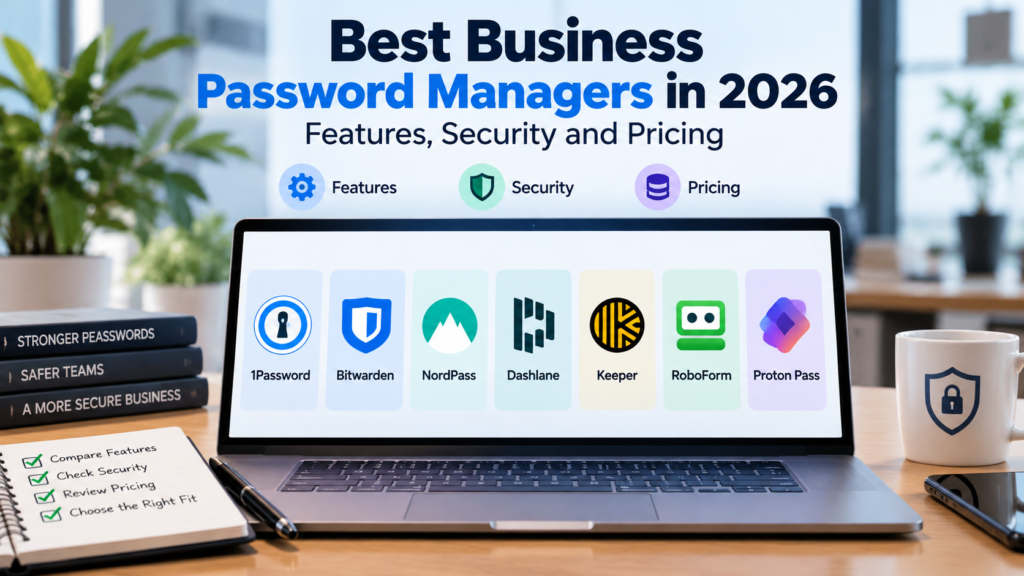
Best Business Password Managers in 2026 at a Glance
The following solutions serve different business requirements, from small teams needing straightforward password sharing to organizations requiring more advanced identity administration.
| Password Manager | Notable Strength | Suitable For |
|---|---|---|
| 1Password Business | Administrative controls and business integrations | Growing teams and organizations |
| Bitwarden | Open-source approach and flexible deployment options | Budget-conscious and technical teams |
| NordPass Business | Accessible interface and centralized credential management | Small and medium-sized businesses |
| Dashlane Business | Business credential management and security-focused features | Teams prioritizing ease of use |
| Keeper Business | Detailed administrative controls and policy management | Businesses with more complex security requirements |
| RoboForm Business | Password management and form-filling capabilities | Teams seeking straightforward credential management |
| Proton Pass Business | Privacy-focused password and identity tools | Privacy-conscious businesses |
The right choice depends on how employees access business systems, which accounts need to be shared, and how much administrative control the organization requires. A five-person company may need little more than secure vaults and simple sharing, while a larger business may require integration with its existing identity and access-management infrastructure.
Comparing the Best Business Password Managers in 2026
Although the leading password managers share many core features, they differ in how they handle employee access, administrative controls, integrations, and day-to-day usability. Some are particularly convenient for small businesses without dedicated IT staff, while others are designed for organizations that need more detailed security policies and centralized management.
The following comparison looks at seven business password managers, highlighting their strengths, limitations, and the types of organizations they may suit.
1. 1Password Business
Best for: Growing businesses that need structured password sharing and administrative controls.
Standout features: Shared vaults, access management, security reporting, passkeys, and business identity integrations.
1Password Business is designed for organizations that want employees to use strong, unique passwords without making credential management unnecessarily complicated. Its interface is approachable, while its administrative features provide businesses with more control over how credentials are stored and shared.
One of its strengths is the ability to organize access through shared vaults. Instead of distributing passwords through email or messaging apps, administrators can give specific employees or groups access to the credentials they need.
The platform also includes Watchtower, which helps identify potentially compromised, vulnerable, or reused passwords. For businesses managing many accounts, this provides a useful way to identify credentials that deserve attention.
1Password supports passkeys and offers integrations for organizations using more advanced identity and access-management systems. However, businesses should check which capabilities are included in their selected plan, since some advanced identity features may require additional services or subscriptions.
Potential limitation: Its business-focused capabilities may be more than very small teams need, particularly if they only require basic password storage and sharing.
2. Bitwarden
Best for: Cost-conscious businesses and technical teams that value transparency and deployment flexibility.
Standout features: Open-source software, encrypted vaults, organization collections, passkeys, and self-hosting options.
Bitwarden has become a popular alternative to more expensive password management platforms, particularly among users who value its open-source approach.
For businesses, Bitwarden provides organizational vaults and collections that allow credentials to be shared with specific employees or groups. Administrators can manage access, apply policies, and organize credentials according to different teams or responsibilities.
One distinguishing feature is its deployment flexibility. Businesses can use Bitwarden’s hosted service or explore self-hosting, although running a self-hosted environment introduces additional responsibilities for maintenance, security, backups, and availability.
Bitwarden also supports passkeys and offers business plans with additional administrative capabilities.
Its open-source model can be attractive to organizations that want greater visibility into the software they rely on. However, open-source availability should not be confused with a guarantee of security. Proper configuration, device protection, and account management remain essential.
Potential limitation: Some administrative workflows and advanced deployment options may require more technical familiarity than simpler password managers.
3. NordPass Business
Best for: Small and medium-sized businesses looking for straightforward password management with centralized administration.
Standout features: Encrypted credential storage, secure sharing, password health tools, passkeys, and business administration.
NordPass Business focuses on making password management accessible to employees who may not have extensive technical experience.
Its interface is designed around everyday tasks such as saving credentials, generating strong passwords, and accessing accounts across devices. For smaller organizations, this can help reduce the temptation to keep passwords in spreadsheets or share them through informal channels.
Administrators can manage users and access to shared credentials. Depending on the business plan, additional capabilities may include security policies, activity monitoring, and integrations with identity-management services.
NordPass uses XChaCha20 encryption to protect vault data and supports passkeys for compatible websites and services.
For a growing business, the appeal is its combination of approachable employee tools and centralized management. The platform can be especially relevant when the primary goal is to replace scattered password-sharing practices with a more consistent system.
Potential limitation: Organizations requiring specialized integrations or complex administrative workflows should compare plan-specific capabilities carefully before committing.
4. Dashlane Business
Best for: Businesses that prioritize simple deployment, employee usability, and password-related security visibility.
Standout features: Password sharing, credential health monitoring, passkeys, and administrative controls.
Dashlane takes a user-friendly approach to password management, with a strong emphasis on making secure credential practices easier to adopt.
For businesses, this means employees can save and generate passwords, access stored credentials, and share appropriate login information without relying on informal methods.
Dashlane also provides tools for identifying weak, reused, or potentially compromised credentials. This can help administrators understand whether employees are following basic password security practices.
Its business offerings include centralized management, with more advanced identity and security features available depending on the subscription.
One advantage of Dashlane is that businesses can introduce password management without necessarily requiring employees to learn a complicated administrative system. This can be useful for organizations where staff members have different levels of technical experience.
Potential limitation: Businesses should review the available plans carefully, particularly if they require specific identity integrations or more advanced security controls.
5. Keeper Business
Best for: Organizations that need detailed access policies and more advanced administrative capabilities.
Standout features: Role-based administration, secure sharing, security policies, reporting, and optional advanced security tools.
Keeper Business provides a broad set of password management capabilities, with particular emphasis on administrative control and business security requirements.
Employees can store credentials in encrypted vaults and share access through managed folders. Administrators can organize users into teams, configure policies, and control how credentials are handled across the organization.
Keeper also offers additional security capabilities through its wider product ecosystem, including options related to privileged access and monitoring. These can be relevant for organizations with more complex IT environments, although not every feature is included in the standard business subscription.
For companies managing several departments or more sensitive systems, the ability to apply consistent policies across users can be valuable.
The trade-off is that businesses may need to spend more time understanding the available features and deciding which controls are appropriate.
Potential limitation: Advanced capabilities and optional add-ons can increase the overall cost and administrative complexity.
6. RoboForm Business
Best for: Small businesses that want dependable credential storage and sharing without a complicated setup.
Standout features: Password generation, secure sharing, form filling, and centralized user administration.
RoboForm has a long history in password management and remains a practical option for businesses that want familiar, straightforward functionality.
Its business offering allows organizations to manage employee accounts and share credentials through controlled groups. Employees can save passwords, generate stronger credentials, and use autofill to access websites more efficiently.
RoboForm’s form-filling capabilities may be useful for teams that regularly work with online forms and business applications.
Compared with platforms that emphasize broader identity-management ecosystems, RoboForm is more focused on the everyday tasks involved in storing, accessing, and sharing credentials.
That approach may appeal to smaller businesses that do not need extensive integrations or advanced administrative features.
Potential limitation: Organizations looking for sophisticated identity-management integrations or broader enterprise security capabilities may prefer a more specialized platform.
7. Proton Pass Business
Best for: Privacy-conscious businesses that want encrypted credential management and additional identity-protection tools.
Standout features: End-to-end encrypted vaults, password sharing, passkeys, email aliases, and business account management.
Proton Pass is part of Proton’s broader privacy-focused software ecosystem. Its approach combines password management with tools designed to reduce unnecessary exposure of personal and business information.
Employees can store passwords and other supported credentials in encrypted vaults, generate strong passwords, and share access through supported sharing features.
One distinctive capability is its integration with email aliases. These allow users to create alternative email addresses for online accounts, potentially reducing exposure of primary email addresses and making it easier to manage unwanted messages.
Proton Pass also supports passkeys and offers business-oriented management capabilities.
For organizations already using Proton’s other services, the password manager may fit naturally into their existing software environment.
Potential limitation: Businesses that rely on complex enterprise identity integrations should compare Proton Pass’s current administrative capabilities with more established enterprise-focused alternatives.
Which of the Best Business Password Managers Fits Your Business?
There is no single password manager that will be the right choice for every organization.
A small company with a handful of employees may benefit most from a solution that is affordable, easy to deploy, and straightforward to maintain. Bitwarden, NordPass, and RoboForm are worth comparing for this type of environment.
Growing businesses that need more structured access management and integrations may find 1Password, Dashlane, or Keeper more suitable, depending on their security requirements.
Proton Pass offers another option for organizations that place particular importance on privacy-focused services and encrypted identity tools.
The deciding factor should not simply be which platform has the longest feature list. Businesses should consider how employees actually work, which credentials need to be shared, how access will be revoked when someone leaves, and whether the platform can support the organization’s future needs.
A password manager should reduce security risks and administrative effort rather than introduce another complicated system that employees struggle to use.
Best Business Password Managers in 2026: Pricing Comparison
Pricing is an important consideration when choosing a business password manager, particularly for smaller organizations where every software subscription adds to operating costs.
Most providers charge per user, usually with discounts for annual billing. However, comparing subscription prices alone can be misleading. Some plans include advanced administrative features, while others charge extra for capabilities such as single sign-on, automated provisioning, or additional security monitoring.
| Password Manager | Pricing Structure | Free Trial or Free Option |
|---|---|---|
| 1Password Business | Per-user business subscription, with additional enterprise options | Business trial available |
| Bitwarden | Per-user Teams and Enterprise plans | Free personal plan; business trial options |
| NordPass Business | Per-user business plans with different administrative capabilities | Business trial options |
| Dashlane Business | Per-user business subscriptions | Business trial options |
| Keeper Business | Per-user business plans; some advanced tools cost extra | Business trial available |
| RoboForm Business | Per-user pricing with volume and subscription-term options | Business trial available |
| Proton Pass Business | Per-user business subscriptions | Free personal plan; business options |
Pricing, trial availability, and included features can change. Businesses should confirm current rates and plan limitations on each provider’s official website before purchasing.
For a five-person company, even a small difference in monthly subscription costs may not be significant compared with the time saved managing credentials. For an organization with hundreds of employees, however, per-user pricing and optional add-ons can make a substantial difference to the annual budget.
The most useful comparison is therefore the total cost of the features the business actually needs, rather than the advertised starting price.
How to Choose the Best Business Password Managers for Your Team
Selecting a password manager should begin with understanding how credentials are currently handled inside the organization.
A business with a small team may only need secure storage, password generation, and controlled sharing. A larger company may require centralized administration, integration with its identity provider, detailed reporting, and automated access management.
Consider How Employees Share Credentials
Start by identifying which accounts employees currently share and why.
Some business applications allow each employee to have an individual account with appropriate permissions. Where that option exists, it is generally preferable to sharing one username and password.
For services that genuinely require shared credentials, a password manager can provide a controlled way to grant access without distributing passwords through email, spreadsheets, or messaging applications.
Review Employee Onboarding and Offboarding
A password manager should make it easier to give new employees access to the accounts they need and remove that access when they leave.
For example, when a marketing employee joins the business, an administrator might grant access to the team’s shared credentials without exposing unrelated finance or administration accounts.
When that employee leaves, the administrator should be able to revoke their vault access promptly. Businesses should also rotate credentials where necessary, particularly when a departing employee may have copied or otherwise retained a shared password.
This process becomes more manageable when access permissions are organized around employee responsibilities rather than assigned individually without a clear structure.
Check Compatibility With Existing Business Software
Employees are more likely to use a password manager consistently when it works with their existing devices, browsers, and applications.
Before selecting a platform, businesses should check compatibility with Windows, macOS, mobile devices, and the browsers employees regularly use.
Organizations using Microsoft Entra ID, Google Workspace, or another identity provider should also review the available integration options. Features such as single sign-on and automated provisioning can simplify administration, but availability often depends on the selected subscription.
Evaluate Security Beyond Password Storage
Encrypted storage is important, but businesses should also consider how the password manager protects accounts against unauthorized access.
Multifactor authentication, secure account recovery, device management, and administrative policies all contribute to the overall security of the system.
Independent security assessments and a provider’s approach to handling vulnerabilities are also worth reviewing.
No password manager can eliminate every security risk. Employees still need to recognize phishing attempts, protect their devices, and follow appropriate account-access procedures.
Test the Software Before Committing
A trial period can reveal usability problems that are difficult to identify from a feature comparison.
Ask a small group of employees to test the password manager during normal work. They should try saving credentials, sharing access, using autofill, signing in from different devices, and recovering access through the organization’s approved procedures.
Administrators should also test user provisioning, access removal, and policy management.
A solution that employees find convenient and administrators can maintain reliably is more likely to provide lasting value than one chosen solely for its technical specifications.
Common Mistakes Businesses Make When Choosing Password Managers
One common mistake is assuming that a password manager automatically makes every business account secure. It can improve credential storage and sharing, but it cannot compensate for poorly configured permissions, compromised devices, or weak security practices elsewhere.
Another mistake is purchasing a plan with more administrative features than the business can realistically maintain. Advanced policies and integrations can be valuable, but they also require someone to configure and review them.
Businesses should also avoid overlooking account recovery. Because a password manager may protect access to many critical services, organizations need a documented process for handling lost devices, unavailable administrators, and other access emergencies.
Finally, businesses should consider what happens if they eventually change providers. Credential export options, migration procedures, and the handling of shared vaults should be understood before the company becomes heavily dependent on a particular platform.
Best Business Password Managers FAQs
Are Business Password Managers Safer Than Browser Password Storage?
Business password managers generally provide more centralized administrative and sharing capabilities than standard browser password storage.
Many browsers can securely save passwords, but dedicated business platforms typically offer additional tools for managing employee access, applying organizational policies, and monitoring credential-related risks.
The better option depends on the organization’s requirements and how securely each system is configured.
Can Employees Share Passwords Without Seeing Them?
Some password managers provide controlled sharing and autofill features that limit how credentials are displayed to employees.
However, hiding a password on screen does not guarantee that an authorized user cannot retrieve or otherwise expose it. Businesses should review each provider’s actual sharing controls rather than assuming hidden credentials are impossible to extract.
Individual accounts with role-based permissions remain preferable whenever the business application supports them.
Do Small Businesses Really Need a Password Manager?
A small business can benefit from a password manager even with only a few employees.
The need becomes particularly clear when employees manage multiple online accounts, share access to business services, or regularly onboard contractors and staff.
The appropriate solution may be relatively simple. Small businesses do not necessarily need enterprise-level identity management to improve everyday credential security.
Can Business Password Managers Store Passkeys?
Many modern password managers support passkeys, although the available functionality varies by provider, platform, and subscription.
Businesses should check whether passkeys can be created, stored, used across employee devices, and shared where appropriate.
They should also understand how passkey access can be recovered or transferred when an employee changes devices or leaves the organization.
What Happens to Business Passwords When an Employee Leaves?
Administrators can generally remove a departing employee’s access to organization-managed vaults and shared credentials.
However, revoking vault access does not automatically invalidate passwords that an employee previously copied or saved elsewhere.
Businesses should review the employee’s access, disable relevant accounts, revoke active sessions where supported, and rotate shared credentials when necessary.
Is an Open-Source Password Manager Better for Business?
Open-source software offers opportunities for public inspection and independent review, which can be valuable to security-conscious organizations.
However, being open source does not automatically make a password manager more secure than a proprietary alternative.
Businesses should consider security architecture, independent assessments, maintenance practices, administrative features, usability, and their ability to manage the chosen solution.
Final Thoughts
The best business password managers in 2026 are not necessarily the platforms with the most features or the lowest advertised prices. The right choice depends on how employees access business applications, how credentials are shared, and how much administrative oversight the organization needs.
For smaller teams, straightforward deployment and secure sharing may be the most important considerations. Growing businesses may benefit from more structured access controls, reporting, and identity integrations. Organizations with specialized security requirements may need additional administrative capabilities or deployment flexibility.
Whatever platform a business chooses, password management should form part of a broader approach to protecting accounts and business information. Strong authentication, appropriate employee permissions, secure devices, and reliable offboarding procedures remain essential.
A well-chosen password manager should make secure practices easier to follow, reduce unnecessary credential sharing, and give businesses greater confidence in how access to important systems is managed.