The best online form builders for small businesses make it easier to collect customer inquiries, generate leads, accept registrations, gather feedback, and organize information without requiring technical expertise. Whether you’re creating a simple contact form or a more advanced customer intake process, the right platform should be easy to use, affordable, and capable of connecting with the software your business already relies on.
However, not all form builders are designed for the same purpose. Some focus on simplicity and offer generous free plans, while others provide conditional logic, payment collection, automated workflows, and more sophisticated design options. Choosing a platform based only on its appearance or advertised monthly price can lead to unexpected limitations as submission volumes increase.
For example, a small consulting firm may need forms that collect detailed client information and automatically send responses to its CRM. An online retailer might prioritize customer surveys and product feedback, while an event organizer may require registration forms with payment processing. Each business has different requirements, making it important to compare actual capabilities rather than assume every form builder works the same way.
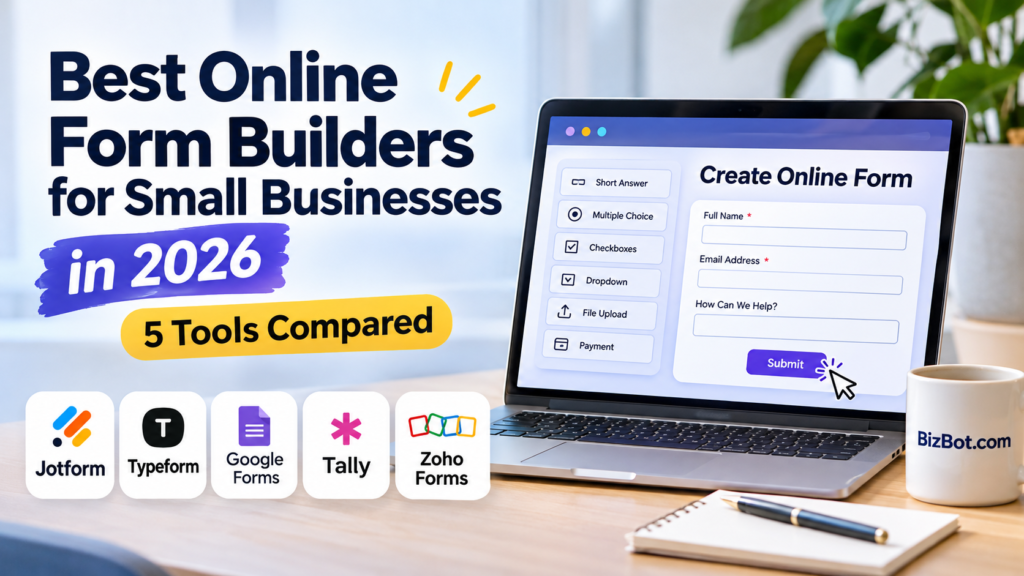
This guide compares five popular options—Jotform, Typeform, Google Forms, Tally, and Zoho Forms—based on features, pricing, usability, limitations, and overall value. We’ll also explain which platforms make sense for different business needs and when upgrading from a free plan is worth considering.
What Is the Best Online Form Builder for a Small Business?
Jotform is a strong all-around choice for businesses that need customizable forms, payments, and integrations. Typeform is worth considering for interactive surveys and customer-facing questionnaires, while Google Forms and Tally are appealing for businesses prioritizing free data collection. Zoho Forms is particularly useful for companies already using Zoho applications.
The best option depends on the type of information you’re collecting, how many responses you expect, and what should happen after someone submits a form.
For basic surveys or occasional registrations, a free tool may be sufficient. Businesses collecting payments, processing detailed customer inquiries, or connecting forms to multiple applications should evaluate more advanced capabilities and subscription limits.
Best Online Form Builders for Small Businesses: Quick Comparison
The following table highlights the main differences between the five platforms.
| Form Builder | Best For | Free Plan | Paid Starting Price | Main Consideration |
|---|---|---|---|---|
| Jotform | Business forms, registrations, and payments | 5 forms, 100 monthly submissions | $19.50/month, billed annually | Free submission limits are relatively restrictive |
| Typeform | Interactive surveys and customer questionnaires | Available | $28/month, billed annually | Response limits affect subscription value |
| Google Forms | Simple surveys and internal forms | Available | No separate paid subscription required for basic use | Fewer advanced design and workflow options |
| Tally | Flexible forms with generous free access | Unlimited forms and submissions under fair-use rules | $24/month, monthly billing | Advanced branding and collaboration require upgrades |
| Zoho Forms | Business forms connected to Zoho applications | 3 forms, 500 monthly submissions | $10/month, billed annually | Most useful when its integrations fit your workflow |
Prices are in USD and reflect publicly listed plans reviewed in November 2026. They may change according to billing terms, location, taxes, or provider updates.
The pricing differences are important, but they don’t tell the whole story. A free platform with generous submission allowances may offer better value than a paid tool when a business only needs to collect straightforward information. On the other hand, paying for integrations, automation, or more sophisticated form design may be worthwhile when those capabilities support an important customer-facing process.
1. Jotform — Best for Versatile Business Forms and Payment Collection
Jotform is a flexible online form builder designed for businesses that need more than a basic contact or feedback form. It provides a drag-and-drop editor, a large selection of templates, different field types, and integrations that allow submitted information to become part of a broader business workflow.
Its versatility makes it useful across different industries. A consulting firm can build a detailed client intake questionnaire, a training provider can collect event registrations, and a service business can create appointment requests or order forms. Rather than relying on a single generic layout, businesses can customize forms to collect the information relevant to each process.
Jotform is particularly appealing when forms serve an operational purpose rather than simply collecting responses. A customer submission might need to trigger an email notification, generate a document, collect a payment, or send information to another application. These capabilities can reduce the amount of manual work required after a form is submitted.
Key Features
Jotform supports customizable form fields, conditional logic, file uploads, electronic signatures, payment collection, and integrations with other business applications. It also provides templates for common activities such as customer registration, event booking, feedback collection, and order processing.
Conditional logic is useful when a form needs to respond to the information someone provides. For example, a business offering several services can ask customers which service they’re interested in and display additional questions relevant to that selection. This keeps the form focused instead of requiring every visitor to answer questions that don’t apply to them.
Payment collection is another practical feature. Businesses can create forms that accept registrations or orders and connect them to supported payment services. However, payment processor fees and Jotform’s submission allowances should be considered before using the platform for high-volume transactions.
For businesses that regularly collect leads through their websites, form submissions are most useful when they feed into an organized follow-up process. Connecting forms with existing business applications for small business growth can help reduce repetitive data entry and make customer information easier to manage.
Where Jotform Works Well
Consider a small training company that runs several workshops each month. Each event requires participant registration, contact details, course selection, and sometimes payment. Managing these activities through separate emails and spreadsheets can become increasingly difficult as registrations grow.
With Jotform, the company can create a registration form that collects the required information and routes participants through relevant questions. Payment collection and automated notifications can also support the registration process, depending on the selected integrations and configuration.
This approach is useful because it reduces the need for employees to manually request missing details or transfer information between systems. The company can spend less time handling routine registration tasks and more time preparing for the workshops themselves.
Jotform can also work well for businesses with different form requirements across departments. A company might use one form for customer inquiries, another for employee requests, and a third for collecting service feedback.
Jotform Pricing: Is the Paid Plan Worth It?
Jotform’s free Starter plan allows up to five forms and 100 monthly submissions, with additional limits on storage, form views, and payment submissions. This can be enough for a small business testing its first forms or collecting a relatively low volume of inquiries.
The Bronze plan is listed at $39 per month with monthly billing or $19.50 per month when billed annually. It increases the allowance to 25 forms and 1,000 monthly submissions, along with expanded storage and other limits.
Businesses should pay particular attention to submission volume. A website receiving only a few inquiries each week may operate comfortably within the free allowance, while a company running active marketing campaigns or frequent registrations could reach that limit quickly.
A paid subscription becomes more attractive when the business consistently needs additional submissions, more forms, or capabilities that support important workflows.
Potential Limitations
Jotform’s main limitation for budget-conscious businesses is the relatively small number of monthly submissions allowed on its free plan. Companies expecting substantial traffic may need a paid subscription earlier than they would with some competing platforms.
Its broad feature set can also introduce complexity. While basic forms are straightforward to create, more advanced workflows involving conditional logic, payments, and integrations require careful testing to ensure that submissions are processed correctly.
Businesses should also consider whether they genuinely need its additional functionality. If the only requirement is a simple customer survey or contact form, a less complex free platform may be sufficient.
Best suited for: Small businesses that need customizable forms, registrations, payment collection, and integrations with other applications.
Is it worth paying for? Yes, when submission volume or business workflows exceed the free plan’s limits. Businesses collecting only occasional responses should start with the free version.
2. Typeform — Best for Interactive Surveys and Customer Questionnaires
Typeform takes a different approach to online forms by emphasizing the experience of the person completing them. Instead of presenting a traditional form with numerous fields visible at once, it is known for conversational layouts that guide respondents through questions in a more focused sequence.
This design can be useful for customer surveys, lead qualification, feedback questionnaires, and other situations where businesses want respondents to engage with a series of questions rather than complete a conventional data-entry form.
For example, a marketing agency might use Typeform to learn about a prospective client’s business goals, budget, current challenges, and preferred services before scheduling an introductory consultation. The questionnaire can feel more like a guided conversation than a long list of unrelated fields.
However, the conversational approach isn’t automatically better for every use case. A customer who needs to enter several straightforward details may prefer seeing all relevant fields together. Businesses should evaluate whether Typeform’s presentation improves the experience for their particular audience.
Key Features
Typeform provides interactive form layouts, conditional logic, AI-assisted form creation, integrations, and customization options. Businesses can build surveys and questionnaires that adapt according to a respondent’s answers, helping keep the experience relevant.
Conditional logic is particularly useful for lead qualification. A business can ask an initial question about the type of service someone needs and then present follow-up questions based on that response. This helps gather more relevant information without forcing every potential customer through the same questionnaire.
Typeform also supports integrations and webhooks that allow responses to connect with other applications. For businesses using a CRM or marketing platform, this can help turn questionnaire responses into useful customer records.
Its design options are another distinguishing feature. A customer-facing form can be customized to align more closely with a company’s branding, although some customization features require higher subscription tiers.
Where Typeform Works Well
Imagine a small digital agency that receives inquiries from businesses with widely different marketing requirements. Some prospects need website development, others want ongoing SEO services, and some are looking for help with paid advertising.
A generic contact form may provide only a name, email address, and short message. The agency then needs to exchange several emails before understanding what the prospective client actually wants.
With Typeform, the agency can build a guided questionnaire that asks about the client’s goals and displays relevant follow-up questions. Someone interested in website development might be asked about the existing website and desired functionality, while an SEO prospect could receive questions about current traffic and marketing objectives.
The benefit is not simply a more attractive form. It’s the opportunity to gather information that helps employees prepare for a meaningful initial conversation.
Typeform may also appeal to businesses conducting customer research or collecting detailed feedback. Its focused question presentation can make longer questionnaires feel more approachable, although completion rates will still depend on the questions, audience, and overall form length.
Typeform Pricing: Is the Paid Plan Worth It?
Typeform offers a free plan, while its Basic subscription is currently listed at $39 per month with monthly billing or $28 per month when billed annually. The Basic plan includes 100 responses per month, one user, conditional logic, and supported integrations.
Higher plans expand response allowances, user access, branding capabilities, and analytics features. For example, the Plus plan is listed at $79 per month with monthly billing or $56 per month with annual billing and includes 1,000 responses per month.
The response allowance is particularly important when evaluating value. A small consulting company collecting a few dozen detailed inquiries each month may find the Basic plan sufficient. A business running frequent customer surveys or high-volume lead generation campaigns may need a more expensive subscription.
For that reason, Typeform is often easier to justify when the quality of the questionnaire experience is important to the business, rather than when the primary objective is collecting the largest possible number of responses at the lowest cost.
Potential Limitations
Typeform can become relatively expensive for businesses that need substantial response volumes. Its interactive design may be appealing, but companies should calculate whether the subscription provides enough additional value compared with alternatives offering more generous free or lower-cost allowances.
The one-question-at-a-time format may also be less convenient for certain tasks. A simple order request or administrative form can sometimes be completed faster when users can view several related fields together.
Businesses should test the actual respondent experience before committing to a paid plan. A visually polished questionnaire isn’t necessarily more effective if it introduces extra steps or makes straightforward information harder to enter.
Best suited for: Marketing agencies, consultants, customer research teams, and businesses that want interactive lead qualification or feedback questionnaires.
Is it worth paying for? Yes, when the conversational form experience supports an important customer-facing process. Businesses focused primarily on inexpensive, high-volume data collection may find better value elsewhere.
3. Google Forms — Best for Simple Surveys and Free Data Collection
Google Forms is one of the most accessible online form builders for small businesses that need to collect information without investing in specialized software. Its straightforward interface allows users to create surveys, registration forms, questionnaires, and internal information requests with relatively little setup.
For businesses already using Gmail, Google Drive, or Google Workspace, Google Forms can fit naturally into existing workflows. Responses can be collected in the form itself or linked to Google Sheets, making it easier to organize information and review submissions without manually transferring data between applications.
Its simplicity is also its main advantage. A small business doesn’t necessarily need advanced design controls, payment collection, or complicated workflows to gather useful information. For occasional surveys, customer feedback, or employee questionnaires, a free and familiar platform may be more practical than a paid alternative.
However, Google Forms is less suitable for businesses that require highly customized customer-facing experiences or advanced form automation. Although it supports common data collection needs, organizations with more demanding requirements may eventually need a specialized form builder.
Key Features
Google Forms supports multiple-choice questions, checkboxes, dropdown menus, short and long text responses, file uploads in supported circumstances, and basic question validation. Users can also divide forms into sections and apply branching rules that direct respondents to different sections based on selected answers.
The platform integrates with Google Sheets, allowing responses to be organized in a spreadsheet for further analysis. This can be useful for tracking registrations, reviewing customer feedback, or compiling internal requests.
Google Forms also provides basic response summaries and visualizations, helping businesses identify patterns without exporting every submission into another application.
For teams already using Google Workspace, sharing forms and collaborating on responses can be relatively straightforward. However, businesses should configure sharing permissions carefully, especially when collecting customer or employee information.
Where Google Forms Works Well
Consider a small training company organizing a free webinar. The business needs to collect participant names, email addresses, company information, and questions attendees would like addressed during the session.
Rather than purchasing a dedicated registration platform, the company can create a Google Form and share the link through its website, email campaigns, or social media accounts. Responses can be organized automatically in Google Sheets, giving employees a central place to review registrations.
Google Forms can also be useful for internal operations. A small business might create forms for employee feedback, equipment requests, training evaluations, or routine information collection.
These applications don’t necessarily require sophisticated design or automation. In many cases, the ability to collect and organize information reliably is more important than having an extensive feature list.
Google Forms Pricing: Is the Paid Plan Worth It?
Google Forms is available at no additional cost with a Google account. Businesses can create and share basic forms without purchasing a separate form-builder subscription.
Organizations using Google Workspace can also access Google Forms as part of their broader productivity environment, with administrative and organizational capabilities depending on their subscription.
This makes Google Forms particularly attractive for small businesses that already rely on Google’s applications. Rather than introducing another subscription, employees can use a tool that is already familiar and integrated with their existing workflow.
For businesses with straightforward data collection needs, there may be little reason to purchase a specialized form builder. A paid alternative becomes more relevant when the company requires advanced customization, integrated payments, sophisticated workflows, or additional customer-facing features.
Potential Limitations
Google Forms provides fewer design and branding options than platforms such as Typeform or Jotform. Businesses that want forms to closely match their website’s appearance may find its customization capabilities restrictive.
Its built-in workflow automation is also limited compared with more specialized platforms. Although Google Forms integrates with Google Sheets and can be extended through additional tools, businesses may need extra setup or third-party services to support more advanced processes.
Another consideration is the respondent experience. Google Forms works well for straightforward questionnaires, but it may not be the ideal choice for businesses that want highly interactive surveys or complex customer intake processes.
Best suited for: Freelancers, small teams, educational organizations, and businesses that need simple surveys, registrations, or internal forms.
Is it worth paying for? A separate form-builder subscription generally isn’t necessary for basic Google Forms use. Businesses should consider paid alternatives only when they need capabilities beyond its standard features.
4. Tally — Best for Flexible Forms With a Generous Free Plan
Tally is an online form builder that combines a simple editing experience with features often associated with paid form-building platforms. Its approach is particularly appealing to freelancers, startups, and small businesses that want to create professional-looking forms without immediately committing to a monthly subscription.
One of Tally’s distinguishing characteristics is its document-like editor. Instead of building a form entirely through a traditional drag-and-drop interface, users can add questions, text, and other elements in a layout that feels similar to editing a document.
This can make form creation more approachable for businesses that regularly prepare questionnaires, application forms, and customer intake documents. Users can focus on the information they need to collect rather than spending considerable time arranging individual form components.
Tally’s free plan is also relatively generous, making it worth considering for businesses that expect more submissions than some competing free plans allow.
Key Features
Tally supports unlimited forms and submissions on its free plan, subject to its fair-use guidelines. It also provides conditional logic, calculations, file uploads, payment collection through supported integrations, and connections with other applications.
Conditional logic allows businesses to display questions based on previous responses. For example, a service provider can ask whether a customer needs website development, ongoing maintenance, or technical support, then display questions relevant to that service.
The platform also supports embedding forms into websites, making it useful for businesses that want visitors to submit inquiries without navigating to a separate page.
Integrations with applications such as Google Sheets, Notion, and automation platforms can help businesses organize responses and connect form submissions to existing workflows.
Some advanced capabilities, including additional branding controls and collaboration features, require a paid subscription.
Where Tally Works Well
Imagine a small web development agency that receives inquiries from prospective clients. Each project requires different information, including the type of website needed, preferred features, estimated budget, and expected launch date.
A simple contact form may not collect enough information for the agency to prepare an accurate initial response. At the same time, paying for an expensive form platform may be difficult to justify when the agency is still growing.
Tally allows the business to create a structured intake questionnaire with conditional questions and embed it directly into its website. Responses can then be organized through supported integrations, helping employees prepare for client discussions.
Its generous free plan is particularly useful when submission volume is unpredictable. A business running a successful campaign may receive more inquiries than expected without immediately encountering the low response limits found in some competing free subscriptions.
Tally can also work well for event registrations, job applications, feedback collection, and other processes where flexibility matters more than elaborate visual presentation.
Tally Pricing: Is the Paid Plan Worth It?
Tally offers a free plan with unlimited forms and submissions under its fair-use policy. Many features, including conditional logic and integrations, are available without payment.
Tally Pro is listed at $29 per month with monthly billing or $24 per month when billed annually. The paid plan adds features such as removing Tally branding, custom domains, enhanced customization, and additional collaboration capabilities.
For small businesses that primarily need to collect information, the free plan may provide sufficient functionality. A paid subscription becomes more attractive when branding, professional presentation, or advanced team features are important.
A consulting firm that embeds forms on a customer-facing website, for example, may prefer a custom domain and removal of third-party branding. A freelancer collecting occasional project inquiries may have little reason to upgrade.
Potential Limitations
Tally’s document-style editor may not appeal to every user. Businesses accustomed to traditional visual form builders may need time to become familiar with its approach.
Although the free plan is generous, businesses should still review its fair-use policy and understand which features require payment. Unlimited submissions don’t necessarily mean every advanced capability is included.
Companies with complex approval processes, specialized compliance requirements, or extensive enterprise integrations should also verify whether Tally supports their specific workflows before adopting it.
Best suited for: Freelancers, startups, agencies, and small businesses that want flexible forms without restrictive free-plan submission limits.
Is it worth paying for? Usually only when businesses need stronger branding, custom domains, or additional team features. The free plan is a sensible starting point for many common use cases.
5. Zoho Forms — Best for Businesses Using Zoho Applications
Zoho Forms is a business-oriented form builder that allows companies to collect information, manage submissions, and connect form responses with other applications. It is particularly appealing to organizations already using Zoho CRM or other products within the Zoho ecosystem.
While Google Forms emphasizes simplicity and Typeform focuses on interactive questionnaires, Zoho Forms offers a more workflow-oriented approach. Businesses can use it to collect leads, process customer requests, manage registrations, and organize information that needs to move between different systems.
Its value becomes more apparent when forms are connected to business processes. A customer inquiry form, for example, can collect information that employees need for follow-up, while integrations may help reduce the manual work involved in creating or updating customer records.
However, Zoho Forms isn’t limited to companies already using Zoho products. It can also be useful as a standalone form builder, although its ecosystem integrations are an important part of its appeal.
Key Features
Zoho Forms supports customizable forms, conditional logic, file uploads, payment collection through supported services, and integrations with other applications.
It also provides workflow features such as notifications, approvals, and automated actions, depending on the subscription and configuration. These capabilities can help businesses manage processes that require more than simply collecting a response.
Integration with Zoho CRM is particularly useful for lead generation. Businesses can collect information through website forms and use supported connections to organize the resulting customer data.
Zoho Forms also provides options for embedding forms into websites and sharing them through direct links, allowing businesses to use the same platform for customer-facing and internal processes.
Where Zoho Forms Works Well
Consider a small service company using Zoho CRM to manage customer inquiries and sales opportunities. The business receives leads through its website, but employees currently need to copy information manually from incoming messages into the CRM.
Zoho Forms can provide a more structured way to collect the necessary details. By connecting forms with the company’s existing systems, employees may be able to reduce repetitive data entry and maintain more consistent customer records.
The company could also create separate forms for service requests, customer feedback, and event registrations, depending on its operational needs.
For businesses already invested in Zoho applications, this integration can make Zoho Forms more practical than adopting another platform with a separate interface and subscription structure.
However, the value depends on the company’s actual workflow. A business that only needs occasional surveys may not benefit from the additional integration and automation capabilities.
Zoho Forms Pricing: Is the Paid Plan Worth It?
Zoho Forms offers a free plan with up to three forms and 500 monthly submissions. This can be sufficient for businesses collecting a modest number of inquiries or testing basic workflows.
Its Basic plan is listed at approximately $10 per month when billed annually, with higher allowances and additional capabilities. More advanced plans expand form limits, submissions, storage, and workflow features.
Businesses should compare the plan limits with their expected response volume and integration requirements. A company receiving several hundred customer inquiries each month may need a different subscription from one collecting only occasional feedback.
The paid plans become more attractive when businesses need additional forms, greater submission capacity, or workflow features that support ongoing operations.
Potential Limitations
Zoho Forms may require more setup than a simple survey tool, particularly when businesses want to connect forms with CRM records, approvals, or automated workflows.
Companies that don’t use Zoho applications may also find fewer advantages in its ecosystem integrations. Although it can function independently, businesses should compare its capabilities and pricing with alternatives before committing.
As with other form builders, businesses should carefully review submission allowances, storage limits, and integration requirements to avoid unexpected restrictions as usage increases.
Best suited for: Small businesses using Zoho CRM or other Zoho applications that want forms connected to customer management and operational workflows.
Is it worth paying for? Yes, when the business needs higher submission limits or workflow capabilities that support its existing systems. Businesses with simple requirements should evaluate the free plan first.
How to Choose the Best Online Form Builders for Small Businesses
Choosing the right online form builder involves more than comparing templates and subscription prices. Businesses should consider how forms will be used, how many responses they expect, and whether the collected information needs to connect with other applications.
A platform that works well for a simple customer satisfaction survey may not be appropriate for a business processing registrations, payments, or detailed client applications. Before committing to a subscription, evaluate the following factors.
1. Identify the Main Purpose of Your Forms
Start by determining what information your business needs to collect and what happens after someone submits a response.
A small consulting firm might need a client intake form that gathers contact details, project requirements, budgets, and preferred timelines. An event organizer may need registration forms with payment collection, while an online retailer might prioritize customer feedback surveys.
For straightforward questionnaires, Google Forms or Tally may provide everything necessary. Businesses requiring payments, document uploads, or more advanced workflows may benefit from Jotform or Zoho Forms.
The important distinction is whether the form simply collects information or supports a larger business process. Understanding that difference helps prevent unnecessary spending on features that employees rarely use.
2. Compare Submission Limits and Actual Costs
One of the most common mistakes when selecting form software is focusing on the advertised subscription price without checking usage limits.
Some platforms restrict the number of forms, monthly responses, or users allowed under each plan. Others provide generous free allowances but charge for advanced branding, collaboration, or integrations.
For example, a company collecting 50 inquiries each month may comfortably operate within a free or entry-level subscription. A business running frequent advertising campaigns could receive hundreds of submissions and require a higher plan.
Before subscribing, estimate your expected monthly response volume and allow room for growth. It is also worth reviewing how subscription costs affect your overall software budget. A subscription cost analyzer can help businesses evaluate recurring expenses alongside other software purchases.
Remember that annual billing discounts may reduce the effective monthly price but often require a larger upfront commitment. Businesses should compare the total annual cost rather than looking only at the displayed monthly equivalent.
3. Evaluate Integrations and Automation
A form becomes significantly more useful when the information it collects can move into the applications employees already use.
For example, a customer inquiry might need to create a new CRM record, notify a sales representative, or add a prospect to an appropriate follow-up workflow. Without integrations, employees may have to transfer information manually, increasing the possibility of errors and delays.
Businesses should identify their essential integrations before selecting a platform. A company using Zoho CRM may find Zoho Forms convenient, while one relying on Google Sheets may be satisfied with Google Forms or Tally.
However, integrations should be evaluated based on their actual functionality. A platform may advertise compatibility with a particular application without supporting every field, trigger, or workflow your business requires.
Testing a complete submission-to-follow-up process is more valuable than simply confirming that two applications appear on an integration list.
4. Consider the Respondent Experience
An effective form should be easy to understand and complete, especially on mobile devices. Confusing questions, unnecessary fields, and complicated navigation can discourage customers from submitting information.
The ideal design depends on the form’s purpose. A short contact form should usually be straightforward, while a detailed application may benefit from multiple sections, conditional questions, or progress indicators.
Typeform’s conversational presentation can work well for interactive questionnaires, but traditional layouts may be more efficient when users need to enter several related details.
Businesses should test their forms on different devices and ask someone unfamiliar with the process to complete them. This can reveal unclear instructions, missing answer options, or unnecessary steps that weren’t obvious during development.
5. Review Data Privacy and Security
Online forms frequently collect personal information, including names, email addresses, phone numbers, and sometimes more sensitive details. Businesses should understand how their chosen platform stores, processes, and protects that information.
Review the provider’s security documentation, data retention options, access controls, and available privacy features. Companies operating in regulated industries may need additional safeguards or specific contractual arrangements.
The Federal Trade Commission’s guidance on protecting personal information provides useful background on responsible data handling and business security practices.
Avoid requesting information that isn’t necessary for the form’s purpose. A basic customer inquiry generally doesn’t require extensive personal details, and collecting unnecessary information can create additional privacy and security responsibilities.
Businesses should also check whether the platform supports the legal and regulatory requirements applicable to their location, industry, and customers.
6. Test the Free Plan Before Upgrading
Most small businesses don’t need to purchase an expensive form-building subscription immediately. Starting with a free plan can help determine whether a platform supports the required workflows and is comfortable for employees and customers to use.
Create a representative form, test conditional questions, submit several responses, and verify that notifications and integrations behave as expected. If the form will be embedded on a website, check its appearance and functionality on desktop and mobile devices.
A short testing period can reveal whether an advanced platform provides meaningful benefits or simply adds complexity.
The goal is not to select the software with the longest feature list. It is to find a tool that reliably supports the business’s actual needs at a reasonable cost.
Best Online Form Builders for Small Businesses: Which Should You Choose?
There is no single platform that offers the best value for every business. The most appropriate choice depends on whether your priority is simplicity, design, automation, payment collection, or integration with existing applications.
The following recommendations summarize where each tool makes the most sense.
| Business Need | Recommended Tool | Why It Makes Sense |
|---|---|---|
| General business forms and registrations | Jotform | Broad range of form types, payment options, and integrations |
| Interactive customer surveys | Typeform | Conversational design and conditional questions |
| Simple forms with no separate software cost | Google Forms | Straightforward setup and Google Sheets integration |
| Generous free submission allowances | Tally | Unlimited forms and submissions under fair-use rules |
| Forms connected to Zoho CRM | Zoho Forms | Integration with Zoho applications and workflow features |
For most small businesses starting from scratch, Tally and Google Forms are sensible first options because they can handle common data collection tasks without requiring a dedicated paid subscription.
Jotform becomes more attractive when forms support several operational activities, including registrations, document collection, and payments. Typeform is worth considering when the questionnaire experience is particularly important, while Zoho Forms offers practical advantages for businesses already using Zoho applications.
Companies should also consider how forms fit into the broader tools employees use to communicate and manage customer information. Selecting compatible software can make team collaboration and information sharing more efficient, particularly when several employees need access to submitted information.
Frequently Asked Questions About the Best Online Form Builders for Small Businesses
What is the best free online form builder for a small business?
Google Forms and Tally are strong free options for small businesses. Google Forms is particularly useful for straightforward surveys, registrations, and internal questionnaires, especially when employees already use Google Workspace.
Tally offers more flexibility for businesses that want conditional logic, embedded forms, and generous submission allowances. The better choice depends on whether simplicity or additional customization is the main priority.
Which online form builder is best for collecting payments?
Jotform is a strong option for businesses that need payment-enabled registration, order, or booking forms. It supports connections with payment services and provides form-building features suited to customer transactions.
Tally and Zoho Forms also support payment collection through compatible services. Businesses should compare payment processor fees, supported currencies, transaction limits, and subscription requirements before selecting a platform.
Can online form builders connect with CRM software?
Yes. Many online form builders support CRM integrations, allowing businesses to transfer submitted information into customer management systems.
Zoho Forms is particularly relevant for businesses using Zoho CRM, while Jotform and Typeform offer integrations with various business applications. Integration capabilities can differ by subscription, so businesses should verify the specific fields and workflows they need.
Is Google Forms good enough for a small business?
Google Forms is sufficient for many small businesses that primarily need surveys, registrations, customer feedback, or internal information collection.
Its simplicity and integration with Google Sheets make it practical for everyday use. However, businesses that require advanced branding, payment collection, or complex workflows may benefit from a specialized form builder.
What is the difference between Jotform and Typeform?
Jotform focuses on versatile business forms, including registrations, applications, payments, and operational workflows. Typeform emphasizes interactive questionnaires and conversational form experiences.
Jotform is generally more suitable when a business needs different types of functional forms, while Typeform may be preferable for guided surveys and lead qualification. Pricing and submission limits should also influence the decision.
Do online forms help small businesses generate more leads?
Online forms can make lead collection easier by providing a structured way for potential customers to submit inquiries, request quotes, or register for services.
However, simply adding a form to a website doesn’t guarantee more leads. Form placement, question clarity, mobile usability, and the relevance of the offer all affect whether visitors complete it. Businesses should also establish a reliable process for following up after submissions.
Are online form builders secure for customer information?
Reputable form builders provide security features, but their suitability depends on the type of information collected and how the business configures and uses the platform.
Businesses should review access permissions, data handling policies, encryption, retention settings, and relevant compliance documentation. Sensitive information may require additional protections, and a general-purpose form builder may not be appropriate for every regulated use case.
Should a small business pay for an online form builder?
A paid subscription is worthwhile when it provides features or capacity that meaningfully improve business operations. Examples include higher submission limits, payment collection, advanced integrations, custom branding, and workflow automation.
For businesses collecting only occasional surveys or customer inquiries, a free plan may be sufficient. Upgrading should be based on actual requirements rather than the assumption that paid software is automatically better.
Final Thoughts: Finding the Best Online Form Builders for Small Businesses
The best online form builders for small businesses are those that make information collection easier without creating unnecessary costs or administrative work. A good platform should be simple for customers to use, practical for employees to manage, and capable of supporting the workflows that matter to the business.
Jotform stands out for its versatility, particularly when businesses need registrations, payments, and different types of operational forms. Typeform offers a more interactive approach to questionnaires, while Google Forms remains a practical choice for straightforward data collection. Tally provides an appealing balance of functionality and free access, and Zoho Forms makes sense for businesses already working within the Zoho ecosystem.
For companies just beginning to use online forms, starting with a free plan is often the most reasonable approach. Test the features, monitor submission volume, and determine whether integrations or automation would genuinely improve the process.
Ultimately, the right form builder isn’t necessarily the most sophisticated or expensive option. It’s the one that helps your business collect accurate information, respond to customers efficiently, and manage everyday tasks with less effort.