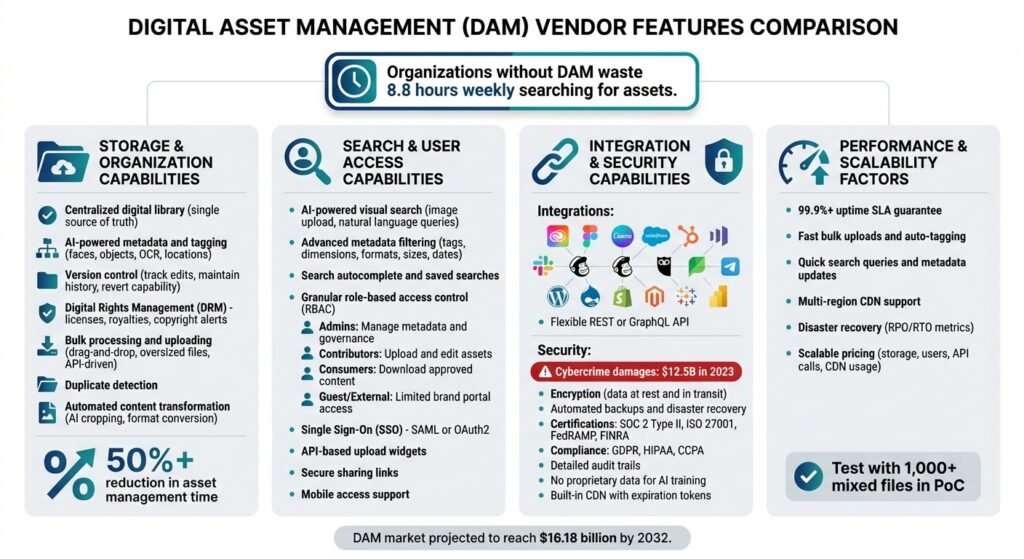
Digital Asset Management (DAM) systems simplify how teams manage files like images, videos, and documents. Choosing the right DAM vendor means better file organization, faster workflows, and easier compliance.
Here’s what to focus on when evaluating DAM platforms:
- Storage & Organization: Centralized libraries, AI tagging, version control, and duplicate detection.
- Search & Access: Advanced search tools, role-based access control, and external sharing options.
- Integration & Security: Compatibility with tools like Adobe and Salesforce, encryption, and compliance with GDPR or ISO 27001.
- Performance & Scalability: High uptime, fast bulk processing, and flexible pricing for growth.
A note on the numbers. Earlier versions of this article opened with a claim that teams without a DAM waste 8.8 hours a week searching for assets, and later said the figure was 5 hours. Neither could be sourced, and they contradicted each other. Also removed: a market size projected to $16.18 billion by 2032, a 50% cut in asset management time, a 25% productivity increase in the first year, a monthly price range, and three quotations attributed to named people we could not verify. What survives verification is cited and linked below.
Assess Your Current Needs and Goals
Before diving into vendor comparisons, take a moment to evaluate your current assets and access needs. Skipping this step leads to costly mistakes: paying for features you’ll never use, or ending up with a system that can’t handle your workload.
Take Stock of Your Digital Assets
Start by documenting your digital assets. Most organizations juggle a variety of media, including branding materials (logos, fonts), images, videos, podcasts, audio clips, presentations, 3D content, and user-generated materials. These files are often scattered across shared drives, local folders, emails, and basic cloud storage.
Conduct an asset audit to identify duplicates and confirm which file formats you actually hold. Common problems include not finding files quickly, multiple versions of the same asset in different systems, and slow manual processes for sharing content externally.
Rather than trusting an industry average for how much time this wastes, measure your own. Ask three people to log, for one week, every time they look for a file and how long it took. That number is the business case, and it is the only one that describes your organisation.
Determine your current “maturity stage.” Are you simply looking to centralize files for easier searching, or do you need enterprise-level governance with integrated systems and audit trails? Understanding this will help you prioritize features when evaluating vendors.
Identify Workflow and User Access Requirements
Figure out who interacts with your assets and what they need to do. Internal users often include marketing teams, creative leads, brand managers, digital asset librarians, sales teams, IT, legal and compliance teams, and executives. External users might include agencies, partners, distributors, or clients.
Set permission levels to control access. For example:
- Admins: Manage metadata and system governance.
- Contributors: Upload and edit assets.
- Consumers: Locate and download approved content (e.g., sales teams or partners).
- Guest/External Users: Access limited content through brand portals.
Interview key departments to uncover their pain points. Are they using outdated materials? Where does content get stuck between creation and delivery? Mapping these bottlenecks tells you whether you need simple approval workflows or something more elaborate.
DAM Vendor Features Checklist
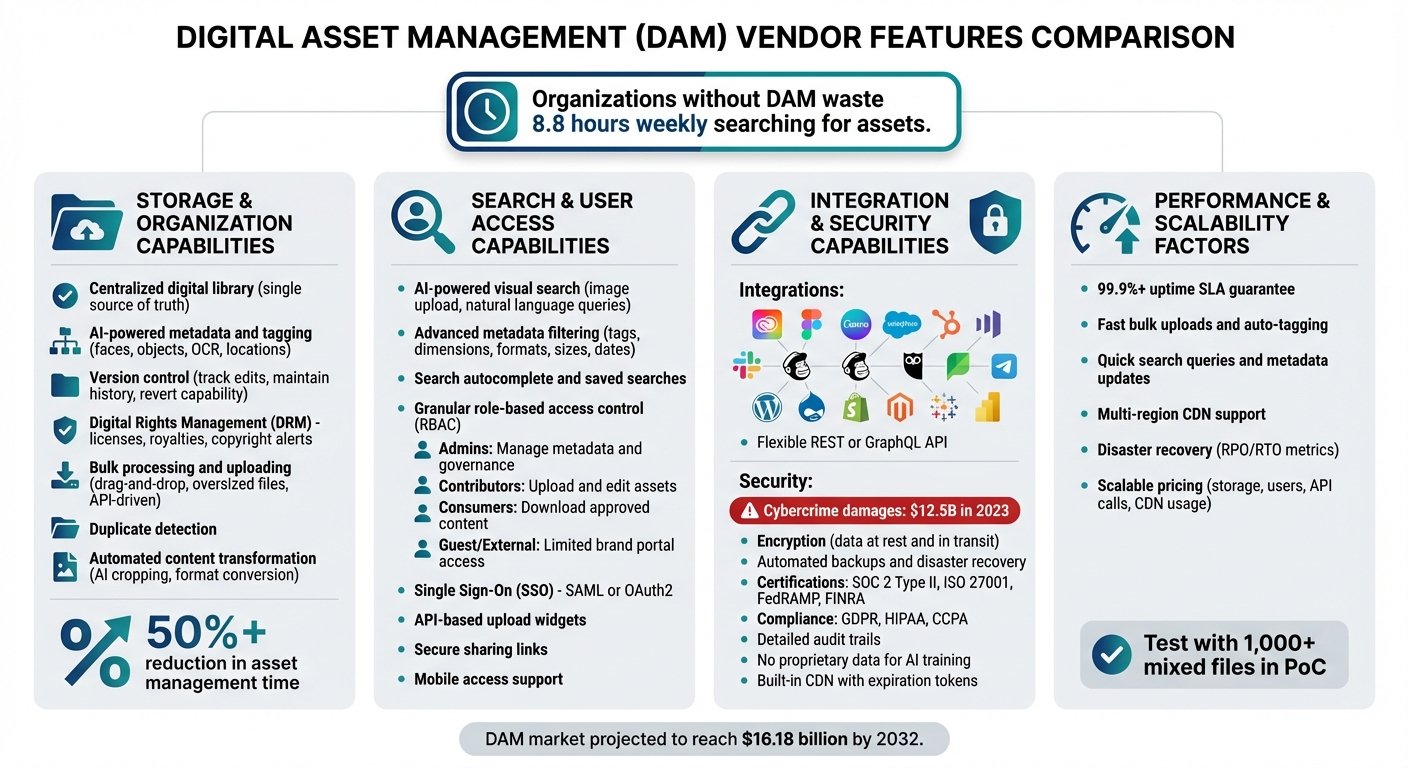
DAM Vendor Features Comparison: Key Capabilities Checklist
When narrowing down your options, focus on features that go beyond basic file storage. This checklist outlines the capabilities that distinguish a true DAM platform from a shared drive with folders.
Storage and Organization Capabilities
A DAM system should centralize all your digital content into one accessible library, acting as a single source of truth. Without that, assets end up scattered anyway, and you have bought a second place to lose things.
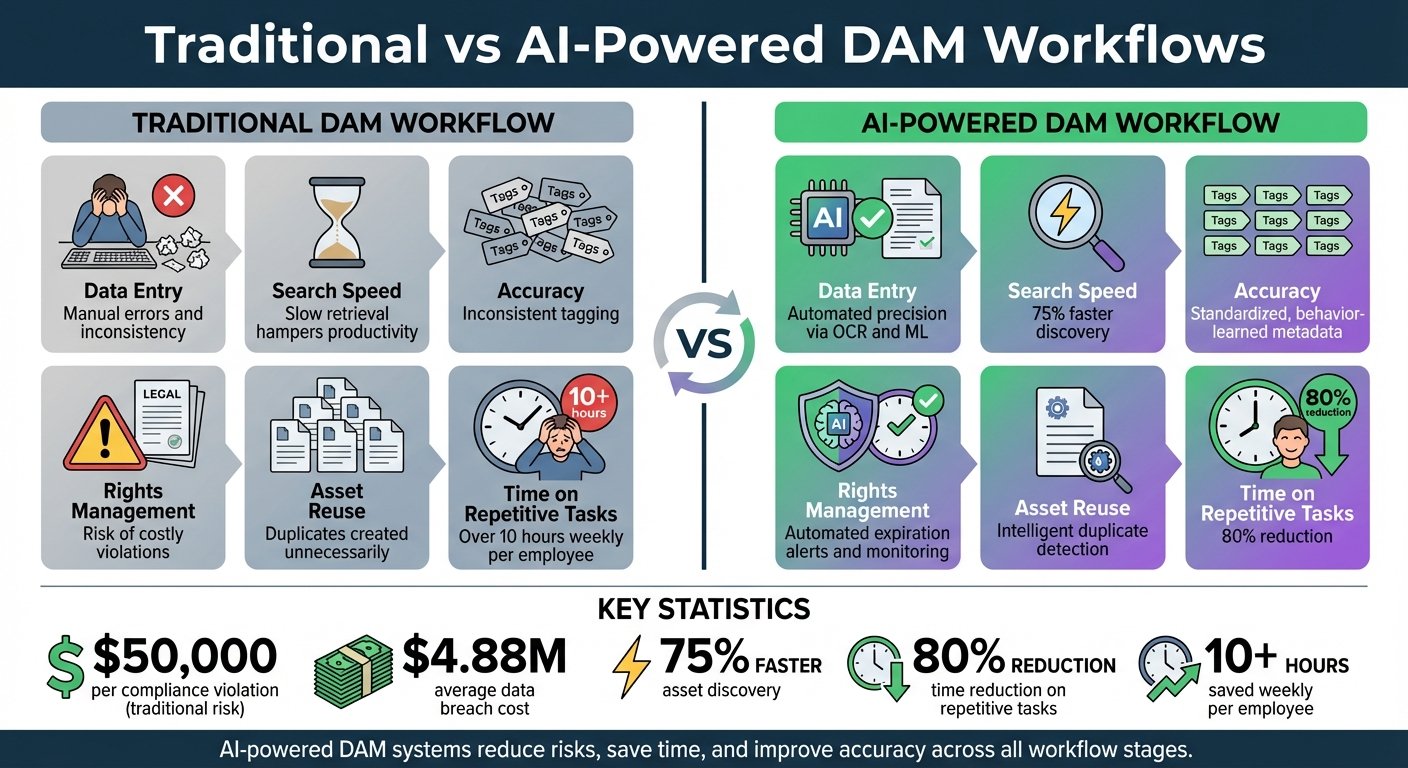
Modern platforms often include AI-powered metadata and tagging, which can identify faces, objects, text via OCR, and locations. Test this on your own material rather than the demo library: auto-tagging performs very differently on studio product shots than on a decade of inconsistent event photography. Equally important is version control, which tracks edits, maintains history, and lets you revert.
Another consideration is digital rights management (DRM), which manages licenses, royalties and copyright, and alerts you before licences expire. If you licence stock or commission photography with usage limits, this is the feature most likely to save you from an actual legal problem.
For teams handling large volumes, verify the system supports bulk processing and uploading, including drag-and-drop, oversized files, and API-driven operations. Duplicate detection helps prevent outdated versions circulating.
Automated content transformation, which crops, converts formats, or generates multiple sizes from one master, is where most of the recurring time saving actually comes from, because it removes a task that repeats on every asset for every channel.
Search and User Access Capabilities
Finding an asset matters as much as storing it. Tools like AI-powered visual search let users find similar content by uploading an image or using natural language. Combine this with advanced metadata filtering on tags, dimensions, formats, sizes, or upload dates. Search autocomplete and saved searches reduce retrieval times further.
To keep control of your content, look for granular role-based access control (RBAC). Admins manage metadata and governance, contributors upload and edit, sales teams and external partners access only approved materials through brand portals. Single Sign-On via SAML or OAuth2 keeps authentication manageable.
For external collaboration, API-based upload widgets and secure sharing links let agencies or partners work with assets without full system credentials. Check mobile access if your team works away from desks.
Integration and Security Capabilities
A DAM system should connect with the tools you already use. Key integrations include creative platforms like Adobe Creative Cloud, Figma, and Canva, so designers can reach assets without switching applications. For marketing and sales, look for connections to CRM systems like Salesforce or HubSpot, marketing automation tools (Marketo, Mailchimp), and social media management platforms (Hootsuite, Sprout Social). Integration with CMS platforms (WordPress, Drupal) and e-commerce systems (Shopify, Magento) keeps content consistent across channels.
If pre-built integrations aren’t available for your tools, check whether the vendor provides a REST or GraphQL API, plus SDKs and webhooks.
On security, the scale of the underlying problem is documented: the FBI’s Internet Crime Complaint Center recorded more than $12.5 billion in reported losses from internet crime in 2023, its highest total to that point. Note what that figure counts – complaints reported to IC3, so it understates the true total – and note that it is not specific to asset management. It is context for why the following matter, not evidence about DAM systems.
Look for encryption for data at rest and in transit, frequent automated backups, and a disaster recovery plan. Certifications such as SOC 2 Type II, ISO 27001, FedRAMP indicate independent assessment, but ask which systems the certification actually covers rather than accepting the badge. If you handle sensitive data, confirm compliance with GDPR, HIPAA, or CCPA as applicable.
Other security features worth having: detailed audit trails tracking user actions and asset changes, and written confirmation that the vendor does not use your proprietary content to train public AI models. For global operations, a built-in Content Delivery Network improves both access speed and control, via mechanisms like expiring links.
Performance and Scalability Factors
A good DAM should handle your current workload efficiently and scale as you grow without the cost scaling faster than the benefit. Performance tells you how the system behaves under stress; scalability tells you what happens to the bill.
Test the system’s ability to handle bulk uploads, auto-tagging, and version generation. Check how search queries and bulk metadata updates perform as the library grows. For distributed teams, measure upload and download speeds during peak hours.
Look for Service Level Agreements guaranteeing high availability, ideally 99.9% uptime or better, and read what the remedy is when it is missed – service credits are common and usually worth little. Ask about disaster recovery in terms of Recovery Point Objective and Recovery Time Objective rather than reassurances.
Assess scalability costs by examining how expenses rise with additional storage, users, API calls, and CDN usage. This is where DAM pricing gets away from people: the subscription is predictable and the overage charges are not.
Do not rely on a generic demo. Run a scripted Proof of Concept with your own assets: ingest a thousand or more mixed files, perform bulk metadata edits, and time it. The right DAM is the one that survives that test, connects to the systems you already run, meets your security requirements, and that your team will actually use. Adoption is the constraint that decides the rest, and no feature list predicts it.
When calculating total cost of ownership, include implementation, training, storage overages, and API integration work alongside the subscription.
Vendor Evaluation Comparison Table
| Vendor | Uptime SLA | Multi-Region Support | Pricing Model | Customer Support Levels |
|---|---|---|---|---|
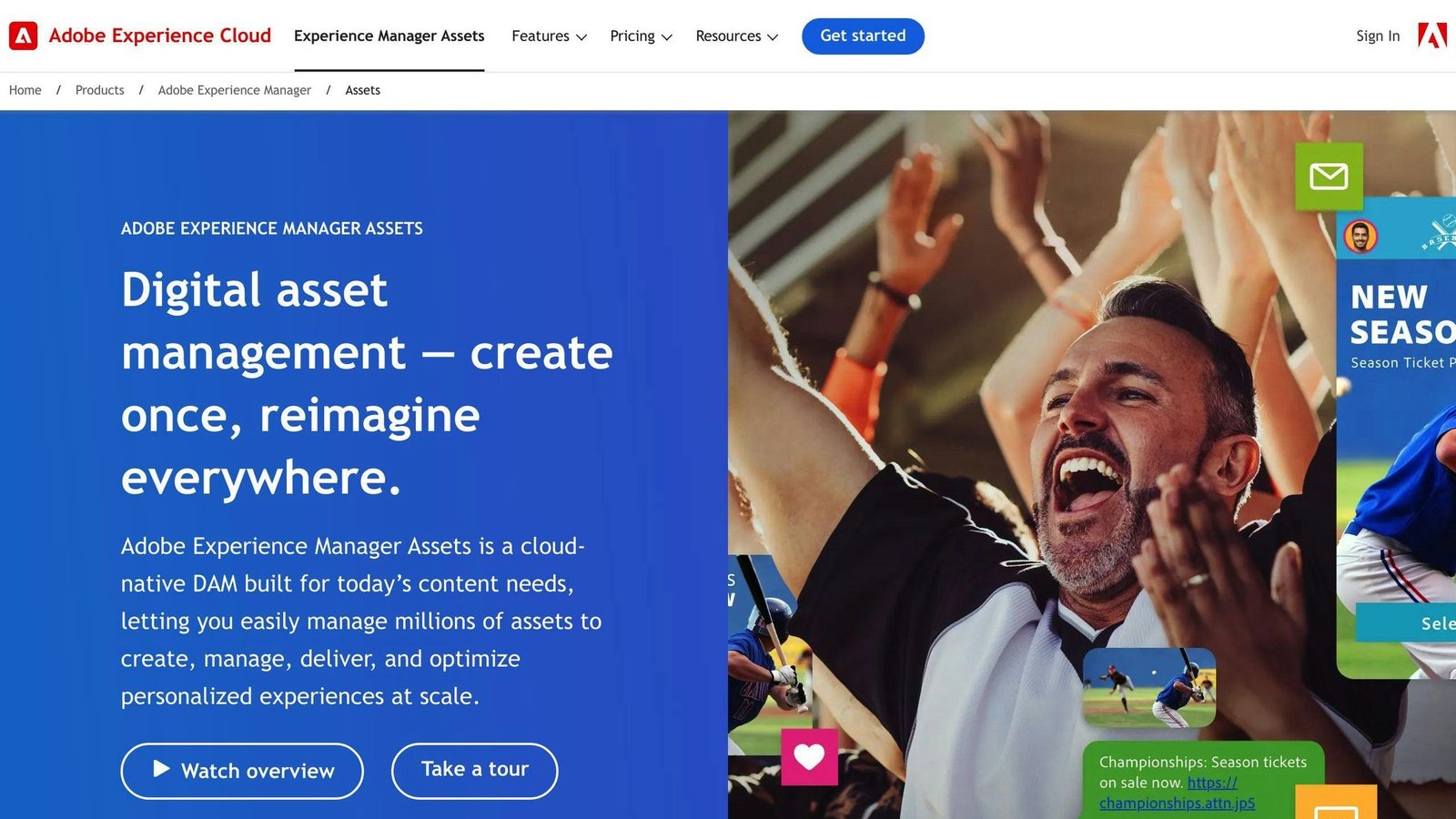
| Adobe Experience Manager | Enterprise-grade | Global CDN / Multi-region | Subscription (High TCO) | Global Enterprise Support |
| Bynder | High Availability | Global CDN | Seat & Module based | Dedicated Success Managers |
| Canto | Strong Uptime | AWS-hosted / Global | Seat & Storage based | 24/5 Support + AI Bot |
| MediaValet | High (Azure-based) | Global (Microsoft Azure) | Unlimited Users | 24/7/365 Support |
| Cloudinary | High Availability | Multi-CDN | Usage-based (Transformations) | Technical/Developer Support |
| Brandfolder | High Availability | Multi-CDN | Tiered Subscription | Dedicated Support Teams |
| Aprimo | Enterprise-grade | Global / Local Compliance | Usage-based (Custom) | 24/7 Support / Dedicated Mgr |
Treat the uptime column as a description of what each vendor advertises rather than a measurement. We have not independently tested availability for any of these platforms, and the wording reflects their own positioning. Ask for the contractual SLA figure in writing.
Using BizBot for Vendor Research
Choosing a DAM vendor is harder than it should be, largely because many platforms do not offer trials and several do not publish prices at all. BizBot is a directory of business tools, including DAM vendors, which at least lets you compare what is published side by side.
Pricing in this category varies enormously and much of it is quote-only, so treat any published figure as a starting point for a conversation rather than a price. The directory highlights vendors with transparent, self-serve pricing, which is useful mostly as a filter: if you are a ten-person team, a vendor who will not quote without a discovery call is telling you something about their target customer.
BizBot also lists subscription management tools, which are worth considering after implementation. DAM costs drift upward through storage and API overages rather than through renewals, and those charges are easy to miss on a card statement.
Conclusion
When selecting a DAM vendor, focus on features that address your specific problems. AI-powered search and auto-tagging cut retrieval time. Version control and DRM protect you from publishing the wrong asset or an expired one. Integration with the stack you already run – Adobe Creative Cloud, your CMS, your e-commerce platform – decides whether people use the system or work around it.
One documented example of what this looks like at scale, and it is a vendor case study rather than an independent evaluation. In Bynder’s customer spotlight on LIV Golf, the company reports cutting sponsor content delivery from 24 hours to 2, processing 20,000 to 30,000 images on tournament days, and reaching a 99.49% user adoption rate. An earlier version of this article described that as a 94% reduction in delivery time; 24 hours to 2 is a 92% reduction, and the arithmetic has been corrected.
Note also what makes that example work: six photographers producing enormous volume on a fixed deadline, which is close to the ideal case for a DAM. Your own gain scales with volume and deadline pressure. A team publishing a few assets a week will not see anything resembling it.
Security is a genuine priority. Choose vendors meeting standards like SOC 2 Type II, GDPR, or ISO 27001, and read the scope. Scalability matters too: the platform should grow with you without forcing an expensive migration later.
To decide, write a checklist of must-have features, evaluate vendors against it consistently, request demos on your own material, and pilot with the people who will use it daily. If you want to work through the economics, we cover that separately in our guide to calculating DAM return on investment.
FAQs
What’s the difference between a DAM and cloud storage?
A digital asset management system and cloud storage may look similar but serve different needs. Cloud storage platforms like Google Drive or Dropbox handle file storage and sharing, which is enough for small teams with straightforward requirements.
DAM systems add metadata tagging, version control, workflow automation, and brand governance. Those matter when you have enough assets that finding the right one is genuinely hard, or enough people that using the wrong one is a real risk. Below that threshold, cloud storage plus a naming convention is cheaper and works.
Which DAM integrations matter most for my team?
Prioritise creative tools, your web CMS, and project management software, in that order for most marketing teams. The test is simple: which application is someone sitting in when they need an asset? That is the integration that determines whether the DAM gets used or bypassed.
How do I estimate total DAM cost as we scale?
Model the number of users, storage volume, and features you’ll need. More advanced tools, larger storage and more seats all raise the price. Include customization, onboarding, and support alongside the licence.
Pay particular attention to what is metered rather than fixed – storage, API calls, transformations, CDN traffic – and ask the vendor to model your bill at double your current volume. That number, not the headline subscription, is what you are committing to.
More on this topic
Browse all 86 articles on Business Operations, or jump straight to our buying guide: Best Productivity Tools for Small Teams.