Managing your inbox doesn’t have to drain your time or energy. Email triage tools sort incoming mail automatically, push the urgent items to the top, and take the small repeated decisions off you. Whether that is worth paying for depends on how much mail you get and how disciplined your current system is.
Key Takeaways:
- Time savings: Real, but unmeasured. This article previously quoted precise before-and-after minute counts and accuracy percentages; none could be traced to a published study, so they have been removed.
- What the tools actually do: Classify by content rather than sender, surface urgent messages, summarise threads, and pull out action items.
- Pricing: Wider than most comparisons admit. The tools below run from a free tier to $115 per agent per month, and several of the figures previously published here were out of date.
- Better customer response: Prioritise urgent emails, prevent duplicate replies, and keep response times consistent.
These tools are designed for small teams overwhelmed by high email volumes. They help you focus on what matters – growing your business with efficient tools – while making sure important messages don’t get lost.
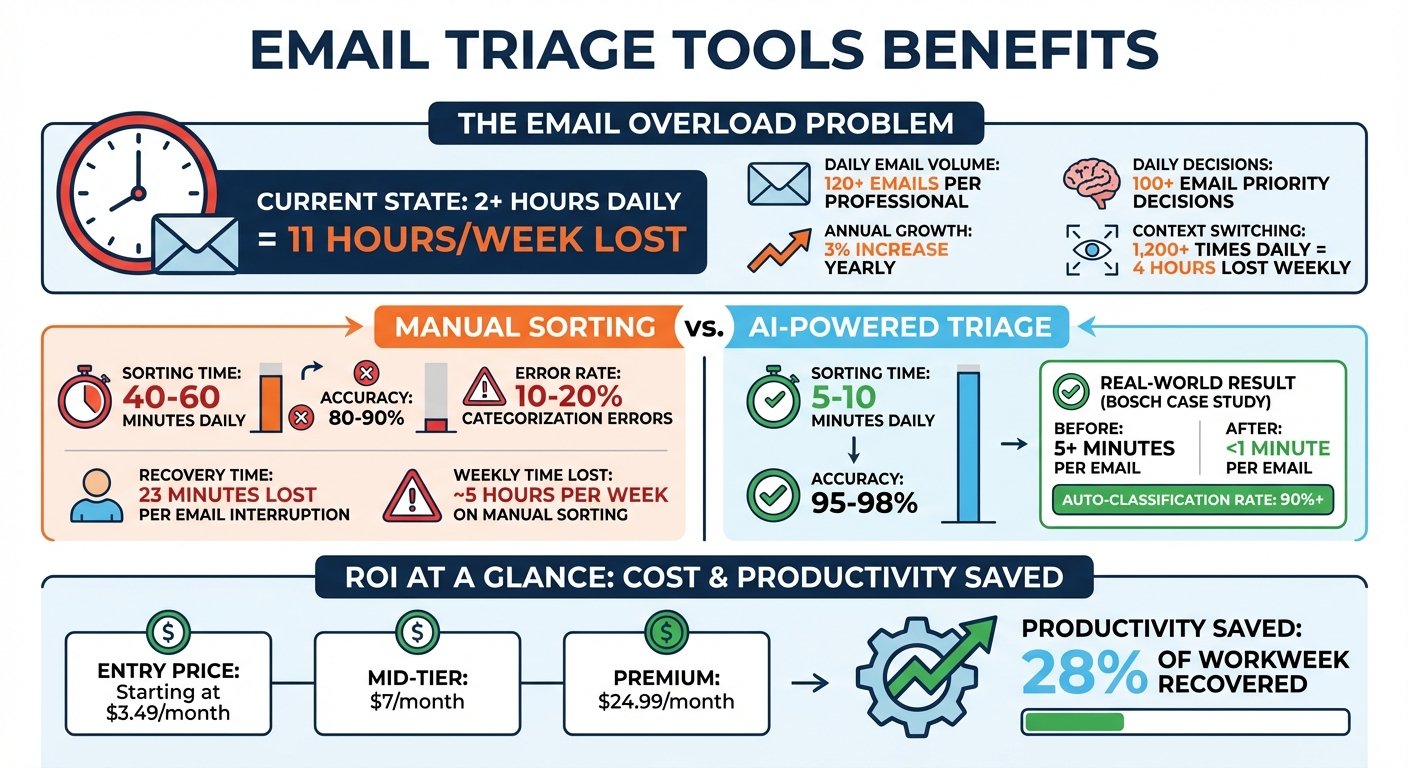
Email Triage Tools: Time Savings and ROI for Small Businesses
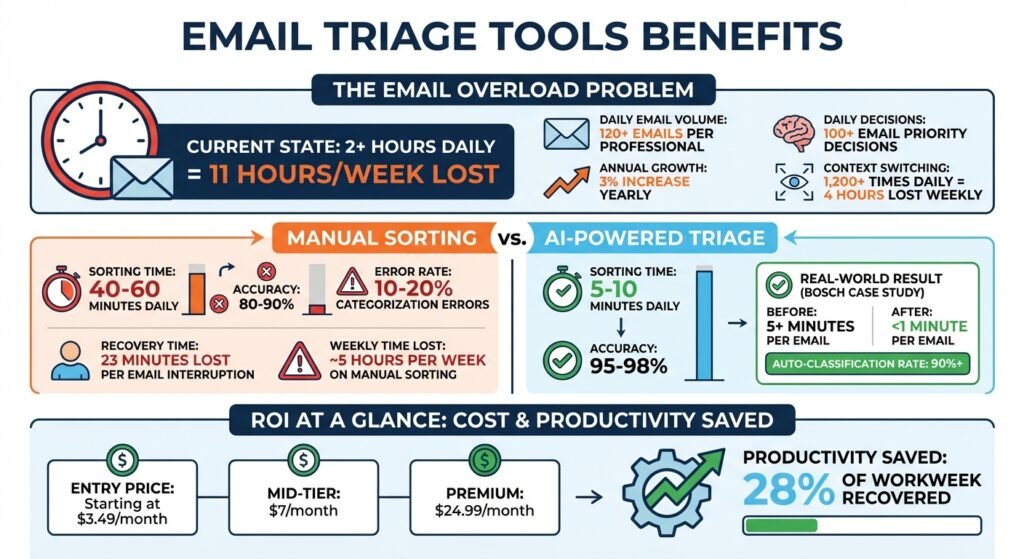
A Note on the Numbers

An earlier version of this article carried a dozen statistics: daily email counts, minutes lost per interruption, classification accuracy rates, app-switching frequencies, and a customer case study with precise before-and-after timings. None of them linked to a source, and several described a level of measurement that nobody appears to have published. They have been removed rather than left standing. Every price below was checked against the vendor’s own pricing page in August 2026 and should be confirmed before you buy.
Email Management Challenges Small Businesses Face
Small businesses often struggle with three email-related hurdles: high inbox volume, disorganised shared inboxes, and the time cost of manual sorting. These feed into each other.
High Email Volume
The problem is not the volume itself, it is the sorting. Every message needs a decision — act now, act later, ignore, delegate — and those decisions are made in the gaps between real work. That fragmentation is what makes a busy inbox tiring out of proportion to the actual reading.
The consequences go beyond wasted time. Important emails, like partnership offers, investor outreach, or urgent customer requests, can get buried under newsletters and automated updates. When those are missed it costs revenue, and it makes the business look disorganised.
Disorganised Inboxes
Without a system, shared inboxes get chaotic. Two people answer the same email, or nobody answers it. That creates a background worry that something has been missed, which is its own drain.
It also shows externally. Inconsistent response times — some replies in minutes, some in days — read to a customer as a business that is struggling, whatever the real cause.
Manual Email Sorting Takes Too Much Time
If you want to know what manual sorting costs you, measure it for a week rather than trusting an industry average. Time yourself for five working days, count the messages, and multiply by your own hourly cost. That number is the only one that should drive the decision, and it is why the generic minute counts previously published here have gone.
| Challenge | Impact on Small Businesses |
|---|---|
| High Volume | Delayed responses to key stakeholders and missed business opportunities |
| Manual Sorting | Time diverted from work that generates revenue |
| Context Switching | Fragmented attention, and slower return to focused work |
| Disorganisation | Important updates buried under low-priority messages |
| Decision Fatigue | Diminished mental energy for critical business tasks |
What Email Triage Tools Do
Email triage tools organise your inbox automatically so urgent messages get attention and the rest waits. Unlike basic filters, which sort on sender or subject, these tools read the body of the message to judge urgency and what action it needs.
The sequence is: classify by type, identify urgency from cues like time-sensitive language or who the sender is, then route the critical items into a focused brief and label the rest.
Beyond sorting, most offer thread summarisation, which condenses long chains into something you can read in a few seconds, and action extraction, which pulls “sign the contract by Friday” out of a message and turns it into a task. Many will draft replies to high-priority mail.
Be sceptical about accuracy claims. Vendors describe classification accuracy in their own marketing, measured against their own definition of correct, and there is no independent benchmark. The practical test is a two-week trial on your real inbox, counting how often you disagree with the tool.
Benefits of Email Triage Tools for Small Businesses
Where the Time Goes
The saving from a triage tool comes from three places: fewer decisions about what to open, less scrolling to find what matters, and less duplicated effort in a shared inbox. Of those, the shared inbox saving is the easiest to observe and the hardest to argue with — two people writing the same reply is visible waste.
The saving does not come from the tool reading your mail for you. You still read the important messages. Anyone selling you a number that assumes otherwise is selling you a number.
What It Costs
Sorting email manually looks free and is not, but the honest framing is a comparison: the hours you measured in your own week, priced at your own cost, against the subscription. For a solo operator on a cheap tool that comparison is easy. For a five-person team on a $25-per-seat help desk it is $1,500 a year, and it needs to save real hours to justify itself.
Two pricing structures to distinguish. Personal inbox assistants are cheap and priced per mailbox. Shared-inbox and help desk products are priced per agent and cost several times more, because they are solving a team coordination problem rather than a sorting problem. Buy the second only if you have the second problem.
Better Customer Communication
When your attention is not constantly interrupted, customer interactions improve. Triage tools use natural language processing and sentiment analysis to spot urgent or unhappy messages and put them at the top.
Collision alerts, which stop two people replying to the same enquiry, and thread summaries, which give quick context, are the two features that most reliably pay for themselves in a shared inbox. Everything else is a bonus.
How Email Triage Tools Work for Small Teams
Email triage tools use natural language processing and machine learning to analyse incoming email and decide how to sort it. By examining text, tone and sentiment they pick out phrases like “Action Required” or “Project Deadline” and prioritise accordingly. Over time they adapt to your habits and start flagging mail from clients you always respond to.
For small teams, shared inbox management is where the value concentrates. Collision alerts stop duplicate replies, automated routing sends messages to the right person, and assigning a clear owner to each conversation creates accountability. Internal comments and AI summaries let people collaborate without forwarding threads around.
These tools also extract action items — “sign the contract by Friday” — and push them into your project management tool or CRM. Instead of digging through threads, teams get summaries highlighting decisions, blockers and next steps.
Modern systems work in the background, processing mail as it arrives, preparing summaries before you open anything and suggesting draft replies based on earlier conversations. Rule-based filtering still exists underneath for the simple cases: sort, star, archive or delete on sender, keyword or size.
One distinction worth understanding before you buy: header-based sorting categorises by sender and is cheaper to run, but it will miss an urgent message from someone who has never emailed you before. Context-based sorting reads the content and handles that case. If your important mail comes from new contacts — inbound sales, for instance — the cheaper approach is the wrong one.
Expect a learning period. Vendors describe it as anything from a few days to a couple of weeks, and it depends on how much mail you get and how consistently you correct the tool early on. Plan a trial long enough to get past it.
Comparison of Email Triage Tools
Choosing the right tool means matching it to your actual problem. Some work inside Gmail or Outlook; others are a separate client you have to move to. Pricing spans a wide range, from free tiers up to $115 per agent per month.
Identify the pain point first. Duplicate responses in a shared inbox means you want collision detection. Sheer volume in one personal inbox means you want content analysis, and a help desk is overkill. The table below covers popular options and what each is actually for.
Comparison Table
| Tool | Key Features | Starting Price (USD/mo) | Best Use Case for Small Businesses |
|---|---|---|---|
| Hiver | Shared inbox in Gmail, AI Copilot, collision detection, internal notes | $25/user annual ($35 monthly), Growth plan | Gmail-based teams wanting collaboration without leaving their inbox |
| Help Scout | Shared inbox, AI drafts, knowledge base, live chat integration | Free up to 5 users; Standard $25/user | Customer support teams needing a simple, collaborative help desk |
| Zoho Desk | Zia AI for tagging, sentiment analysis, ticket management | Free for 3 agents; paid editions priced by region | Businesses using the Zoho ecosystem and needing advanced AI triage |
| Zendesk | Omnichannel support, AI bots, intelligent routing, multilingual support | Support Team $19/agent; Suite Team $55/agent (annual) | Growing businesses needing scalable, high-volume support infrastructure |
| Mailbird | Unified inbox for multiple accounts, ChatGPT integration, snooze | Free tier; Premium $4.03/user annual ($5.75 monthly) | Solopreneurs or individuals managing multiple personal and professional accounts |
| Shortwave | AI email client for Gmail, search, summaries, assistant | Business $30/seat | Individuals and small teams willing to change email client for better AI |
Corrections worth flagging, because the previous version of this table was wrong in four places: Hiver’s entry plan is $25 per user per month on annual billing, not $15. Help Scout’s Standard tier is $25 per user, not $20, and it has a genuinely free tier for up to five users that the old table omitted. Mailbird is $4.03 per user per month on annual billing, not $2.28, and it too has a free tier. Shortwave’s cheapest paid plan is $30 per seat per month, not $7. Zoho and Zoho Desk price in the currency of the country they detect you in, so check your own region’s page.
SaneBox and alfred_ appeared in an earlier version of this article with specific monthly prices. Neither price could be verified against the vendor’s own page when this was checked, so both figures have been removed rather than carried over.
Most tools offer free trials of 7 to 14 days. For teams on Google Workspace, Hiver runs inside Gmail, which removes most of the adoption friction. That matters more than the feature list: a tool people have to remember to open is a tool people stop opening.
Affordable email triage: a practical decision framework
“Affordable” is not the lowest advertised monthly price. It is the lowest total cost for the inbox problem you actually need to solve. Use this short checklist before opening a trial or requesting a quote.
| Decision | What to verify | Why it changes cost |
|---|---|---|
| Solo inbox or shared team inbox? | Count the people who must own, assign or reply to messages. | Per-user pricing can turn a low entry price into a larger annual commitment. |
| Current email system | Confirm support for your exact Gmail, Microsoft 365 or other mailbox setup in the vendor’s current documentation. | A client or workflow migration adds adoption time and risk. |
| Must-have workflow | Choose one measurable problem: prioritisation, collision prevention, assignment, summaries or help-desk routing. | Buying a full help desk for a personal sorting problem usually adds unnecessary complexity. |
| Total cost | Check billing period, seats, required plan, onboarding, support and paid add-ons on the vendor’s current pricing page. | The headline price may not represent the configuration your team needs. |
| Privacy and administration | Review permissions, retention, data handling and administrator controls before connecting a live mailbox. | A cheap tool is not affordable if it creates an unacceptable data or compliance risk. |
Simple test: measure one week of inbox work, define one success metric, and trial only the smallest plan that can improve it. Recheck the vendor’s own terms and pricing before purchase; this framework deliberately does not assume that an old price or feature remains current.
Start with the BizBot software finder to build a shortlist, then validate the final choice with the vendor.
Finding Email Triage Tools on BizBot
BizBot offers a directory to help small businesses compare tools for managing their operations, including email management.
You can filter tools by what matters to your business. The “Ideal Industry” filter narrows to your field, whether that is e-commerce, SaaS or financial services. You can also filter by focus area — executive productivity, revenue operations, internal communication.
The platform flags which tools integrate with Gmail, Outlook, Microsoft 365 and Google Workspace, which is usually the first thing to check.
Beyond email tools, the directory covers accounting software, digital CFO services and subscription management. It is a starting point for a shortlist, not a substitute for reading the vendor’s own pricing page — as this article’s own corrections demonstrate.
Conclusion
Email overload is a real drain on small businesses, and triage tools genuinely help by automating the sorting and surfacing what is urgent. What is much less certain is how much time they save you specifically, which is why this article no longer quotes an industry figure. Measure your own week first.
They also protect revenue, by making it less likely that an important client email sits unread for two days. They reduce the number of small decisions you make. And in a shared inbox they stop the duplicate-reply problem outright, which is the clearest win of the lot.
On price, the range is wide: free tiers from Help Scout, Zoho Desk and Mailbird at one end, $115 per agent per month at the other. The expensive end is a help desk, not an inbox sorter, and you should only be looking at it if you have a support team.
BizBot maintains a directory of email marketing and management tools you can filter by industry, integration and problem. Start there, then verify the price on the vendor’s site.
FAQs
How do I know if my business needs an email triage tool?
Measure it. Time how long you spend sorting for one working week, count the messages, and price those hours at your own cost. If that number comfortably exceeds the annual subscription, buy something. If it does not, better filters and an hour spent unsubscribing will get you most of the way. Shared inboxes are the exception: if two people are answering the same emails, the case for a tool is about coordination, not time.
How long does it take an AI triage tool to learn my inbox?
Vendors quote anywhere from a few days to two weeks, and the honest answer is that it depends on your volume and how diligently you correct its early mistakes. Run any trial for at least two weeks so you are judging the tool after it has learned, not during.
Will email triage tools work with Gmail or Outlook?
Most do, either as an add-in that sits inside your existing client or as a service that connects to your mailbox. A few, like Shortwave, replace your email client entirely, which is a bigger change than it sounds and worth testing properly before you commit a team to it.
More on this topic
Browse all 20 articles on AI & Automation, or jump straight to our buying guide: Best Automation and Integration Tools.