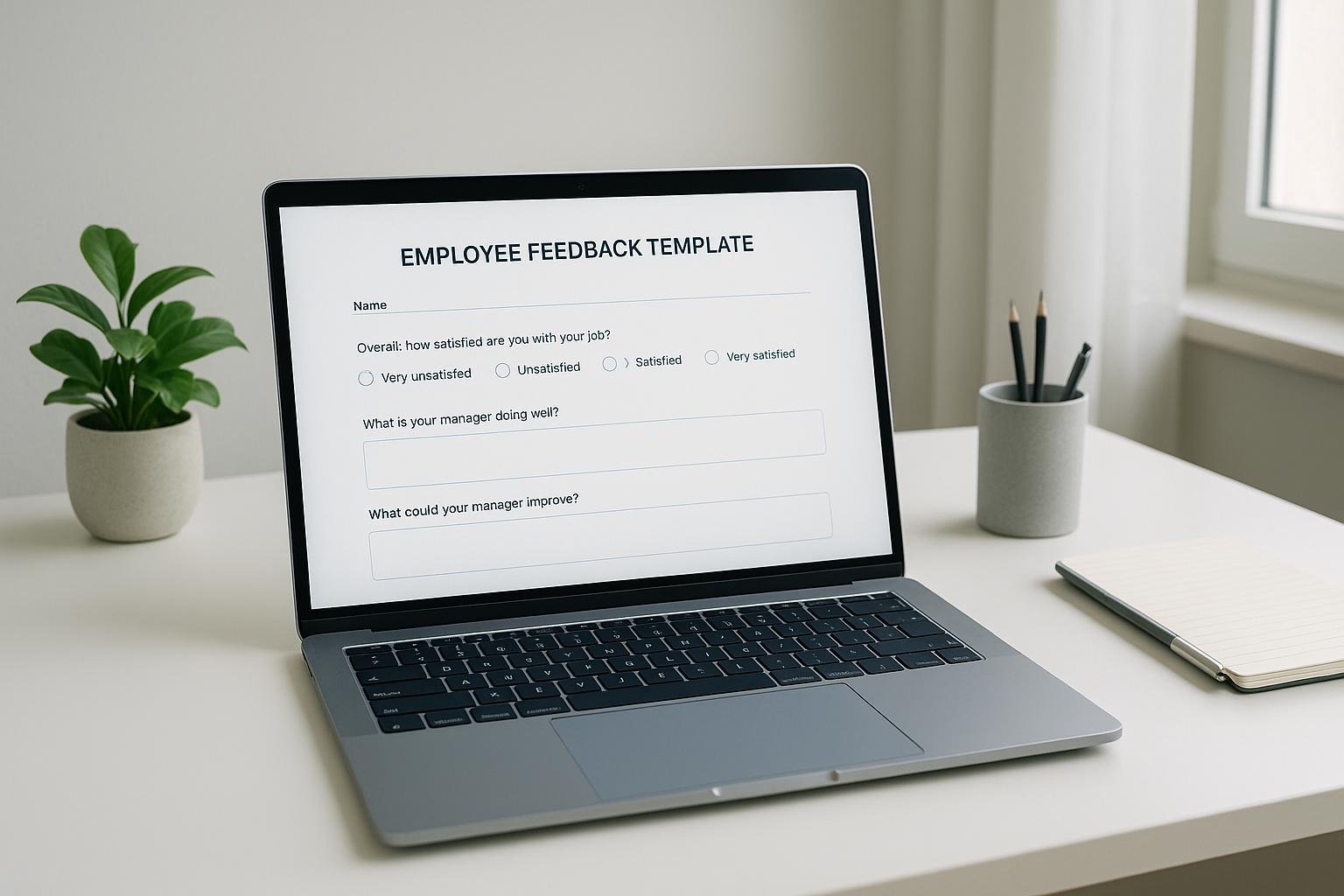
Custom feedback templates help you evaluate employee performance while tailoring the process to your company’s specific goals. Unlike generic forms, these templates are designed to reflect your organization’s priorities, making feedback more actionable and meaningful. Here’s what you need to know:
- Why Use Them? They align with company goals, improve engagement, and provide consistent, data-driven insights.
- How They Work: Templates can include rating scales, written responses, or 360-degree feedback, integrated into HR systems.
- Key Benefits: Track employee progress, set clear goals, and personalize development plans.
- Steps to Implement:
- Define organizational goals.
- Review current feedback processes.
- Identify key assessment areas (e.g., core competencies, technical skills).
- Customize templates for specific roles.
- Train teams and integrate templates into HR systems.
Quick Comparison:
| Standard Feedback Forms | Custom Feedback Templates |
|---|---|
| Generic and broad | Tailored to company objectives |
| Limited data capture | Actionable insights |
| Inconsistent evaluation | Criteria-based assessments |
| Less engaging for employees | Personalized and relevant |
Preparing to Set Up Custom Feedback Templates
Laying the groundwork for custom feedback templates is crucial to ensure they align with your organization’s unique needs. By taking the right preparatory steps, you’ll create templates that truly drive performance improvements.
Define Your Organization’s Goals
Start by getting crystal clear on what you aim to achieve with your feedback process. Your templates should support your company’s broader mission and strategic priorities instead of functioning as isolated tools.
Pinpoint your core objectives and values. These could range from boosting customer satisfaction to fostering teamwork, sparking innovation, or nurturing leadership. Make sure each goal follows the SMART criteria – Specific, Measurable, Achievable, Relevant, and Time-bound.
This article used to open with four statistics about how much faster aligned companies grow and how few employees know their company’s goals. We could not source any of them, so they are gone. One figure did survive the check, and it is the strongest one anyway: McKinsey reports that “companies that focus on their people’s performance are 4.2 times more likely to outperform their peers, realizing an average 30 percent higher revenue growth and experiencing attrition five percentage points lower”. Read that as a correlation across large companies rather than a promise about your review form.
To close the gap between company goals and individual ones, involve your team in setting them. Start with brainstorming sessions to identify objectives, then work together to prioritize them. Address three levels: individual, team, and business outcomes. For instance, if customer retention is a priority, your templates could include sections focused on customer service skills, problem-solving, and relationship-building.
Review Current Feedback Processes
Before jumping into new templates, take a closer look at your existing feedback systems. This step helps you identify what’s working, what’s broken, and where the biggest opportunities for improvement lie.
Evaluate your current practices for fairness. Check for patterns in how employees are reviewed, whether remote and in-office staff are treated equally, and if there are inconsistencies in evaluations.
“It’s important to evaluate an employee’s performance from different perspectives. Don’t just focus on areas that need improvement; make sure to also include their accomplishments and examples of great performance.”
– Aleksandra Babic, HR Generalist, CAKE.com
Gather feedback from key stakeholders – HR professionals, managers, and the employees themselves. HR can flag compliance or administrative challenges, managers can share practical hurdles, and employees can provide insight into whether the process feels fair and motivating.
Pay close attention to any feedback describing your current system as unfair, biased, inconsistent, or overly punitive. Such issues can not only sabotage the effectiveness of your reviews but can also harm employee morale and retention. Document the specific problems you uncover – common ones include templates that don’t align with job responsibilities, unclear rating scales, or review cycles that don’t match business needs or project timelines. Use these insights to refine your new templates for better results.
Choose Key Assessment Areas
With your goals and process review in mind, focus on the assessment areas that matter most to your organization. These areas should tie directly to your company’s vision, mission, and strategic priorities.
Three more percentages about engagement, productivity, and turnover used to sit in this paragraph. None of them named a study, and we could not find one, so they have been cut rather than restated with a vaguer source. The hard part is unchanged: translating your company’s priorities into criteria a manager can actually score.
Think about both universal competencies that apply across the organization and role-specific skills tailored to different positions or departments. Universal areas might include communication, teamwork, and adaptability, while role-specific ones could cover technical skills, project management, or leadership.
Here’s a quick breakdown:
| Assessment Category | Key Examples | Purpose |
|---|---|---|
| Core Competencies | Communication, teamwork, problem-solving | Align employees with company values |
| Technical Skills | Software proficiency, certifications | Measure job-specific capabilities |
| Leadership Behaviors | Decision-making, mentoring, strategic thinking | Develop future leaders |
| Goal Achievement | KPI performance, project completion | Track measurable outcomes |
For example, if customer satisfaction is a priority, include areas like responsiveness, empathy, and solution-oriented thinking. If innovation is key, assess creativity, risk-taking, and a commitment to learning.
Involve employees in identifying role-specific assessment areas. They understand their jobs better than anyone and can point out competencies that might otherwise be missed. This collaborative approach not only increases buy-in but also ensures the feedback process feels meaningful rather than burdensome.
Building and Customizing Feedback Templates
Creating effective feedback templates involves aligning their structure with your specific needs while keeping the process straightforward for everyone involved. By defining your goals and reviewing current practices, you can develop templates that align with your organization’s objectives.
Select the Right Template Structure
The structure of your feedback template plays a key role in how useful and actionable the feedback will be. The right structure should align with the role, the type of information you’re seeking, and how the feedback will be used.
Here are a few common template structures:
- Job performance scales: Ideal for measuring specific, quantifiable outcomes like sales numbers, project completion rates, or customer satisfaction scores. These are especially effective for roles with clear metrics and measurable goals.
- Job behavior scales: Focuses on workplace behaviors such as teamwork, communication, and problem-solving. This approach is great for roles where soft skills are crucial.
- Competency-based reviews: Breaks performance into specific competencies with clear descriptions, ensuring consistency across different reviewers.
- 360-degree feedback: Gathers input from multiple perspectives, including peers, managers, and self-assessments. This method works well for leadership roles or positions that require extensive collaboration.
It’s often best to focus on one area at a time. However, combining approaches can also be effective. For instance, sales teams might benefit from performance scales that track revenue and client acquisition, while project managers might need competency-based reviews that assess both technical skills and leadership abilities.
Additionally, choose a rating method that fits the role – some templates may require numerical ratings, while others may benefit from descriptive feedback.
Customize Content and Design
Tailoring templates to reflect role-specific skills and criteria ensures they address the unique requirements of each position. Start by detailing the core and leadership competencies that are critical for the role. For example, a developer’s template might focus on technical skills and code quality, while a marketing manager’s template could emphasize campaign performance and creativity.
Be specific when describing job responsibilities, goals, and the rating system. Instead of broad phrases like “demonstrates leadership”, use clear examples such as “mentors junior team members, delegates tasks effectively, and makes decisions under pressure.”
Incorporate SMART goals into your templates. These goals should be specific, measurable, achievable, relevant, and time-bound. For instance, instead of “improve customer service”, you could write, “increase customer satisfaction scores from 4.2 to 4.5 out of 5.0 by December 31, 2025, as measured by monthly surveys.”
Leave space in the template for identifying training goals, helping employees connect feedback to their professional development. Use clear, measurable language – replace vague terms like “excellent performance” with specifics, such as “exceeded quarterly sales target by 15%”. Offering multiple feedback formats, such as scorecards for quantitative ratings and narrative sections for qualitative insights, can also accommodate different communication preferences.
Add Templates to HR Systems
Once your templates are ready, integrating them into your HR systems can streamline the feedback process and improve data management. This reduces manual work and minimizes errors.
Use open APIs or pre-built connections to integrate templates with HR systems, ensuring data flows properly and avoiding silos.
“Perhaps the most important stage in integrating any system is to ensure that data fields are mapped correctly. Unless this is done and any discrepancies are resolved before full integration, this can result in data inconsistencies, corruption of data, or even data loss.” – Wendy Makinson, HR Manager, Joloda Hydraroll
Establish clear data governance protocols early. Define who can access specific feedback data, set retention periods, and implement security measures to protect sensitive information.
Before full deployment, test integrations thoroughly. Pilot programs with small groups can reveal potential issues, such as data mapping errors or workflow bottlenecks. Centralizing data management can also make it easier to track trends, generate insights, and ensure consistency.
“When building an HR tool stack, focus on simplicity and integration. Tools should be intuitive and connect with existing processes to avoid creating silos and inefficiencies.” – Gil Gerstl, VP, Data Products, Governance, and Ops, Chief Data Office @ ADP
For specialized tools or unique reporting needs, consider custom integrations. Collaboration between HR and IT teams is essential during the integration process to ensure templates function as intended. Invest in scalable solutions that can grow with your organization.
Rolling Out and Managing Feedback Templates
Introducing custom feedback templates requires thoughtful planning and consistent management to ensure teams adopt the system effectively. Once your templates are tailored, the next step is launching them strategically and maintaining their relevance through training, structured review cycles, and ongoing feedback.
Train Teams on Using Feedback Templates
Proper training is key to getting managers and employees comfortable with the new feedback templates. Managers, in particular, need to develop the skills to deliver feedback that’s clear, actionable, and focused on growth.
Training sessions should emphasize describing behaviors and their impact on outcomes, rather than critiquing personalities. For instance, instead of saying, “You’re disorganized,” a manager might say, “The project timeline was delayed by three days because the deliverables weren’t submitted on time.” This approach keeps the conversation constructive and focused on performance.
Encourage two-way communication during feedback sessions. Managers should ask open-ended questions and practice active listening to make these interactions collaborative rather than one-sided.
“Feedback is really valuable when it is objective and learning-oriented.” – Caitlin Collins, organizational psychologist and program strategy director at Betterworks
Help managers address emotional barriers by teaching them to tie feedback to the employee’s personal goals. This creates a more motivating and positive experience. At the same time, ensure employees are notified ahead of feedback sessions so they can prepare and engage productively.
Managers should follow a consistent framework during these sessions, addressing what’s working, what needs improvement, and actionable next steps. This structure ensures clarity and helps employees understand how to build on their strengths while addressing areas for growth.
Launch Templates in Review Cycles
To make the most of your feedback templates, integrate them into your regular performance review cycles. Align the timing and structure of the templates with your organization’s goals for maximum impact. Modernizing performance reviews often involves customizing tools to fit the company’s specific needs.
One effective approach is adopting a 360-degree feedback system. This includes self-assessments, one-on-ones, check-ins, and upward feedback, providing a well-rounded view of employee performance. It also helps reduce bias and ensures alignment with organizational objectives.
“Customizing traditional performance review frameworks can have significant benefits for preparing companies for what lies ahead in this ever-changing employment landscape.” – Travis Lindemoen, founder of Enjoy Mondays
Streamlining feedback and reviews onto a single platform can simplify data access and analysis while avoiding information silos. A pilot program is a smart way to test the system and address any issues before rolling it out company-wide.
An unnamed example about one organization discovering a link between collaborative projects and performance used to sit here. With no company and no numbers behind it, there was nothing for a reader to check, so we removed it.
“Customizing the traditional performance review framework has not only helped us adapt to the changing times but also made us future-ready, by ensuring our team members remain agile, upskilled, and motivated.” – Gene Caballero, co-founder of GreenPal
Schedule the rollout to allow time for training and testing before the first review cycle. Communicate clearly with all stakeholders, and after the launch, monitor how the templates are being used to make adjustments as needed.
Monitor and Collect Feedback on Templates
To keep feedback templates effective, continuous monitoring and feedback collection are essential. This ensures that the templates remain aligned with your goals and that employees and managers see their value. A cluster of engagement and retention multipliers used to appear at this point. They contradicted each other, which is a reliable sign that nobody checked them, so they are gone.
Regular check-ins – monthly or quarterly – can help gather insights about how the templates are being used. Use a mix of surveys, embedded forms, and informal conversations to capture diverse perspectives.
Ask specific questions to understand how the templates are functioning. For example:
- Which sections of the template provide the most value?
- What additional features or information would improve the template?
“Performance feedback plays a vital role in boosting employee performance and expediting growth. It helps managers help employees grow, develop, and improve.” – Kristin Ryba, Author, Quantum Workplace
Two survey figures also used to sit here, one from a vendor about how much feedback employees want and one credited to a research firm about goal alignment. Neither could be traced to a published study, so both were removed. Your own pulse survey will tell you more about your own managers than either would have.
Analyze the data regularly to identify trends and issues. Use what you find to refine templates so they connect personal feedback with broader organizational goals.
Finally, make feedback collection an opportunity for learning. Include tips and links to resources within surveys to help users better understand the system and improve their engagement. This approach turns feedback into a tool for continuous improvement and growth.
Reviewing and Improving Feedback Templates
Once you’ve set up your feedback templates, it’s essential to keep refining them. Regular reviews and updates ensure they remain relevant and effective as your business evolves. By analyzing performance data, updating templates systematically, and incorporating automation tools, you can maintain meaningful feedback that aligns with shifting priorities.
Analyze Feedback Data for Insights
Dive into your feedback data using tools like statistical analysis and visual dashboards. These can help you spot trends and outliers across teams and departments. Combining numbers with qualitative feedback gives you a fuller picture of recurring themes and provides context for what’s working – or not – in your feedback process.
Pay close attention to discrepancies in feedback between peers, managers, and subordinates. These differences can highlight blind spots in your template design or areas needing additional training. For example, if one team consistently scores lower on collaboration, it may signal either a training gap or a flaw in how collaboration is assessed.
“It’s deeply important to make sure the feedback is not focused on personality but on actual work and that it’s actionable.” – Kim Crowder, CEO of Kim Crowder Consulting
Bias in written feedback is measurable, and one study puts numbers on it. Textio’s 2022 analysis of feedback given to more than 25,000 people across 250 organizations found women received 22% more written personality feedback than men, and were seven times more likely to be described as “opinionated” and eleven times more likely to be called “abrasive”. If your templates invite comment on personality, that is the language you will get back.
Documenting feedback discussions over time is another useful practice. By tracking outcomes and recurring themes, you can pinpoint weaknesses in your templates and refine them to better serve your goals. Training managers to recognize and mitigate unconscious bias helps keep feedback objective and constructive.
Update Templates Regularly
Feedback templates aren’t static – they need to evolve alongside your business. A template that worked six months ago might now be outdated due to changes in company goals or job roles. Regular updates keep them aligned with current priorities.
Set up a formal review cycle at the start of each performance period. If priorities shift mid-cycle or team roles change, update templates immediately to reflect these adjustments.
“Business needs change, and so do the areas or goals that form the basis of assessing performance. To keep the template adaptable, a formal review of the template and the goals/areas of assessment/attributes mentioned at the beginning of each performance assessment cycle is recommended.” – Laksh Sharma, AIHR Subject Matter Expert
Avoid one-size-fits-all templates. While consistency is important, generic designs often miss role-specific nuances, leading to less actionable feedback. Instead, customize templates for different roles while maintaining core competency areas.
Another common issue is superficial use of templates. Managers and employees sometimes view them as just an administrative task, leading to vague or incomplete feedback.
“It is quite common for managers and employees to not invest enough time in using the template. Many times, both managers and employees merely use the template for administrative purposes or consider it a check-in-the-box activity. With this mindset, it’s difficult to document work done and give feedback effectively. Additionally, developmental feedback and areas of improvement are not detailed enough if managers spend less time working on the performance management template.” – Laksh Sharma, AIHR Subject Matter Expert
To combat this, simplify complex sections, add prompts for guidance, and emphasize the value of thorough feedback. These changes make templates easier to use while encouraging meaningful input from both managers and employees.
Use Automation for Template Updates
Automation changes how you manage feedback templates. By reducing manual tasks, it improves consistency and frees up time for the work that needs judgement. Modern HR platforms offer automation features that simplify template updates without requiring deep technical skills.
Two figures used to support this section, one about hours HR managers lose to manual work each week and one about a service catalog being automated. Neither could be sourced, so both are gone. Time the tasks in your own team instead: how long it takes to push a template change to every manager, and how many reminder emails somebody sends by hand each cycle.
Low-code platforms make it easy for non-technical staff to customize workflows and implement changes quickly. These tools also help keep templates accurate and consistent across the organization. Service management platforms can handle template updates, quality checks, and notifications on a schedule.
Start small by testing automation with one team or workflow. Once successful, scale it across the organization. Look for tools that offer customization, easy integration with existing systems, and analytics you can actually read.
Implement automated reminders for template reviews, notifications for role changes, and systems that collect data on template performance. These features keep your feedback process relevant with minimal manual oversight.
For additional tools to streamline these updates, check out BizBot, which offers solutions to integrate and automate feedback template management within your existing systems.
Conclusion
Custom feedback templates change appraisals by introducing structured processes and automated updates. The business case rests on one figure this article could verify: McKinsey found that companies focused on their people’s performance are 4.2 times more likely to outperform their peers, with an average 30 percent higher revenue growth and attrition five percentage points lower. Several other statistics used to appear in this conclusion, about how many employees want more feedback and how many managers dislike the current process. None could be sourced, so none of them are here now.
To get the benefit, organizations need a systematic approach: align feedback templates with strategic goals, customize them to reflect company values, and train teams to use them properly.
“When people are empowered to use feedback, to use coaching, to use goals to drive their own performance, that’s where organizations can really be competitive.” – Caitlin Collins, organizational psychologist and program strategy director at Betterworks
Leading organizations treat feedback templates as dynamic tools that evolve with their business needs. By regularly analyzing feedback data, they uncover patterns and biases, while automation keeps the process consistent across review cycles.
Modern HR platforms go further by automating routine tasks, offering real-time analytics, and connecting to existing systems. For businesses looking to implement or upgrade their feedback systems, solutions like BizBot simplify template management.
Investing in custom feedback templates delivers real value – better employee engagement, clearer career progression, and stronger overall performance. When feedback shifts from being a routine task to a strategic tool, it creates space for meaningful, growth-centered conversations that benefit both employees and managers.
FAQs
How do custom feedback templates boost employee engagement and performance?
Custom feedback templates can make a big difference in how employees engage with their work and grow professionally. Unlike one-size-fits-all forms, these templates are designed to address the unique strengths, challenges, and goals of each individual. This tailored approach ensures feedback is not only relevant but also actionable.
When feedback feels personal, employees are more likely to feel valued and recognized. This sense of appreciation can inspire them to give their best effort. Beyond motivation, personalized feedback encourages a workplace culture centered on growth and open communication. It helps employees see how their contributions align with the company’s larger goals, creating a stronger connection to their work.
How can we create custom feedback templates that align with our organization’s goals?
Creating feedback templates that truly align with your organization’s goals starts with a clear understanding of your company’s vision, mission, and strategic objectives. These elements serve as the foundation, ensuring that every template reflects and supports your larger priorities.
Engaging employees in the process is another crucial step. Gather their input on key metrics and feedback areas – this not only makes the templates more relevant but also encourages a sense of ownership and involvement. To keep these tools effective, make it a habit to regularly review and update them, especially when your organizational goals evolve.
Finally, fostering an environment of continuous feedback between employees and management can lead to stronger alignment, better performance, and more collaborative teamwork.
How can I use automation to keep feedback templates updated and relevant?
Automation takes the hassle out of managing and updating feedback templates for employee appraisals. With tools that incorporate automated features, businesses can simplify tasks like gathering feedback, setting goals, and tailoring evaluations to individual needs. Many of these systems rely on AI and machine learning to handle repetitive processes, keeping templates current without the need for constant manual adjustments.
Another advantage of automation is its ability to send timely reminders and notifications to both managers and employees. This helps maintain a consistent schedule for performance reviews and ensures regular feedback cycles. The result is time saved and employees who get actionable, up-to-date insight into their performance.
More on this topic
Browse all 52 articles on HR & People Ops.