Winning customer loyalty is harder than it was, because customers now reach you on channels your CRM was never built to hold. Emails, calls, DMs and public replies end up in different systems, and nobody sees the whole conversation.
Integrating social media into CRM systems addresses this by pulling tweets, DMs and comments into the same customer record as everything else. That is a real operational improvement. It is not, on the evidence we could find, a guaranteed retention number. An earlier version of this article claimed a 26% retention increase and a 91% higher leads-to-close rate; neither could be traced to a study, so both are gone.
Key takeaways:
- Centralized data: Combine all customer interactions into one system.
- Faster responses: Social complaints are public and time-sensitive.
- Better context: Agents stop asking questions the customer already answered elsewhere.
Customer Retention Challenges in the Digital Age
Keeping customers loyal has become a challenge rooted in fragmented data. A customer tweets a complaint, and that tweet sits in isolation from their previous emails or calls. Each interaction feels like starting from scratch. This does not just slow down resolution – it frustrates customers and pushes them away.
Scattered Data Across Multiple Channels
Customers interact with brands across Instagram DMs, Facebook comments, X mentions, emails, phone calls and support tickets. Without integration, these channels operate in silos. Your sales team might see a customer’s purchase history in the CRM but not know about the angry post they made this morning. A support agent on the phone might ask questions the customer already answered in a Facebook message yesterday.
Social media in particular generates unstructured data – likes, comments, shares, sentiment – that traditional CRM systems struggle to process. The result is that customers repeat themselves as they move between channels. That friction is the cost, and it is a real one, even without a percentage attached to it.
Slow or Generic Customer Interactions
Speed matters on social media because complaints play out in public. McKinsey reported in 2015 that 72% of people who complain to a brand on Twitter expect an answer within an hour. The same piece cites Twitter data showing that nearly 40% of customer tweets never get a response from the company at all.
That gap is the opportunity, and it does not need embellishing. This section used to describe a “leading wireless carrier” that supposedly halved its churn rate in a single quarter by integrating social complaints with its customer data. No such case study could be found. We removed it. An anonymous company with a precise result is not evidence; it is decoration.
What is true is duller. Without integration, teams cannot see sentiment trends, cannot prioritise urgent issues, and answer generically because they lack context. Those are mechanical consequences of siloed data, and you can verify them in your own helpdesk in an afternoon.
How Social Media Integration Improves CRM Systems
Integrating social media with CRM turns the CRM into a record of relationships rather than transactions. Tweets, comments, DMs, likes and reviews land directly in customer records, producing a unified interaction history where every conversation is stored in one place. This eliminates repetitive questions and gives teams a complete view.
Social integration captures behavioural signal alongside transactional data: which competitors a customer follows, what they complain about publicly, what content they engage with. That context helps teams qualify leads and personalise outreach on something other than a job title.
“If you fully integrate social media into your CRM, then you can easily capture all interactions on and off social media so that support organizations have a complete view of the customer journey, other inquiries, and how any issues were resolved.” – Alex Bullen, Chief Product Officer, Playvox, quoted in CRM Buyer
Building Complete Customer Profiles with Social Data
When someone comments on your Facebook post or mentions your brand on X, that interaction is logged against their CRM record. Over time this shows which competitors they follow, what they have complained about publicly, and whether their sentiment has moved. LinkedIn is most useful for B2B profile enrichment; Instagram and TikTok skew younger.
The practical payoff for sales is context: addressing a specific complaint about a competitor’s slow service beats a cold pitch based on job title. Marketing teams can also spot the people who defend your brand unprompted. Be honest about the limits, though. Social profiles tell you what a customer says in public, which is not always what they think, and enrichment data goes stale fast.
Real-Time Engagement and Response
Complaints unfold publicly, and a slow response can escalate. Integration lets teams respond in minutes rather than after a ticket has been triaged. Real-time alerts fire when someone mentions your brand or uses keywords like “help” or “price”, which enables proactive support before a formal ticket exists.
This section previously carried specific response-time, satisfaction and follower figures for two large consumer brands. We could not source any of them and removed them. If you want a benchmark, measure your own median first response time on social versus email; that number will be more useful to you than any airline’s.
On spending, there is a real finding, and it is narrower than it is usually quoted. Bain & Company found that customers who engage with companies over social media spend 20% to 40% more money with those companies than other customers. Note what that says: it compares socially engaged customers with everyone else. It does not say that answering service requests causes people to spend more. Engaged customers were probably your better customers already.
Benefits of Social Media-Integrated CRMs for Retention
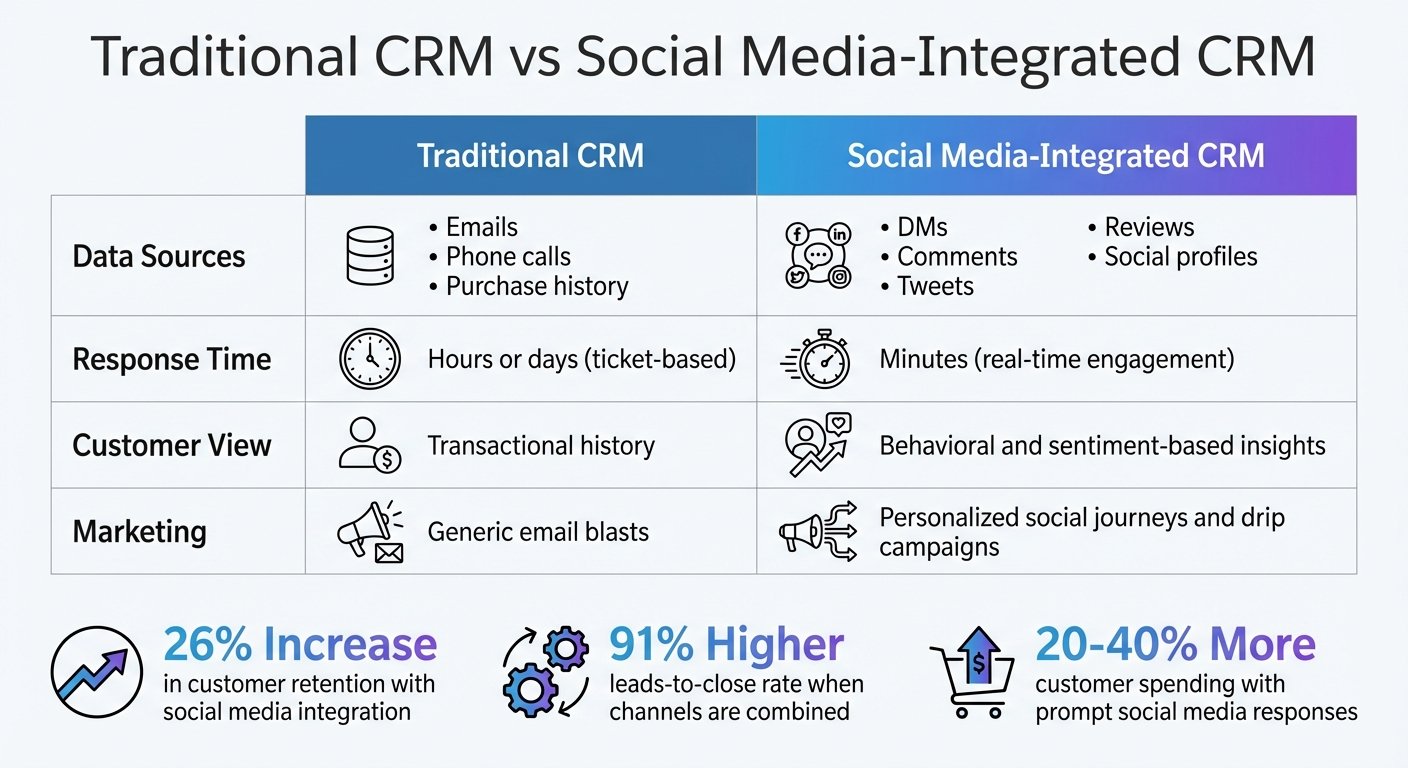
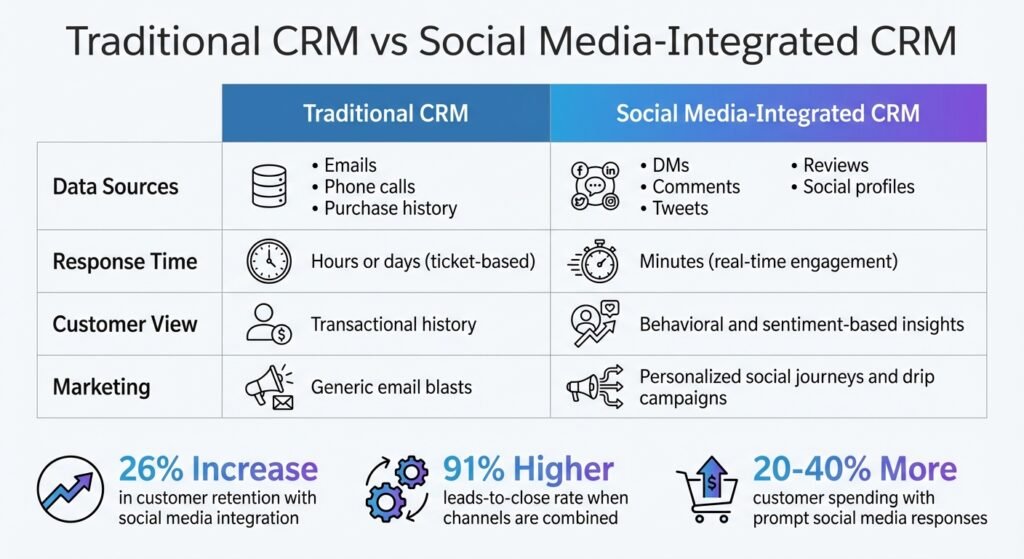
Traditional CRM vs Social Media-Integrated CRM Comparison
The honest case for social CRM is operational, not statistical. You get fewer repeated questions, faster first responses, and one place to look. Here is how the two compare:
| Feature | Traditional CRM | Social Media-Integrated CRM |
|---|---|---|
| Data Sources | Emails, phone calls, purchase history | DMs, comments, posts, reviews, social profiles |
| Response Time | Hours or days (ticket-based) | Minutes (real-time engagement) |
| Customer View | Transactional history | Behavioural and sentiment signals |
| Marketing | Generic email blasts | Segmented campaigns triggered by social activity |
The row that matters is response time. Everything else is a nice-to-have that most teams never use.
Building Customer Loyalty Through Personalization
Vendor case studies in this area are worth reading with the source in view. The agency Tandem Theory reports that Walmart saw a 20% boost in sales linked to AI-driven personalised recommendations, and that Michael Kors, using an AI chatbot integrated with its CRM across WhatsApp, email and social media, cut response times by 83%, reached a 95% customer satisfaction rate and lifted conversions by 20%. Those are the agency’s numbers about enterprise deployments, not independently audited results, and neither company is running your budget.
“Personalization is no longer a nice-to-have; it’s an expectation for consumers. Brands must deliver tailored experiences at every touchpoint to stay competitive.” – Austin Wright, Head of Strategy & Analytics, Tandem Theory
Several consumer-survey percentages that used to sit in this section – about how many people unfollow brands that ignore comments, and about the global value of personalization – had no traceable source. They are gone. The point survives without them: people notice when you ignore them in public.
Improving Efficiency with Automation
Automation handles lead capture, ticket creation and follow-ups across platforms, which removes manual data entry. We have dropped the specific percentage reductions that used to appear here because we could not source them, and because the honest answer is that it depends entirely on how much of your current volume is routine.
Measure it directly: count how many social interactions in a month are a first-line question you already have a canned answer for. That fraction is your automation ceiling. It is usually lower than vendors suggest and higher than support managers expect.
Steps to Implement Social Media Integration in CRMs
Integrating social media into your CRM involves selecting the right CRM and training your team to use it.
Selecting a CRM with Social Media Features
CRMs vary a lot in social capability. Social listening tracks brand mentions across platforms and helps you monitor sentiment and spot trends before they become tickets.
A strong CRM should offer unified customer profiles that combine social data with email and purchase history. Real-time engagement tools matter more: being able to reply from inside the CRM, without switching to four native apps, is the feature that actually changes agent behaviour.
Automation and AI features can save time. Look for automated lead capture from social mentions, AI-driven chatbots for instant responses, and social-triggered campaigns. Analytics dashboards are useful for tracking engagement and conversion, but check that they report on the channels you actually use before paying for the tier that includes them.
On integration method:
- Native integrations: built into the CRM, quickest to set up, but limited to the platforms the vendor supports.
- Third-party connectors: tools like Zapier can bridge gaps for less common platforms, at the cost of another subscription and another thing to break.
- API-based integrations: for larger organisations with unusual workflows or legacy systems. Budget developer time, not just licence cost.
Setting Up Integration and Training Teams
Data mapping comes first: align fields between the social platforms and the CRM so handles, activity and lead information sync into the right places. Authorise access over encrypted connections and check your obligations under GDPR and CCPA before you start ingesting public posts into a customer database.
Start with one or two channels and test properly before expanding. Set up lead scoring rules so the queue is ordered by something other than arrival time.
Training matters more than configuration. Introduce channels gradually. Teach agents that social replies are public and permanent.
“You must train agents to keep in mind that they should never write anything that could damage the brand if it went viral and beyond a single interaction.” – Alex Bullen, Chief Product Officer, Playvox, quoted in CRM Buyer
Equip the team to read sentiment and prioritise the interactions that matter to retention. Automation can handle routine questions; complex or angry ones need a person. Social users expect replies outside business hours, so set explicit availability guidelines rather than leaving agents to guess.
Review performance monthly against response time and resolution rate. A brand voice guide keeps replies consistent when several people are answering from the same account.
Conclusion
Customer retention depends on meeting customers where they already are, and a large share of them are on social platforms. Bringing posts, DMs and comments into the same record as email and purchase history is a sound operational move: it removes repetition, shortens first response, and gives agents context they otherwise lack.
What it is not is a guaranteed percentage. This article previously carried a string of retention and conversion figures that we could not trace to any study, and they have been removed rather than softened. The claims we could verify are narrower: 72% of people who complain on Twitter expect an answer within an hour and nearly 40% never get one, and socially engaged customers spend 20% to 40% more than other customers, which is a correlation rather than a promise.
If your support volume on social is small and your team already answers within the hour, you probably do not need this integration yet. If customers routinely have to repeat themselves when they switch channels, you do.
FAQs
How can integrating social media with a CRM help improve customer retention?
It puts every interaction in one place, so agents can see what a customer has already said before replying. That means faster responses and fewer repeated questions, which is where most of the retention benefit comes from. Social signals can also flag dissatisfaction earlier than a support ticket would.
Be wary of anyone quoting a specific retention uplift. The size of the benefit depends on how much of your customer contact currently happens on social and how badly siloed you are today.
What are the benefits of using CRMs with social media integration?
Data from Facebook, Instagram, LinkedIn and X sits alongside traditional CRM records, which gives a fuller picture of customer interactions and lets you answer faster and with context.
The secondary benefit is analytical: you can see what customers actually complain about in public, which is often different from what they put in a support ticket. That is useful input for product and marketing, and it is free.
How can businesses effectively integrate social media with their CRM systems?
Start with the objective. Faster response times, better lead data and higher retention need different configurations, and trying to do all three at once usually means doing none of them well. Then pick a CRM that supports the platforms you actually use, and check it can sync profile information, engagement history and message threads.
After integration, set up social listening for mentions, comments and hashtags, and route them to the right team. Train people on the new workflow, set explicit response-time expectations, and monitor sentiment, response rate and conversion.
Review the integration regularly for data accuracy and compliance. Use segmentation to build campaigns off social behaviour rather than sending the same message to everyone. BizBot maintains a directory of business tools if you want to compare CRM options against the platforms you use.
More on this topic
Browse all 20 articles on CRM & Sales, or jump straight to our buying guide: Best CRM Software for Small Businesses.