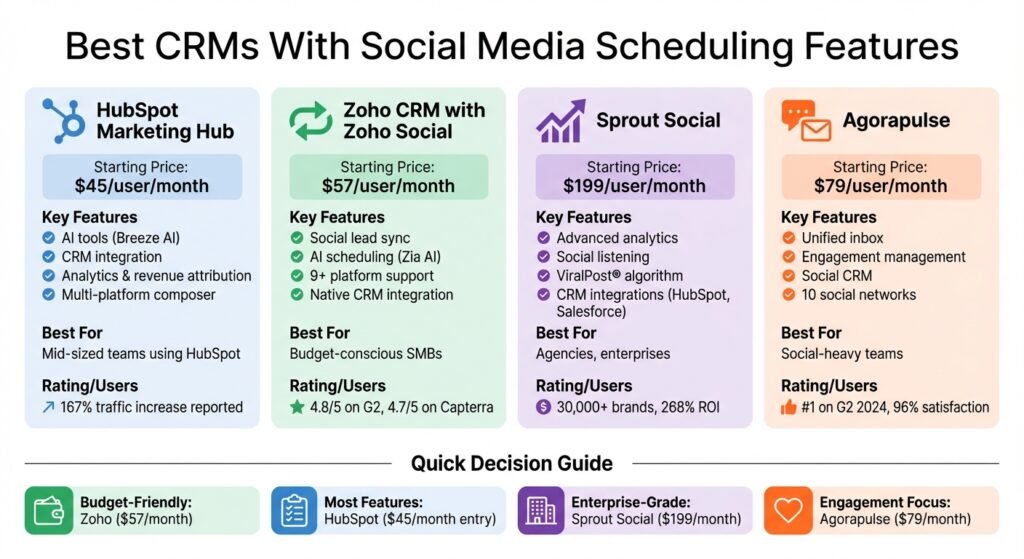
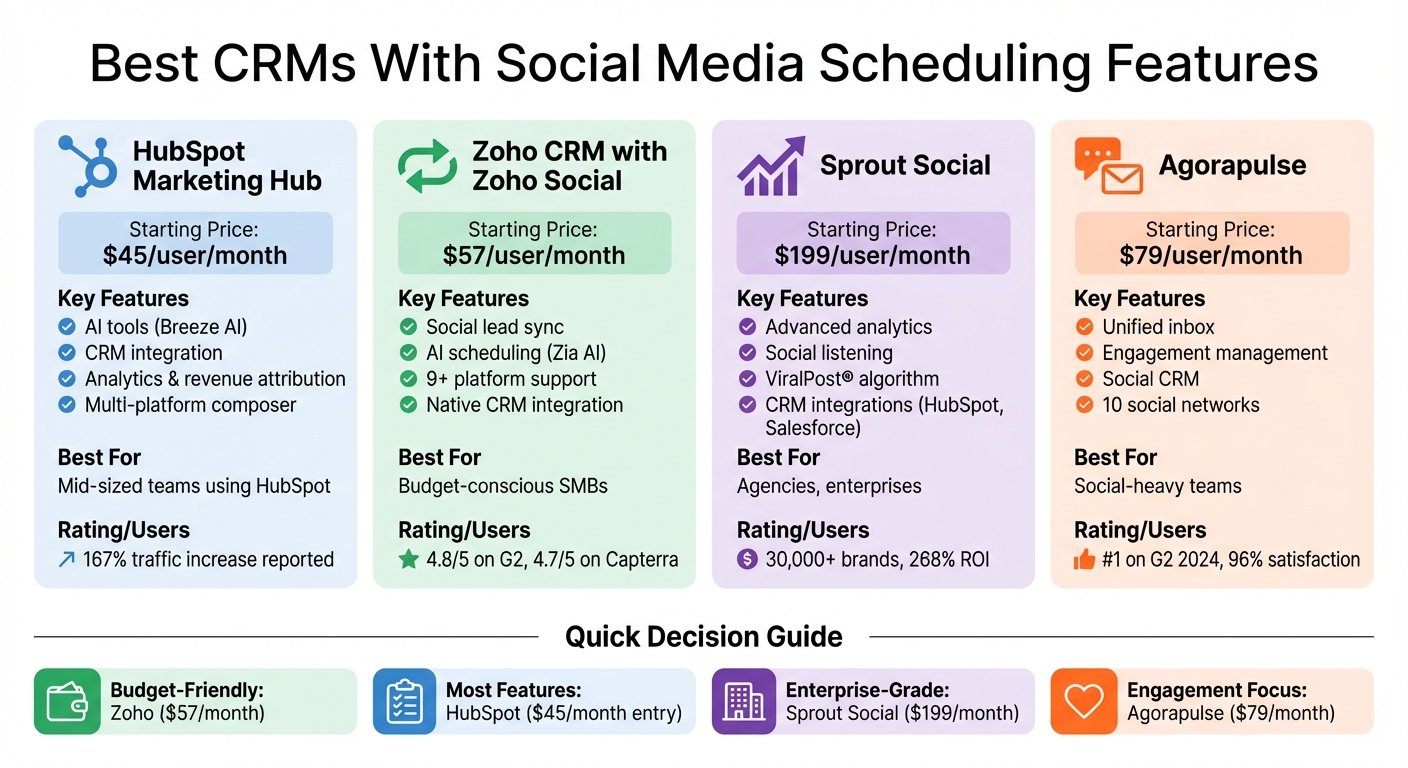
CRMs with built-in social media scheduling combine customer management and content planning in one platform. This integration helps businesses save time, track customer interactions, and improve engagement by linking social activity to CRM data through an integrated business information system. Here’s a quick overview of the top options:
- HubSpot Marketing Hub: Offers an all-in-one dashboard for scheduling posts and managing CRM data. Includes AI tools for captions and analytics but lacks native social listening. There is a free tier for up to two users; Starter is $7 per seat per month billed annually, and full social management sits on Professional at $800 a month.
- Zoho CRM with Zoho Social: Integrates social leads directly into the CRM and includes AI tools for scheduling. Zoho does not publish rates for Zoho Social’s paid tiers, and we could not source the combined price; there is a free Zoho Social plan for one brand. Steeper learning curve.
- Sprout Social: Known for advanced analytics and social listening tools. Ideal for larger teams. Essentials is $79 per seat per month billed annually; Standard, the tier most people mean, is $199.
- Agorapulse: Focuses on engagement with a unified inbox and CRM integration via third-party tools. Standard is $79 per user per month billed annually, or $99 billed monthly. There is a 30-day trial but no free plan.
Quick Comparison
Every figure below comes from the vendor’s own pricing page and was checked in August 2026. Watch the unit: HubSpot prices its two upper tiers per account rather than per seat, and the per-seat number people quote for it is actually the cost of an extra seat on Professional. Confirm before budgeting.
| Platform | Starting Price | Key Features | Best For |
|---|---|---|---|
| HubSpot Marketing Hub | Free for 2 users; Starter $7/seat/month billed annually ($20 monthly); Professional $800/month for 3 seats | AI tools, CRM integration, analytics | Mid-sized teams using HubSpot |
| Zoho CRM with Zoho Social | Free Zoho Social plan for 1 brand. Paid rates not published | Social lead sync, AI scheduling | Budget-conscious SMBs |
| Sprout Social | Essentials $79/seat/month billed annually; Standard $199 | Advanced analytics, social listening | Agencies, enterprises |
| Agorapulse | Standard $79/user/month billed annually, $99 monthly | Unified inbox, engagement management | Social-heavy teams |
Each platform suits different needs based on budget, team size, and social media goals. Choose one that aligns with your business priorities.
CRM Social Media Scheduling Platforms Comparison: Features and Pricing
Best SMM Tool for Small Business – Zoho Social Main Features
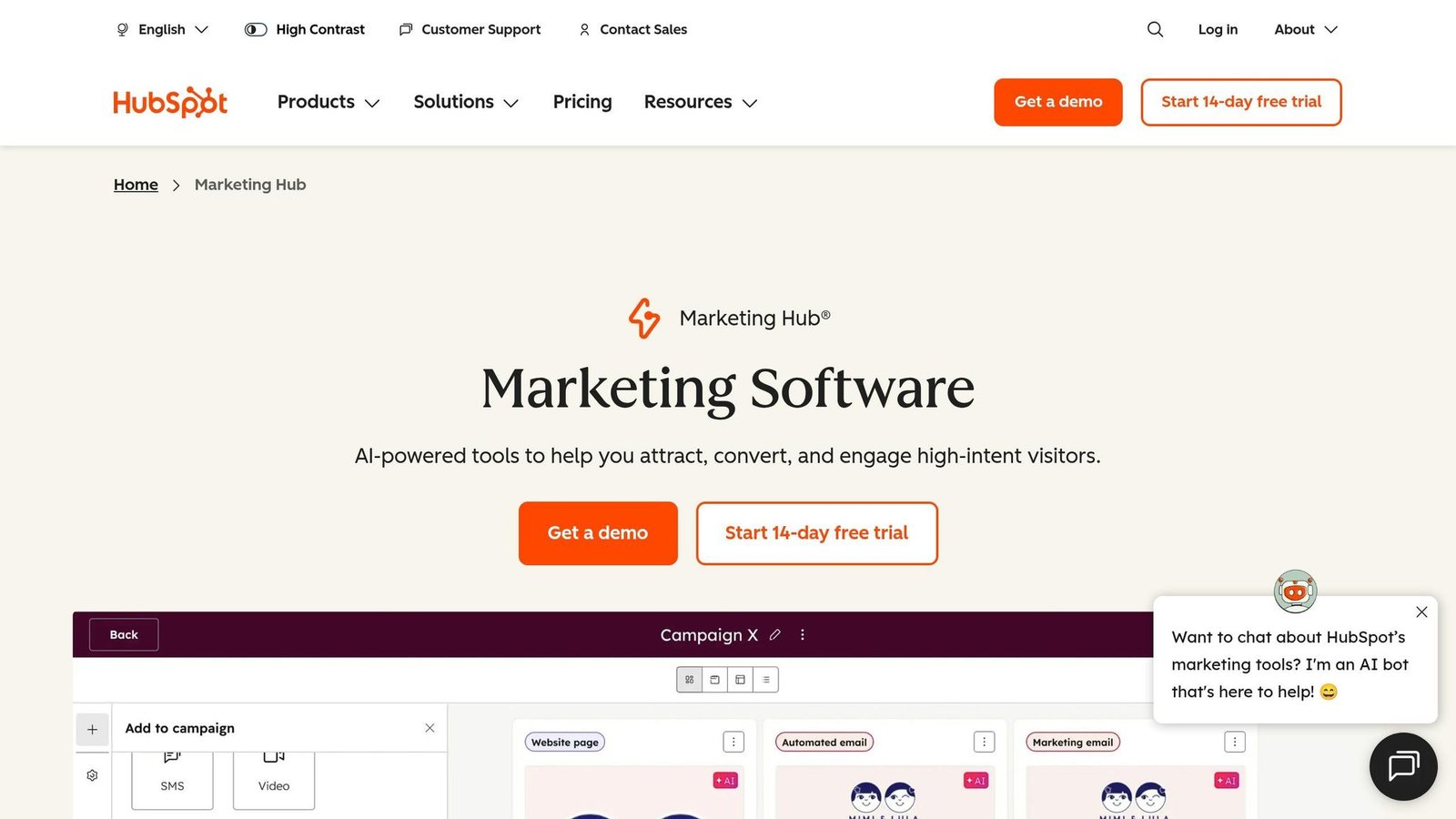
HubSpot Marketing Hub combines robust social media scheduling with integrated CRM tools, supporting platforms like Facebook, Instagram, LinkedIn, X, and YouTube – all from a single dashboard. This seamless combination of scheduling and CRM data helps businesses improve customer engagement and streamline their marketing efforts.
Social Media Scheduling Features
The multi-platform composer lets you create and post content across all connected platforms in one go. With bulk scheduling, you can upload weeks or even months of content at once, while the drag-and-drop visual social calendar makes it easy to identify content gaps and rearrange posts as needed. Breeze AI enhances your workflow by generating captions, suggesting hashtags, and recommending the best times to post. You can also tailor posts for specific platforms – like Instagram Reels, LinkedIn polls, or Facebook Stories – and even schedule first comments or replies directly within the composer.
CRM Integration
Every social interaction updates the related CRM contact profile, giving you a full picture of the customer journey. With closed-loop reporting, you can see exactly how social interactions lead to sales by connecting engagement data to leads and revenue. The platform also automates workflows triggered by social activity, such as adding contacts to nurture lists or sending follow-up emails when someone interacts with your posts. A unified inbox further simplifies communication by consolidating all messages and mentions from different platforms into one place.
Analytics and Reporting
HubSpot tracks key metrics like engagement, reach, and follower growth. Its revenue attribution feature links social campaigns to actual conversions, helping you identify which posts drive results. CRM-linked metrics, such as website sessions from social traffic and new leads generated, provide deeper insights. You can filter analytics by account, date range, or campaign, and even compare performance across different periods. However, it’s worth noting that post-specific data, like impressions and reactions, is only available for 30 days after publication, and LinkedIn data is removed after one year due to platform policies.
Pricing
HubSpot has a Free plan at $0 a month for up to two users. Starter is $7 per seat per month billed annually, or $20 billed monthly. For full social media management, Professional is $800 a month on an annual commitment, or $890 billed monthly, and includes three core seats; extra seats start at $45 a month, which is where the “$45 per user” figure quoted elsewhere actually comes from. Enterprise starts at $3,600 a month with five core seats, extra seats from $75. Budget for onboarding as well: HubSpot charges a one-off $3,000 for Professional onboarding and $7,000 for Enterprise. Checked August 2026; confirm before budgeting.
The customer-result percentages this article used to carry here had no source attached and have been removed.
Next, we’ll look at how Zoho CRM with Zoho Social expands on these integrated features.
2. Zoho CRM with Zoho Social
Zoho Social offers a streamlined way to manage social media and CRM needs as part of your business administration essentials in one place. It supports posting to over nine major platforms, including Facebook, Instagram, X (Twitter), LinkedIn, TikTok, YouTube, Pinterest, Threads, and Bluesky.
Social Media Scheduling Features
The platform’s visual publishing calendar is a standout feature, using a drag-and-drop interface for easy rescheduling. You can also filter posts by team member for better collaboration. Its SmartQ Predictions use AI to determine the best times to post. For those managing a high volume of content, the bulk scheduler simplifies the process by uploading up to 350 posts at once via CSV or XLSX files.
Zoho Social’s Zia AI Assistant adds another layer of convenience, generating post ideas, captions, and hashtags on demand. This conversational approach offers a more intuitive alternative to tools like HubSpot’s Breeze AI. The “Repeat Post” feature allows users to recycle top-performing posts weekly or monthly, ensuring consistent engagement. Plus, the zShare browser extension lets you curate and schedule content directly from the web without needing to access the main dashboard. All these features are designed to simplify scheduling while integrating with Zoho’s CRM tools.
CRM Integration
Zoho Social’s CRM integration ensures social interactions seamlessly translate into CRM leads or contacts. Sales teams can access a prospect’s complete social media conversation history within their CRM records, making it easier to personalize interactions.
Shannon Johnson, Founder of The Sustainable Collective.co, remarked, “It is much easier to interact with leads and potential customers right from the dashboard and refer them over to the CRM program”.
The platform also provides revenue attribution, helping users identify which social channels and posts are driving the most sales. Real-time notifications alert CRM users when prospects engage on social media, enabling timely follow-ups. However, to access these CRM features, users need at least the Professional plan; the Standard plan focuses on basic scheduling. Zoho does not display the price of either on its pricing page. With real-time updates and analytics, Zoho Social bridges the gap between social media engagement and actionable CRM data.
Analytics and Reporting
Zoho Social’s analytics track key metrics like follower demographics, content preferences, and audience sentiment. Customizable reports provide visual insights, helping users refine their strategies. Platform-specific data includes CTA clicks and keyword searches for YouTube, as well as pin-level performance for Pinterest.
Rory Hinton, Marketing Manager at Black Ox, noted, “Being able to quickly gather, at a glance, all of the analytics that we need and compare them to previous months and what our competitors are doing really helps us develop our social offering”.
The platform integrates with Zoho Analytics for advanced insights, using the Zia assistant to deliver AI-augmented business intelligence. A listening dashboard further enhances its capabilities by tracking brand mentions, reviews, and keywords in real time across multiple platforms. While users appreciate features like SmartQ and CRM integration, some feel the standalone analytics lack depth compared to specialized tools.
Pricing
Zoho publishes the plan structure but not the prices. Its pricing page shows a free plan for one brand and six channels, then Standard, Professional, Premium, Agency and Agency Plus, each on a monthly or yearly term, with yearly advertised as 33 per cent cheaper. The monthly figures this article used to list could not be sourced from Zoho, so they have been removed; what remains is the channel count and the feature split, which is what actually decides the tier. Checked August 2026.
| Plan | Price | Channels | Key Features |
|---|---|---|---|
| Free | $0 | 6, one brand | Basic publishing |
| Standard | Not published | 12, one brand | Multi-channel publishing, visual calendar |
| Professional | Not published | 12, one brand | CRM integration, bulk scheduling, post insights |
| Premium | Not published | 14, one brand, 3 team members | SmartQ, unified inbox, custom reports |
| Agency | Not published | 10 brands, 5 team members | White-label reports, client portals |
| Agency Plus | Not published | 20 brands, 5 team members | As Agency, at double the brand count |
Users frequently highlight its CRM integration and its price as the main advantages. The review scores this article used to quote were not linked to the ratings themselves, so they have been removed; check G2 and Capterra directly.
Next, we’ll explore how Sprout Social combines social scheduling with customer relationship management tools.
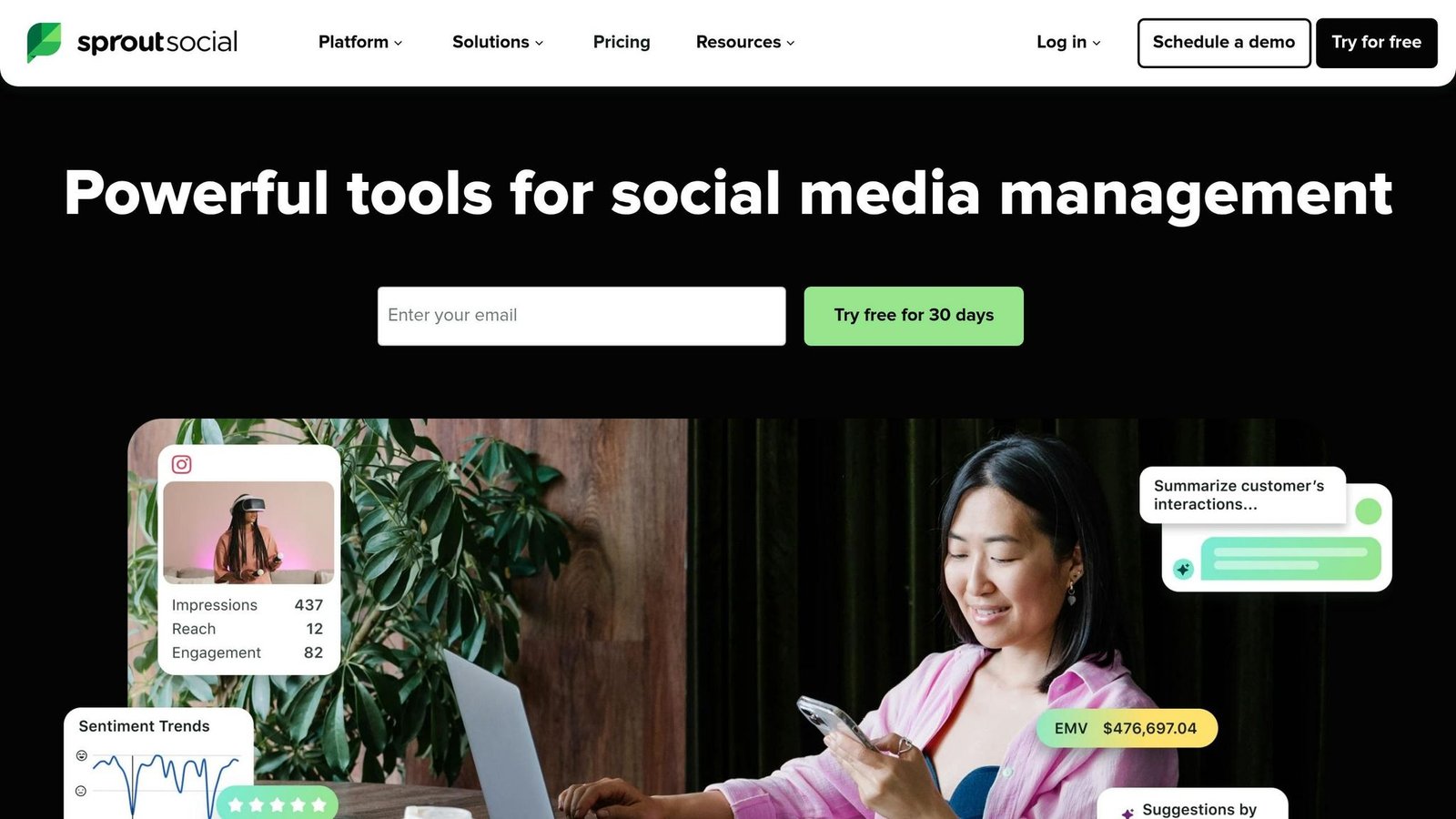
Sprout Social’s entry tier is Essentials at $79 per seat per month billed annually, or $99 monthly. Standard, which is the tier most comparisons mean when they say Sprout starts at $199, is $199 per seat per month. The customer and message-volume counts this article used to carry had no source and have been removed. Checked August 2026.
Social Media Scheduling Features
Sprout Social’s collaborative content calendar simplifies managing posts across platforms like X, Facebook, Instagram, LinkedIn, Pinterest, YouTube, and Google Business Profile. Its standout feature, the ViralPost® algorithm, analyzes 16 weeks of data to determine the best posting times.
“I live and die by that calendar. I can see what everyone is doing and make sure all our departments are working together to publish relevant content.”
– Layne Pfliiger, Social Media Manager, University of North Dakota
The platform also supports bulk scheduling via CSV uploads, allowing up to 350 messages at once. Its Asset Library stores pre-approved brand content for quick access, while multi-level approvals ensure brand consistency. As Melissa Fasano, Director of Audience Engagement, noted, “I would say being able to approve posts was a big part of why we chose Sprout at the time. A lot of Sprout’s competitors did not have that capability”.
Additional tools include an Instagram Grid Planner with drag-and-drop functionality and AI-driven caption suggestions, speeding up the content creation process. These features integrate seamlessly with Sprout Social’s CRM tools, creating a unified workflow.
CRM Integration
Sprout Social’s CRM capabilities shine with bidirectional integration into platforms like HubSpot, Zendesk, and Salesforce Service Cloud. This allows teams to manage support cases directly from social messages, keeping track of full conversation histories. Sales and support teams can also create Salesforce Leads, Cases, and Contacts without leaving Sprout’s dashboard.
“When I started, agents would beg not to have to manage social customer care tickets. Now, agents proactively ask to work on social tickets because the process is much more efficient.”
– Sara Smith, Manager of Consumer Services, ScottsMiracle-Gro
By syncing social interactions with customer records, Sprout Social supports a streamlined and connected Social CRM approach.
Analytics and Reporting
Sprout Social’s integrations deliver detailed performance metrics to help businesses improve engagement and conversions. The platform tracks key metrics like reach, impressions, clicks, and engagement. Higher-tier plans include advanced tools like competitive benchmarking and sentiment analysis. For example:
- Professional Plan: Adds competitive benchmarking for platforms like Facebook, X, and Instagram.
- Advanced Plan: Offers sentiment analysis and automated CSAT/NPS surveys.
With Google Analytics integration, users can link social traffic to website conversions, while Tag Reporting identifies high-performing campaigns.
Mastering its features can take a few weeks, and many users appreciate its data visualisation. We removed the return-on-investment figure this article attributed to a Forrester study, and the review scores, because neither was linked to a source. A vendor-commissioned ROI study is marketing until you can read the methodology.
Pricing
| Plan | Price | Social Profiles | Key Features |
|---|---|---|---|
| Essentials | $79/seat/month billed annually, $99 monthly | Not stated | Simplified publishing workflow |
| Standard | $199/seat/month, billed annually | 5 | Social inbox, publishing, basic reporting |
| Professional | $299/seat/month, billed annually | Unlimited | Competitive reports, optimal send times, bulk scheduling |
| Advanced | $399/seat/month, billed annually | Unlimited | Sentiment analysis, chatbots, message spike alerts, asset library |
| Enterprise | Custom | Custom | Tailored features, dedicated support |
All plans come with a 30-day free trial – no credit card required. While the per-seat pricing can add up for larger teams, the platform’s extensive features make it a worthwhile choice for businesses managing complex social strategies.
Next, we’ll explore how Agorapulse blends social media management with CRM tools.
4. Agorapulse
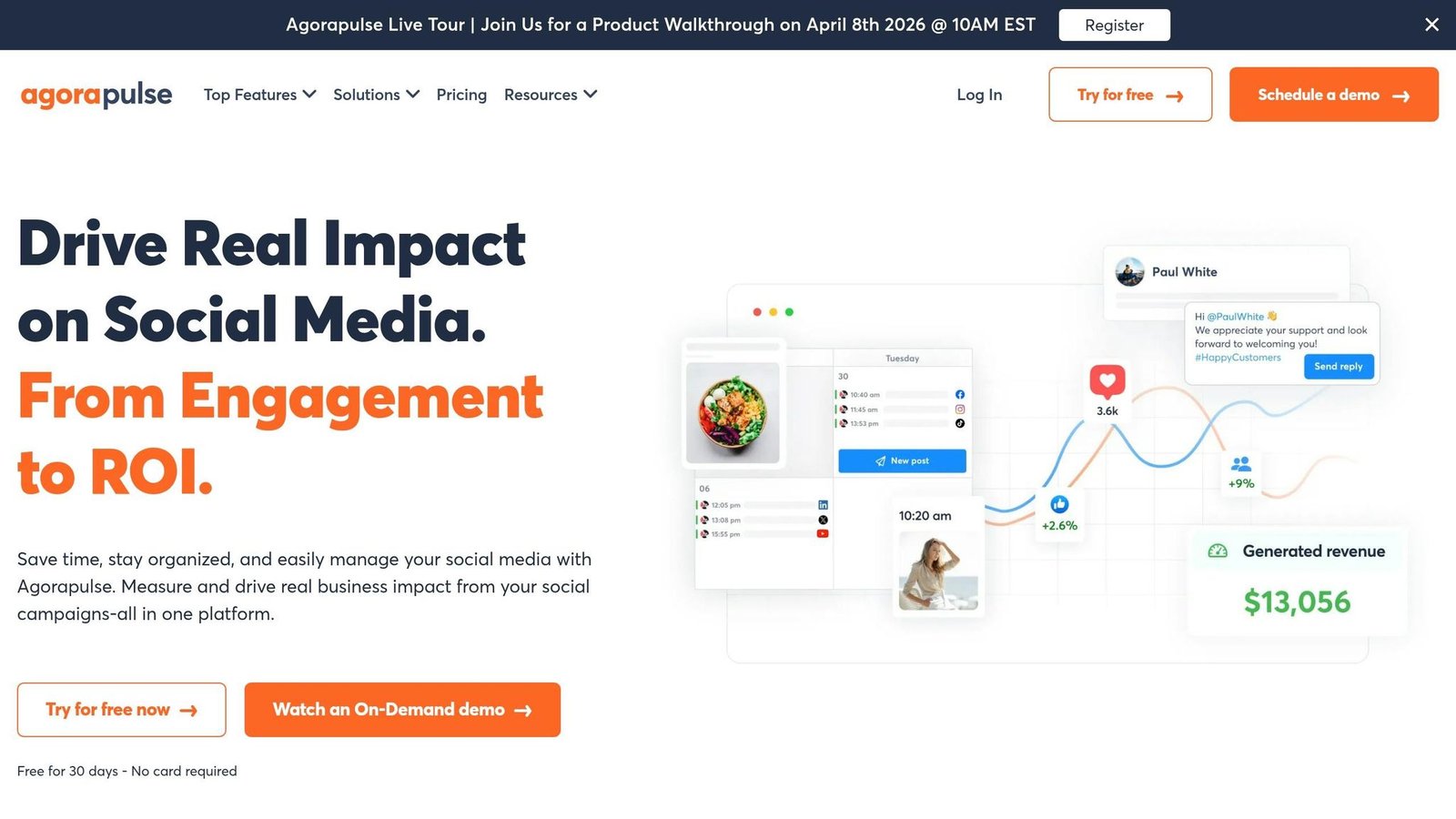
Agorapulse Standard is $79 per user per month billed annually, or $99 billed monthly, supporting up to 10 social profiles across networks including Facebook, Instagram, TikTok, X, LinkedIn, YouTube, Pinterest, Threads, Bluesky, Reddit, and Google Business Profile. The customer count and the G2 ranking this article used to claim had no source attached and have been removed. Checked August 2026.
Social Media Scheduling Features
Agorapulse offers a unified content calendar that brings all your scheduled, published, and pending posts into one easy-to-navigate dashboard. Teams can filter by content type or assigned user and even bulk schedule up to 200 posts at once using a CSV upload. The platform also features automated posting through content queues, ensuring posts go live at optimal times.
Its AI Writing Assistant helps craft and refine captions, while the Asset Library integrates seamlessly with Canva, allowing users to design graphics directly within the platform. Shared Calendars enable teams to assign posts to specific members or clients for approval, ensuring a smooth and consistent workflow.
“Overall, the brand’s social media is more consistent, our content creation systems are more concise and we work more efficiently.”
– Hannah Mullin, Petland
Additional tools include Instagram product tagging, a grid preview, first-comment scheduling, and support for Instagram Reels, Stories, and Carousels. Higher-tier plans also let users store up to 24 months of historical post and inbox data.
These scheduling capabilities offer a strong foundation for integrating CRM tools.
CRM Integration
Agorapulse comes with a built-in social CRM that automatically tracks conversation history with followers. Users can add private notes and labels (like “Influencer” or “Ambassador”) to highlight key contacts. On the Custom plan, integrations with HubSpot and Salesforce allow managers to view contact details directly within the Social Inbox and even create new leads without leaving the platform. For CRMs without native integration, Agorapulse works with Zapier to connect with tools like Pipedrive or Microsoft Dynamics.
This CRM integration ties every social interaction to a customer profile, which is the point of buying it. The time and cost savings percentages this article used to quote had no source and have been removed.
Analytics and Reporting
Agorapulse integrates with Google Analytics to measure conversions, leads, and sales generated by social media posts through its Social Media ROI Dashboard. The platform tracks both global and post-specific metrics, such as reach, impressions, clicks, and engagement rates. Its Power Reports feature allows users to customize date ranges and metrics to identify top-performing platforms. Competitor benchmarking helps businesses track audience growth and engagement trends.
Reports can be automatically scheduled and exported in PDF, CSV, or PowerPoint formats, making it easy to share insights with stakeholders.
Pricing
| Plan | Price (Annual) | Social Profiles | Key Features |
|---|---|---|---|
| Standard | $79/user/month | 10 | Unlimited scheduling, basic reporting, social CRM |
| Professional | $119/user/month | 10 | Instagram product tagging, team performance reports |
| Advanced | $149/user/month | 10 | Content library, bulk actions, ROI analysis |
| Custom | Tailored | Unlimited | HubSpot/Salesforce integration, priority support |
Two corrections to what this article used to say here. Agorapulse does not have a free plan; it offers a 30-day trial with no card required. And we could not source the $10 per extra social profile charge, so it has been removed. Annual billing saves up to 20 per cent against monthly. The satisfaction rate, support response time and review score have also been removed as unsourced. Checked August 2026.
The next section will dive into the pros and cons of these CRM platforms.
Pros and Cons
Here’s a breakdown of each platform’s strengths and limitations, focusing on how well they combine social media scheduling with CRM capabilities.
HubSpot Marketing Hub provides a streamlined customer timeline, integrating social interactions with email and sales data. This makes it a great fit for teams already using HubSpot’s ecosystem, as it merges customer data with social media management effortlessly. However, it doesn’t offer native social listening and often requires third-party tools for advanced social inbox features. Additionally, searching through large datasets can slow down the system.
Zoho CRM with Zoho Social is the cheap option in this group, though Zoho does not publish the rate for the bundle or for Zoho Social’s paid tiers, so we cannot give a figure. Its native integration allows social leads from platforms like Facebook and Instagram to sync directly into the CRM, improving lead conversions and shortening sales cycles. On the downside, its interface has a steep learning curve, and the social inbox uses a “stream view” instead of a unified message flow.
Sprout Social shines with its top-tier social listening tools and enterprise-grade analytics. Features like the Smart Inbox and sentiment analysis make it a strong choice for agencies and mid-market teams. It connects seamlessly with major CRMs like Salesforce and HubSpot, but its pricing, $199 to $399 per seat per month for Standard through Advanced, can be prohibitive; the cheaper Essentials tier at $79 drops the listening and analytics that are the reason to buy it. Reviewers often note that it is overly complex for smaller operations.
Agorapulse emphasizes engagement management, offering a unified inbox for handling ad comments across platforms like Facebook, Instagram, and TikTok. It is well regarded for its community management tools and competitor benchmarking. However, it lacks a robust native CRM, relying on third-party integrations for CRM workflows. Its $79 per user per month cost, on annual billing, escalates quickly for larger teams.
| Platform | Key Advantage | Main Limitation | Best For | Starting Price |
|---|---|---|---|---|
| HubSpot Marketing Hub | Unified customer timeline with attribution models | No native social listening; requires third-party tools | Mid-market teams using HubSpot CRM | Free for 2 users; Professional $800/month for 3 seats |
| Zoho CRM with Zoho Social | True native integration; exceptional value | Steeper learning curve; no unified inbox | Budget-conscious SMBs | Not published |
| Sprout Social | Advanced analytics and social listening | Expensive; often overkill for small teams | Agencies and data-driven enterprises | $199/seat/month (Standard, annual); Essentials $79 |
| Agorapulse | Unified inbox with ad comment management | Limited native CRM; per-user pricing adds up | Social-heavy teams prioritizing engagement | $79/user/month (annual), $99 monthly |
These comparisons provide a clear framework to help businesses choose the right CRM based on their social media management needs and budget.
Conclusion
Choosing a CRM with built-in social media scheduling hinges on factors like your business size, budget, and social media goals. For small businesses and startups, focusing on affordability and simplicity is key. Zoho CRM paired with Zoho Social is worth pricing up for its native integration, though you will have to ask Zoho for the figure. Similarly, HubSpot Marketing Hub provides a robust free tier, making it a great choice for testing workflows like social lead capture before committing to a paid plan.
Mid-sized teams already using a CRM ecosystem might find value in tools like HubSpot Service Hub or Zoho CRM with Zoho Social. These platforms offer unified customer timelines that directly link social interactions to revenue, helping teams connect the dots between engagement and business outcomes.
For larger enterprises, priorities shift toward managing high volumes across multiple social channels. Sprout Social stands out with its advanced analytics and social listening capabilities. However, its pricing, $199 to $399 per seat each month across Standard, Professional and Advanced, calls for a careful evaluation of return.
Before making a final decision, confirm the platform aligns with your business’s operational needs. Make sure it supports the social networks you rely on most, whether that’s Instagram DMs, TikTok comments, or WhatsApp. Since API updates can disrupt functionality, always request a live demo to check real-time syncing and verify API rate limits for high-volume use. The gain is in turning social interactions into workflows rather than just connections; how many hours that saves depends entirely on how much of your current social handling is manual, so measure it before and after rather than trusting a figure from an article.
Start small by using free tiers or trials to experiment with lead capture and routing features. As you grow, set clear engagement rules – like flagging pricing inquiries separately from casual likes – to keep your CRM organized and efficient.
The market-size forecast this article used to close on had no source attached and has been removed. The useful point stands without it: the platforms worth paying for are the ones that connect social activity to something you can measure in the CRM, not the ones that just queue posts.
FAQs
Which social networks can these CRMs schedule posts for?
Many CRMs come equipped with tools to schedule posts across major social media platforms like Facebook, Instagram, Twitter (X), LinkedIn, WhatsApp, and TikTok. By integrating these scheduling features directly into the platform, they simplify social media management, saving time and reducing the need for separate tools.
Can social comments and DMs automatically create or update CRM contacts?
Yes, plenty of CRMs with social media integration can automatically turn social comments and direct messages into new or updated contact records. This functionality helps you engage with your audience in real-time while keeping contact profiles updated with details from their interactions.
How can I track revenue from social posts inside a CRM?
You can monitor revenue generated from social media posts within a CRM by tagging inbound links with campaign IDs. This approach makes it possible to measure attribution, tying social media interactions directly to sales. By doing so, you can clearly see how social engagements contribute to revenue. These insights are invaluable for assessing the performance of your social campaigns and refining your strategies moving forward.
More on this topic
Browse all 20 articles on CRM & Sales, or jump straight to our buying guide: Best CRM Software for Small Businesses.