Connecting social media to your CRM puts conversations that happen in public into the same record as the ones that happen in your inbox. By linking platforms such as Instagram, LinkedIn, Facebook and X (formerly Twitter) to your CRM, comments, messages and mentions land in one system rather than in whoever happens to run that account.
What you get:
- Fuller customer profiles, combining transactional history with social interactions.
- Better segmentation for targeted campaigns, based on observed behaviour rather than form fields.
- Faster service, because support sees the whole history in one place.
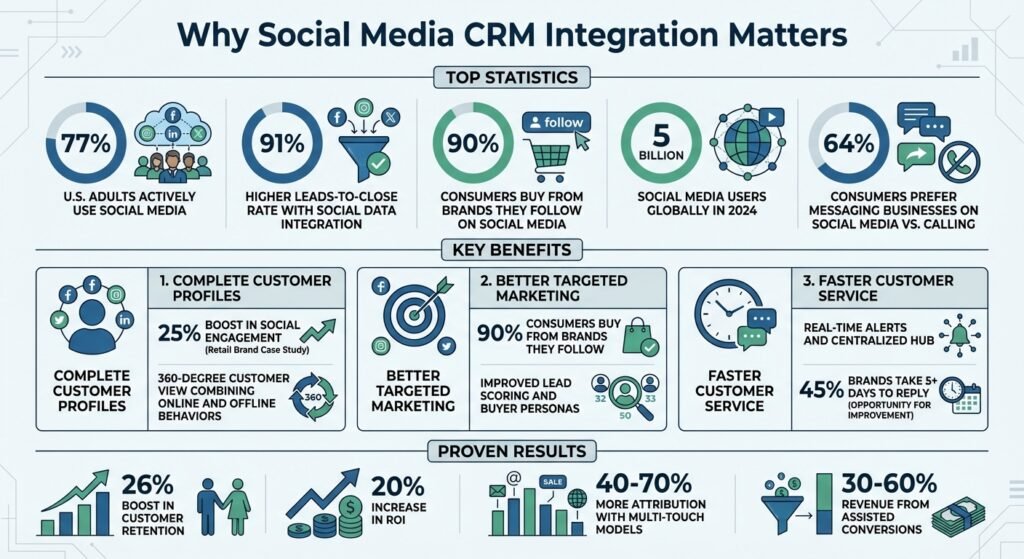
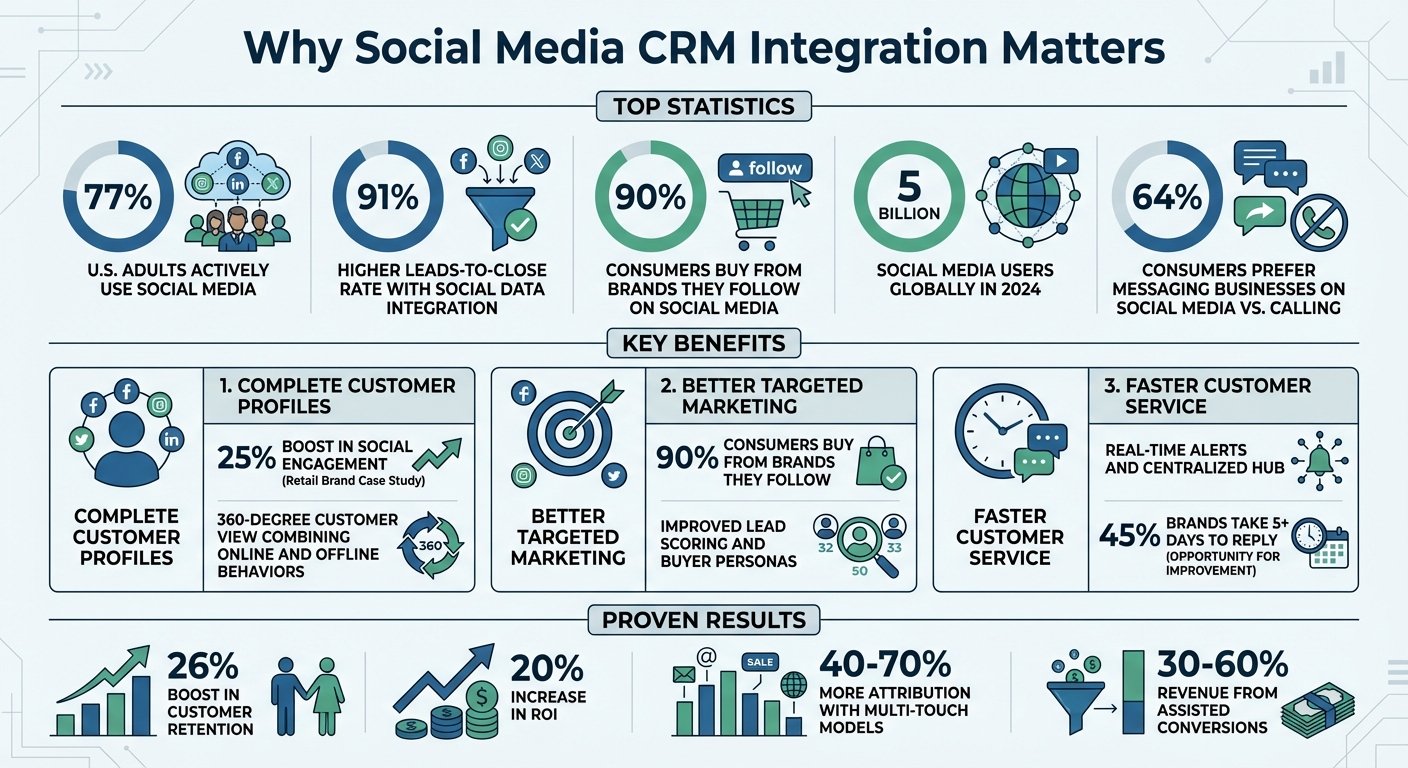
A note on statistics. An earlier version of this article carried around a dozen percentage claims — leads-to-close uplifts, retention improvements, attribution ranges, response-time comparisons — and a case study about an unnamed “global retail brand”. None linked to a source and none could be traced to one, so all have been removed rather than restated. Where a figure below appears, it comes from a named source that is linked. Product names and platform features were checked in August 2026.
For scale, here is a figure that is sourceable. Pew Research Center’s social media fact sheet, from a survey run between February and June 2025, reports US adult usage as: YouTube 84%, Facebook 71%, Instagram 50%, TikTok 37%, WhatsApp 32%, Reddit 26%, Snapchat 25% and X 21%. Those numbers are worth reading before you decide which platform to integrate first — the gap between Facebook and X in particular is larger than most social strategies assume.
Main Benefits of Connecting Social Media to Your CRM
Complete Customer Profiles
Traditional CRM records what a customer bought. Social integration adds what they said, asked and complained about in public. Combining the two gives a fuller picture: preferences, motivations, and the tone of the relationship.
It also surfaces information that forms do not collect — job changes, professional affiliations, which of your customers other people listen to.
Two cautions worth stating plainly. Social profile data is self-reported and often stale, so treat it as signal rather than fact. And matching a social handle to a CRM contact is error-prone; a wrong match pollutes the record in ways that are hard to unpick later.
Better Targeted Marketing Campaigns
Behavioural data improves segmentation because it reflects what people did rather than what they ticked. It also feeds lead scoring, ranking prospects by engagement.
Knowing which platform produces your best leads — LinkedIn for professional services, Instagram for visual products — tells you where the budget should go. Measure that from your own data rather than from published averages, which will not match your business.
Faster Customer Service Response
One queue for comments, mentions and direct messages means agents see the customer’s history without asking them to repeat it. Alerts on negative mentions catch problems while they are still small, and sentiment analysis can flag recurring issues.
The practical benefit is less about speed than about not losing things. Social messages sent to an account nobody owns are the most common way a complaint escalates in public.
How to Set Up Social Media Integration in Your CRM
Choose Compatible CRM and Social Platforms
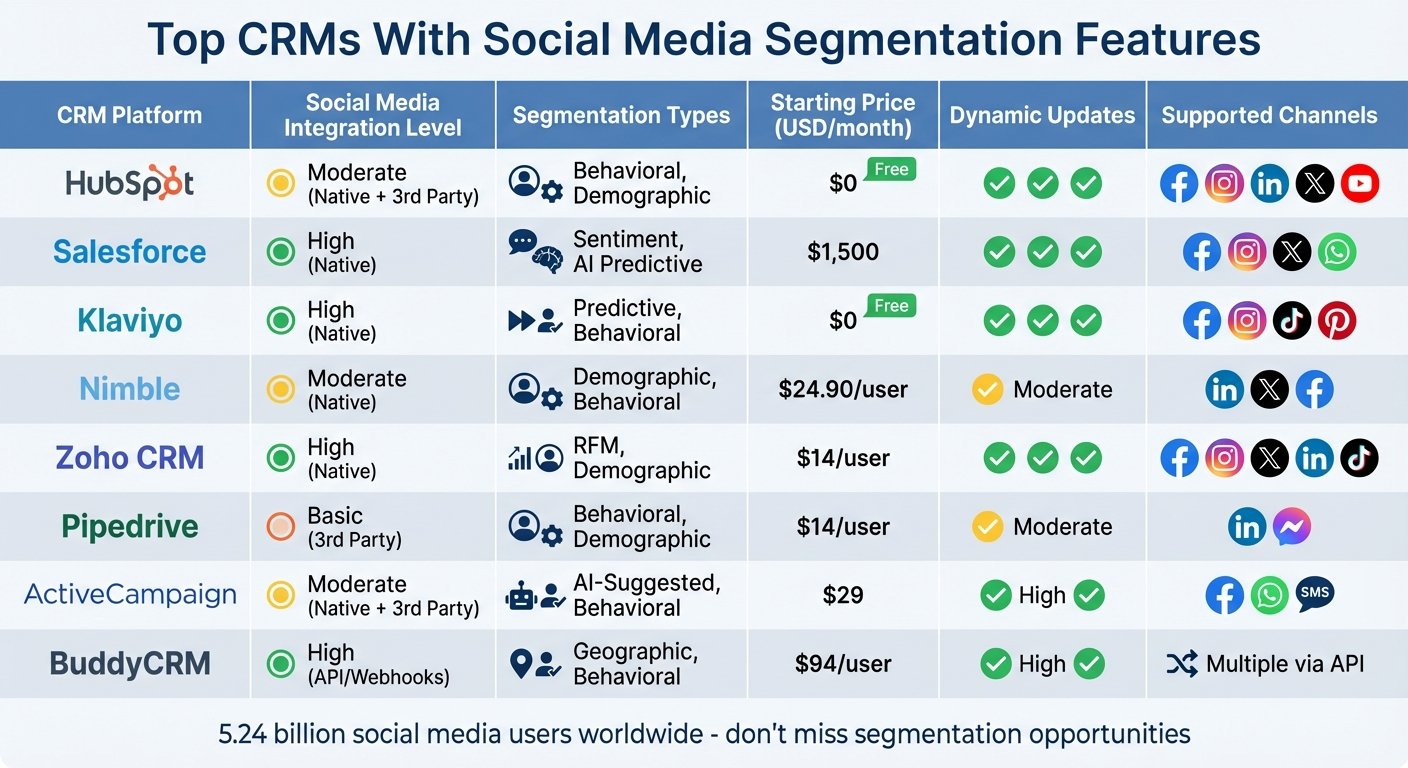
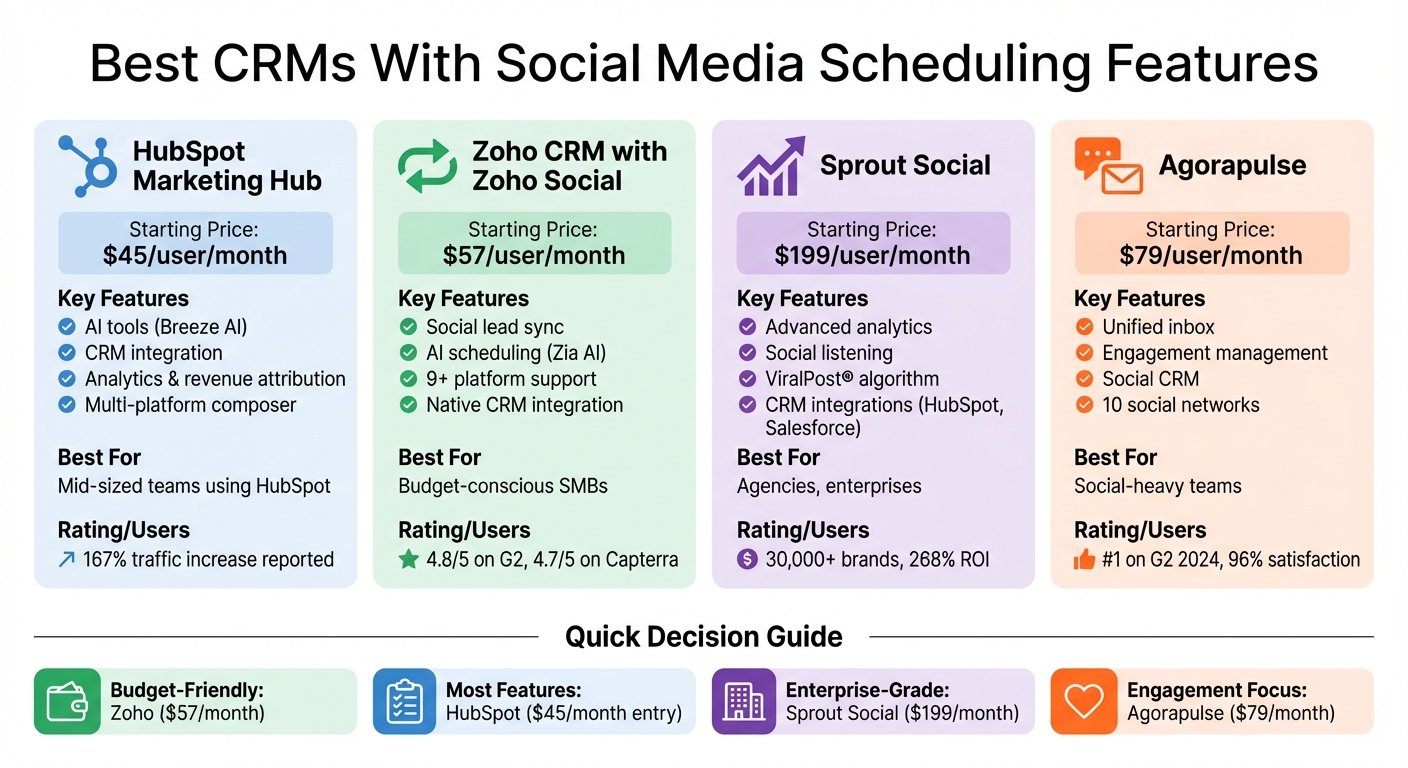
Check your CRM supports the platforms your customers actually use. HubSpot offers native integrations with Facebook, Instagram, LinkedIn and X, including lead ad syncing and post scheduling.
Correction on Salesforce. An earlier version of this article recommended Salesforce Social Studio for listening, engagement and publishing, and linked to its product page. Social Studio has been retired. Salesforce announced its end of life and it is no longer sold or supported, so the recommendation and the link have been removed. Salesforce customers who need social listening now use third-party tools alongside Marketing Cloud rather than a Salesforce-native module. Check Salesforce’s current documentation for what is supported today before planning around any social feature in that stack.
Where a platform has no direct CRM integration, middleware such as Zapier can bridge it — with the usual trade-off that a connector-based sync is more fragile than a native one and fails quietly.
Match the integration to the business. B2B companies usually want LinkedIn first. High-volume consumer support operations often get more from messaging integrations such as the WhatsApp Business API. Start with one or two platforms rather than connecting everything at once; each connection is something to maintain.
Set Up Social Listening Tools
Decide what you want captured before you turn anything on. Brand mentions, product feedback, complaints and service enquiries are usually worth routing. Everything else is noise that will bury the things that matter.
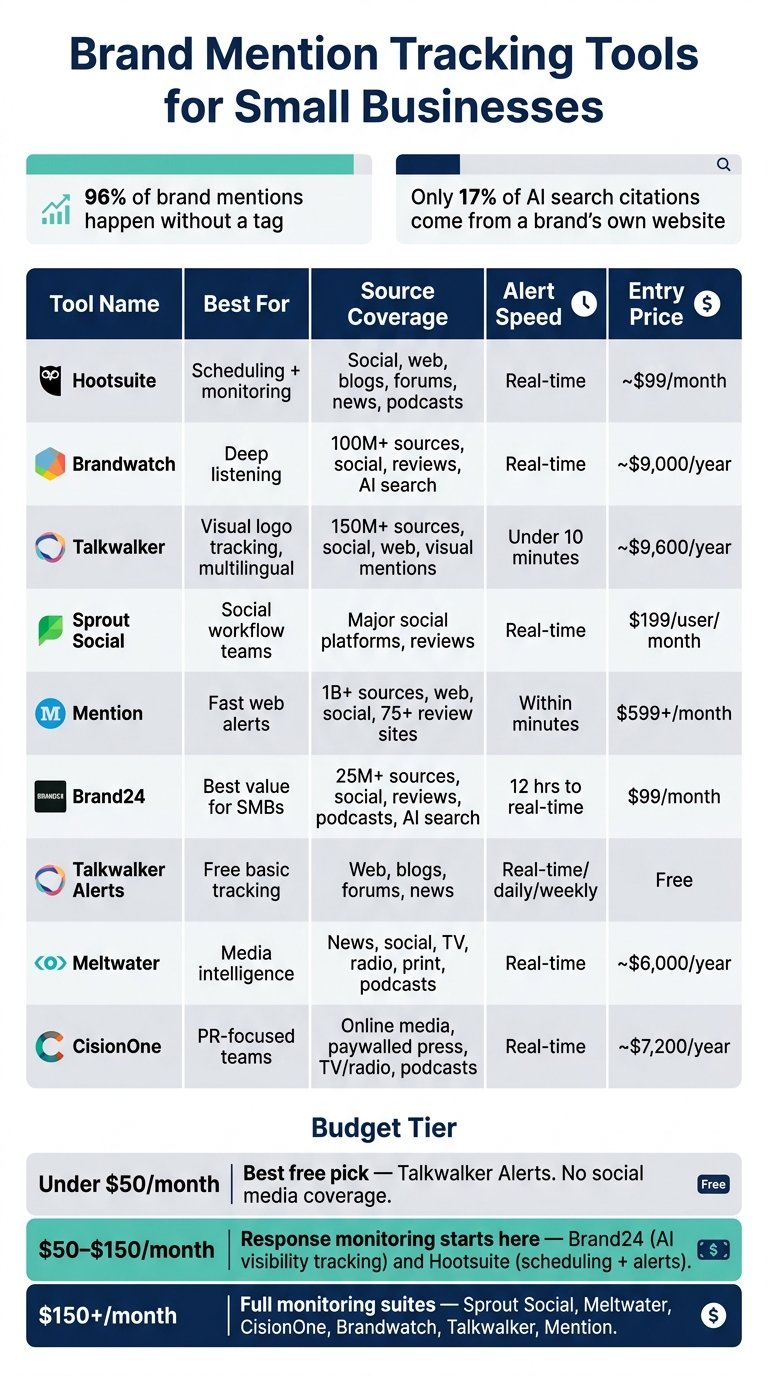
Automated workflows do the routing: a negative mention on X raises a priority ticket, a product question on Instagram notifies sales. Tools such as Hootsuite and Sprout Social integrate with major CRMs to make that work.
Set expectations on the customer side too. Auto-replies and away statuses are worth configuring, because a message left unanswered publicly costs more than a slow reply.
Review and Use Social Data
Segment contacts by platform and engagement pattern, then match content to each group. Train the team to read the data rather than just collect it — an unused dashboard is a recurring cost with no return.
Watch response time specifically. It is the metric customers actually experience, and it is the one most likely to degrade quietly when volume rises.
Tracking Results
Important Metrics to Monitor
For service: average response time and ticket resolution time for social-originated issues.
For sales: lead conversion rate, lead-to-close rate, average deal size and deal velocity for social-sourced leads.
For engagement: click-through rate to actions that appear in the CRM, rather than follower counts.
For value: retention over six to twelve months for customers acquired through social, compared against other channels.
Calculating ROI Using CRM Reports
Use: (Revenue from social − Total social cost) ÷ Total social cost × 100.
Count all the costs — ad spend, staff time, agency fees, content production, software subscriptions and training. Social ROI calculations that omit labour are the most common way this figure gets overstated.
UTM tracking synced into the CRM links touchpoints to closed deals. Look beyond last-click attribution and count assisted conversions, where social contributed but was not the final click. An earlier version of this article gave specific percentage ranges for how much attribution this recovers; those figures had no source and have been removed. Run the comparison on your own data — a cohort analysis of customers closed in a period, checking how many had any social touchpoint, gives you your own number rather than someone else’s.
“You don’t know what your ROI is until you’ve laid out the goals you are tracking towards.”
— Eileen Kwok, Social & Influencer Marketing Strategist at Hootsuite, quoted in Hootsuite’s guide to social media ROI. Two other quotations in the earlier version of this article carried no attribution that could be checked and have been removed.
For B2B with long sales cycles, pipeline influence and deal velocity tell you more than conversion rate, because the close may be quarters away from the social interaction. Calculate customer acquisition cost by channel so social can be compared against paid search and email on the same basis.
Conclusion
Connecting social media to your CRM gives you the part of the customer relationship that happens in public, in the same place as the part that happens in private. That is genuinely useful for segmentation, for service, and for knowing who your advocates are.
It is not free. Every connection needs maintaining, matching social identities to CRM records introduces errors, and platform APIs change without much notice. Start with one platform, measure whether it changed anything, and expand from there.
Before you connect anything, check your obligations under the privacy law that applies to you — GDPR, CCPA or otherwise — and read the platform’s developer terms. Both constrain what you may store and what you may do with it, and both are enforced.
FAQs
What social data should I sync into my CRM first?
Start with direct interactions — messages, comments and mentions tied to an identifiable customer. That data is unambiguous and immediately useful to support. Aggregate engagement metrics are worth adding later; they rarely change what anyone does on their own.
How do I connect social activity to revenue in my CRM reports?
Tag social touchpoints with UTM parameters that your CRM records, so a social interaction appears on the contact’s timeline. Then compare closed-won deals with and without a social touchpoint over a defined period.
Expect the answer to be less clear-cut than attribution tools suggest. Social usually contributes early in the journey, which last-click reporting hides and multi-touch reporting overstates. Report both and say which you used.
How do I stay GDPR and CCPA compliant?
Collect the minimum you need, obtain clear consent where consent is the basis you rely on, and honour deletion requests across the social data too — that is the part people forget. Follow each platform’s terms of service, which often restrict storage and reuse more tightly than the law does. Document what you collect, why, and how long you keep it, and review it periodically rather than once at setup.
More on this topic
Browse all 20 articles on CRM & Sales, or jump straight to our buying guide: Best CRM Software for Small Businesses.