Disclosure: This page contains commercial links. BizBot may earn a commission from qualifying purchases. Paid placements do not buy a better ranking. Read our affiliate disclosure.
Looking to streamline your hiring process? Here’s a quick rundown of the best interview scheduling tools for 2024:
- Calendly – Free basic plan, great for small teams
- GoodTime – AI-powered, ideal for high-volume hiring
- VidCruiter – Video interview focus, custom pricing
- HireVue – AI assessments, suited for large corporations
- Paradox – AI assistant with multilingual support
- ModernLoop – Deep ATS integration
- Setmore – Budget-friendly, good for small businesses
- ClearCompany – Full talent management system
- Rooster – Excellent Workday ATS integration
- Prelude – Recruiting operations powerhouse
Quick Comparison:
| Tool | Key Feature | Best For | Starting Price |
|---|---|---|---|
| Calendly | Calendar sync | Small teams | Free |
| GoodTime | AI scheduling | Large enterprises | Quote only |
| VidCruiter | Video interviews | 100+ job openings | Custom |
| HireVue | AI assessments | Large enterprises | Quote only |
| Paradox | Multilingual AI | Global businesses | Custom |
| ModernLoop | ATS integration | Growing companies | Custom |
| Setmore | Social media integration | Small businesses | Free (4 users) |
| ClearCompany | End-to-end ATS | Mid to large companies | Custom |
| Rooster | Workday integration | Workday users | Custom |
| Prelude | Personalized communication | Complex hiring needs | Custom |
These tools can save time, improve candidate experience, and give you an edge in finding top talent. Choose based on your company size, hiring volume, and budget.
How We Picked These Tools
We didn’t just throw darts at a board to choose these interview scheduling tools. We rolled up our sleeves and got our hands dirty. Here’s the lowdown on our selection process:
Ease of Use: No one wants to wrestle with complicated software. We hunted for tools with user-friendly interfaces and simple scheduling options. Why? Because a smooth interview process can make or break a candidate’s decision.
Features That Count: We zeroed in on tools that solve real-world problems. Think automated reminders to slash no-shows and self-scheduling for candidates. These aren’t just bells and whistles – they’re time-savers for recruiters.
Plays Well with Others: The best of them integrate cleanly with your existing tech stack. Calendar sync? Check. ATS integration? You bet. Video conferencing? Absolutely. It’s all about keeping your workflow smooth and centralized.
Cost: We looked at options at every budget, from free plans to enterprise contracts. Calendly has a free tier; HireVue sells to large employers and will not quote a price without a sales call. Pricing in this article was checked in August 2026 against each vendor’s own page. Confirm current rates before you budget.
Real Talk from Real Users: We didn’t just take the marketing spiel at face value. We dug into user reviews and picked the brains of industry experts. Because nothing beats real-world experience.
AI features: Some of these tools use AI to route candidates, screen for basic qualifications and find panel slots. It is genuinely useful at volume and largely pointless if you interview a few people a month.
Candidate-Friendly: We prioritized tools that make life easier for job seekers too. After all, a clunky scheduling process can send great candidates running for the hills.
Your Brand, Your Way: We favored tools that let you add your own flair. Think custom logos and tailored email templates. It’s all about keeping your brand front and center throughout the hiring journey.
Room to Grow: As your company expands, your tools should keep pace. We looked for solutions that can handle a hiring spree without breaking a sweat.
1. Calendly
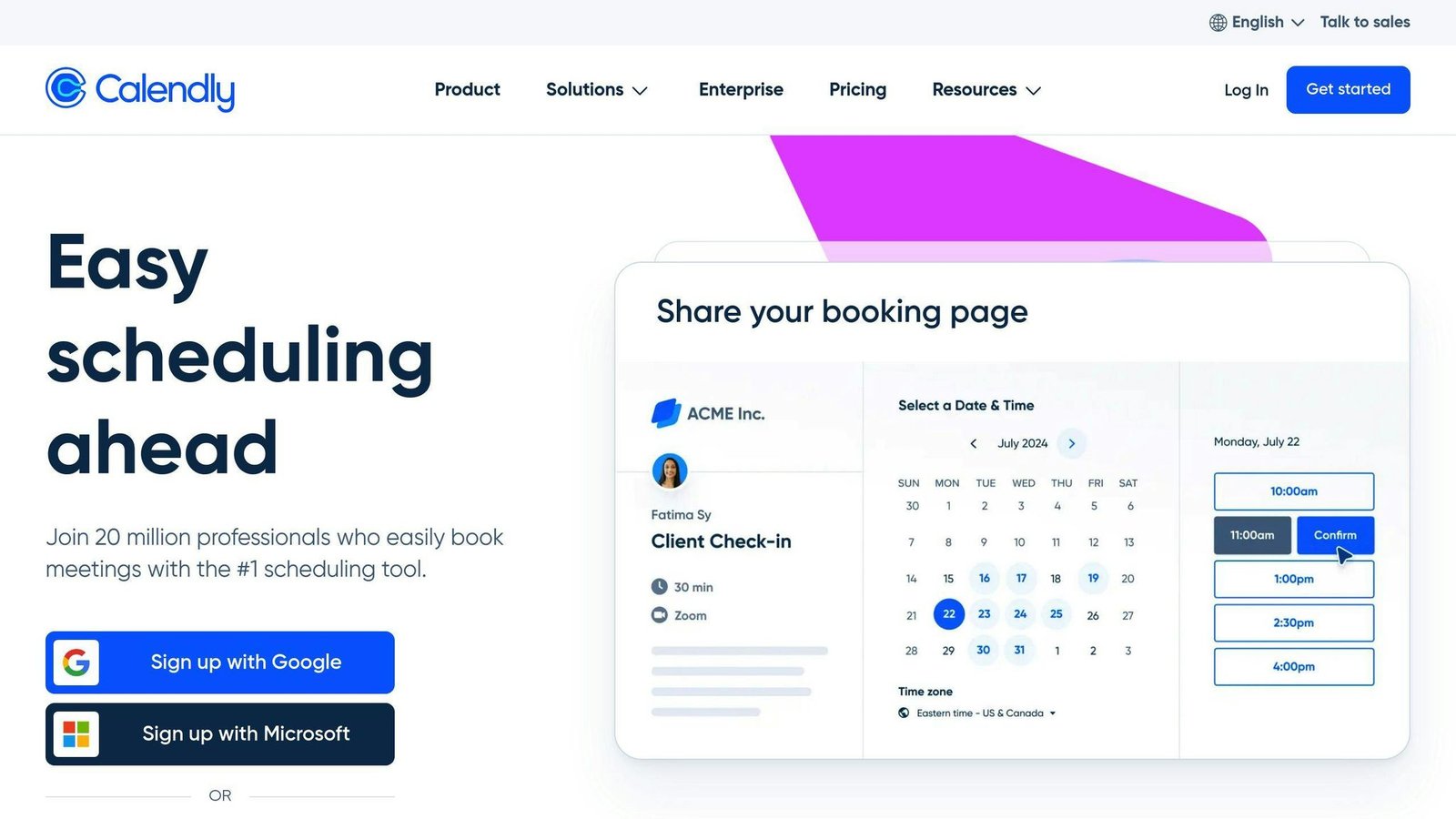
Calendly is a top-notch interview scheduling tool that’s perfect for businesses of all sizes. It’s simple yet powerful, making it a go-to choice for recruiters and hiring managers in 2024.
Here’s why Calendly is so popular:
- It automates scheduling, so no more endless email chains
- It syncs with your calendar to avoid double-bookings
- You can customize it to match your brand
- It handles group scheduling for panel interviews
- It sends reminders to cut down on no-shows
Calendly’s pricing is flexible:
| Plan | Billed monthly | Billed annually | Who It’s For |
|---|---|---|---|
| Free | $0 | $0 | Individuals, small teams |
| Standard | $10/seat/month | $8.30/seat/month | Small to mid-sized teams |
| Teams | $16/seat/month | $12.80/seat/month | Larger organizations |
| Enterprise | From $15,000/year, minimum 50 seats | Big corporations | |
Calendly charges per seat, and only the people hosting interviews need one – candidates do not. The old Essentials and Professional tiers no longer appear on the pricing page.
Recruiters will love these features:
- Smart Routing: Sends candidates to the right team member automatically
- Round Robin: Spreads interviews evenly among your team
- Integrations: Works with your ATS and video conferencing tools
To get the most out of Calendly:
- Create an email template with your Calendly link
- Use group scheduling for panel interviews
- Customize Calendly to match your brand
Calendly is easy to use but has enough depth for solo recruiters and large HR teams alike. It cuts admin work and makes booking simpler for candidates, which is why it keeps turning up on shortlists for interview scheduling software.
2. GoodTime
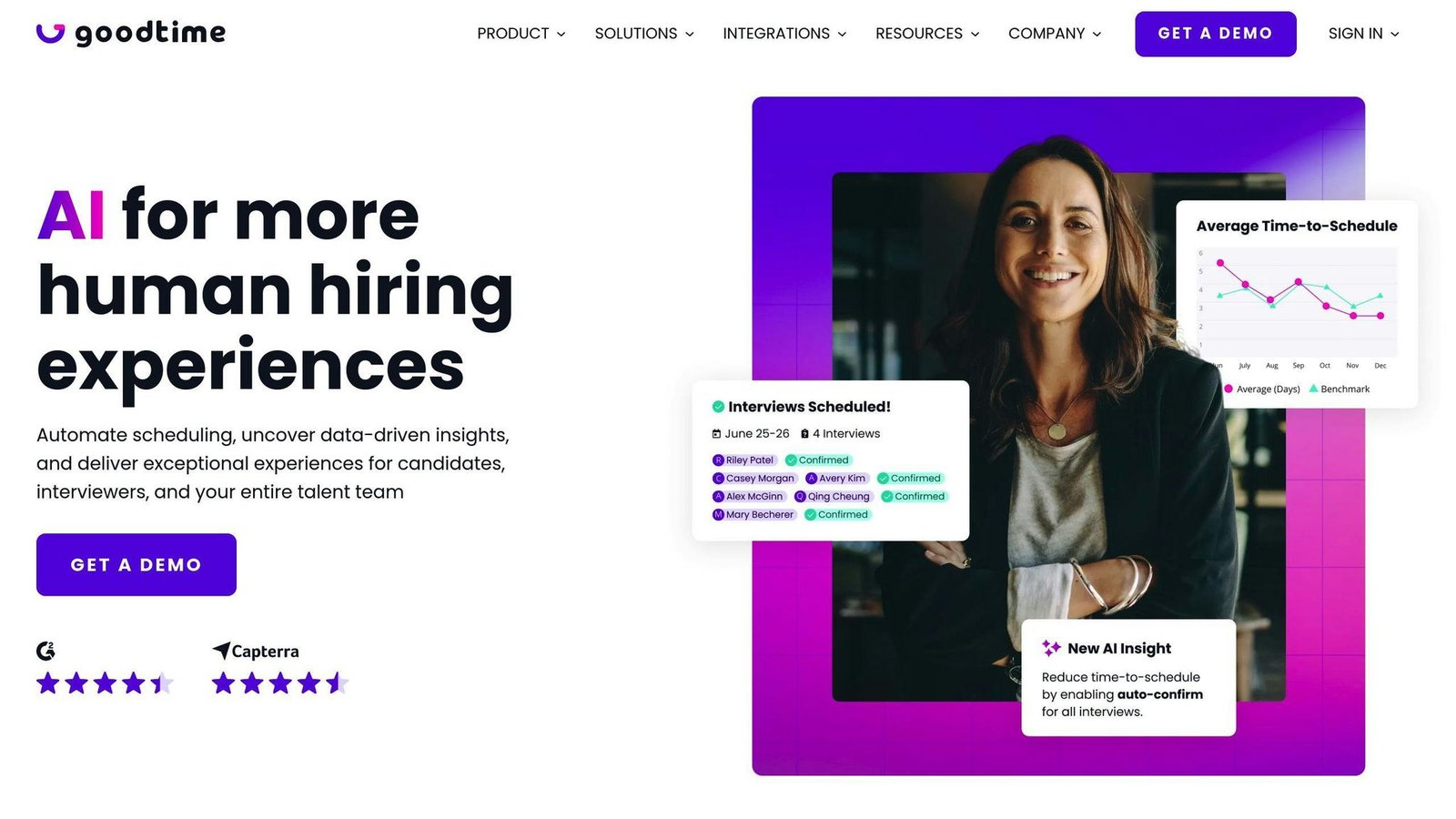
GoodTime is shaking up the recruiting world with its interview scheduling tool. It’s not just another calendar app – it’s a powerhouse designed for hiring teams.
What makes GoodTime special? Let’s break it down:
It’s a time-saver. GoodTime automates a ton of the grunt work in scheduling candidates. This means recruiters can focus on what really matters: finding the right people.
You can make it your own. Want your emails to sound like you? No problem. GoodTime lets you create custom email templates. You can also set up interview panel templates to keep things consistent.
It keeps your interviewers in check. GoodTime has a cool feature that tracks interviewer calibration. This helps make sure everyone’s on the same page when evaluating candidates.
It plays nice with others. GoodTime integrates smoothly with your applicant tracking system. That keeps the whole scheduling workflow in one place.
GoodTime is not effortless to pick up – expect a learning curve before the automation pays off. It suits bigger teams running interviews continuously more than occasional hirers.
Want to get the most out of GoodTime? Here are some tips:
- Create templates for common interview types. It’ll speed things up.
- Use those custom email templates to keep your brand voice consistent.
- Take advantage of the interviewer calibration tracking. It’ll help keep your hiring team on the same page.
GoodTime does not publish prices. Its pricing page says cost is based on the number of candidates you interview annually rather than the number of users, which is unusual here and worth knowing before you compare quotes: a small coordination team running heavy volume can cost more than a large team hiring rarely.
3. VidCruiter

VidCruiter isn’t just another scheduling tool. It’s a video interviewing powerhouse that’s changing how companies hire.
What makes VidCruiter different? Let’s break it down:
It’s flexible. You can do pre-recorded or live video interviews. This means you can screen candidates when it’s convenient or chat face-to-face when you need to.
It’s smart. VidCruiter’s scheduling syncs with Office 365, Outlook, Google, and iCloud calendars. No more endless emails or phone tag.
It’s yours. Customize everything from email templates to interview panels. You can even create branded scheduling pages.
The figures VidCruiter promotes are its own, not independent results. Its site claims structured interviewing raises the predictive validity of hires by up to 65% (citing research in Personnel Psychology, a claim about the method rather than the product), that pre-recorded interviews cut time-to-hire by up to 75%, and that first-round screening time can drop by up to 75%. Treat all three as marketing ceilings. An earlier version of this article reported a “75% reduction in hiring costs” – the vendor does not make that claim, and it has been removed.
Want to get the most out of VidCruiter? Try these:
- Use automated reference checks to save time
- Test skills with built-in assessment tools
- Share interviews with managers using collaborative hiring features
VidCruiter does not list prices. Every plan is quoted, so budget for a sales process and ask what is modular: video interviewing, scheduling, reference checking and assessments are separate capabilities and are unlikely to all sit in the base quote.
4. HireVue
HireVue isn’t just another interview scheduling tool. It’s an AI-powered platform that’s changing how companies hire. Let’s look at what makes HireVue different.
HireVue’s video interviewing is a big deal. You can do live or on-demand video interviews, which is great for high-volume hiring. But that’s just the start.
The real kicker? HireVue’s AI assessments. These aren’t your typical personality tests. They use smart algorithms to evaluate candidates based on job-specific criteria. This helps cut down on bias and find top talent faster.
The structured interview approach is the real differentiator: job-specific question sets scored against the same criteria for every candidate, which is also what makes the process easier to defend if a hiring decision is challenged.
HireVue sells two packages, Essential and Premium, and publishes no price for either. An earlier version of this article quoted a $35,000 starting figure and a 2,500-employee minimum; neither is on the vendor’s site, so both have been removed. Assume an enterprise contract and a sales call.
HireVue plays well with others, too. It integrates with most Applicant Tracking Systems (ATS), making life easier for recruiters. Less time switching between systems means more time focusing on candidates.
And here’s something candidates love: self-scheduling. Job seekers can pick interview times that work for them, which means fewer no-shows and happier applicants.
Want to get the most out of HireVue? Try these tips:
- Use the structured interview guides to keep your hiring team on the same page.
- Use AI assessments to support, not replace, human judgment.
- Check out the platform’s analytics to keep improving your hiring process.
HireVue is not a sensible buy for a small team – the product and the contract are both built for large-scale recruiting. If you hire in the dozens rather than the thousands, look elsewhere on this list.
5. Paradox
Paradox is changing the interview scheduling game with Olivia, its AI-powered assistant. This isn’t your run-of-the-mill scheduling tool – it’s a smart, chatty AI that’s flipping the script on recruitment.
What makes Paradox different? Let’s dive in:
Olivia isn’t just a scheduler. This AI whiz screens candidates, answers questions 24/7, and even helps with onboarding. And here’s the kicker – it does all this in over 100 languages. Talk about breaking down walls!
Paradox is aimed squarely at high-volume, hourly hiring. The customers it names on its own site include Chipotle, General Motors, Nestlé and Tractor Supply – businesses hiring at scale across many locations, which is where a conversational assistant earns its keep.
Here’s a snapshot of Paradox’s magic:
| What it does | Why it matters |
|---|---|
| AI scheduling | Syncs calendars, sends reminders |
| Speaks 100+ languages | Chats with candidates worldwide |
| Handles complex interviews | Manages multi-person, multi-room setups |
| Screens candidates | Automates initial checks |
| Always on | Answers questions 24/7 |
Want to squeeze the most out of Paradox? Try these:
- Let Olivia handle your screening. Set up key questions to check candidate qualifications and skills.
- Stick Olivia on your career site. It’ll help job seekers find the right openings and answer their questions on the spot.
- Use the virtual hiring event features. Olivia can manage sign-ups, field questions, and book interviews all at once.
Paradox isn’t just about saving time – it’s about making hiring better for everyone. By automating the boring stuff, it frees up your team to focus on what counts: finding the right people for the job.
6. ModernLoop
ModernLoop is changing how companies handle interview scheduling. It’s a tool that takes care of the boring stuff, so recruiting teams can focus on finding great people.
Here’s what makes ModernLoop stand out:
It’s Super Efficient
ModernLoop’s scheduling feature is pretty cool. It works with your calendars and video calls, so you don’t have to send a bunch of emails back and forth.
ModernLoop publishes a customer quote from Instacart saying the tool let it triple interview volume without adding recruiting coordinators. That is the vendor’s own case study, not an independent measurement.
It Plays Well with Others
ModernLoop works with the tools you already use. It connects to Applicant Tracking Systems like Greenhouse, Lever, and Ashby. So you can keep using what you like, but make scheduling way easier.
It Makes Candidates Happy
In today’s job market, you need to treat candidates well. ModernLoop gets this. They have special pages for candidates with all the info they need. No more lost emails or confused job seekers.
It Has Smart Features
ModernLoop isn’t just basic scheduling. It has cool stuff for modern hiring:
- See everyone’s schedule right away
- Quickly find new times if plans change
- Make the process work for you
- Learn how to hire better with data
Pricing
ModernLoop publishes no prices and no plan names – the site routes everything to a demo request. An earlier version of this article listed Basic, Standard and Premium tiers; those are not on the vendor’s site and have been removed.
Why ModernLoop is Different
ModernLoop is built around the coordination problem specifically – matching interviewer panels, load-balancing across a team and rebooking when someone drops out – rather than around a single booking link.
To get the most out of ModernLoop, try these tips:
- Make templates for talking to candidates
- Use the calendar to see when people are free
- Look at the data to find slow spots in your hiring
Customers named on ModernLoop’s own site include Instacart, Brex, Ramp, Benchling, Descript and Tatari – mostly mid-size technology companies with steady interview volume.
7. Setmore
Setmore is changing the interview scheduling game. It’s not just another calendar app – it’s a scheduling powerhouse for small to medium-sized businesses.
Here’s why Setmore stands out:
It is cheap. The Pro plan is $5 per user per month billed annually, or $12 per user per month if you pay monthly, and the free plan covers up to four users. Note the gap between the two billing options: paying monthly costs more than twice as much per seat.
But don’t think cheap means basic. Setmore is packed with features:
- Customizable booking pages that match your brand
- Works on both phones and computers
- Over 50 integrations with other tools
Setmore is built for service-based industries like healthcare, beauty, and professional services. It even lets you add your Instagram feed to your booking page.
Here’s a quick look at Setmore’s plans:
| Feature | Free Plan | Pro Plan ($5/user/month billed annually, $12 billed monthly) |
|---|---|---|
| Users | Up to 4 | Unlimited |
| Appointments | 200 per month | Unlimited |
| SMS reminders | No | Yes |
| Recurring appointments | No | Yes |
| 2-way calendar sync | No | Yes |
There is no Team plan. An earlier version of this article listed one at $9 per user per month; it does not exist.
Want to get the most out of Setmore? Try these:
- Use service categories to organize your offerings
- Set up automated reminders to cut down on no-shows
- Make your booking page match your brand
Setmore isn’t just about saving time. It’s about making hiring better. By handling the boring stuff, it lets your team focus on finding the right people for the job.
8. ClearCompany
ClearCompany isn’t just another interview scheduling tool. It’s a full-blown talent management system that’s changing the game for HR teams.
Here’s what makes ClearCompany stand out:
- Candidates book their own interview slots
- Easy setup for virtual interviews
- Automatic reminders to prevent no-shows
Two customer results previously quoted here – a 43% time-to-hire cut at Halloran Consulting Group and a drop from 20 days to 14 at Milan Laser Hair Removal – have been removed. The case-study pages they came from now redirect to a general customer page and the figures are no longer published anywhere we can check.
ClearCompany uses AI and automation to boost HR productivity. It’s not just about speed – it’s about creating a better experience for everyone.
Want to get the most out of ClearCompany? Try these:
- Use the strategic interview guides for focused, unbiased conversations
- Take advantage of the self-service employee portal
- Dive into the analytics to keep improving your hiring process
ClearCompany quotes every deal and publishes no rates. It is a full talent management suite, so scheduling comes bundled with recruiting, onboarding and performance modules – which matters if all you actually want is a scheduler.
9. Rooster
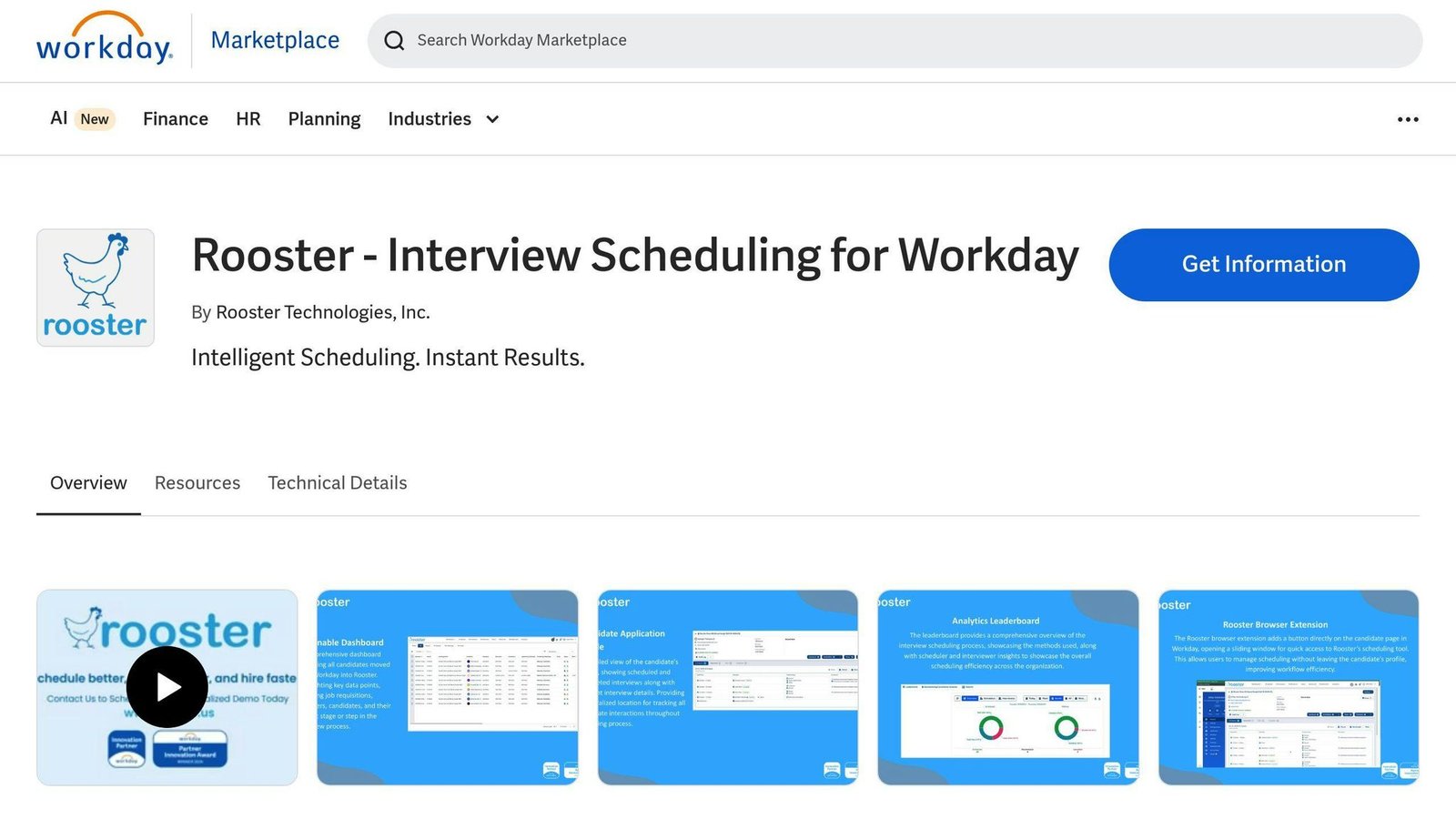
Rooster is a scheduling tool built specifically around Workday’s Applicant Tracking System. If you do not run Workday, it is not for you.
Here’s why Rooster is turning heads:
It’s BFFs with Workday
Rooster and Workday are like peanut butter and jelly. They work together so well, you’ll wonder how you ever managed without them. Real-time updates keep everyone on the same page, no more bouncing between different systems.
It Does the Heavy Lifting
Remember those never-ending email chains trying to set up interviews? Rooster kicks those to the curb. With one click, it:
- Checks available slots
- Books meeting rooms
- Sends out invites
You don’t have to lift a finger.
Candidates Love It
Rooster lets candidates pick their own interview times based on your team’s availability. It’s not just convenient – it’s a total win for candidate experience.
Video Calls? No Sweat
In our Zoom-filled world, Rooster’s got you covered. It plays nice with all the big video platforms:
- Google Meet
- Zoom
- Cisco Webex
- Microsoft Teams
No more last-minute panic to set up calls.
What it actually saves
The claim that scheduling eats about two-thirds of the hiring process was previously cited here to an unnamed survey and has been removed; we could not find the source. What Rooster removes is measurable in your own data: the number of email round-trips per interview, and the time between a candidate reaching the interview stage and a confirmed slot.
Rooster Pro Tips
Want to get the most out of Rooster? Try these:
- Customize your hiring stages to fit your process
- Use the interview scorecard for fair candidate assessments
- Dig into the analytics to keep improving
Rooster does not publish pricing. It is sold through the Workday Marketplace, so the buying process usually runs alongside your Workday relationship.
10. Prelude
Read this entry as history rather than a shortlist item. Calendly acquired Prelude in September 2022, and Prelude’s recruiting operations capability now sits inside Calendly’s enterprise offering rather than being sold as a separate product. If Prelude is on an old shortlist, talk to Calendly.
A Glassdoor result previously quoted here – scheduling time cut from four or five hours to 11.5 minutes – has been removed as unsourceable.
Prelude plays well with others. It integrates with Applicant Tracking Systems (ATS) and video platforms like Zoom and Google Meet. No more app-juggling or losing candidate info.
But Prelude isn’t just for recruiters. It’s designed to impress candidates too. The platform offers quick, personalized communication, giving job seekers a clear and smooth experience from start to finish.
Will Laufer, Prelude’s founder and CEO, said this in the acquisition announcement:
“This acquisition presents a tremendous market opportunity with the amount of interactions and experiences modern companies have with their potential hires.”
Starter, Growth and Enterprise plans were listed here previously. Prelude does not publish those tiers, and pricing now runs through Calendly, so they have been removed.
Want to get the most out of Prelude? Here are some tips:
- Use the customizable scheduling tool to cut out back-and-forth emails.
- Use the analytics features to track important metrics like time-to-hire.
- Try the interviewer training tools to build a stronger hiring team.
The practical takeaway: if you want what Prelude did, the current product to evaluate is Calendly’s enterprise recruiting scheduling, not Prelude itself.
Tool Comparison
Let’s compare the top interview scheduling tools for 2024. This breakdown will help you pick the right one for your hiring needs.
| Tool | Key Features | Best For | Starting Price |
|---|---|---|---|
| Calendly | Calendar sync, automated reminders | Small teams, freelancers | Free; paid from $8.30/seat/month billed annually |
| GoodTime | AI-powered scheduling, bulk scheduling | Large enterprises, high-volume hiring | Quote only, priced by annual candidate volume |
| VidCruiter | Video interviews, timezone automation | Companies with 100+ job openings annually | Custom pricing |
| HireVue | AI assessments, structured interviews | Large corporations | Quote only |
| Paradox | Multilingual AI assistant, 24/7 candidate support | Global businesses, international teams | Custom pricing |
| ModernLoop | Calendar integration, automated communication | Growing companies | Custom pricing |
| Setmore | Website embedding, social media integration | Small businesses | Free (up to 4 users); Pro $5/user/month billed annually |
| ClearCompany | End-to-end ATS, automated scheduling | Mid-sized to large companies | Custom pricing |
| Rooster | Workday ATS integration, video call support | Workday users | Custom pricing |
| Prelude | Personalized communication, ATS integration | Now part of Calendly; no longer sold separately | Quote only, via Calendly |
Review scores and vendor efficiency percentages that appeared here before – a 4.8 aggregate for Calendly and VidCruiter, and a claim that GoodTime automates 90% of interview management tasks – have been removed because we could not source them.
Calendly is the simplest to adopt and the only tool here with a usable free tier for interviewing. Paradox is the one to look at if your problem is volume: its assistant handles candidate questions and booking in over 100 languages, which is the capability it actually documents.
For high-volume hiring, look at HireVue and GoodTime. HireVue’s AI can handle massive recruiting efforts, while GoodTime’s bulk scheduling is perfect for complex hiring needs.
On a budget? Setmore and Calendly offer free plans to get you started. These are great for small businesses or solo recruiters who want to streamline their scheduling.
If integration is your thing, check out ModernLoop and Rooster. ModernLoop plays nice with various Applicant Tracking Systems, while Rooster is the go-to for Workday users.
When picking your tool, think about your company size, hiring volume, budget, and current tech setup. The right tool can supercharge your hiring process and give you an edge in the talent race.
Final Thoughts
Picking the right interview scheduling tool can make a big difference in your hiring process. Here’s what to keep in mind:
Think about your company’s size and how many people you’re hiring. Calendly works well for smaller teams, while HireVue is better for big companies hiring lots of people.
AI features matter most when candidate volume is high and response speed decides who you lose. If you hire a handful of people a quarter, they are not worth paying for.
Don’t forget about the candidate’s experience. Self-scheduling options, like what GoodTime offers, can make things easier for applicants.
Make sure the tool works with your other software. ModernLoop, for example, plays nice with many Applicant Tracking Systems.
Customization matters too. Look for tools that let you add your company’s branding.
The right tool does more than save time. It helps create a hiring process that shows off your company’s values and culture. Prices here were checked in August 2026 against each vendor’s own pricing page; confirm them before you budget, because most of these vendors quote rather than publish.
When you’re looking at different options, remember that the best choice depends on what you need and how much you can spend. But pick the right one, and you’ll turn your hiring process into a real advantage in finding great talent.
More on this topic
Browse all 52 articles on HR & People Ops.