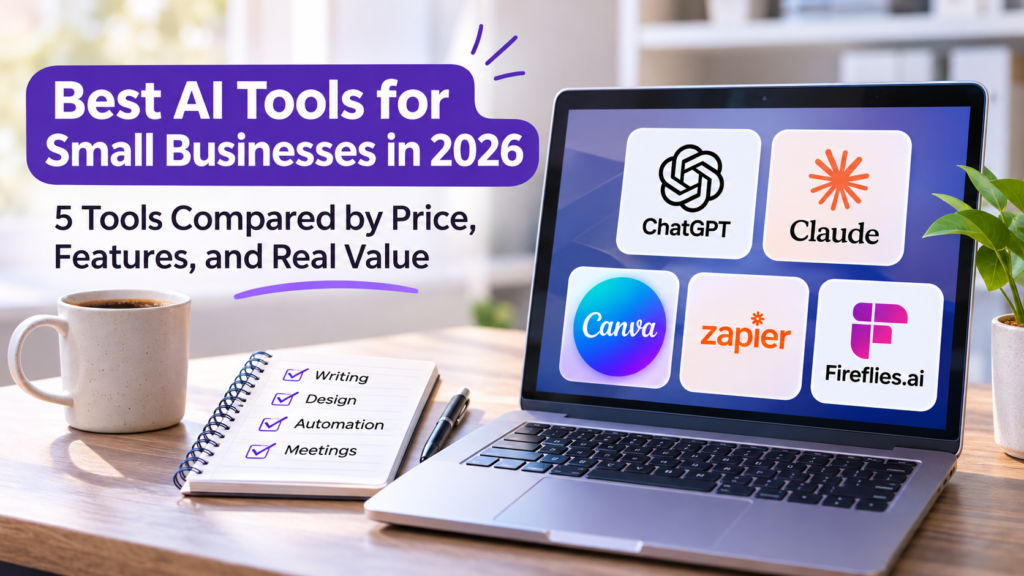
The best AI tools for small businesses aren’t necessarily the most advanced or expensive platforms. They’re the ones that help business owners and employees complete everyday work more efficiently, whether that means preparing client proposals, analyzing information, creating marketing materials, automating repetitive tasks, or keeping track of important meeting discussions.
AI software has become easier to access, but choosing the right tool has also become more complicated. Many platforms now offer overlapping capabilities, and features that once required separate subscriptions are increasingly included in general-purpose AI assistants. For a small business operating on a limited budget, paying for several applications that perform similar tasks can quickly undermine the productivity gains those tools promise.
Consider a five-person marketing agency. It might use one AI assistant to prepare campaign briefs, another platform to design social media graphics, and an automation service to move customer inquiries into its CRM. Each application serves a different purpose, but subscribing to multiple AI writing assistants may add little value if employees already have a tool that handles their regular writing and research needs.
This guide compares five AI platforms across different business functions: ChatGPT, Claude, Canva, Zapier, and Fireflies.ai. We’ll examine what each tool does, where it provides practical value, its limitations, and whether a paid subscription makes sense. The goal isn’t to build the largest possible AI software collection, but to identify which tools are genuinely useful for your business.
Best AI Tools for Small Businesses in 2026: Quick Comparison
The five platforms below serve different purposes, so comparing them purely by their AI capabilities would be misleading. ChatGPT and Claude are general-purpose assistants, Canva focuses on visual content creation, Zapier connects applications and automates workflows, and Fireflies.ai specializes in meeting documentation.
| AI Tool | Best For | Free Option | Paid Pricing | Main Limitation |
|---|---|---|---|---|
| ChatGPT | Writing, research, analysis, and everyday productivity | Yes | Plus pricing varies by market | Outputs still require verification |
| Claude | Document analysis, reports, and detailed writing | Yes | Pro: $20/month or $200/year | Usage limits can affect intensive work |
| Canva | Marketing graphics, presentations, and visual content | Yes | Varies by plan and region | Some advanced design and AI features require payment |
| Zapier | Automating workflows between business applications | Yes | Professional starts at $19.99/month, billed annually | Task-based usage can increase costs |
| Fireflies.ai | Meeting transcripts, summaries, and action items | Yes | Varies by plan and billing term | Recording permissions and transcription accuracy require attention |
Prices are in USD where stated and may vary by location, billing cycle, taxes, and subscription changes. Businesses should confirm current prices and included features before subscribing.
A business doesn’t necessarily need all five applications. A solo consultant might benefit most from a general-purpose AI assistant, while a marketing agency may find that an AI design platform provides more immediate value. A company handling large volumes of repetitive administrative work could benefit more from automation than from another content-generation tool.
The key is identifying which tasks consume the most time and whether an AI application can improve them without introducing unnecessary complexity.
1. ChatGPT — Best for Everyday Business Productivity
ChatGPT is one of the more versatile AI tools available to small businesses because it can assist with a wide range of tasks without requiring a separate application for each activity. Business owners can use it to draft emails, organize information, analyze documents, brainstorm marketing ideas, prepare reports, and work through problems that would otherwise require considerable manual research or writing.
Its flexibility makes it particularly useful for small teams where employees handle several responsibilities. A business owner might spend the morning reviewing sales performance, the afternoon preparing a client proposal, and the evening organizing a marketing campaign. Rather than switching between several specialized AI applications, many of these tasks can begin within the same assistant.
However, versatility doesn’t mean ChatGPT should replace specialized business software. It can help interpret financial information, for example, but it isn’t a substitute for an accounting system that maintains official records. Similarly, it can draft marketing content, but businesses still need to verify facts, apply editorial judgment, and ensure that published material reflects their actual products and services.
Key Features
ChatGPT supports conversational writing assistance, document analysis, research, image-related tasks, and data interpretation. Depending on the subscription, users can also access more advanced reasoning capabilities, expanded file uploads, research tools, and features for organizing recurring work.
One of its practical strengths is the ability to work with information supplied by the user. A business can upload a spreadsheet containing sales figures and ask for an explanation of important trends, or provide a draft proposal and request improvements to its structure and clarity.
For businesses handling recurring activities, features such as projects and customized instructions can also help maintain consistency. A marketing team, for example, might organize campaign materials and brand guidance in a dedicated workspace rather than repeatedly explaining the same requirements in unrelated conversations.
Where ChatGPT Provides Real Business Value
Imagine a small ecommerce business preparing for its monthly performance review. The owner has sales data, customer feedback, advertising results, and several ideas for upcoming promotions, but limited time to organize everything into a useful report.
ChatGPT can help summarize the information, identify patterns worth investigating, suggest questions for the next review, and turn rough notes into a structured presentation outline. The owner still needs to verify the figures and make the final decisions, but the time spent organizing information may be reduced considerably.
The same principle applies to customer communication. A service business receiving frequent inquiries can use ChatGPT to draft response templates, clarify explanations, and prepare consistent follow-up messages. Employees can then personalize and review those drafts before sending them.
The value comes from reducing repetitive preparation work, not from allowing AI to make business decisions without supervision.
ChatGPT Pricing: Is the Paid Plan Worth It?
ChatGPT offers a free version alongside paid subscriptions for individuals and organizations. Paid plans provide expanded access to models, tools, uploads, and other capabilities, while business subscriptions are designed for organizations that need shared administration and additional workplace controls.
For someone who only needs occasional writing assistance, brainstorming, or simple explanations, the free version may be sufficient. A paid subscription becomes more relevant when an employee uses ChatGPT throughout the workday, regularly analyzes files, or needs access to more advanced research and productivity features.
Businesses should also distinguish individual subscriptions from organizational plans. A company handling confidential client information may need administrative and data-handling controls that aren’t provided by a personal account.
Potential Limitations
ChatGPT can produce convincing explanations that contain factual errors, outdated information, or incorrect assumptions. This is particularly important when generating financial calculations, legal or regulatory explanations, technical instructions, and content intended for customers.
Employees should verify important claims against reliable sources and avoid treating generated answers as automatically correct. Sensitive business information should also be handled according to the company’s privacy policies and the data controls of the subscription being used.
Another consideration is overlap. If employees already use ChatGPT for drafting, summarizing, and research, purchasing another general-purpose AI assistant may not improve productivity enough to justify the additional expense.
Best suited for: Small business owners, consultants, marketers, and teams that need a flexible AI assistant for several everyday tasks.
Is it worth paying for? Yes, when employees use advanced features frequently enough to justify the subscription. Occasional users should start with the free plan.
2. Claude — Best for Long Documents, Reports, and Detailed Business Writing
Claude, developed by Anthropic, is another general-purpose AI assistant that businesses can use for writing, research, document analysis, and problem-solving. Its appeal is particularly relevant to teams that spend considerable time working with lengthy documents, detailed explanations, and written material that requires careful organization.
For example, a consulting firm may regularly prepare client reports based on interview notes, research findings, and internal documents. An employee can use Claude to help organize the material into a coherent structure, identify sections that need clarification, and develop a draft that can then be reviewed and refined.
Claude and ChatGPT overlap in many areas, so the choice between them shouldn’t be based on the assumption that one is exclusively for writing and the other is exclusively for general productivity. Both can assist with documents, analysis, and research. The more useful question is which platform produces results that fit the business’s actual workflow.
Key Features
Claude supports writing and editing, document analysis, research, coding assistance, and working with uploaded information. Paid plans provide higher usage allowances and access to additional capabilities, including features for organizing ongoing projects and connecting supported tools.
For businesses that regularly work with detailed source material, Claude can assist with comparing documents, extracting important points, reorganizing drafts, and identifying inconsistencies that deserve further review.
A professional services company, for instance, might use Claude to compare two versions of an internal policy, summarize the differences, and prepare an explanation for employees. This can reduce the time required for an initial review, although a qualified person should still verify the results before the policy is adopted.
Where Claude Provides Real Business Value
Consider a small consulting company preparing a quarterly report for a client. The team has collected survey responses, meeting notes, project updates, and several supporting documents. Turning those materials into a useful report involves reviewing information, grouping related findings, and developing recommendations that are clearly supported by the evidence.
Claude can help structure the report, summarize relevant material, and improve the clarity of the written analysis. Employees can then review the draft, correct any unsupported conclusions, and add their professional judgment.
This workflow is particularly useful when the challenge isn’t generating new ideas but organizing a large amount of existing information into something understandable.
Claude can also help businesses refine lengthy proposals, prepare internal documentation, and develop explanations for complicated topics. However, the quality of the results depends heavily on the information provided and the instructions used.
Claude Pricing: Is the Paid Plan Worth It?
Claude offers a free plan, while Claude Pro is listed at $20 per month with monthly billing or $200 annually. Team subscriptions are also available for organizations that require centralized billing and administration, subject to membership requirements.
The free version can be a reasonable starting point for occasional document reviews and writing tasks. Claude Pro becomes more attractive when employees regularly work with lengthy material, need higher usage allowances, or rely on its additional productivity features.
For a business with several employees, however, the cost of individual subscriptions can accumulate. Before purchasing multiple licenses, managers should determine which team members actually need frequent access and whether the company would benefit from an organizational subscription.
Potential Limitations
Claude shares many of the limitations associated with general-purpose AI assistants. It can misunderstand source material, omit important context, or produce explanations that sound authoritative without being fully supported by the documents provided.
This matters when employees work with contracts, financial information, compliance materials, or other documents where accuracy is essential. AI-generated summaries should support human review rather than replace it.
The other major limitation is subscription overlap. A business already paying for ChatGPT should test whether Claude delivers a meaningful improvement for specific tasks before adding another recurring expense.
For some teams, maintaining both tools may be justified because different employees prefer different workflows. For others, one general-purpose assistant will be sufficient.
Best suited for: Consultants, analysts, professional service firms, and businesses that frequently prepare lengthy reports, proposals, or detailed documentation.
Is it worth paying for? Potentially, especially for document-heavy workflows. Businesses already using another paid AI assistant should compare results before subscribing to both.
3. Canva — Best for AI-Powered Marketing and Visual Content
Canva is a practical choice for small businesses that regularly create marketing materials but don’t have the budget or need for a full-time graphic designer. Its combination of ready-made templates, collaborative design tools, and AI-powered features allows employees to prepare social media graphics, presentations, promotional materials, and other visual content without starting every project from scratch.
Unlike general-purpose AI assistants that primarily help users develop ideas and written content, Canva focuses on turning those ideas into finished visual materials. This distinction makes it particularly useful for businesses that need to publish content consistently across different channels.
A small restaurant, for example, may need promotional graphics for seasonal offers, updated menus, social media announcements, and printed flyers. Instead of hiring a designer for every minor update, employees can use Canva to adapt existing templates and maintain a reasonably consistent visual identity.
However, the availability of AI features doesn’t automatically guarantee professional results. Businesses still need to consider typography, layout, image quality, brand consistency, and whether generated visuals accurately represent their products or services.
Key Features
Canva combines traditional design tools with AI capabilities available through its Magic Studio collection. Depending on the subscription and feature availability, users can generate design elements, edit images, develop presentation content, remove backgrounds, and adapt existing designs for different formats.
One of its most useful capabilities for small businesses is the ability to create multiple versions of the same marketing material. A business preparing a promotional campaign might develop a primary design and then adapt it for Instagram, Facebook, presentation slides, and other formats.
Canva also offers brand-management features that help businesses maintain consistent colors, fonts, and visual assets. This can be particularly valuable when several employees create marketing content independently.
For teams without formal design experience, the combination of templates and editing tools can make routine visual production more manageable. AI features may speed up parts of the process, but employees should still review the final materials before publishing.
Where Canva Provides Real Business Value
Consider a small online retailer preparing a product launch. The business needs promotional graphics for its website, social media posts, email campaigns, and an introductory presentation for potential wholesale partners.
Without a centralized design platform, employees might use several applications or repeatedly recreate similar graphics. Canva allows the team to develop a consistent visual style and reuse design elements across different materials.
AI-powered features can help generate initial concepts, adjust layouts, or remove backgrounds from suitable product images. Employees can then refine the results to match the company’s branding and product information.
The practical benefit isn’t simply faster graphic creation. It’s the ability to produce a coordinated collection of marketing materials without requiring specialized design software for every task.
Canva can also be useful for internal communications, training materials, and business presentations. These applications make it relevant beyond marketing departments, particularly in smaller companies where employees often handle multiple responsibilities.
Canva Pricing: Is the Paid Plan Worth It?
Canva offers a free plan with access to design tools, templates, and a selection of AI capabilities. Paid subscriptions, including Canva Pro and Canva Business, provide additional premium content, brand-management features, and expanded access to certain AI tools.
Pricing and included features can vary by country, subscription type, and billing arrangement, so businesses should review the plan available in their region before committing.
For an occasional presentation or social media graphic, the free version may be sufficient. A paid plan becomes more attractive when employees regularly need premium assets, advanced editing features, brand controls, or greater access to AI-powered design tools.
The decision should also account for how frequently the business creates visual content. A company producing several campaigns every month may recover the subscription cost through reduced design time. A business that creates only a few graphics each quarter may have little reason to upgrade.
Potential Limitations
Canva’s accessibility can encourage businesses to rely too heavily on templates. When several companies use similar layouts, marketing materials may become less distinctive unless employees invest time in customizing their designs.
AI-generated images and design elements also require careful review. Product details, written text within images, and visual representations may be inaccurate or unsuitable for commercial use. Businesses should check the applicable licensing and usage conditions before publishing materials that incorporate generated or third-party assets.
Another consideration is whether the business already has design software that meets its needs. Adding Canva may simplify collaboration, but the subscription is less valuable if employees rarely use it or continue doing most of their work elsewhere.
Best suited for: Small businesses, ecommerce stores, marketing teams, and service providers that regularly create visual content.
Is it worth paying for? Yes, when premium design assets, brand controls, and advanced editing features are used frequently. Businesses with occasional design needs should try the free version first.
4. Zapier — Best for Automating Repetitive Business Tasks
Zapier addresses a different business problem from AI writing assistants and design platforms. Its main purpose is to connect applications and automate workflows that would otherwise require employees to move information between systems manually.
Small businesses often rely on several software platforms that don’t communicate directly. Customer inquiries arrive through online forms, sales opportunities are tracked in a CRM, tasks are managed in a project platform, and important notifications are sent through email or messaging applications. When these systems operate separately, employees may spend considerable time copying information, updating records, and checking whether important actions have been completed.
Zapier helps connect these processes through automated workflows. Its AI capabilities can also assist with building automations and processing information within supported workflows, although its core value remains application integration rather than general-purpose content generation.
This makes Zapier particularly relevant to businesses with repetitive, predictable processes. Unlike an AI assistant that helps an employee complete an individual task, automation software can execute defined steps whenever a specified event occurs.
Key Features
Zapier supports integrations across thousands of applications, allowing businesses to build workflows that respond to events in one system and trigger actions in another.
A basic automation might create a CRM contact whenever someone submits a website inquiry form. A more advanced workflow could categorize the inquiry, notify the appropriate employee, and create a follow-up task in a project management platform.
Zapier also offers tools for building multi-step workflows, applying filters, and incorporating AI-powered processing where supported. These capabilities allow businesses to automate processes that involve more than simply transferring information between two applications.
However, effective automation requires clear rules and reliable data. Businesses should understand how their existing processes work before attempting to automate them. Otherwise, an automated workflow may reproduce errors or create additional administrative problems.
Where Zapier Provides Real Business Value
Imagine a small digital marketing agency receiving inquiries through its website. Every new inquiry requires an employee to review the submission, create a contact in the CRM, assign the lead to a team member, and send an acknowledgment email.
If the agency receives only a few inquiries each month, handling these steps manually may not be particularly burdensome. But as inquiry volume grows, the process becomes repetitive, and missed follow-ups can affect potential revenue.
With an appropriately configured automation, the agency can connect its inquiry form to its CRM and notification tools. New submissions can create records and alert the responsible employee without requiring someone to repeat the same administrative steps.
The time saved from each inquiry may be relatively small, but the cumulative benefit can become meaningful when the process occurs frequently.
Automation can also improve consistency. Instead of relying on employees to remember every step, the business establishes a repeatable workflow that handles routine actions according to predefined rules.
For small businesses exploring more efficient operations, understanding how different business applications support growth can help identify which systems would benefit most from integration.
Zapier Pricing: Is the Paid Plan Worth It?
Zapier offers a free plan for basic automation needs, while paid subscriptions provide additional tasks, more advanced workflow capabilities, and higher usage allowances.
Its Professional plan has been advertised starting at approximately $19.99 per month with annual billing, although current pricing, task allowances, and feature availability should be checked before purchasing.
The most important pricing consideration is task usage. Businesses should estimate how often an automation will run and how many billable actions it may perform. A workflow that processes hundreds or thousands of events can have a different cost profile from one that runs only a few times each week.
A paid plan is easier to justify when automation replaces substantial repetitive work or helps prevent missed business opportunities. For example, reducing manual lead processing may provide more value than automating a task that employees perform only occasionally.
Before upgrading, businesses should test their workflows using the free plan where possible and confirm that the automations operate reliably.
Potential Limitations
Zapier isn’t a substitute for understanding business processes. Poorly designed automations can create duplicate records, send incorrect notifications, or move incomplete information between applications.
Businesses should also consider what happens when a connected service changes, an authorization expires, or an automation encounters an error. Important workflows need monitoring and clear ownership rather than being left unattended indefinitely.
Cost is another consideration. As the number of automated tasks increases, a business may need a higher subscription tier. Companies should compare the expense with the actual time saved and evaluate whether existing applications already provide built-in automation features.
Finally, workflows involving customer information should be reviewed for privacy, access permissions, and appropriate data handling.
Best suited for: Small businesses that regularly transfer information between applications or manage repetitive administrative workflows.
Is it worth paying for? Yes, when automation saves measurable employee time or improves an important business process. The free plan may be enough for simple, low-volume workflows.
5. Fireflies.ai — Best for AI Meeting Notes and Follow-Up Documentation
Fireflies.ai focuses on a problem that many small businesses experience but don’t always measure: the time spent documenting meetings and keeping track of decisions afterward.
Client discussions, internal planning sessions, sales calls, and project reviews often generate information that employees need to remember or share. When participants rely entirely on handwritten notes or memory, important details can be overlooked, particularly during lengthy or fast-moving conversations.
Fireflies.ai helps capture meeting information through transcription, summaries, and related documentation features. Rather than replacing the meeting platform itself, it works alongside supported conferencing services to help teams review what was discussed.
This makes it different from ChatGPT or Claude, which can summarize meeting notes supplied by a user but don’t necessarily provide the same dedicated meeting-capture workflow.
Key Features
Fireflies.ai provides meeting transcription, AI-generated summaries, searchable meeting records, and tools for identifying important discussion points and follow-up actions.
Depending on the plan and integration, businesses can use it with supported video conferencing platforms and connect meeting information with other workplace applications.
Searchable transcripts can be particularly useful when employees need to revisit specific discussions. Instead of reviewing an entire recording, a team member may be able to locate the portion of a meeting where a particular decision, deadline, or customer requirement was discussed.
AI-generated summaries can also help participants prepare follow-up emails or internal updates. However, these summaries should be checked against the original conversation before being treated as official records.
Where Fireflies.ai Provides Real Business Value
Consider a small consulting company that holds several client meetings each week. Each discussion involves project requirements, timelines, responsibilities, and decisions that need to be communicated to employees who may not have attended.
Without a structured documentation process, the consultant might spend considerable time preparing meeting notes after every call. Important details may also be lost if the employee is concentrating on the discussion rather than writing everything down.
A meeting assistant can help capture the conversation and produce an initial summary. The consultant can then review the output, correct any inaccuracies, and share the relevant decisions with the team.
This approach can be particularly useful for businesses that handle multiple projects simultaneously, where remembering the details of every client discussion becomes increasingly difficult.
Sales teams may also benefit from searchable records of customer conversations, provided the organization has appropriate recording practices and permissions.
Fireflies.ai Pricing: Is the Paid Plan Worth It?
Fireflies.ai offers a free plan alongside paid subscriptions that expand meeting documentation, storage, integration, and AI capabilities.
The free version may be sufficient for individuals who want to experiment with AI meeting notes or document occasional discussions. Paid subscriptions become more relevant when a business regularly records meetings, needs greater access to transcripts and summaries, or requires additional integrations and administrative features.
Businesses should compare the plan’s transcription allowances, AI feature limits, storage conditions, and integration capabilities rather than focusing only on the advertised monthly price.
It’s also worth checking whether an existing conferencing subscription already includes meeting summaries or transcription. Microsoft Teams, Zoom, and Google Meet offer various meeting-assistance capabilities through eligible plans, so a separate meeting assistant may not always be necessary.
Potential Limitations
Meeting transcription isn’t perfectly accurate. Background noise, overlapping speakers, technical terminology, accents, and poor audio quality can affect the resulting transcript.
AI-generated summaries may also omit context or misinterpret decisions. For important client commitments, contractual discussions, or project deadlines, employees should verify the summary before relying on it.
Privacy is another significant consideration. Businesses should inform participants when meetings are being recorded or transcribed and comply with applicable consent, confidentiality, and data protection requirements.
Finally, a separate meeting assistant may duplicate capabilities already included in an organization’s conferencing platform. Before subscribing, businesses should determine whether Fireflies.ai provides enough additional value to justify another recurring expense.
Best suited for: Consultants, agencies, sales teams, and businesses that conduct frequent meetings requiring documentation and follow-up.
Is it worth paying for? Potentially, especially when meeting documentation consumes substantial employee time. Businesses with only occasional meetings should test the free plan and review their existing conferencing features before upgrading.
How to Choose the Best AI Tools for Small Businesses
Choosing AI software isn’t simply about finding the platform with the most features. Small businesses often operate with limited budgets, smaller teams, and employees who manage several responsibilities. The right tool should address a recurring problem, fit naturally into existing workflows, and deliver enough value to justify its cost.
Before committing to a subscription, businesses should identify where employees spend the most time and determine whether AI can realistically reduce that workload. A tool that saves several hours each week may be worthwhile, while another that produces occasional convenience may not justify an ongoing expense.
Start With the Tasks That Consume the Most Time
The most useful starting point is to identify repetitive activities that slow down everyday operations. These might include preparing client reports, creating marketing materials, organizing customer inquiries, updating records, or documenting meetings.
For example, a consulting firm that spends considerable time reviewing documents and preparing proposals may benefit most from ChatGPT or Claude. A marketing agency producing frequent visual content may find Canva more useful, while a business manually transferring information between applications could see greater value from Zapier.
Rather than introducing several tools simultaneously, businesses should test one application against a specific task. Comparing the time required to complete the work before and after adopting AI provides a more meaningful measure of value than relying on promotional claims.
Compare Free Plans Before Paying
Free plans are useful for evaluating whether a platform fits the company’s needs. They allow employees to test workflows, assess output quality, and identify limitations before making a financial commitment.
However, free subscriptions aren’t always suitable for ongoing business use. Restrictions on usage, storage, integrations, administrative controls, or advanced features may become inconvenient as employees rely more heavily on the software.
The decision to upgrade should be based on actual usage. If a business rarely reaches a free plan’s limits, paying for additional capacity may offer little practical benefit. Conversely, a paid plan may be worthwhile when employees consistently need features that reduce manual work or support important business activities.
Avoid Paying for Overlapping AI Features
One of the easiest ways to increase software expenses unnecessarily is to subscribe to multiple applications that perform similar tasks.
ChatGPT and Claude, for example, can both assist with writing, research, and document analysis. Although their interfaces and capabilities differ, many small businesses may not need paid subscriptions to both.
The same issue applies to meeting assistants and productivity suites. A business using a conferencing platform with built-in transcription and meeting summaries should determine whether Fireflies.ai provides enough additional functionality to justify another subscription.
Before purchasing another tool, review the capabilities already available through existing applications. Businesses that use several productivity platforms may find it helpful to evaluate how their team collaboration tools for remote work support communication, documentation, and everyday coordination.
Evaluate Accuracy, Privacy, and Employee Oversight
AI-generated information should be treated as a starting point rather than an automatically reliable final result. Even capable systems can misunderstand instructions, omit relevant context, or produce incorrect information.
Businesses should establish appropriate review procedures for AI-generated customer communications, financial analysis, marketing content, and internal documentation. The level of oversight should reflect the consequences of an error.
Privacy also matters. Employees should understand what information can be entered into an AI platform, how uploaded documents are handled, and which administrative controls are available.
The NIST AI Risk Management Framework provides guidance on identifying and managing risks associated with AI systems. Although small businesses may not need a formal enterprise-level governance program, the underlying principles of reliability, accountability, and risk awareness remain relevant.
Calculate the Real Cost of AI Subscriptions
A subscription advertised at $20 per month may seem affordable, but the total expense changes when several employees require access or when the business uses multiple tools.
Consider a five-person team where three employees need a general-purpose AI assistant, two regularly create marketing materials, and one manages workflow automation. The business may benefit from purchasing licenses according to actual responsibilities rather than providing every employee with every application.
It’s also important to consider indirect costs, including training, setup, integration, and the time required to review AI-generated output. A platform that requires extensive configuration may still be worthwhile, but those additional costs should be included when evaluating its value.
Businesses can review their recurring expenses using a Subscription Cost Analyzer to estimate the annual cost of new software and identify subscriptions that may no longer be necessary.
Best AI Tools for Small Businesses: Which One Should You Choose?
The five platforms reviewed in this guide address different business needs. Instead of choosing a single overall winner, the following recommendations focus on the type of work each application is best suited to support.
| Business Need | Recommended Tool | Why It May Be Worth Choosing |
|---|---|---|
| General writing, research, and business analysis | ChatGPT | Flexible assistance across many everyday tasks |
| Long documents, reports, and detailed writing | Claude | Useful for organizing and reviewing extensive written material |
| Marketing graphics and presentations | Canva | Combines design templates with AI-powered editing |
| Repetitive administrative workflows | Zapier | Connects applications and automates recurring processes |
| Meeting notes and follow-up documentation | Fireflies.ai | Helps capture and organize meeting discussions |
For a business purchasing its first AI subscription, a general-purpose assistant such as ChatGPT or Claude may provide the broadest range of applications. These platforms can support several departments without requiring employees to adopt specialized software for every task.
However, specialized tools may offer greater value when the business has a clearly defined need. A marketing team that produces visual content daily may benefit more from Canva, while a company handling repetitive data transfers could achieve more measurable time savings through Zapier.
The best approach is often to start with one tool, measure its usefulness, and expand only when another application addresses a problem that existing software cannot solve effectively.
Best AI Tools for Small Businesses: Frequently Asked Questions
What is the best AI tool for a small business?
There isn’t one AI tool that is best for every small business. ChatGPT and Claude are useful for general writing, research, and document-related tasks, while Canva, Zapier, and Fireflies.ai address more specialized needs. The right choice depends on the company’s workflow, budget, and the activities employees want to improve.
Are free AI tools good enough for small businesses?
Free AI tools can be sufficient for occasional writing, basic design work, simple automations, and limited meeting documentation. Businesses should consider paid plans when they consistently need higher usage limits, advanced features, integrations, or administrative controls.
Is ChatGPT or Claude better for business use?
Both platforms can support writing, research, document analysis, and other business activities. ChatGPT offers a broad collection of productivity capabilities, while Claude may appeal to teams that prefer its approach to document-heavy work. Businesses should test both using their own tasks before deciding which subscription provides better value.
Can AI tools replace employees in a small business?
AI tools can automate certain tasks and reduce the time required for activities such as drafting content, organizing information, and processing routine data. However, they still require human oversight, particularly when work involves customer relationships, professional judgment, financial decisions, or sensitive information.
For most small businesses, the more practical objective is to help employees work efficiently rather than assume AI can independently manage entire roles.
How much should a small business spend on AI software?
There is no fixed amount that every business should spend. A small team may find that one or two carefully selected subscriptions meet most of its needs, while a company with specialized marketing, automation, or documentation requirements may benefit from additional tools.
The budget should reflect actual usage, measurable time savings, and the cost of alternatives. Businesses should also review subscriptions periodically to avoid paying for applications that employees no longer use.
Is it safe to use AI tools with business information?
AI tools can be used in business environments, but organizations should evaluate the provider’s privacy practices, security controls, data retention policies, and applicable subscription terms.
Employees should avoid entering confidential customer information or sensitive business records unless the company has approved the tool and established appropriate safeguards. AI-generated output should also be reviewed before being used for important decisions or external communications.
Final Thoughts: Are AI Tools Worth Paying For?
The best AI tools for small businesses are those that solve practical problems without adding unnecessary software expenses. ChatGPT and Claude can assist with writing, research, and document analysis, while Canva, Zapier, and Fireflies.ai offer more specialized capabilities for design, automation, and meeting documentation.
Paying for AI software can make sense when it reduces repetitive work, improves consistency, or helps employees complete important tasks more efficiently. However, a paid subscription isn’t automatically better than a free plan, and using more AI tools doesn’t necessarily make a business more productive.
Small businesses should begin by identifying their most time-consuming activities, testing relevant free versions, and measuring whether the software produces meaningful improvements. Before expanding their subscriptions, they should also consider whether existing applications already provide similar functionality.
Ultimately, the value of AI isn’t determined by how many tools a business uses. It’s determined by whether those tools help employees accomplish more while maintaining the quality, accuracy, and reliability their customers expect.