The best digital signature software for small businesses makes it easier to sign contracts, approve agreements, collect customer signatures, and manage important documents without printing or scanning paperwork. Whether you’re running a consulting agency, managing employee onboarding, or sending service agreements to clients, electronic signature tools can reduce administrative work and help businesses complete transactions more efficiently.
However, not all digital signature platforms offer the same capabilities. Some focus on straightforward document signing, while others provide reusable templates, automated reminders, payment collection, advanced authentication, and integrations with business applications. Pricing also varies considerably, especially when businesses need multiple users or regularly send documents for signature.
For example, a freelance consultant who sends three contracts each month may not need the same software as a growing company managing hundreds of agreements across several departments. Paying for advanced features that employees rarely use can increase operating costs, while choosing an inexpensive platform with restrictive document limits can create problems as the business grows.
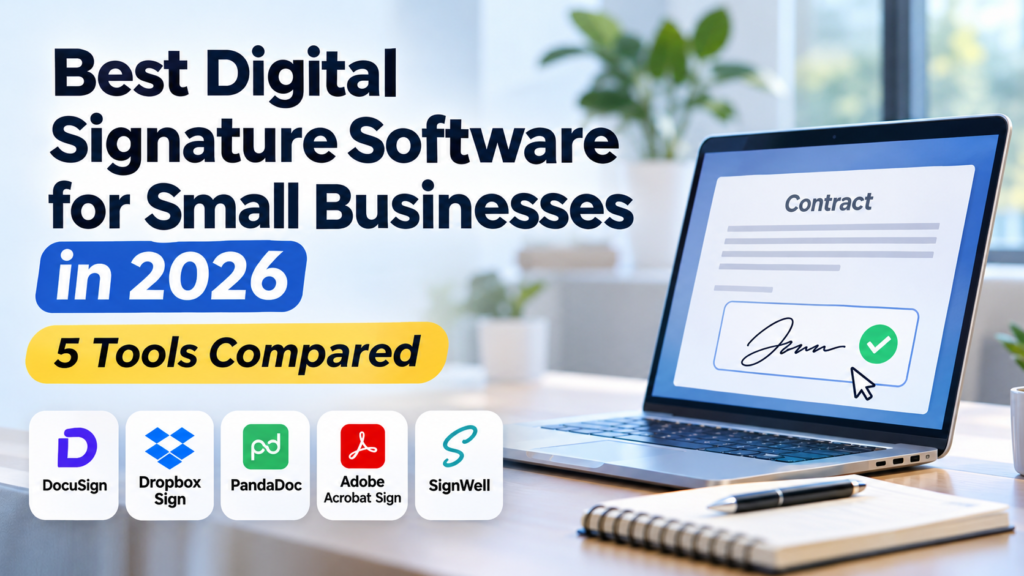
This guide compares five popular platforms—DocuSign, Dropbox Sign, PandaDoc, Adobe Acrobat Sign, and SignWell—based on features, pricing, ease of use, document limits, integrations, and overall value. We’ll also examine their limitations and explain which options make the most sense for different business requirements.
What Is the Best Digital Signature Software for Small Businesses?
DocuSign is a strong choice for businesses that need established electronic signature workflows, extensive integrations, and document tracking. Dropbox Sign is worth considering for straightforward, high-volume signature requests, while PandaDoc is particularly useful for businesses that create proposals and sales documents alongside contracts. Adobe Acrobat Sign appeals to teams working extensively with PDFs, and SignWell is an option for smaller businesses seeking a simpler signing experience.
The right choice depends on how frequently your business sends documents, how many employees need access, and whether signing is part of a larger workflow.
For occasional contracts, a basic plan may be sufficient. Businesses managing sales proposals, approval processes, or large volumes of agreements should pay closer attention to automation, templates, authentication, and integration capabilities.
Best Digital Signature Software for Small Businesses: Quick Comparison
The table below summarizes the main differences between the five platforms.
| Software | Best For | Free Option | Pricing Consideration |
|---|---|---|---|
| DocuSign | Established signing workflows and integrations | Free signing for recipients; trial options | Personal starts at $10/month with annual upfront billing |
| Dropbox Sign | Straightforward signing with generous request allowances | Free trial | Essentials starts at approximately $10.05/month with annual billing |
| PandaDoc | Sales proposals, quotes, and contracts | Free eSign option | Paid document workflow features vary by plan |
| Adobe Acrobat Sign | PDF-focused signing workflows | Trial options | Pricing depends on Acrobat or business subscription |
| SignWell | Simple signing for freelancers and small teams | Limited free plan | Paid plans expand sending and team capabilities |
Prices are in USD. Listed starting prices reflect publicly advertised options reviewed in November 2026. Billing arrangements, regional pricing, taxes, and plan features may change. Compare the total subscription cost and included document allowances before purchasing.
Although all five platforms support electronic signatures, they differ in how documents are prepared, sent, tracked, and stored. A business that primarily needs signed service agreements may value unlimited signature requests, while a sales team could benefit more from proposal templates and approval workflows.
1. DocuSign — Best for Established Business Signing Workflows
DocuSign is one of the most recognized electronic signature platforms, offering tools for preparing, sending, signing, and tracking agreements online. It is designed for individuals and organizations that want to replace traditional paper-based signing with a more structured digital process.
Its capabilities extend beyond placing a signature on a document. Businesses can create reusable templates, assign fields to different signers, monitor agreement status, and maintain records of completed transactions.
This makes DocuSign useful for companies that regularly handle contracts, service agreements, employment documents, vendor approvals, and other paperwork requiring signatures from multiple parties.
For small businesses, its main appeal is the combination of established signing functionality and integrations with other business applications. However, companies should determine whether they need these capabilities before committing to a more expensive subscription.
Key Features
DocuSign supports electronic signatures, reusable templates, document tracking, automated notifications, and signing workflows involving multiple recipients. Businesses can prepare an agreement, identify the required signers, assign signature and information fields, and send the document electronically.
Recipients can generally sign without creating a paid DocuSign account, which helps simplify the process for customers who may only need to sign an occasional agreement.
The platform also provides an electronic record of the signing process, including relevant transaction details and an audit trail. These records can be useful when businesses need to establish when a document was sent, viewed, or completed.
DocuSign offers integrations with widely used business applications, allowing companies to connect agreement workflows with systems they already use. The availability and depth of specific integrations depend on the selected plan and configuration.
Advanced features, including web forms, payment collection during signing, and bulk sending, are available through higher subscription tiers.
Where DocuSign Works Well
Consider a small consulting company that regularly prepares service agreements for new clients. Each contract needs to be reviewed, signed by the customer, and stored for future reference.
Without electronic signature software, employees might email documents as attachments, ask customers to print and sign them, and then wait for scanned copies to be returned. This process can introduce delays, especially when clients are traveling or working remotely.
With DocuSign, the company can prepare a reusable agreement template and send it electronically whenever a new client is ready to proceed. The customer can review and sign the document online, while employees can monitor its status without repeatedly requesting updates.
The business can also establish a consistent process for handling agreements, reducing the likelihood of missing signature fields or incomplete paperwork.
For companies with several employees involved in contract preparation and approval, standardized templates and shared workflows may be particularly valuable.
DocuSign Pricing: Is It Worth the Cost?
DocuSign offers several electronic signature subscription tiers.
Its Personal plan starts at $10 per month when billed annually upfront, equivalent to $120 per year. This plan is designed for individuals and includes five signature envelopes per month.
The Standard plan starts at $25 per user per month with annual upfront billing. It includes team-oriented features such as shared templates, collaboration, and branding capabilities.
Business Pro starts at $40 per user per month with annual upfront billing and adds more advanced functionality, including payment collection, web forms, and bulk sending.
An important distinction is that an envelope represents a signing transaction rather than simply one document. Businesses should check how many envelopes their plan allows and whether additional usage will require an upgrade or extra charges.
For a freelancer sending only a handful of contracts each month, the Personal plan may be sufficient. A business with several employees and recurring agreements should compare the Standard and Business Pro plans based on actual usage rather than selecting a higher tier solely for its additional features.
Potential Limitations
DocuSign’s pricing can become expensive when several employees require paid access. A subscription that appears affordable for one user may represent a more substantial recurring expense when extended across a team.
Envelope allowances are another consideration. Businesses sending frequent agreements should calculate their expected volume and understand how the selected plan handles usage beyond the included limit.
Some advanced capabilities are also reserved for higher subscription tiers. Businesses that need payment collection, bulk sending, or sophisticated workflows may have to pay considerably more than the entry-level price.
Finally, DocuSign may provide more functionality than a small business needs. If the main requirement is signing a few straightforward agreements each month, a simpler platform could deliver better value.
Best suited for: Consulting firms, professional service providers, growing businesses, and teams that regularly manage contracts requiring signatures from several parties.
Is it worth paying for? Yes, when standardized signing workflows, integrations, and document tracking provide measurable operational benefits. Businesses with occasional signing needs should compare lower-cost alternatives before upgrading.
2. Dropbox Sign — Best for Straightforward Electronic Signatures
Dropbox Sign, previously known as HelloSign, focuses on making electronic document signing straightforward for businesses and their customers. It provides tools for preparing documents, requesting signatures, tracking agreements, and managing completed paperwork.
Its relatively simple approach makes it appealing to small businesses that want reliable electronic signatures without necessarily investing in a broader document management or contract automation platform.
A freelancer might use Dropbox Sign to collect signatures on project agreements, while a small agency could send recurring service contracts to customers. Companies that already use Dropbox for file storage may also appreciate the ability to incorporate signing into familiar document workflows.
One of Dropbox Sign’s notable advantages is its unlimited signature requests on paid plans, which can be valuable for businesses that send documents frequently.
Key Features
Dropbox Sign allows users to upload documents, place signature and information fields, send requests to recipients, and track completion status.
Businesses can create reusable templates for documents that follow a consistent structure. This is useful for service agreements, confidentiality agreements, and other contracts where the wording remains largely unchanged between customers.
The platform supports automated reminders and notifications, helping businesses follow up on outstanding documents without manually checking every request.
Dropbox Sign also provides audit trails and document protection features intended to help businesses maintain records of completed signing transactions.
Integrations with Dropbox, Google, Microsoft, and other applications allow businesses to connect signing activities with existing document workflows. However, companies should verify the exact integration features available under their selected subscription.
Where Dropbox Sign Works Well
Imagine a small digital marketing agency that manages ongoing projects for several clients. Before beginning work, the agency needs each customer to sign a service agreement outlining the project scope, payment terms, and responsibilities.
The agency may send dozens of agreements throughout the year, particularly when new clients join or existing customers renew their contracts.
With Dropbox Sign, employees can prepare a standard agreement template, enter the client’s information, and send the document electronically for signature. Once the customer signs, the completed agreement can be retained for reference.
This approach helps the agency avoid printing documents, exchanging scanned copies, and manually monitoring whether agreements have been returned.
For businesses that already organize client documents in cloud storage, electronic signatures can become part of a broader document-handling process rather than a separate administrative task.
Dropbox Sign is particularly appealing when a business values a straightforward signing experience and expects to send a relatively large number of signature requests.
Dropbox Sign Pricing: Is It Worth the Cost?
Dropbox Sign’s Essentials plan starts at approximately $10.05 per month when billed annually, equivalent to $120.60 per year. With monthly billing, the listed price is $15 per month.
The Standard plan starts at $17.50 per user per month when billed annually, with pricing and minimum purchase requirements that should be reviewed before subscribing. Monthly billing is listed at $25 per user.
Paid plans include unlimited signature requests, although businesses should review applicable terms, acceptable-use conditions, and feature restrictions.
The main advantage is predictability for businesses that send frequent agreements. Rather than calculating how many signature envelopes they might need each month, companies can focus on whether the plan includes the required users, templates, integrations, and administrative features.
For a freelancer or small business handling recurring contracts, Essentials may provide sufficient functionality. Larger teams may need Standard for additional management and collaboration capabilities.
Potential Limitations
Dropbox Sign may not offer the same breadth of advanced contract lifecycle management or complex agreement automation as more specialized enterprise-oriented platforms.
Businesses that need sophisticated approval routing, contract analytics, or extensive document generation should evaluate whether Dropbox Sign supports those requirements or whether another platform would be more appropriate.
Some team and administrative capabilities are also restricted to higher subscription tiers, which can increase costs for businesses with multiple users.
Although unlimited signature requests are attractive, they shouldn’t be the only deciding factor. A company sending a small number of contracts each month may gain little benefit from unlimited usage if another tool offers the features it needs at a comparable or lower total cost.
Businesses should also test the signing experience and integrations before committing, particularly when documents must move between several applications or departments.
Best suited for: Freelancers, small agencies, service businesses, and teams that need straightforward electronic signatures and frequent signature requests.
Is it worth paying for? Yes, particularly when unlimited signature requests and simple document workflows match the company’s needs. Businesses requiring advanced contract automation should compare other options before deciding.
3. PandaDoc — Best for Sales Proposals, Quotes, and Contracts
PandaDoc is a document management and electronic signature platform designed for businesses that create, send, and track professional agreements. Unlike tools that focus primarily on collecting signatures, PandaDoc also helps companies prepare proposals, sales quotes, contracts, and other customer-facing documents.
This broader approach makes it particularly useful for sales teams, consultants, agencies, and service businesses that regularly prepare customized documents. Instead of creating a proposal in one application, exporting it as a PDF, and sending it through another platform for signatures, businesses can handle much of the process within PandaDoc.
For small businesses, the main advantage is the ability to combine document creation and signing into a more consistent workflow. However, its advanced capabilities may be unnecessary for companies that only need to sign occasional agreements.
Key Features
PandaDoc includes a document editor, reusable templates, electronic signatures, document tracking, and collaboration tools. Businesses can create proposals and agreements using existing templates or build new documents with text, images, pricing information, and signature fields.
One particularly useful feature is its ability to create sales documents containing pricing tables and product information. A service provider can prepare a proposal outlining different packages, costs, and terms, then allow the customer to review and sign the agreement electronically.
PandaDoc also supports document status tracking, allowing employees to see whether an agreement has been sent, viewed, or completed. This can help sales teams identify outstanding proposals without repeatedly contacting customers.
Higher subscription tiers provide additional capabilities, including CRM integrations, approval workflows, content libraries, and more advanced document management features.
These integrations can be valuable for companies that already manage customer relationships through a CRM. Rather than repeatedly entering the same customer information into different applications, employees can use supported connections to make document preparation more efficient.
Where PandaDoc Works Well
Consider a small IT consulting company that provides website maintenance, cybersecurity assessments, and technical support services. Each prospective customer requires a proposal explaining the recommended services, estimated costs, and contractual terms.
Without a dedicated document workflow, employees might prepare proposals in a word processor, calculate pricing separately, convert documents into PDFs, and email them to customers for review. Once a customer agrees, the company must arrange for signatures and store the completed contract.
PandaDoc can bring several of these activities into one process. The consulting company can create reusable proposal templates, customize the services and pricing for each customer, and send the document for electronic approval.
The customer can review the proposal and complete the required signature fields without switching between multiple applications.
This approach is especially useful when employees regularly prepare similar agreements with different pricing or service requirements. Reusable templates can help maintain consistency while reducing repetitive document preparation.
However, the business should still establish a clear review process to ensure that pricing, contract terms, and customer details are accurate before sending documents.
PandaDoc Pricing: Is It Worth the Cost?
PandaDoc offers a Free plan that supports basic electronic signing, with a limit of five documents per month under its current pricing structure. This can be useful for freelancers and small businesses that only need to send occasional agreements.
The Starter plan costs $19 per user per month when billed annually, or $35 per user per month with monthly billing. It includes unlimited documents created through the PandaDoc interface, along with document editing, templates, and electronic signatures.
The Business plan costs $49 per user per month when billed annually, or $65 per user per month with monthly billing. This tier adds more advanced sales document features, including CRM integrations, approval workflows, and enhanced collaboration capabilities.
Businesses should note that some automated workflows and integrations use a separate credit-based pricing system. Unlimited documents created manually through the platform do not necessarily mean every automated document process is included without additional charges.
For a small consulting firm preparing a handful of contracts each month, the Free or Starter plan may be sufficient. A sales team producing customized proposals every day may find the Business plan more useful, provided its additional features justify the higher cost.
Potential Limitations
PandaDoc’s biggest limitation for businesses with simple requirements is that it may offer more functionality than necessary. Companies that only need customers to sign existing PDF contracts may not benefit from advanced proposal creation, pricing tables, or sales workflow features.
Pricing can also increase considerably as additional employees require access. Businesses should calculate the total cost for their team rather than evaluating only the advertised per-user price.
Another consideration is the distinction between standard document creation and automated workflows. Certain integrations, bulk sending, and other advanced processes may require additional usage credits or higher subscription tiers.
Finally, employees may need time to become familiar with its document editor and template management features. Although these tools can improve efficiency, they require initial setup and consistent use.
Best suited for: Sales teams, consulting firms, marketing agencies, and service businesses that regularly prepare proposals, quotes, and contracts.
Is it worth paying for? Yes, when proposal creation and document management are important parts of the sales process. Businesses that only require straightforward signatures may find a simpler alternative more cost-effective.
4. Adobe Acrobat Sign — Best for Businesses Working Extensively With PDFs
Adobe Acrobat Sign is part of Adobe’s broader document productivity offering, providing electronic signature capabilities for businesses that regularly prepare, edit, share, and manage PDF documents.
For many small businesses, PDF files are already central to daily operations. Contracts, invoices, application forms, service agreements, and other documents are frequently created or distributed in PDF format because the layout remains consistent across devices.
Adobe’s advantage is the ability to combine electronic signatures with established PDF editing and document management tools. Businesses can prepare documents, make corrections, collect signatures, and organize completed files without necessarily introducing a separate signing platform.
However, the exact capabilities depend on whether a company subscribes to Acrobat Standard, Acrobat Pro, or a more specialized Adobe Acrobat Sign business offering.
Key Features
Adobe Acrobat provides tools for creating, editing, converting, organizing, and signing PDF documents. Supported plans also allow businesses to request electronic signatures and track responses.
For example, employees can prepare a PDF agreement, add signature fields, send it to a customer, and monitor the signing process. This can reduce the need to print and scan documents while keeping the original formatting intact.
Acrobat Pro provides additional document capabilities, including advanced editing, redaction, and web form tools. These features can be useful when businesses regularly work with contracts, scanned documents, or forms that require corrections before being signed.
Adobe also offers more advanced electronic signature workflows through its business solutions, although availability and pricing depend on the selected product and subscription.
Businesses should distinguish between the basic electronic signature functionality included in Acrobat subscriptions and the more advanced features offered through dedicated enterprise signing solutions.
Where Adobe Acrobat Sign Works Well
Imagine a small accounting firm that regularly receives PDF documents from customers. These may include engagement letters, authorization forms, financial statements, and other paperwork requiring review or signatures.
Employees often need to correct formatting, combine documents, remove unnecessary pages, or make other adjustments before sending files to customers.
Using separate applications for PDF editing and electronic signatures can create additional steps. Staff may need to prepare a document in one platform, export it, upload it to a signing service, and then download the completed version.
With an appropriate Adobe Acrobat subscription, the firm can perform many of these activities within the same document environment.
This can be particularly useful when employees already rely on Acrobat for everyday PDF tasks. Instead of introducing an entirely new document workflow, the business can build on software its team already understands.
However, companies should evaluate whether they genuinely need advanced PDF editing. If employees simply upload completed contracts and request signatures, a dedicated electronic signature platform may provide better value.
Adobe Acrobat Sign Pricing: Is It Worth the Cost?
Adobe’s pricing depends on the subscription selected.
Acrobat Standard for teams is listed at $16.99 per license per month with an annual commitment billed monthly. This plan includes essential PDF editing tools and the ability to collect electronic signatures.
Acrobat Pro for teams costs $23.99 per license per month under the same annual billing arrangement. It adds more advanced PDF capabilities, including redaction, expanded editing tools, and web form functionality.
For businesses that only need one user, Adobe also offers individual Acrobat subscriptions. These may be less expensive than team plans but do not provide the same administrative and organizational features.
More specialized Acrobat Sign business and enterprise solutions may use different pricing structures and require direct consultation with Adobe.
The key consideration is whether the business needs electronic signatures alone or a broader PDF productivity platform.
For example, a company already paying for Acrobat Pro may not need an additional electronic signature subscription for basic signing workflows. However, businesses requiring advanced authentication, specialized integrations, or complex agreement management should verify which capabilities their current Adobe plan includes.
Potential Limitations
Adobe’s product structure can be confusing for businesses comparing electronic signature software. Acrobat Standard, Acrobat Pro, and dedicated Acrobat Sign solutions have different capabilities, making it important to review the specific subscription rather than assume every Adobe plan includes the same features.
Another limitation is cost. Businesses that only need occasional electronic signatures may find it difficult to justify paying for a broader PDF editing subscription.
Some advanced agreement workflows may also require a different subscription from the standard Acrobat plans, potentially increasing the total cost.
Finally, companies should evaluate whether their employees are comfortable with Adobe’s document interface. Its extensive PDF functionality can be useful, but it may introduce unnecessary complexity for teams that only need a simple send-and-sign process.
Best suited for: Accounting firms, legal support teams, administrative departments, and businesses that regularly edit and manage PDF documents.
Is it worth paying for? Yes, when the company also needs PDF editing, conversion, redaction, and document organization. For electronic signatures alone, a dedicated platform may offer better value.
5. SignWell — Best for Simple, Affordable Electronic Signatures
SignWell is an electronic signature platform designed to make document signing straightforward for individuals and businesses. It focuses on essential signing features while offering a relatively accessible pricing structure.
For freelancers and small teams, this simplicity can be appealing. Not every company needs advanced proposal creation, enterprise contract management, or a large collection of integrations. Sometimes the main requirement is to upload a document, request a signature, and receive a completed agreement.
SignWell provides these core capabilities along with templates, signing order, audit trails, reminders, and additional features available through paid subscriptions.
Its free plan is also useful for businesses that want to test electronic signatures before purchasing a subscription.
Key Features
SignWell allows businesses to upload documents, add signature and information fields, and send signing requests to recipients.
The platform supports multiple signers and signing order, making it possible to manage agreements that require approval from more than one person.
Reusable templates can help businesses prepare frequently used documents, such as service contracts, confidentiality agreements, and customer authorization forms.
SignWell also provides audit trails and tamper-evident document records. These features help businesses maintain information about completed signing transactions.
Paid subscriptions expand the available functionality, including unlimited signing requests, additional templates, team management, and advanced document options.
For businesses that want to connect electronic signatures with other software, SignWell also offers integrations and API capabilities. However, companies should verify whether the required integrations are included in their selected plan and whether any separate usage charges apply.
Where SignWell Works Well
Consider a freelance graphic designer who works with several clients each month. Before starting a project, the designer sends an agreement outlining the scope of work, payment schedule, revision limits, and delivery timeline.
Without electronic signature software, the designer might email a PDF contract and ask the customer to print, sign, scan, and return it.
SignWell provides a more straightforward process. The designer can upload the agreement, place the required signature fields, and send it electronically. The customer can review and sign the document from a computer or mobile device without creating a separate account.
Once the agreement is completed, both parties have a signed document that can be retained for future reference.
This workflow is useful because it reduces unnecessary administrative steps without requiring the freelancer to adopt a complicated document management system.
SignWell can also work well for small agencies, consultants, and service providers that send recurring agreements but don’t need extensive proposal-building features.
SignWell Pricing: Is It Worth the Cost?
SignWell offers a free plan that includes one sender, one template, and up to three documents per month. This can be sufficient for freelancers or small businesses that send only occasional agreements.
The Light plan costs $10 per month when billed annually, or $12 per month with monthly billing. It includes one sender, five templates per sender, and unlimited signing requests.
The Business plan costs $30 per month when billed annually, or $36 per month with monthly billing. It includes three senders, unlimited templates, unlimited documents, and additional team and customization features.
Businesses can add more senders for an additional charge, with the amount depending on the selected plan and billing arrangement.
Unlike some competing platforms, SignWell’s paid plans include unlimited signing requests. This can make costs easier to predict for companies that regularly send contracts.
However, businesses should distinguish ordinary signing requests from API usage, which may have separate allowances and charges.
For a freelancer sending fewer than three agreements per month, the free plan may be enough. A small service business sending contracts regularly may find the Light plan attractive, while teams requiring multiple senders may benefit from Business.
Potential Limitations
SignWell’s free plan is restrictive for businesses that regularly send agreements. With only three documents per month, even a small increase in customer activity may require an upgrade.
Although the paid plans offer useful signing features, businesses requiring advanced proposal creation or complex contract management may find PandaDoc or another specialized platform more suitable.
Team management and customization capabilities also depend on the subscription tier. Businesses should verify which features are included before assuming that unlimited signing requests cover every operational requirement.
Another consideration is integration depth. While SignWell offers integrations and API access, companies with specialized business systems should test whether their required workflows are supported.
Best suited for: Freelancers, consultants, small agencies, and service businesses that want straightforward electronic signatures without paying for extensive document management features.
Is it worth paying for? Yes, particularly for businesses that regularly send agreements and want predictable subscription costs. The free plan is a practical starting point for occasional signing needs.
How to Choose the Best Digital Signature Software for Small Businesses
Choosing electronic signature software involves more than finding a platform that allows customers to sign documents online. Businesses should consider how often they send agreements, how many employees need access, and whether the software can support their existing document workflows.
A freelancer sending occasional contracts may be satisfied with a basic signing platform, while a growing consulting company may need reusable templates, multiple signers, approval processes, and integrations with customer management systems.
The following factors can help businesses determine which platform provides the most practical value.
1. Understand Your Document Volume and Signing Requirements
Start by estimating how many documents your business sends for signature each month. This is one of the most important considerations because subscription limits vary between platforms.
Some providers restrict the number of signature requests or envelopes included in entry-level plans. Others offer unlimited signing requests but charge more for additional users, templates, or advanced features.
For example, a freelance consultant sending two or three agreements each month may find a free plan sufficient. A service company signing dozens of customer contracts every week will likely need a paid subscription with higher allowances.
Businesses should also consider how many people must sign each document. Some agreements require only one customer signature, while others involve multiple employees, managers, or external parties.
Before purchasing, check whether the plan supports your expected signing volume, number of senders, and required document workflows.
2. Compare the Total Subscription Cost
Electronic signature software is commonly priced per user or sender, which means the advertised monthly rate may not represent the actual cost for a business.
A platform costing $20 per user each month would require a $60 monthly budget for three paid users, excluding taxes and any additional services. Businesses should also check whether the displayed rate requires annual billing.
Some providers charge separately for advanced authentication, integrations, API transactions, or additional document usage. These costs can become significant when signing software is used frequently.
A useful approach is to calculate the expected annual expense rather than comparing only the lowest advertised monthly price.
Businesses already paying for several applications can use BizBot’s subscription cost analyzer to evaluate how another recurring software expense fits into their overall operating budget.
The cheapest plan isn’t always the most economical choice. A slightly more expensive platform may save time through templates and integrations, while an advanced subscription may be unnecessary when employees only need basic electronic signatures.
3. Evaluate Document Preparation and Template Features
Not every electronic signature platform provides the same document creation capabilities.
Some tools are primarily designed to upload an existing PDF, add signature fields, and send it to recipients. Others allow businesses to create proposals, insert pricing tables, prepare contracts, and manage approvals within the platform.
For example, a marketing agency that regularly creates customized proposals may benefit from PandaDoc’s document editor and sales-oriented features. A small accounting firm that already prepares documents in Adobe Acrobat may prefer to use its existing PDF tools.
Reusable templates are especially valuable when businesses send similar agreements repeatedly. Instead of rebuilding each contract, employees can start with a standardized document and update the relevant customer information.
However, templates should still be reviewed carefully. Using the wrong customer name, outdated pricing, or incorrect contractual terms can create problems even when the signing process itself works correctly.
4. Check Integrations With Existing Business Applications
Electronic signature software becomes more useful when it connects with the applications employees already use.
A consulting firm might want signed agreements stored automatically in cloud storage. A sales team may need contract information linked to its CRM, while an administrative department could require notifications when documents are completed.
Before selecting a platform, identify which integrations are essential and whether they are included in the subscription being considered.
Businesses that already rely on several applications for managing small business operations should prioritize compatibility over adding unnecessary features.
Integration availability alone doesn’t guarantee that a particular workflow will function as expected. Businesses should test how documents, customer records, notifications, and completed agreements move between applications.
For companies with limited technical resources, a simple integration that works reliably may be more valuable than a complicated automation system requiring ongoing maintenance.
5. Review Security, Audit Trails, and Legal Requirements
Electronic signature software frequently handles important business documents, including contracts, employment agreements, financial authorizations, and confidential customer information.
Businesses should therefore review how each provider protects documents, verifies signing activity, and maintains records.
Useful features include encryption, access controls, signer authentication, tamper-evident documents, and audit trails showing important events during the signing process.
An audit trail can help establish when a document was sent, viewed, and signed. However, businesses should not assume that every electronic signature method provides the same level of identity verification or legal assurance.
In the United States, the Electronic Signatures in Global and National Commerce Act (E-SIGN Act) provides a federal framework for electronic signatures and records in covered transactions.
Legal requirements differ by country, document type, and transaction. Some agreements may require additional authentication, specific signature standards, or traditional execution procedures.
Businesses should confirm the requirements applicable to their documents rather than assuming that any electronically signed file is automatically sufficient for every legal purpose.
6. Test the Signing Experience Before Subscribing
The signing experience matters because customers, employees, and business partners may not be familiar with the platform.
A complicated process can create unnecessary delays, especially when recipients must navigate multiple screens or complete unfamiliar authentication steps.
Before purchasing, send a test agreement to someone outside your organization. Ask them to complete the process using both a desktop computer and a mobile device.
Check whether the instructions are clear, signature fields are easy to locate, and the completed document is delivered correctly.
Businesses should also test automated reminders, signing order, and notifications if those features will be part of their regular workflow.
A platform that works reliably for both employees and recipients is generally more valuable than one with an extensive feature list but a confusing signing process.
Best Digital Signature Software for Small Businesses: Which Should You Choose?
The best option depends on whether your business prioritizes affordability, frequent signature requests, proposal creation, PDF management, or more advanced agreement workflows.
The following table summarizes which platform is most appropriate for different requirements.
| Business Requirement | Recommended Software | Main Advantage |
|---|---|---|
| Established contract signing workflows | DocuSign | Templates, tracking, and extensive integrations |
| Frequent straightforward signature requests | Dropbox Sign | Unlimited requests on paid plans |
| Sales proposals and customer agreements | PandaDoc | Document creation, pricing tables, and electronic signatures |
| PDF editing and electronic signatures | Adobe Acrobat Sign | Combines PDF management with signing tools |
| Affordable signing for freelancers and small teams | SignWell | Simple interface and accessible paid plans |
Best for Freelancers and Solo Professionals
SignWell is a practical starting point for freelancers who need straightforward electronic signatures without extensive document management features.
Its free plan can handle occasional agreements, while the Light plan offers additional flexibility for users who regularly send contracts.
Dropbox Sign is another option, particularly when unlimited signature requests are important.
Best for Growing Service Businesses
DocuSign is worth considering for companies that need structured agreement workflows, document tracking, and integrations.
However, businesses should compare its envelope limits and per-user costs with alternatives before choosing a subscription.
Dropbox Sign may offer better value when a company primarily needs to send and track standard agreements rather than manage complex contract processes.
Best for Sales Teams and Agencies
PandaDoc is particularly useful when electronic signatures are part of a larger sales document process.
Its proposal editor, pricing tables, templates, and CRM integrations can help businesses manage documents from initial quotation through final agreement.
Companies that already prepare proposals in other applications may not need these additional capabilities, so the value depends on the existing workflow.
Best for Businesses Managing PDF Documents
Adobe Acrobat is a strong option for teams that regularly edit, combine, convert, and organize PDF files.
Accounting firms, administrative teams, and other document-heavy businesses may benefit from combining PDF productivity tools with electronic signature capabilities.
Before subscribing, verify whether the selected Acrobat plan includes the specific signing features required.
Frequently Asked Questions About the Best Digital Signature Software for Small Businesses
What is the best free digital signature software for small businesses?
SignWell and PandaDoc offer free options for businesses with occasional signing needs. SignWell’s free plan supports a limited number of documents each month, while PandaDoc provides basic electronic signing through its free offering.
The better choice depends on document volume and whether additional document creation features are needed. Businesses should check current free-plan allowances before relying on either platform for regular operations.
Is DocuSign better than Dropbox Sign?
DocuSign may be more suitable for businesses that need established agreement workflows, extensive integrations, and advanced signing features.
Dropbox Sign can be a better fit for companies prioritizing straightforward electronic signatures and unlimited signature requests on paid plans.
Neither platform is automatically better for every business. Subscription costs, user requirements, and workflow complexity should guide the decision.
What is the difference between a digital signature and an electronic signature?
An electronic signature is a broad term describing an electronic method used to indicate agreement or intent to sign a document.
A digital signature is a more specific technology that typically uses cryptographic methods and digital certificates to help verify authenticity and detect document changes.
Many commercial electronic signature platforms provide legally recognized electronic signing workflows, but not every electronic signature uses certificate-based digital signature technology.
Businesses handling regulated or high-value documents should determine whether a particular digital signature standard is required.
Are electronic signatures legally binding?
Electronic signatures can be legally binding in many jurisdictions when applicable legal requirements are satisfied.
However, enforceability depends on factors such as signer intent, consent, authentication, record retention, and the type of document involved.
Some transactions may be excluded from general electronic signature laws or subject to additional formalities. Businesses should confirm the requirements applicable to their jurisdiction and document type.
Can customers sign documents without creating an account?
Yes. Most major electronic signature platforms allow recipients to review and sign documents without purchasing a subscription or creating a paid account.
For example, businesses can send signature requests through DocuSign, Dropbox Sign, or SignWell, and recipients can generally complete the signing process through a secure link.
Specific authentication requirements may vary depending on how the sender configures the agreement.
Which electronic signature software is best for contracts?
DocuSign and Dropbox Sign are strong options for sending and tracking standard contracts.
PandaDoc may be more useful when businesses also need to create proposals, pricing documents, and customized agreements.
Adobe Acrobat is worth considering when contracts require extensive PDF editing before signing, while SignWell offers a simpler approach for routine agreements.
Can electronic signature software integrate with CRM systems?
Yes. Several electronic signature platforms support integrations with CRM applications, although availability varies by provider and subscription.
These integrations can help businesses prepare agreements using customer information, track contract status, and organize completed documents.
Companies should verify that the specific integration supports their required workflows rather than assuming all CRM connections offer identical capabilities.
How much should a small business spend on electronic signature software?
A small business may not need to spend anything if it sends only a few agreements each month and a free plan meets its requirements.
Paid entry-level subscriptions commonly cost around $10–$20 per month, while advanced business plans can cost considerably more, especially when several employees need access.
The appropriate budget depends on document volume, number of users, required features, and the time saved by automating signing processes.
Final Thoughts: Finding the Best Digital Signature Software for Small Businesses
The best digital signature software for small businesses should make agreements easier to prepare, send, sign, and manage without adding unnecessary complexity or recurring expenses.
DocuSign offers established signing workflows and extensive integration options, while Dropbox Sign focuses on straightforward electronic signatures with generous request allowances on paid plans. PandaDoc is particularly useful for businesses that prepare proposals and sales agreements, and Adobe Acrobat provides additional value for companies that regularly work with PDF documents. SignWell offers a simpler and potentially more affordable option for freelancers and smaller teams.
For businesses just beginning to use electronic signatures, starting with a free plan or trial is often the most practical approach. Test the signing process, review document limits, and determine whether templates or integrations would genuinely improve everyday operations.
As your business grows, consider whether additional employees, higher signing volumes, or more complex agreements justify upgrading to a more advanced subscription.
Ultimately, the right software isn’t necessarily the platform with the most features. It’s the one that helps your business complete agreements efficiently, maintain reliable records, and provide a straightforward signing experience for everyone involved.