This article contains affiliate links. If you purchase through our links, we may earn a commission at no additional cost to you.
Learning how to reduce email bounce rates is essential for businesses that rely on email to communicate with customers, generate leads, and maintain relationships. Whether you’re sending a monthly newsletter, a promotional campaign, or a follow-up email to prospective customers, messages that never reach their intended recipients can quietly undermine your marketing efforts.
A few bounced emails may not seem like a serious problem. But when invalid addresses accumulate in your contact list, they can affect more than individual campaigns. High bounce rates may damage your sender reputation, reduce email deliverability, and make it harder to understand how well your marketing is performing.
Consider a small online retailer preparing a seasonal promotion. The business has collected thousands of email addresses through its website over several years, but it has rarely reviewed the list. When the campaign launches, hundreds of messages are rejected because addresses are outdated, mistyped, or no longer active.
The company has already spent time preparing the campaign, yet a portion of its audience never receives the message. Worse, repeated sending to invalid addresses may affect the delivery of future emails.
Fortunately, businesses can take practical steps to improve list quality and prevent avoidable delivery problems. This guide explains what causes email bounces, how to identify the underlying issues, and how to maintain a healthier email list without making the process unnecessarily complicated.
What Is an Email Bounce Rate?
An email bounce occurs when an email cannot be delivered to its intended recipient and the receiving mail system reports a delivery failure.
The email bounce rate measures the percentage of attempted email deliveries that result in reported bounces.
For example, if a business sends 5,000 emails and 100 are reported as bounced, the bounce rate is 2%.
Email bounce rate = (Bounced emails ÷ Emails sent) × 100
Not every bounce has the same cause. Some are permanent delivery failures, while others are temporary problems that may resolve without requiring the recipient’s address to be removed.
Understanding the difference helps businesses decide whether to retry delivery, investigate a technical problem, or stop sending to a particular address.
Hard Bounces vs. Soft Bounces
| Type | What It Means | Common Causes | Recommended Action |
|---|---|---|---|
| Hard bounce | A permanent delivery failure | Invalid address, nonexistent mailbox, or rejected recipient | Suppress confirmed invalid addresses and investigate the reason |
| Soft bounce | A temporary delivery failure | Full mailbox, temporary server issue, or message-size restriction | Allow controlled retries and monitor repeated failures |
A hard bounce generally indicates that delivery cannot succeed under the current conditions. For example, an email addressed to a nonexistent employee mailbox may be rejected immediately.
A soft bounce, on the other hand, may occur when the recipient’s mail server is temporarily unavailable or the mailbox has reached its storage limit.
However, bounce classifications are not always perfectly consistent across email systems. Some rejection messages require closer investigation, especially when they involve security policies, authentication failures, or reputation-based blocking.
Businesses should therefore review the actual delivery response rather than relying entirely on a simplified hard-or-soft label.
Why Email Bounce Rates Matter for Businesses
Email bounce rates are more than a technical reporting metric. They can reveal problems with how a business collects, stores, and manages contact information.
When a business repeatedly sends messages to invalid or outdated addresses, email providers may interpret that behavior as a sign of poor list management. Depending on the circumstances, this can contribute to reputation problems and reduced deliverability.
The effects may not be immediately obvious. A campaign can appear successful because the email platform reports thousands of messages sent, even though some were rejected and others never reached recipients’ inboxes.
High bounce rates can also distort marketing performance reports. When businesses calculate campaign engagement using outdated or unreachable contacts, they may draw the wrong conclusions about subject lines, offers, and audience interest.
This is particularly important for companies that use email alongside CRM software. Keeping contact records accurate helps sales and marketing teams avoid repeated attempts to reach addresses that no longer work.
A healthy email list does not guarantee that every message will land in the inbox. Sender reputation, authentication, recipient engagement, message content, and receiving-server policies also influence delivery. Nevertheless, reducing avoidable bounces is an important starting point.
How to Reduce Email Bounce Rates by Improving List Quality
One of the most effective ways to reduce email bounces is to improve the quality of email addresses before they enter a mailing list.
Many delivery problems begin long before a campaign is sent. A customer may accidentally type an incorrect address into a registration form, a sales representative may enter outdated contact information, or a business may continue using addresses collected several years earlier.
These problems become harder to identify when businesses focus on growing their lists without regularly reviewing whether the contacts are still reachable.
Verify Email Addresses Before Sending
Email verification tools help businesses identify addresses that may be invalid, improperly formatted, or otherwise risky to contact.
Rather than discovering these problems through a large number of failed deliveries, businesses can check their lists before launching a campaign.
For example, a company preparing to contact 8,000 subscribers might first review its database for duplicate addresses, obvious formatting errors, and contacts that have previously bounced. It can then use an email verification service to identify additional addresses that may require attention.
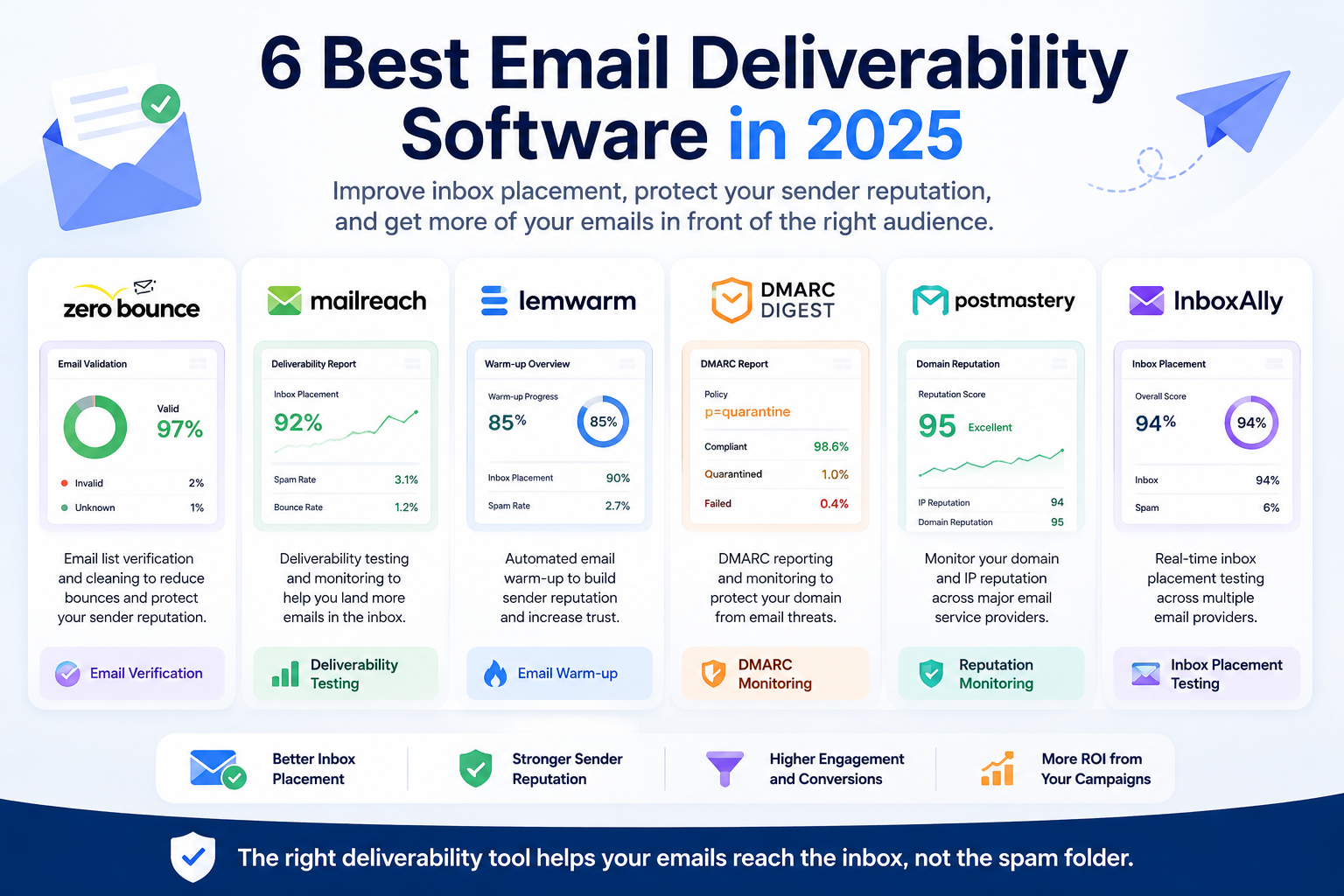
ZeroBounce is one option for checking email lists before campaigns. It offers bulk email verification and tools for identifying potentially problematic addresses.
Verification is not a guarantee of successful delivery, and an address that passes a check may still bounce later. However, verification can help reduce avoidable failures, especially when businesses work with older contact databases.
Use Double Opt-In When Appropriate
Double opt-in requires subscribers to confirm their email address after completing a signup form.
For example, a visitor enters an email address to subscribe to a business newsletter. The business sends a confirmation message containing a verification link. The address is added to the active mailing list only after the subscriber completes the confirmation step.
This process can help prevent accidental signups using mistyped or inaccessible addresses. It also provides an additional indication that the subscriber intended to join the list.
Double opt-in may add some friction to the signup process, so businesses should evaluate how it fits their audience and marketing goals. However, for companies that prioritize list quality and long-term engagement, it can be a useful safeguard.
Remove Invalid and Persistently Bouncing Addresses
Once an email address has been confirmed as invalid, continuing to send messages to it serves little purpose.
Most established email marketing platforms automatically suppress addresses that produce permanent delivery failures. Businesses should confirm that this functionality is enabled and understand how the platform handles repeated temporary failures.
It is also important to avoid automatically deleting every address that experiences a single soft bounce. Temporary delivery problems can occur for legitimate recipients, and removing them immediately may result in unnecessary contact loss.
A better approach is to follow the email platform’s retry and suppression policies while reviewing recurring problems.
Avoid Purchased Email Lists
Buying a large list of email addresses may appear to be a quick way to reach new prospects, but it can introduce serious quality and compliance problems.
Purchased lists may contain outdated addresses, contacts who never agreed to receive messages from the business, or addresses collected through unreliable methods.
Even when the addresses are technically valid, recipients may not recognize the sender or expect the message. This can lead to complaints, poor engagement, and reputation problems.
Businesses generally achieve better long-term results by building permission-based lists through their websites, customer relationships, events, and other legitimate signup opportunities.
A smaller list of people who genuinely want to hear from the business is often more valuable than a much larger database of uncertain quality.
How to Reduce Email Bounce Rates With Better Sending Practices
Cleaning an email list is an important first step, but it is not enough on its own. Even a well-maintained database can experience delivery problems when email authentication is misconfigured, sending volumes change suddenly, or recipients repeatedly ignore messages.
Businesses need to pay attention to both the quality of their contact lists and the way their email campaigns are delivered.
Set Up SPF, DKIM, and DMARC
Email authentication helps receiving mail servers determine whether a message is legitimately associated with the domain it claims to represent.
Three commonly used authentication methods are SPF, DKIM, and DMARC.
SPF identifies which mail servers are authorized to send messages on behalf of a domain. DKIM adds a digital signature that receiving servers can verify. DMARC builds on these methods by allowing domain owners to define how messages that fail authentication checks should be handled.
These technologies do not verify whether individual recipient addresses exist. Instead, they help establish sender legitimacy and reduce authentication-related delivery problems.
According to Google’s email sender guidelines, senders to personal Gmail accounts must meet specific authentication requirements. Organizations sending more than 5,000 messages daily to Gmail accounts face additional requirements, including SPF, DKIM, and DMARC.
For a small business using an email marketing platform, the practical starting point is to review the platform’s domain authentication settings. Most established services provide instructions for adding the required DNS records.
Businesses using multiple systems to send email, such as a CRM, newsletter platform, and transactional email service, should make sure each authorized sending service is configured correctly.
Avoid Sudden Increases in Email Volume
Sending patterns can influence how receiving mail providers evaluate messages.
For example, a company that normally sends 500 emails per week might decide to send 30,000 promotional messages in one afternoon. Even if the contact list contains legitimate subscribers, such a dramatic change can create deliverability challenges.
This is especially relevant when using a new sending domain or infrastructure without an established sending history.
Businesses should build sending volume gradually, monitor delivery results, and avoid large campaigns to unverified or long-inactive contacts.
A more controlled approach is to begin with recent, engaged subscribers before expanding to a broader audience.
Make Unsubscribing Easy
Some businesses hesitate to make unsubscribe options prominent because they worry about losing subscribers. However, keeping uninterested recipients on a mailing list can create more problems than allowing them to leave.
People who no longer want messages may ignore them, report them as spam, or abandon the email address entirely.
Providing a clear unsubscribe process helps businesses maintain a more relevant audience and reduces the likelihood of unwanted messages.
For certain high-volume marketing senders, Gmail also requires one-click unsubscribe functionality. Businesses should confirm that their email platform supports the applicable requirements.
An unsubscribe is not necessarily a marketing failure. It can be a useful signal that helps a company maintain a healthier contact database.
Monitor Sender Reputation and Delivery Errors
Businesses should regularly review campaign delivery reports rather than focusing only on opens and clicks.
A sudden increase in bounces may indicate a problem with list quality, email authentication, or the receiving mail system.
For example, if most rejected messages come from one recipient domain, the problem may involve domain-specific filtering or a temporary server issue rather than invalid addresses across the entire list.
Reviewing delivery error codes can help identify the difference.
Companies comparing platforms may find it useful to consider how email marketing tools handle automation and analytics, particularly whether they provide accessible bounce reports, suppression management, and delivery monitoring.
The objective is to identify recurring problems early rather than waiting until an important campaign performs poorly.
How to Reduce Email Bounce Rates Through Regular List Maintenance
Email lists naturally change over time. Employees leave companies, customers switch providers, businesses close, and subscribers stop using old email addresses.
Even a carefully collected list can gradually become outdated if nobody maintains it.
For that reason, reducing email bounce rates should be an ongoing process rather than a one-time cleanup before a major campaign.
Review Older and Inactive Contacts
A contact who subscribed three years ago may still be interested in a business, but that should not be assumed.
Before emailing a large group of inactive subscribers, businesses should review available information such as recent purchases, website account activity, previous campaign engagement, and contact history.
A company might discover that some contacts have not interacted with its emails for over a year, while others continue purchasing products despite rarely opening marketing messages.
These situations deserve different treatment.
Inactive contacts can sometimes be approached through a carefully planned re-engagement campaign, provided the business has an appropriate basis for contacting them. Addresses that repeatedly fail delivery should be suppressed according to the email platform’s policies.
The goal is not simply to make the list smaller. It is to maintain accurate records and communicate with people who can reasonably be reached.
Keep CRM and Email Marketing Records Consistent
Businesses often store customer information in more than one system.
A sales team may update an email address in the CRM, while the marketing platform continues using an older version. A customer may unsubscribe from a newsletter, but that preference may not immediately appear in another connected application.
These inconsistencies can lead to repeated delivery failures or unwanted messages.
Maintaining reliable contact information becomes easier when businesses have a clear process for synchronizing updates between systems.
For example, a company using a CRM and an email marketing platform should establish which system holds the authoritative contact record, how email address changes are handled, and how unsubscribes and suppression statuses are shared.
A well-organized contact database supports more than email deliverability. It also helps sales and service teams maintain accurate communication histories, which is a central principle of effective business contact management.
Establish a Practical Cleaning Schedule
The right frequency for reviewing an email list depends on how quickly it grows and how often the business sends campaigns.
A company sending weekly newsletters to thousands of subscribers may need more frequent monitoring than a small consultancy that sends occasional updates to a few hundred contacts.
Instead of following an arbitrary schedule, businesses can use campaign performance to determine when additional checks are needed.
For example, a noticeable increase in hard bounces, a large import of older contacts, or a long period without sending may justify reviewing the list before the next campaign.
Automated suppression rules can handle many routine failures, while periodic manual reviews help identify broader data-quality problems.
What Is a Good Email Bounce Rate?
Businesses often ask what bounce rate they should aim for, but there is no single percentage that applies equally to every sender.
Results depend on factors such as the age of the email list, how addresses were collected, the types of messages being sent, and the sending platform’s reporting methods.
A low bounce rate is generally desirable, but businesses should distinguish between an internal performance target and a provider’s enforcement threshold.
For example, Amazon Simple Email Service’s guidance on email program success metrics recommends keeping hard bounces below 5%, while emphasizing that lower rates are preferable. This is not a universal safe threshold for every email provider.
A business consistently achieving a 0.5% bounce rate should not wait until it reaches 5% before investigating a sudden increase.
The more useful approach is to establish a baseline using previous campaigns and watch for changes.
| Bounce Rate | Practical Interpretation |
|---|---|
| Below 1% | Generally a positive sign, although other deliverability metrics still matter |
| 1%–2% | Worth monitoring for trends and recurring invalid addresses |
| 2%–5% | Investigate list quality and delivery failures promptly |
| Above 5% | A significant warning sign that may create provider enforcement risks |
These ranges are general monitoring guidelines, not universal industry benchmarks or guaranteed thresholds for inbox placement.
Businesses should also check whether their email platform reports all bounces together or separates hard bounces from temporary failures. Comparing differently defined metrics can produce misleading conclusions.
How Email Verification Fits Into a Broader Deliverability Strategy
Email verification can help identify potentially invalid addresses before a campaign begins, but it should not be treated as a complete solution to email deliverability.
A verification service may detect formatting errors, nonexistent domains, and certain mailbox-related risks. However, it cannot guarantee that every verified address will accept future messages or that those messages will reach the inbox.
Other factors still matter, including authentication, sender reputation, recipient engagement, and the policies of receiving email providers.
For businesses reviewing their options, a comparison of email deliverability tools for businesses can help distinguish services focused on list verification from those offering broader delivery monitoring and testing.
A practical strategy combines verification with responsible contact collection, automated bounce suppression, appropriate authentication, and regular performance reviews.
For example, a business preparing a major product launch could review its older contacts, verify uncertain addresses, confirm its domain authentication settings, and send initial messages to its most engaged subscribers.
After the campaign, it could examine bounce reports and update contact records before the next send.
This approach helps prevent the same delivery problems from appearing repeatedly and makes email marketing performance easier to evaluate over time.
A Practical Example: Reducing Email Bounces Before a Marketing Campaign
Consider a small software company preparing to announce a new service to 12,000 email subscribers. Its mailing list has grown over several years through website registrations, webinars, and customer inquiries.
The company has not reviewed the entire list recently, and some contacts have not received an email for more than a year.
Instead of immediately sending the announcement to everyone, the marketing team reviews its contact database.
First, it removes duplicate records and suppresses addresses that have previously produced confirmed permanent delivery failures. It also checks whether unsubscribed contacts have been excluded from the campaign.
Next, the team identifies older addresses that may need additional verification. It uses an email verification service to help detect invalid addresses and other potential delivery risks.
The company then checks its sending domain’s authentication settings and confirms that its email marketing platform is configured correctly.
Rather than sending the entire campaign at once, the team begins with recent, engaged subscribers and monitors the results before expanding the campaign to other appropriate contacts.
After sending, it reviews delivery failures, investigates unusual patterns, and updates the contact database.
This approach does not guarantee that every message reaches the inbox. However, it helps the company avoid preventable mistakes and gives the marketing team more reliable information for future campaigns.
The most important improvement is not simply reducing one campaign’s bounce rate. It is establishing a repeatable process for keeping contact information accurate and identifying delivery problems before they become serious.
How to Reduce Email Bounce Rates Without Losing Valuable Contacts
Businesses sometimes respond to rising bounce rates by aggressively deleting large portions of their mailing lists. While removing invalid addresses is important, excessive list cleaning can also eliminate legitimate customers and prospects.
The challenge is distinguishing between contacts that are genuinely unreachable and those who are simply less active.
For example, a customer who has not opened a newsletter in six months may still be purchasing products or using the company’s services. Removing that customer solely because of limited email engagement could be unnecessary.
Similarly, an address that experiences one temporary delivery failure should not automatically be treated as permanently invalid.
A more balanced approach considers several signals together, including delivery history, recent customer activity, engagement, and the reason for any rejection.
Businesses can also segment their audiences instead of treating every contact the same way.
Recent subscribers might continue receiving regular newsletters, while older contacts could receive fewer messages or a carefully planned re-engagement campaign. Contacts with confirmed invalid addresses should remain suppressed.
It is also important to distinguish email verification from marketing permission. An address may be technically valid without its owner having agreed to receive promotional messages.
Maintaining both accurate contact records and appropriate permission practices helps businesses protect deliverability while preserving useful customer relationships.
How to Measure Whether Your Email Bounce Rate Is Improving
A lower bounce rate is encouraging, but it should be evaluated alongside other campaign results.
Suppose a business reduces its bounce rate from 3% to 0.7% after cleaning its contact database. That suggests fewer attempted deliveries are failing, but it does not necessarily mean more messages are reaching recipients’ inboxes.
To understand the broader impact, the business should also examine delivery acceptance, spam complaints, unsubscribes, and meaningful customer engagement.
A simple monthly report can help identify patterns.
| Metric | What to Monitor |
|---|---|
| Overall bounce rate | Percentage of attempted email deliveries reported as bounced |
| Hard bounce rate | Permanent delivery failures requiring investigation or suppression |
| Soft bounce rate | Temporary failures and recurring delivery issues |
| Spam complaint rate | Recipients reporting messages as unwanted |
| Unsubscribe rate | Subscribers choosing to stop receiving marketing emails |
| Engagement and conversions | Whether delivered campaigns generate meaningful customer activity |
These metrics should be reviewed over time rather than judged from a single campaign.
For example, a sudden increase in bounces following a large contact import may suggest problems with the imported data. A rise in rejections from one email provider may indicate an authentication or reputation issue that requires a different response.
Businesses should also remember that an email platform’s reported delivery rate usually measures whether messages were accepted by receiving systems, not whether they reached the primary inbox.
By examining several metrics together, marketing teams can make better decisions about list maintenance, sending practices, and campaign planning.
Frequently Asked Questions About Email Bounce Rates
What Is the Fastest Way to Reduce Email Bounce Rates?
The fastest practical improvement often comes from suppressing confirmed invalid addresses, removing duplicates, and reviewing the quality of the contact list before sending another campaign.
Businesses should also check their domain authentication settings and investigate any unusual delivery errors.
If the problem involves a temporary mail server issue or sender reputation, list cleaning alone may not resolve it.
Does Email Verification Guarantee That Messages Will Be Delivered?
No. Email verification helps identify potentially invalid or risky addresses, but it cannot guarantee future delivery.
An address may be valid when checked and become unavailable later. Receiving mail systems may also reject messages because of authentication, reputation, or policy-related issues.
Verification works best as one part of a broader email deliverability strategy.
Should Businesses Delete Every Email Address That Bounces?
Not necessarily.
Confirmed invalid addresses should generally be suppressed from future sending. However, temporary failures may resolve, so businesses should follow their email platform’s retry and suppression policies.
Deleting every address after one soft bounce can unnecessarily remove legitimate contacts.
Can High Email Bounce Rates Affect Sender Reputation?
Yes. Repeatedly sending messages to invalid addresses can contribute to negative sender reputation signals.
However, reputation depends on several factors, including spam complaints, sending patterns, authentication, and recipient behavior.
Reducing bounces is useful, but businesses should not assume that a low bounce rate alone guarantees good inbox placement.
How Often Should a Business Verify Its Email List?
There is no universal verification schedule.
Businesses with rapidly growing lists, frequent campaigns, or large volumes of older contacts may benefit from more frequent checks.
Verification is particularly worth considering before sending to a long-inactive list or after importing contact data from another system.
Regular bounce monitoring and automatic suppression should continue between verification checks.
Is a 2% Email Bounce Rate Too High?
A 2% bounce rate is worth investigating, particularly if the business normally experiences much lower rates.
The seriousness depends on whether the failures are permanent or temporary, how the sending platform calculates the rate, and whether the problem is recurring.
Businesses should aim to reduce preventable failures rather than treating one percentage as a universal threshold.
Can a CRM Help Reduce Email Bounce Rates?
A CRM can help by keeping customer contact information organized and supporting updates across sales and marketing workflows.
However, a CRM does not automatically verify every email address or prevent all delivery failures.
Businesses still need appropriate validation, synchronization, suppression, and email sending practices.
Final Thoughts
Understanding how to reduce email bounce rates starts with recognizing that deliverability problems are rarely caused by one issue alone.
Invalid addresses, outdated contact records, inconsistent data between systems, authentication problems, and poor sending practices can all contribute to unsuccessful email deliveries.
The most effective approach combines accurate contact collection, regular list maintenance, email verification where appropriate, proper authentication, and consistent monitoring of delivery results.
Businesses do not need a complicated process to make meaningful improvements. Even straightforward steps, such as suppressing confirmed invalid addresses, reviewing older contacts before major campaigns, and checking delivery reports after each send, can help prevent recurring problems.
Email marketing works best when businesses focus on reaching the right people with relevant messages rather than simply maintaining the largest possible contact list.
By treating email list quality as an ongoing responsibility, companies can reduce avoidable bounces, protect their sending reputation, and build a more reliable foundation for customer communication.