Disclosure: This page contains commercial links. BizBot may earn a commission from qualifying purchases. Paid placements do not buy a better ranking. Read our affiliate disclosure.
Shutterstock vs Adobe Stock is a practical comparison for businesses that regularly need images, illustrations, video clips, and other creative assets. Both offer large stock libraries and commercial licensing, but the experience is different depending on how often you download content, the types of assets you need, and the creative software your team already uses.
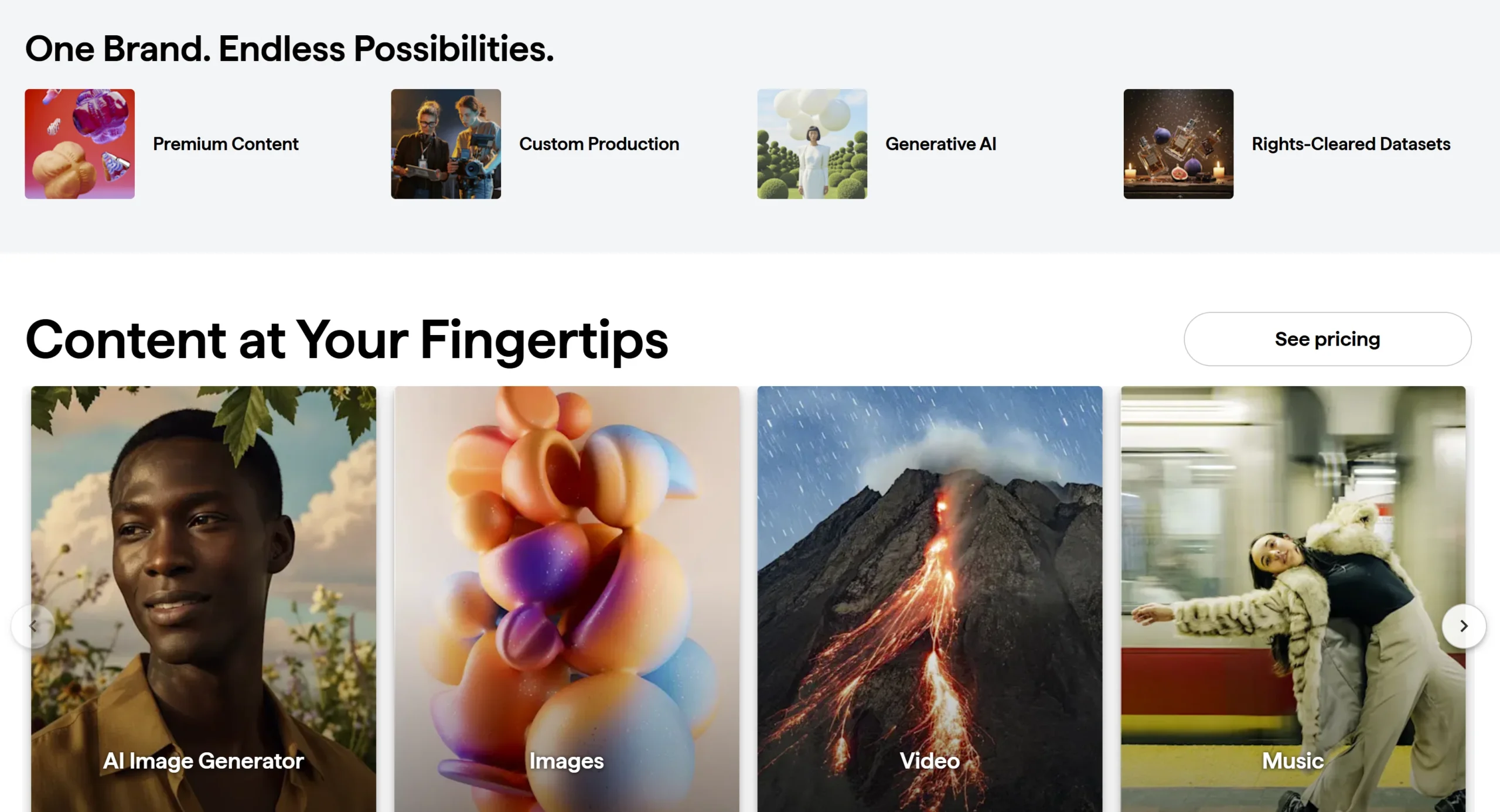
Shutterstock has developed into a broad creative-content platform covering stock images, video, music, sound effects, and AI-assisted creation. Adobe Stock offers a similarly broad library, with an obvious advantage for businesses already working inside Adobe applications.
For most businesses, there isn’t a universal winner. A marketing team producing content every day may have very different requirements from a small company that needs a handful of professional images each month.
This Shutterstock vs Adobe Stock comparison looks at the differences that matter in everyday business use rather than simply asking which platform has the largest library.

Shutterstock vs Adobe Stock: Quick Comparison
| Feature | Shutterstock | Adobe Stock |
|---|---|---|
| Images and illustrations | Available | Available |
| Stock video | Available | Available |
| Music and audio | Available | Available |
| AI tools | Available | Available |
| Individual subscriptions | Available | Available |
| Pay-as-you-go option | Image and video packs | Credit packs |
| Team and business plans | Available | Available |
| Creative software integration | Web-based tools and integrations | Integrated with Adobe Creative Cloud |
| Licensing options | Standard and Enhanced | Standard, Extended, and asset-specific options |
The similarities are substantial. Both platforms can supply the basic creative assets a business needs for websites, blog posts, social media, presentations, advertising, and other marketing materials.
The differences become more noticeable once you consider workflow, licensing, asset volume, and how frequently your team produces content.
What Is Shutterstock?
Shutterstock is a stock-content and creative platform offering photographs, illustrations, vectors, video, music, sound effects, and AI-powered creative tools.
Businesses can subscribe for a recurring allocation of content, use unlimited plans for certain collections and usage patterns, or purchase packs for occasional projects. Shutterstock’s current plans also extend beyond traditional stock photography into video, music, sound effects, and AI generation.
That range makes it possible for a business to use the platform for very different projects. A marketing team might source a photograph for a blog article in the morning, find footage for a social video later that day, and use illustrations for a presentation the following week.
We previously looked at this broader use case in our guide to using Shutterstock for visual content, including the benefits and limitations of combining stock assets with original business content.
Affiliate note: Replace the Shutterstock link above with your Shutterstock affiliate tracking URL before publishing.
What Is Adobe Stock?
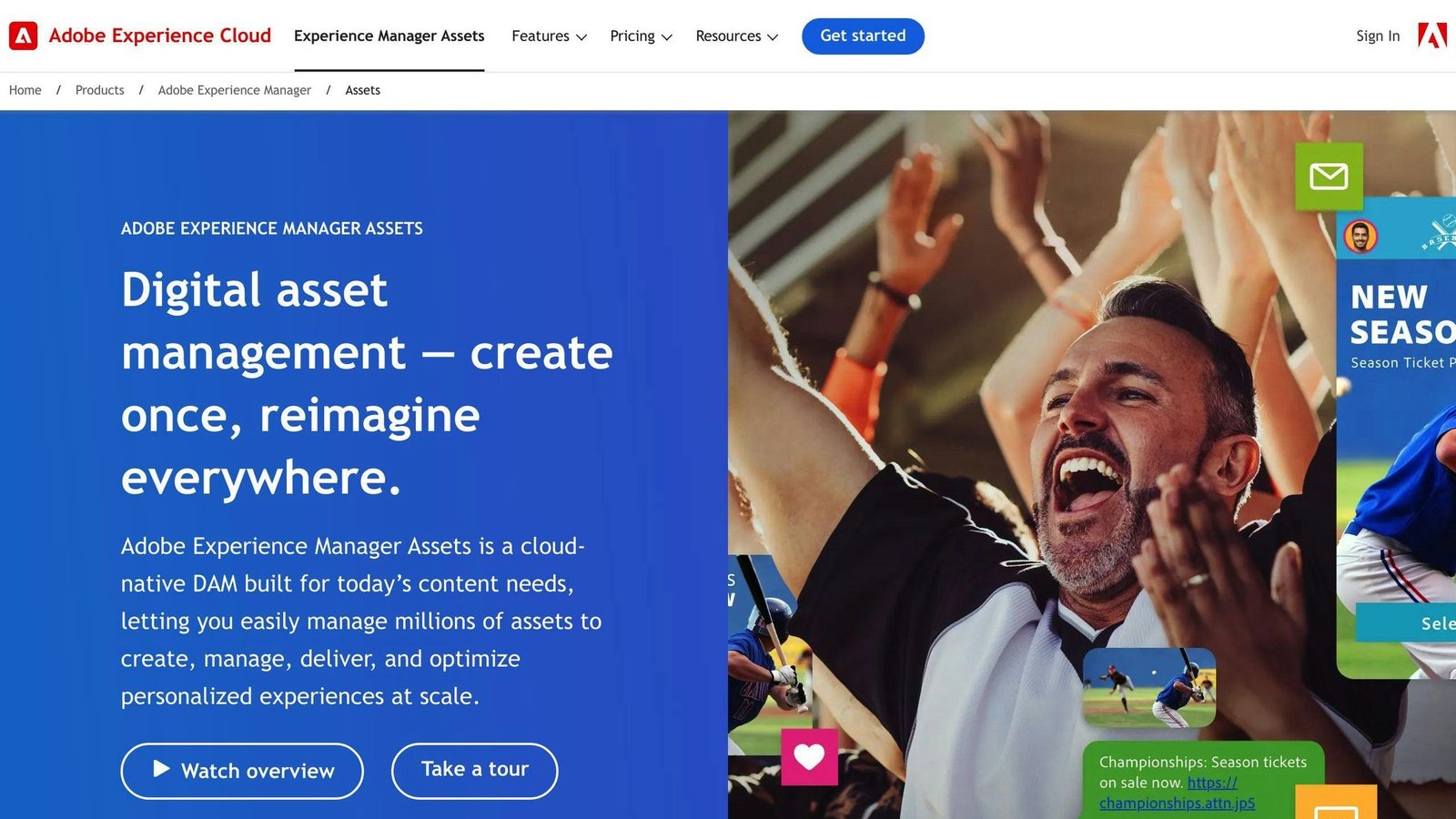
Adobe Stock is Adobe’s stock-content service, providing photographs, illustrations, vectors, templates, video, music, 3D assets, and other creative content.
One of its distinguishing characteristics is its connection to the wider Adobe ecosystem.
For businesses already producing content in applications such as Photoshop, Illustrator, Premiere Pro, or InDesign, having stock content available within the same creative environment can reduce some of the friction involved in searching for, previewing, licensing, and editing assets.
Adobe’s current Stock plans allow subscribers to mix different types of assets, although the number of credits required varies. For example, its U.S. $29.99 annual plan provides 10 standard assets or one video per month, while higher tiers provide larger monthly allocations.
That doesn’t automatically make Adobe Stock the better option for Adobe users, but workflow integration is a legitimate factor when a creative team already spends much of its day inside Adobe software.
Shutterstock vs Adobe Stock for Image Selection
Both services offer enormous image collections, so raw library size isn’t particularly useful for most small businesses.
Having hundreds of millions of assets doesn’t help much if it takes twenty minutes to find one photograph that doesn’t look generic.
The more practical question is how consistently you can find appropriate images for your particular business.
Shutterstock covers a wide range of commercial subjects, including business, technology, lifestyle, healthcare, travel, food, finance, and more. It also offers illustrations and vectors alongside photography.
Adobe Stock provides similarly broad coverage and currently advertises access to hundreds of millions of assets across its Stock collection. Its Philippine pricing page, for example, describes a library of more than 900 million stock images, videos, and other assets.
For general business subjects, either library is likely to produce plenty of results.
Where quality becomes more subjective is style.
One business may prefer the results it finds on Shutterstock while another consistently finds imagery closer to its brand aesthetic on Adobe Stock. Before subscribing, search both platforms using the kinds of terms your team actually uses—your industry, customer type, products, workplace scenarios, and typical campaign themes.
That tells you considerably more than comparing headline library numbers.
Avoid the “Stock Photo” Look
Access to a huge image library creates another problem: it’s easy to choose exactly the same kind of imagery everyone else is using.
You’ve probably seen it before—the perfectly staged meeting room, exaggerated handshake, impossibly enthusiastic call-center employee, or group of coworkers pointing at a laptop.
Those images aren’t necessarily bad. They’re simply easy to recognize as stock photography.
Businesses can get more value from either Shutterstock or Adobe Stock by treating stock content as part of their visual library rather than as a replacement for everything original.
Product photography, screenshots, employees, customers, facilities, and other visuals specific to your company will usually be more convincing when they’re genuinely yours.
Stock imagery works particularly well for supporting material: blog illustrations, background imagery, conceptual subjects, presentation slides, social posts, and topics that would be expensive or impractical to photograph yourself.
The strongest business content often combines both.
Shutterstock vs Adobe Stock Pricing
Pricing is where a simple side-by-side comparison becomes difficult because both services offer several ways to purchase content.
As of September 2026, Shutterstock lists an image subscription providing 10 downloads per month for $25 per month when billed annually. It also lists an Unlimited Images plan at $29 per month billed annually, covering a selected collection and AI generations subject to its plan terms and fair-use policy.
For businesses needing a broader mix of media, Shutterstock currently lists Unlimited Plus at $69 per month billed annually, covering eligible images, video, music, sound effects, and AI generations.
Adobe Stock’s U.S. annual plans currently start at $29.99 per month for 10 standard assets or one video, with other tiers including 25 standard assets or three videos for $49.99 and 40 standard assets or six videos for $79.99.
Both companies also provide alternatives for businesses that don’t want a conventional monthly subscription. Shutterstock sells image and video packs, while Adobe offers credit packs that can be used across different asset types.
The important point isn’t that one advertised plan costs a few dollars less.
Before choosing, estimate what your team actually downloads in an average month.
A company needing four images for blog articles has very different economics from an agency producing dozens of social posts, videos, ads, landing pages, and client presentations every week.
Shutterstock vs Adobe Stock for Occasional Use
Not every business needs stock content every month.
Perhaps you’re redesigning a website, preparing an annual report, building a sales presentation, or running a short campaign. Once the project ends, your stock-content requirements may fall dramatically.
In that situation, committing to a large monthly allowance may not make much sense.
Shutterstock’s on-demand packs are intended for this kind of irregular usage. Its current help documentation says image and video packs remain available for up to 12 months after purchase.
Adobe takes a similar approach with credit packs. Credits last for one year, don’t automatically renew, and can be used for different content types, including Premium assets and video, with the number of credits required varying by asset.
For occasional users, this flexibility can matter more than the headline monthly subscription price.
A slightly higher cost per asset may still be cheaper overall if it prevents the business from paying every month for downloads it doesn’t use.
Shutterstock vs Adobe Stock for Video Content
Stock video has become more useful for businesses as short-form video, social advertising, product explainers, and presentation content have become part of everyday marketing.
Both Shutterstock and Adobe Stock maintain large video libraries covering business scenes, lifestyle footage, backgrounds, aerial footage, technology, nature, and other common subjects.
The more important consideration is how the footage fits into your production process.
Adobe Stock has a natural advantage for teams already editing in Premiere Pro or After Effects because Stock assets can fit directly into the Adobe workflow. Editors can preview watermarked assets while working and license them once they’ve decided which footage to use.
Shutterstock is less tied to one editing ecosystem. This can be useful for businesses using a mixture of video editors and design platforms rather than relying primarily on Adobe software.
If your business produces video frequently, also compare the actual resolution and licensing requirements you need. A company creating occasional social clips may have very different requirements from an agency producing commercial campaigns for clients.
Shutterstock vs Adobe Stock Licensing
Licensing deserves more attention than it usually receives when businesses compare stock platforms.
Buying or downloading a stock image doesn’t mean you own the copyright. Instead, you’re receiving a license that allows the asset to be used under particular conditions.
Shutterstock offers different licensing options, including Standard and Enhanced licenses. The appropriate license depends on how and where an asset will be used.
Adobe Stock similarly provides Standard and Extended licenses, with licensing varying for certain asset types.
For everyday business uses such as websites, social posts, presentations, and marketing materials, a standard license may cover many common scenarios. However, merchandise, templates for resale, very large distribution runs, or other commercial applications can have different requirements.
Don’t assume that because an image can be downloaded, it can automatically be used for anything.
For important campaigns, check the license associated with the specific asset and intended use before publishing it.
Be Careful With Editorial Content
Another distinction businesses should understand is the difference between commercial and editorial content.
Editorial images frequently depict real-world events, celebrities, public figures, sports, news, or recognizable brands. These assets can have restrictions that prevent them from being used in ordinary advertising or promotional campaigns.
For example, finding a photograph of a famous athlete in a stock library doesn’t mean your company can place that photograph in an advertisement and imply that the athlete endorses your product.
This issue isn’t unique to Shutterstock or Adobe Stock. It is part of using licensed media responsibly.
When an asset is marked Editorial Use Only, treat that label seriously and check the applicable licensing terms before using it for business content.
Shutterstock vs Adobe Stock AI Tools
AI is becoming increasingly intertwined with stock-content platforms.
Shutterstock offers AI-powered image-generation and editing capabilities alongside its traditional stock library. This gives users another option when a conventional stock search doesn’t produce exactly what they need.
Adobe approaches generative AI through Firefly, which is integrated across parts of its creative ecosystem and increasingly connected with Adobe Stock workflows.
For businesses, AI generation can be useful when the required visual is highly specific.
Instead of searching through dozens of photographs for a particular concept, you may be able to generate something closer to the idea you have in mind.
But AI doesn’t eliminate the need for traditional stock content.
Real locations, real people, recognizable events, accurate products, and documentary-style subjects are areas where conventional licensed photography and video remain important.
The two approaches increasingly complement each other: search when the right asset already exists; generate or modify when it doesn’t.
Bizbot’s guide to how small businesses are using AI to create visual content looks at how AI-generated visuals can fit alongside traditional design and content workflows.
Shutterstock vs Adobe Stock for Creative Workflows
This is probably one of the clearest practical differences between the platforms.
If your creative team already works extensively in Photoshop, Illustrator, Premiere Pro, or other Adobe applications, Adobe Stock fits naturally into that environment.
The advantage isn’t necessarily better content. It’s fewer interruptions to the workflow.
A designer can search for an asset, preview it in a project, make sure it works with the design, and then license it without repeatedly moving between unrelated tools.
Shutterstock takes a more platform-independent approach.
You can find and license an asset and then use it in whichever compatible design, presentation, website, or editing software your business prefers.
That can suit teams whose workflow involves several different platforms rather than one creative ecosystem.
For example, a marketing department might create social graphics in one application, edit videos in another, build presentations elsewhere, and manage website content through a CMS.
In that situation, Adobe integration may be less important.
What About Teams Producing Content Every Day?
A business producing one blog post each week has very different stock-content needs from an agency managing twenty client accounts.
As usage increases, organization becomes more important.
Teams need to know which assets have been licensed, where they’re being used, whether colleagues are downloading the same files, and what licensing applies to client work.
This is also where subscription allowances become more relevant.
A small monthly plan may look inexpensive until several employees start producing social posts, advertisements, presentations, videos, landing pages, and blog content simultaneously.
Before selecting a plan, estimate your actual production volume rather than simply counting employees.
A three-person creative team producing content every day could require substantially more assets than a twenty-person company where only one employee occasionally creates marketing materials.
Shutterstock or Adobe Stock for Marketing Teams?
For marketing teams, the decision largely comes down to the types of content being produced.
Shutterstock is worth considering when the team needs a broad mixture of stock assets across different creative applications. Its combination of images, illustrations, video, audio, and AI tools means the platform isn’t limited to traditional stock photography.
Adobe Stock becomes particularly compelling when the team already relies heavily on Adobe Creative Cloud. The integration with Adobe’s creative applications can simplify the process of finding and working with licensed assets.
Neither platform automatically makes marketing content better.
The asset still has to fit the brand, audience, and message.
A beautifully produced stock photograph that looks completely unrelated to your actual customers can be less effective than a simple original photograph taken specifically for the business.
Which One Makes More Sense for a Small Business?
For a small business, start with how frequently you create content.
If you regularly need images, videos, illustrations, and audio across several different tools, Shutterstock’s broad content offering may be useful.
If most creative work happens inside Adobe applications, Adobe Stock’s integration can be a meaningful advantage.
Occasional users should pay particularly close attention to subscriptions. Paying for a large monthly allowance that repeatedly goes unused defeats the purpose of choosing a lower per-asset price.
The best platform may even change as the business grows.
A company producing two blog posts each month might begin with occasional asset purchases. A year later, the same company could have employees producing social campaigns, videos, presentations, ads, and website content every week.
Choose based on what you’re producing now, not on a hypothetical future content operation.
Frequently Asked Questions
Is Shutterstock better than Adobe Stock?
Not universally. Shutterstock can suit businesses wanting a broad stock-content platform that works across different creative tools, while Adobe Stock has a particularly strong workflow advantage for businesses already using Adobe Creative Cloud.
Is Adobe Stock included with Creative Cloud?
Adobe Stock is generally a separate service from standard Creative Cloud subscriptions, although Adobe may offer plans or promotions combining services. Check the current plan details before subscribing.
Can Shutterstock images be used for business websites?
Licensed Shutterstock content can be used for many common commercial purposes, including websites, subject to the terms of the applicable license. Check the specific license if the use involves merchandise, resale, templates, or other less typical applications.
Can Adobe Stock images be used on social media?
Adobe Stock’s standard licensing covers many common digital uses, but businesses should still review the license applicable to the asset and intended use.
Which is better for stock video?
Both maintain substantial video libraries. Adobe Stock can be particularly convenient for teams editing heavily in Adobe Premiere Pro, while Shutterstock may suit businesses working across a wider variety of creative software.
Should a small business pay for a stock-content subscription?
Only if the usage justifies it. If you need assets irregularly, packs or credits may be more economical. Regular content production makes a recurring subscription easier to justify.
Final Thoughts
The Shutterstock vs Adobe Stock decision isn’t really about which company has the biggest collection of images.
Both platforms offer more content than most businesses could ever realistically browse.
The more useful questions are how often you need assets, what types of content you produce, which creative applications your team already uses, and what licensing your projects require.
Shutterstock offers a broad mix of stock and creative content that can fit into many different workflows. Adobe Stock’s connection with Creative Cloud gives it a clear practical advantage for teams already working heavily within Adobe’s ecosystem.
Before subscribing, spend some time searching both libraries for the subjects your business actually uses. Compare the results, calculate roughly how many assets you need each month, and check the licensing for your typical projects.
The best stock library isn’t necessarily the one with the most assets. It’s the one that consistently helps your team find usable content without adding unnecessary cost or friction to the creative process.