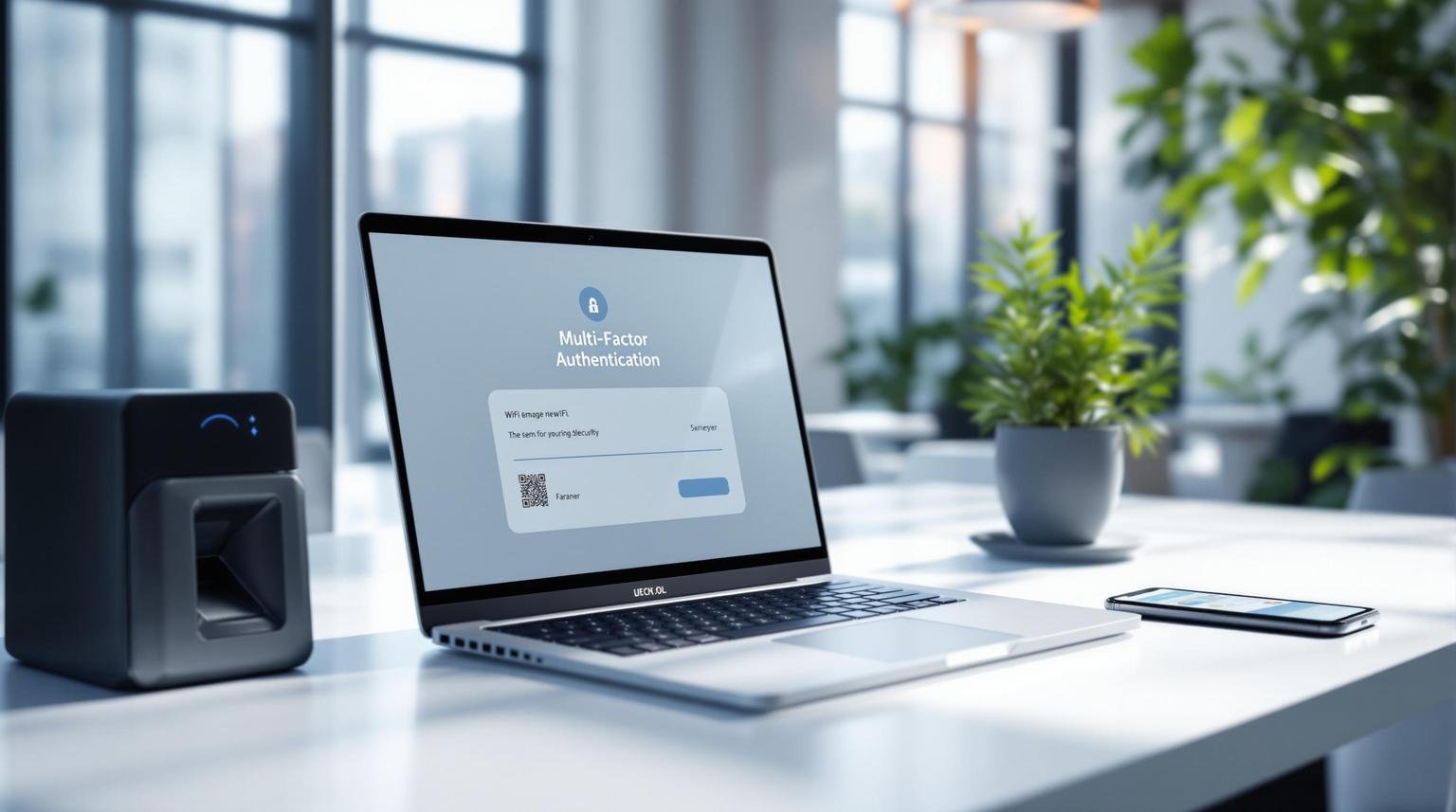
Multi-Factor Authentication (MFA) is a must for securing enterprise WiFi networks. Here’s what you need to know:
- MFA stops 99.9% of account hacks
- It requires multiple proofs of identity, not just a password
- Common WiFi threats include unauthorized access, data breaches, and fake networks
Key steps to implement MFA:
- Plan your setup
- Choose the right MFA methods
- Use WPA3 Enterprise and RADIUS servers
- Set up network division and access rules
- Implement adaptive MFA and Single Sign-On
- Regularly check and fix your MFA system
- Follow industry-specific security rules
Remember: MFA isn’t set-and-forget. Keep it updated, train your team, and prepare for security audits.
Setting Up MFA for Enterprise WiFi
Let’s talk about beefing up your enterprise WiFi security with Multi-Factor Authentication (MFA). It’s not just a fancy tech term – it’s your digital bouncer, keeping the bad guys out.
Planning Your MFA Setup
Before you dive in, you need a game plan. Here’s how to tackle it:
1. Check Your Tech
Take a good look at what you’ve got. List out all your access points, controllers, and authentication servers. These are the pieces you’ll need to fit into your MFA puzzle.
2. Go All In
Don’t leave any gaps. Your MFA should cover everything – WiFi, VPNs, SSH, RDP. The whole shebang. It’s like locking all your doors, not just the front one.
3. Pick Your Player
Choose an MFA provider that plays nice with your current setup. Look for one that’s flexible and offers a variety of ways to authenticate.
4. Take It Step by Step
Rome wasn’t built in a day, and neither is a solid MFA system. Plan for a gradual rollout. It’ll keep your daily operations running smoothly.
5. Teach Your Team
Your employees need to know what’s up. Create some clear, no-nonsense training materials. The easier it is to understand, the smoother the transition.
Choosing MFA Methods
Picking the right MFA methods is like choosing the right tools for a job. Here’s a quick rundown:
| MFA Method | The Good | The Bad |
|---|---|---|
| Push-based mobile OTP | Easy to use | Risky if phone is stolen |
| Time-based OTP (TOTP) | Works offline | Trouble if device is lost |
| Hardware tokens | Super secure | Can be lost, costs more |
| Biometrics | Hard to fake | Needs special devices |
When you’re deciding, think about:
- User-Friendliness: Don’t make logging in a chore. Push notifications or biometrics can be pretty smooth.
- Security Level: For your crown jewels, consider doubling up on factors.
- Device Compatibility: Make sure it works with what your team uses. If they bring their own devices, flexibility is key.
- Room to Grow: Your MFA should be able to handle more users and devices as you expand.
The goal? A system that’s both Fort Knox and a walk in the park. As Joel Witts from Expert Insights puts it:
“MFA helps to secure access to accounts by enforcing an additional authentication check during the login process.”
It’s like adding an extra lock to your door – simple, but effective.
Key Security Settings
Let’s dive into the crucial settings for securing enterprise WiFi networks with Multi-Factor Authentication (MFA). We’ll cover protocols, certificates, and network division to keep your digital fortress locked down tight.
Setting Up Protocols and Certificates
The backbone of your WiFi security? Choosing the right protocols and managing digital certificates. Here’s how:
1. Choose WPA3 Enterprise
It’s the top dog in WiFi security. WPA3 Enterprise:
- Makes clients verify the authentication server before sending login credentials
- Teams up with RADIUS servers to authenticate WiFi clients
2. Set up your RADIUS server
Your options:
- Use built-in RADIUS servers in wireless controllers or access points
- Leverage existing servers with RADIUS features
- Go for cloud-hosted RADIUS services
- Deploy a separate full RADIUS server (FreeRADIUS is a solid pick)
3. Manage certificates
Certificates are like digital IDs for your network components:
- Configure the “Apply to Certificates” field with the right CA certificate
- Enter trusted certificate names manually if needed
- Turn off “Allow Trust Exceptions” to avoid those pesky “trust this server?” prompts
4. Choose the right EAP Type
Pick from EAP-FAST, EAP-SIM, LEAP, PEAP, TLS, or TTLS based on your needs.
Network Division and Access Rules
Splitting your network and setting smart access rules is key. Here’s how:
1. Implement VLANs
Virtual Local Area Networks let you slice up your physical network:
- Use them to isolate sensitive data and systems
- Consider Private VLANs for even more control
2. Set up user segregation
Keep internal users and guests separate:
- Use RADIUS to distinguish user roles
- Return security attributes to the wireless network for enforcement
3. Implement Mobile Device Management (MDM)
This helps manage and isolate access for mobile devices.
4. Use Intrusion Prevention Systems (IPS)
These monitor and detect targeted WLAN cyberattacks.
5. Consider a single SSID approach
Use a single SSID with RADIUS dynamic VLAN assignment instead of multiple SSIDs.
As Andrew, a field expert, puts it:
“Any of these three options will provide adequate network security when designed properly.”
The goal? A network that’s both secure and efficient. Get these settings right, and you’ll be well on your way.
Making MFA Work Better
Multi-Factor Authentication (MFA) is a key player in securing enterprise WiFi networks. But how can we make it even better? Let’s explore some advanced strategies to boost your MFA game.
Smart Authentication Rules
One-size-fits-all security? Not anymore. Today’s MFA can adapt on the fly, adjusting security levels based on user behavior and risk factors. This is called Adaptive MFA, and it’s changing the game.
Here’s the gist:
- The system checks context: device type, location, user behavior.
- It calculates a risk score for each login attempt.
- Based on the risk, it either grants easy access or puts up extra barriers.
Think about Sarah from accounting:
- When she logs in from her office computer at 9 AM? Easy access.
- But if she tries to access sensitive data from an unknown device at 3 AM? Red flag. The system might ask for an extra verification step.
This smart approach keeps things secure without driving users crazy. As one expert puts it:
“Adaptive MFA uses context to deliver secure, user-friendly authentication that adapts in real-time, balancing security and usability.”
Want to implement adaptive MFA? Here’s how:
- Start with “MFA always on” as your baseline.
- Turn on “impossible travel” detection to catch suspicious logins.
- Enable detection of network anonymizers.
- Teach your team how it works and why it matters.
The goal? Make security strong AND smooth. Adaptive MFA isn’t just about putting up walls – it’s about building a smart system that knows when to open the gates and when to raise the drawbridge.
Adding Single Sign-On
MFA is great for security, but it can be a pain for users. Enter Single Sign-On (SSO). Combine SSO with MFA, and you’ve got a security powerhouse that users won’t hate.
SSO lets users access multiple apps with one set of credentials. Pair it with MFA, and you get:
- Less password headaches: One strong password instead of a dozen weak ones.
- Simpler MFA: Users only need to verify once to access multiple services.
- Easier management: IT can control access and security policies from one place.
Here’s how to make it happen:
- Pick an SSO provider that works with your systems and has solid security features.
- Apply SSO and MFA across your entire network. No exceptions.
- Train your users on protecting their SSO credentials and MFA methods.
- Keep your access policies up-to-date.
The results can be impressive. According to Huntress:
“Using SSO and MFA to beef up your security isn’t just smart – it’s a basic must-have.”
Here’s a quick before-and-after:
| Without SSO+MFA | With SSO+MFA |
|---|---|
| Multiple logins | Single login |
| Password overload | One master password |
| Inconsistent security | Uniform protection |
| User frustration | Streamlined access |
Checking and Fixing MFA Systems
You’ve set up Multi-Factor Authentication (MFA) for your enterprise WiFi. Great start! But don’t stop there. Your MFA system needs regular check-ups to stay strong.
Regular Security Checks
Think of your MFA system like a car. It needs tune-ups to run well. Here’s how to keep it in top shape:
- Test MFA Enrollment
Go through the MFA setup like a new user would. Is it easy? Does the QR code work? Fix any issues you find.
- Look for Disabled Account Problems
Make sure old, disabled accounts can’t sneak past MFA. It’s like checking all your windows are locked, even in unused rooms.
- Check Your VPN
Your VPN is your network’s secret tunnel. Make sure it’s using MFA and strong encryption.
- Review Admin Access
Keep a close eye on how admin accounts get into your systems. These accounts have the keys to everything.
- Check Remote Desktop Access
Only let people use remote desktop through a VPN with MFA. It’s an extra lock on your front door.
Hannah Grace Holladay from KirkpatrickPrice says:
“It isn’t enough to just have MFA enabled. You need to be sure that your MFA configurations are keeping bad actors away from your valuable data.”
Don’t just trust automatic checks. They might say MFA is on, but not if it’s working right. That’s why you need to test it yourself.
When Security Problems Hit
Even with great security, problems can pop up. Here’s what to do:
- Find the Problem
Is it everywhere or just with some users? Knowing this helps you fix it faster.
- Quick Fix
If MFA isn’t working, you might need to use single-factor auth for a bit. Not ideal, but better than no security.
- Look for Weird Stuff
Check your logs. Any strange logins? Weird access attempts? Look for patterns.
- Reset Accounts
For any accounts that might be hacked, change passwords and MFA settings. It’s like changing locks after losing your keys.
- Update Everything
Make sure all your systems are up-to-date. Old systems are easier to hack.
- Talk to Your Team
Tell everyone what’s going on. What happened? What are you doing? What should they do? Clear info stops panic.
- Learn From It
After you fix things, figure out what went wrong. How can you stop it next time? Use this to make your MFA even better.
Daniel E. Capano, a Senior Project Manager, says:
“With some effort, thought, and common sense, the use of MFA can make any device, service, or network virtually impenetrable.”
Following Security Rules
When it comes to enterprise WiFi and Multi-Factor Authentication (MFA), following security rules isn’t just a good idea – it’s often the law. Let’s look at how to meet these standards and get ready for security reviews.
Meeting Legal Requirements
Different industries have their own MFA rules for WiFi networks:
1. NIST SP 800-171 for Federal Contractors
The National Institute of Standards and Technology (NIST) sets tough standards:
- MFA on all network devices
- Limited system access
- Encryption and authentication for mobile devices
- Strong password rules
AdvantIDge puts it bluntly:
“The federal government requires all contractors to implement NIST SP 800-171 with multi factor authentication on all network devices by December 31, 2017.”
2. CJIS Security Policy for Law Enforcement
The Criminal Justice Information Services (CJIS) Security Policy says:
- MFA for all accounts
- Log in again every 12 hours
- Use approved encryption methods
Victoria Savage, a CJIS expert, explains:
“The purpose of the policy is to set out the minimum security standards that any agency must have in order to access CJIS systems.”
3. PCI DSS 4.0 for Payment Card Industry
By March 31, 2025, companies handling card data must:
- Use MFA for all accounts that can access card data
- Have MFA for remote network access
4. NY-DFS 23 NYCRR Part 500 for Financial Services
This New York rule requires:
- MFA for anyone accessing information systems
- MFA for remote access to networks and third-party apps
- MFA for all privileged accounts
To meet these rules:
- Check your MFA setup regularly
- Pick authentication methods that fit your industry’s rules
- Use MFA everywhere it’s required, including for remote and third-party access
- Keep your cybersecurity policies up to date
Preparing for Security Reviews
Getting ready for a security audit? Here’s how to nail your MFA game:
1. Regular Audits
Check your network security once or twice a year. It’s better to find problems early.
2. Detailed Checklist
Use a thorough WiFi security checklist. Cover things like:
- Rules for how employees use the network
- How devices can connect
- Setting up company devices securely
- Using a WiFi name that doesn’t give away info
- Having a separate guest WiFi
- Splitting up your network
3. Authentication Check
- Make sure passwords are strong
- Use two-factor authentication where you can
- Keep access controls up to date
4. Keep Good Records
Write down:
- How you’ve set up MFA across your systems
- When you do security checks and what you find
- Any security problems and how you fixed them
5. Train Your Team
Get your staff ready for auditor questions:
- Teach them why MFA matters and how to use it
- Practice audits so they know what to expect
6. Map Out Compliance
Show clearly how your MFA setup meets industry standards. For example:
| Rule | What It Wants | What You’ve Done |
|---|---|---|
| PCI DSS 4.0 | MFA for card data access | MFA on all systems with card data |
| CJIS | MFA for all accounts | Two-factor auth, login every 12 hours |
| NY-DFS 23 NYCRR Part 500 | MFA for remote access | VPN needs password and security token |
Summary
MFA for enterprise WiFi networks isn’t just a nice-to-have – it’s a must-have. Here’s why:
Microsoft found that MFA could’ve stopped 99.9% of account hacks. That’s huge.
But it’s not enough to just slap MFA on your main login page. You need to cover all your bases – cloud stuff, on-site resources, the works. As NordLayer puts it, “Multi-factor authentication is an essential addition to cybersecurity setups.”
Now, don’t go overboard and make it a pain for your users. Give them options – biometrics, hardware tokens, SMS codes. The easier it is, the more likely they’ll actually use it.
Get smart with your MFA. Use context-aware authentication that looks at things like where the device is and how the user typically behaves. It’s like having a bouncer who knows the regulars.
If you’re using Single Sign-On (SSO), make sure your MFA plays nice with it. You want security AND convenience.
Don’t set it and forget it. Check your MFA setup twice a year for any weak spots.
Your team needs to know how to use MFA properly. Copperband Tech says, “By doing so, they can cut down on the possibility of data breaches.”
Lastly, make sure your MFA setup ticks all the boxes for industry rules like NIST SP 800-171, CJIS Security Policy, PCI DSS 4.0, and NY-DFS 23 NYCRR Part 500.
More on this topic
Browse all 39 articles on IT, Cloud & Integrations, or jump straight to our buying guide: Best Collaboration Tools for Small Teams.