Collaboration tools are for small teams that have outgrown email threads and shared drives but do not want a project manager or a formal process. The mistake that costs most is buying a platform that can do everything and then letting each person structure it their own way. Within three months you have four half-systems, nobody trusts the search, and the group quietly returns to chat. The tool matters less than agreeing, before rollout, where things live.
How to choose
Is your bottleneck documents, tasks or conversation
Be honest about what is actually breaking. If people cannot find decisions and specs, you have a documents problem and want a wiki-shaped tool. If work stalls because nobody knows who owns what, you want tasks with clear assignees. If neither is true and you are simply drowning in messages, a new workspace will not fix it. Most platforms here claim all three; they are genuinely good at one or two.
How much structure the team will tolerate
Flexible tools reward teams that agree conventions up front and punish teams that improvise. A build-it-yourself platform is powerful if one person owns the design and everyone else follows it. If your team is five people who all want to work their own way, take something opinionated with fewer choices, because the constraints are doing useful work.
Whether anyone outside the team needs to see it
Guest access and external sharing are priced very differently across these products. If clients or contractors will see the same boards, check the guest seat rules early — it is a common reason a cheap plan turns out not to be.
What it replaces
A collaboration platform only pays for itself if something else gets switched off. Layered on top of existing chat, drive and task apps, it is a place to check rather than one removed.
The tools in this category
- Notion — best at combining documents, a wiki and lightweight databases in one workspace; suits small teams happy to assemble their own tools rather than buy a fixed app.
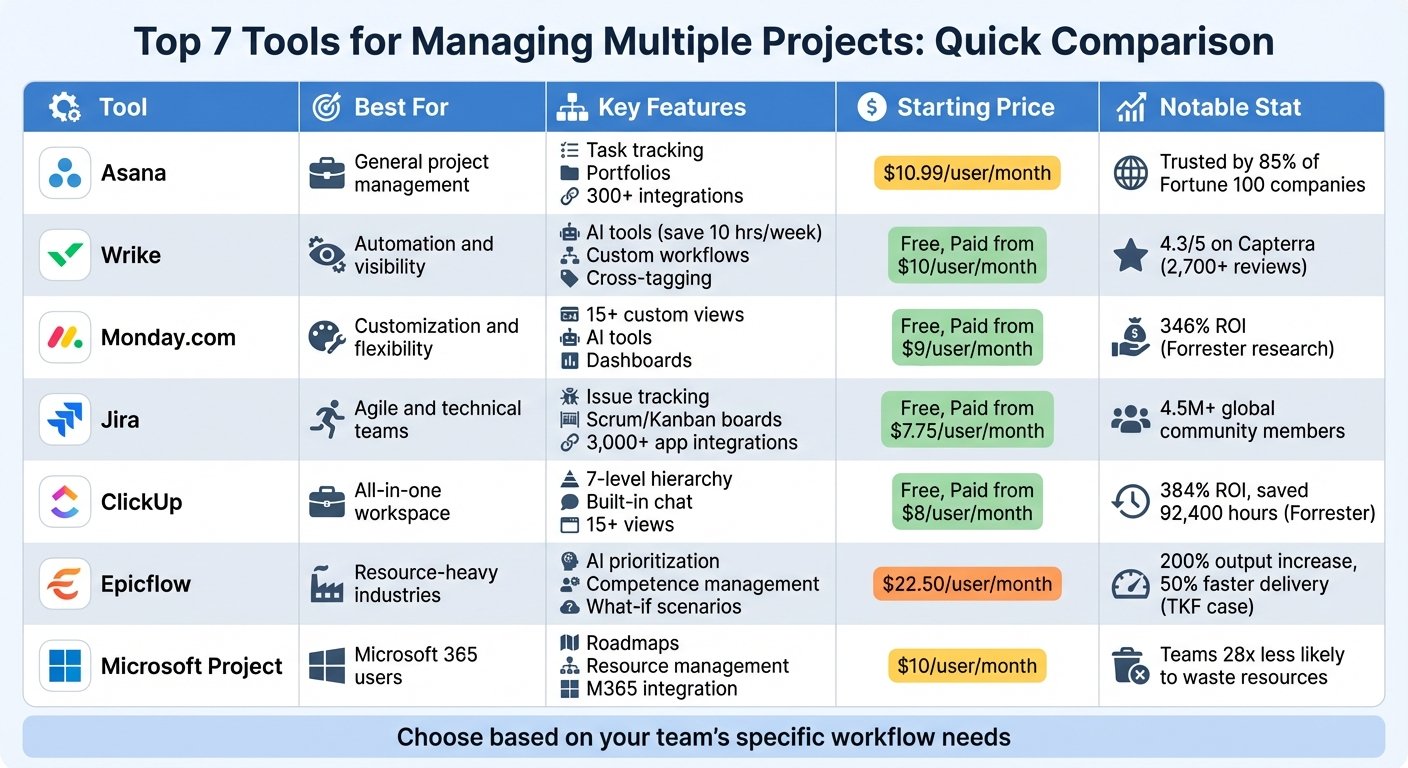
- ClickUp — best at holding tasks, docs, goals, chat and reporting together in depth; suits teams that will agree a structure first, and frustrates those that drift.
- Bitrix24 — best at bundling CRM, projects, chat and HR into one subscription priced per company rather than per seat; suits growing teams willing to give someone ownership of the setup.
- Podio — best at building your own apps from fields and relationships; suits teams with genuinely unusual processes, given nothing exists until you have built it.
- Simplified — not a team workspace but an AI design, writing, video and social scheduling suite; suits solo marketers and very small teams producing content, where each module is competent rather than deep.
- Unicorn Platform — also not a workspace: a no-code website builder for getting a startup landing page live quickly; suits founders who want speed and accept capped design freedom.
What to watch out for
- Per-user pricing that only bites later. A tier that is fine for five people can double at ten, and guest seats are often counted.
- Migration debt. Moving documents in is easy; moving years of comments, versions and links is not, and half-migrated content means two sources of truth.
- Features nobody uses. Time tracking, goals and dashboards look decisive in a demo and are the first things abandoned in week three.
- Tool sprawl disguised as consolidation. If chat stays where it was, you have not consolidated, you have added.
Questions people ask
Do we need this if we already have chat?
Only if things are getting lost. Chat is bad at anything that must be found again later, which is where a wiki or task tool earns its place.
Free plans — good enough?
Often yes for a small team, until you hit a cap on history, storage, guests or automations. Check which cap you will hit first, then check what the next tier costs with the vendor.
How do we stop it becoming a mess?
Name one owner, agree a few conventions, review after a month. Governance beats features here.
See the full, always-current list on the collaboration tools category page.