
Disclosure: This page contains commercial links. BizBot may earn a commission from qualifying purchases. Paid placements do not buy a better ranking. Read our affiliate disclosure.
Disclosure: Some links in this article are affiliate links. If you sign up through one, BizBot may earn a commission at no extra cost to you. It does not change which tools we list, or what we say about them — including the parts that are critical. How we evaluate software.
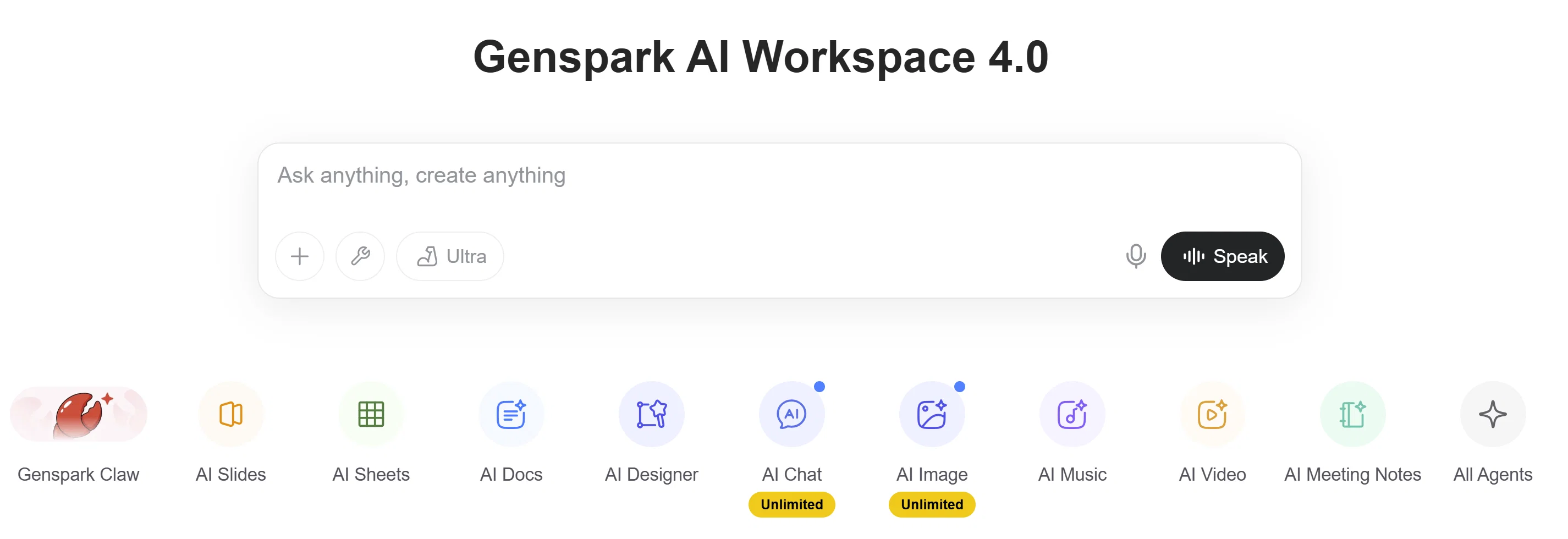
Genspark helps businesses automate tasks, create personalized content, and streamline workflows using an AI agent. Instead of relying on manual processes and disconnected tools, it supports faster execution and more consistent customer engagement.
One clarification before anything else, because the framing matters. Genspark does not optimise conversion rates in the way a testing tool does. It does not run experiments, measure lift, or decide which variant wins. What it does is remove the delay and the inconsistency between a lead arriving and someone responding usefully. In most small businesses that is where conversions are actually lost, so the effect on your numbers can be real, but the mechanism is speed and consistency of execution rather than optimisation.
What Is Genspark and How Does It Improve Conversions?
Genspark is an AI agent and workspace that helps businesses create content, automate tasks, and support workflows. It is not a CRM. It acts as a productivity layer over how teams manage customer interactions and execute campaigns.
Concretely, the parts relevant to conversion work are its agent, which plans and carries out multi-step tasks rather than answering a single prompt, and its document, spreadsheet and slide generation, which turn research and instructions into a usable artefact. It can browse the web as part of a task, which is what makes pre-call research and prospect summaries practical rather than a copy-paste exercise.
Many businesses lose conversions to slow response times and inconsistent messaging. Genspark helps with that by making the drafting step take minutes instead of hours, and by making the tenth follow-up look like the first one.
Why Businesses Struggle to Improve Conversion Rates Without Genspark
Most businesses aim to improve conversion rates but rely on fragmented systems. Manual workflows and disconnected tools create delays, missed follow-ups, and inconsistent messaging.
Teams often manage leads, emails, and content across different platforms. This makes it harder to maintain a smooth and timely customer journey.
Without a system that supports execution, optimization becomes reactive. Businesses that adopt structured approaches like process mapping tools often see better workflow clarity. Genspark reduces this friction by supporting faster and more organized workflows.
It is worth being precise about the diagnosis, though, because the fix differs. If leads sit for two days before anyone replies, that is an execution problem and an AI assistant helps immediately. If leads are being replied to promptly and still not converting, the problem is the offer, the fit, or the page they landed on, and no drafting tool will move it. Check which one you have before you buy anything.
How Genspark Improves Conversion Rates Automatically
AI-Assisted Content Creation and Personalization
Genspark helps generate and refine content based on context and intent, so you can deliver more relevant messaging across emails, landing pages, and outreach.
Instead of manually writing each message, teams can produce personalised content faster while keeping the structure consistent. Personalization is a major driver of engagement, especially when supported by dynamic content strategies that adapt messaging based on user behaviour, such as those used in dynamic content personalization for small businesses.
The useful discipline here is to separate the fixed parts from the variable ones. Anything that must be accurate, meaning pricing, terms, dates, entitlements, belongs in a template that a human wrote and approved. The AI handles the variable framing: the opening line that references what the prospect actually asked about, the summary of the call, the reordering of benefits to match their stated priority. Left to generate the whole message, a model will eventually invent a detail, and it will do it in the confident register that makes it hard to spot.
Faster Follow-Ups and Communication
Genspark lets teams draft and send follow-ups quickly, which reduces the delays that cause leads to lose interest. After an inquiry, it can generate a response immediately, keeping momentum in the conversation.
The gain is largest at the two points where response time is measurably decisive: the first reply to an inbound enquiry, and the follow-up after a demo or quote. Those two messages are also the most templated in most businesses, which makes them the sensible place to start. Everything else can wait until you have seen whether the quality holds up.
Workflow Support and Task Automation
Genspark supports workflow creation by helping teams organise tasks and processes. Its agent can carry out multi-step work rather than responding one prompt at a time, though it is not a trigger-based automation engine in the way that dedicated integration tools are.
That distinction matters when you are choosing where to put a job. Anything that must fire reliably on an event, such as a form submission creating a record and notifying a channel, belongs in a purpose-built integration tool like Zapier or Make, which will run the same way every time. Anything that requires judgement, research or drafting is where an agent earns its place. Our guide to the best automation and integration tools covers the deterministic half of that split.
Better Organization of Customer Information
Genspark helps organise notes, interactions, and customer context so it is easier to track conversations and follow up effectively.
Treat this as a working surface, not a system of record. Your record of who a customer is, what they bought, and what was agreed should live somewhere designed to hold it permanently, whether that is a CRM or a structured database such as Notion. Notes that exist only inside an AI workspace are hard to audit, hard to hand over when someone leaves, and hard to export when you change tools.
Real-Time Assistance for Decision-Making
Genspark can summarise information and surface suggestions, which helps teams act faster on what they already have: summarising a set of customer interactions, or pulling the recurring themes out of feedback. This is similar to how teams use conversational insights tools to improve decision-making.
Step-by-Step: How Genspark Improves Conversion Rates
A realistic sequence for a small team:
1. Fix the measurement first
Record your current median time to first response and your current reply-to-meeting rate. Without those two numbers you will not be able to tell whether anything changed, and “it feels faster” is not a result.
2. Capture and organise customer information
Keep the durable record in your CRM or database. Use the workspace for context and drafts.
3. Generate personalised content on approved templates
Human-written skeletons for anything factual, AI-generated framing around them.
4. Respond faster to leads
Start with first-reply and post-demo follow-up only. Review every message for the first two weeks.
5. Review and adjust
Compare the two numbers from step one. If time to first response has dropped and the reply rate has not fallen, extend the scope. If reply rates dropped, the messages read as generated and the templates need work.
What It Will Not Do
Four limits worth knowing before you commit.
It is not a CRM and should not become one. There is no pipeline of record, no deal history you can report on, and no permission model built for a sales team. If you need those, buy a CRM and use the assistant alongside it. Our guide to the best CRM software for small businesses covers that side, and tools like Pipedrive or HubSpot are the usual starting points.
Output still needs review. Agents that browse and summarise will occasionally state something that is not true, and the failure is confident rather than obvious. Anything customer-facing needs a human read until you have evidence of consistency on that specific task type, and anything contractual needs one permanently.
Consumption is metered. Genspark runs on a credit model, and agent tasks consume credits whether or not the result is usable. Multi-step runs and retries add up faster than single prompts, so budget for the retries rather than the happy path, and check whether unused allowance carries over before you size a plan.
It does not fix a positioning problem. Faster, better-written follow-ups to the wrong audience produce faster rejections. If your reply rate is healthy and your close rate is not, the constraint is upstream of anything discussed here.
When Should You Use Genspark?
It fits best when the bottleneck is execution: enquiries waiting on a reply, follow-ups that get skipped when things are busy, research and drafting eating hours that should go to conversations. It fits worst when your process is already fast and the problem is what you are selling or to whom.
If your interest is the general productivity case rather than the sales one, our companion piece on how the Genspark AI workspace improves productivity covers that ground.
FAQ About Genspark
What is Genspark best for?
Research, drafting, summarising, and multi-step tasks that need judgement rather than a fixed trigger. It is strongest where a person would otherwise spend twenty minutes assembling context before writing anything.
Is Genspark a CRM?
No. It can hold notes and draft follow-ups, but it has no pipeline of record, no reporting on deal stages, and no permission model designed for a sales team. Use it next to a CRM, not instead of one.
How does Genspark improve conversion rates?
Indirectly, by shortening time to first response and making follow-up consistent rather than dependent on how busy someone was that week. It does not test variants or measure lift, so if you want to know whether it worked, measure median response time and reply-to-meeting rate before and after.
What does it cost to run in practice?
Usage is metered in credits, and multi-step agent runs consume more than simple prompts, including runs that fail or produce something you discard. The realistic way to size it is to run a fortnight of actual work and extrapolate, rather than estimating from the number of people on the team.
When should you not use it?
When the task must run identically every time on a trigger, which is a job for an integration tool. When the output is contractual or regulated and cannot carry review overhead. And when your response times are already good, because in that case the conversion problem is somewhere else and this will not find it.
Final Thoughts
Genspark helps teams work faster, stay organised, and communicate more consistently. It removes friction from the drafting and research steps and leaves the systems of record where they belong. Used that way, alongside a CRM and a deterministic automation layer rather than in place of them, it is a reasonable addition for a small team whose problem is throughput. Try Genspark for free if that describes you, and measure the two numbers above before and after so you can tell whether it earned its place.
More on this topic
Browse all 20 articles on AI & Automation, or jump straight to our buying guide: Best Automation and Integration Tools.



![E-commerce Personalization: Complete Guide [2024]](https://bizbot.com/wp-content/uploads/2026/08/662e9e5db17fd355c0be37e7-6b9799a37e5bf25bac30efcc2c0f1eed.png "E-commerce Personalization: Complete Guide [2026]")