Disclosure: This page contains commercial links. BizBot may earn a commission from qualifying purchases. Paid placements do not buy a better ranking. Read our affiliate disclosure.
Video conferencing has become a regular part of running a business, whether you’re meeting clients, coordinating remote employees, interviewing candidates, or conducting online training. But with software subscriptions adding up, many business owners are asking a reasonable question: Is Zoom worth paying for in 2026, or is the free version enough?
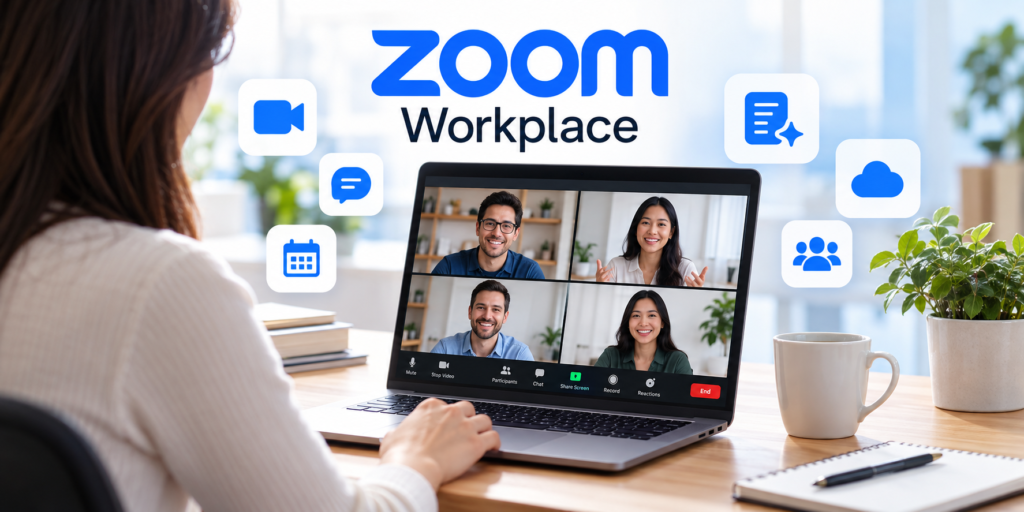
Zoom Workplace has grown beyond basic video meetings, bringing together team messaging, AI-powered meeting summaries, note-taking, scheduling, and other collaboration features. While these additions may be useful, not every business needs them, especially when some capabilities are already available at no cost.
For small businesses, the decision shouldn’t depend on how many features a subscription offers. What matters is whether those features solve everyday problems, reduce administrative work, or improve communication with employees and customers.
This guide looks at what Zoom offers for free, when upgrading makes sense, and whether the additional features justify the cost.
What Does Zoom Workplace Offer for Free in 2026?
Zoom Workplace Basic remains a practical starting point for businesses that need occasional video meetings without committing to a subscription. The free plan supports meetings with up to 100 participants, although meetings are limited to 40 minutes.
For businesses that primarily use Zoom for short conversations, this restriction may not be a serious inconvenience. A quick project update, initial customer consultation, or brief team discussion can often fit comfortably within 40 minutes. However, meetings don’t always follow a predictable schedule. A client presentation may involve unexpected questions, while a training session or project discussion may take longer than planned.
When that happens regularly, the free plan’s meeting limit can become frustrating.
Features Included in Zoom Workplace Basic
| Feature | Free plan |
|---|---|
| Meeting duration | 40 minutes |
| Meeting participants | Up to 100 |
| AI meeting summaries | 3 hosted meetings per month |
| AI queries | 20 per month |
| AI note-taking | 3 uses per month |
| Team chat | Included |
| Editable whiteboards | 3 |
| Video clips | 5 clips, up to 2 minutes each |
| AI document creation | 3 documents per month |
| Email and calendar | Gmail/Outlook and Google/Microsoft calendar connections |
| Local meeting recording | Available |
One notable development is that Zoom now includes limited AI functionality in its free plan. Businesses can experiment with meeting summaries and note-taking before deciding whether more extensive access would be useful. The platform also includes messaging and collaboration features that may be sufficient for smaller teams.
Consider a three-person consulting business that holds a few short client calls each week. If its meetings rarely exceed 30 minutes and employees already use other tools for documents and scheduling, upgrading may add more cost than value. By contrast, a company conducting hour-long client presentations several times a week is more likely to find the time limit inconvenient.
The distinction is simple: Zoom Basic isn’t necessarily inadequate because it’s free. Its usefulness depends on how the business operates.
Is Zoom Worth Paying For in 2026? What Changes When You Upgrade?
The biggest advantage of upgrading is the flexibility to hold longer meetings without interruptions. Zoom Workplace Pro increases the meeting duration from 40 minutes to 30 hours while maintaining the standard capacity of 100 participants.
Paid plans also introduce cloud recording storage and expanded AI capabilities. These features may be useful for businesses that regularly conduct client consultations, training sessions, and internal meetings, but their value depends on how often employees actually use them.
For example, cloud recordings can make it easier for authorized team members to revisit a discussion without relying on files saved to one employee’s computer. AI-generated meeting summaries may also reduce the time spent organizing notes and identifying follow-up tasks.
Neither feature eliminates the need for oversight. Businesses still need appropriate recording permissions, access controls, and retention practices, while AI-generated summaries should be reviewed before being used as official records.
The more important question is whether these improvements solve problems that employees encounter regularly. A feature that saves time every working day may justify a subscription more easily than one that gets used only occasionally.
When Is Zoom Worth Paying For Small Businesses?
The value of a Zoom subscription becomes clearer when you look at how people actually use it during a normal working week. A company that holds two short meetings every Friday has different requirements from one that spends several hours each day talking to customers, training employees, or coordinating remote teams.
For some businesses, the free plan provides everything they need. Others may find that meeting restrictions, recording requirements, or administrative work make upgrading more practical.
1. When Meetings Regularly Last Longer Than 40 Minutes
Imagine running a small accounting firm where client consultations involve reviewing financial records, discussing discrepancies, and answering questions. A meeting scheduled for 30 minutes might easily stretch to an hour, particularly when the client needs clarification or additional documents must be reviewed.
With Zoom Workplace Basic, the 40-minute meeting limit can interrupt these conversations. Although participants can arrange another meeting, doing so creates an unnecessary break and may be inconvenient for clients. Zoom Workplace Pro removes this particular limitation by allowing meetings lasting up to 30 hours.
For businesses that regularly conduct consultations, project discussions, or detailed presentations, uninterrupted meetings may be the strongest reason to upgrade. On the other hand, a company whose meetings typically last 15 to 20 minutes may rarely encounter the free plan’s restrictions.
2. When Meeting Recordings Are Part of Everyday Work
Meeting recordings can be useful when employees need to revisit instructions, confirm client requirements, or share information with colleagues who couldn’t attend. A marketing agency, for example, might record a client briefing so its designers and writers can refer to the discussion while preparing a campaign. A business conducting employee training might use recordings to help new hires review procedures without requiring the same presentation to be repeated.
Zoom Workplace Basic supports local recording through the desktop application, while Pro includes 10 GB of cloud storage per licensed user. Cloud storage can make it easier for authorized employees to retrieve previous discussions, particularly when teams work remotely or use different devices.
However, businesses that rarely record meetings or already have an effective system for storing and sharing video files may not gain much from this feature. They should also consider how recordings will be managed, including access permissions, retention periods, and the handling of confidential information.
3. When Meeting Notes Take Too Much Time
For employees who attend several meetings each day, taking notes and organizing follow-up tasks can become a significant part of their workload. A project manager might finish an afternoon of client and internal meetings with several pages of notes, decisions to confirm, and action items to distribute.
Zoom’s AI features are designed to reduce some of this work by generating meeting summaries and assisting with note-taking. The free plan includes limited access to these capabilities, while Zoom Workplace Pro provides unlimited meeting summaries and broader AI functionality.
The potential benefit isn’t simply having an AI-generated summary. It’s the time employees may save when reviewing discussions, identifying important decisions, and preparing follow-up information. Nevertheless, AI-generated notes should still be checked for accuracy, especially when meetings involve financial figures, customer commitments, or technical requirements.
Businesses that hold only a few meetings each month may find the free allowances sufficient. Teams that conduct frequent discussions and regularly prepare written summaries are more likely to benefit from expanded access.
4. When Businesses Conduct Training and Client Presentations
Training sessions and detailed presentations often require more time than ordinary team meetings. A software company may need an hour to demonstrate a new application, while a consulting firm might spend an afternoon conducting workshops for a client.
Zoom Workplace Pro supports meetings with up to 100 participants, while Business increases the standard meeting capacity to 300. For most small businesses, Pro’s participant limit is already sufficient for employee training, customer demonstrations, and internal presentations.
This is why businesses should avoid choosing a more expensive plan based solely on higher participant capacity. A company with 15 employees is unlikely to benefit from a 300-person meeting limit unless it regularly hosts larger events. Organizations planning webinars or public presentations should also check whether they need separate event-specific features or add-ons.
When Paying for Zoom Workplace May Not Be Necessary
Although Zoom’s paid plans offer useful capabilities, upgrading isn’t always the most economical decision. Small businesses sometimes subscribe to premium software because they assume it will improve productivity, even when their existing tools already meet their needs.
The better approach is to examine how often the additional features would actually be used. If a business rarely encounters the free plan’s limitations, there may be little reason to introduce another recurring expense.
Short Meetings May Not Justify a Subscription
A small online store might use Zoom for a weekly staff meeting, occasional supplier discussions, and brief interviews with prospective employees. If these conversations usually last less than 30 minutes, the free plan’s 40-minute limit is unlikely to cause problems.
Even businesses with several employees may find that most internal discussions can be completed quickly when meetings have clear agendas. Paying for longer meeting durations would not necessarily improve communication if the team rarely needs the extra time.
Existing Collaboration Software May Already Cover the Same Needs
Many businesses already subscribe to productivity platforms that include email, calendars, document sharing, messaging, and video conferencing. If employees use Google Workspace or Microsoft 365 for most of their daily work, some of Zoom Workplace’s additional features may overlap with applications the company already pays for.
This doesn’t mean Zoom is unnecessary. Some teams prefer its meeting experience or rely on it for particular customer interactions. However, the decision to upgrade should account for the company’s wider software environment rather than treating Zoom as an isolated expense.
Businesses comparing their options should also consider how different platforms support day-to-day teamwork. Features such as messaging, file sharing, and project coordination are discussed in BizBot’s guide to team collaboration tools for remote work.
AI Features and Cloud Recordings May Be Used Less Than Expected
AI meeting summaries, cloud recordings, and advanced collaboration tools can sound attractive when reviewing a product’s feature list. In practice, their value depends on whether employees incorporate them into their normal workflow.
A small business that rarely records meetings and already has a reliable process for documenting decisions may not need additional AI or storage capabilities. Since Zoom Workplace Basic includes limited AI functionality, the team can try these features first and evaluate whether they genuinely reduce work.
Businesses should also avoid assuming that every employee requires the same subscription level. If one manager regularly hosts long client consultations while other employees only join occasional meetings, assigning a paid license to the frequent host may be more economical than upgrading everyone. The arrangement should be checked against Zoom’s licensing requirements.
Zoom Workplace Pricing in 2026: Are the Additional Features Worth the Cost?
Once a business has identified which features it needs, the next step is to consider the cost. Zoom Workplace offers several subscription options, but paying for a higher-tier plan doesn’t necessarily mean getting better value.
For most small businesses, the decision comes down to whether the additional features in Pro or Business justify the recurring expense.
Zoom Workplace Plans and Pricing Comparison (2026)
| Feature | Basic | Pro | Business |
|---|---|---|---|
| Annual billing (monthly equivalent) | Free | $13.33–$14.16/user | $18.33/user |
| Month-to-month billing | Free | $15.99–$16.99/user | $21.99/user |
| Meeting duration | 40 minutes | 30 hours | 30 hours |
| Meeting participants | Up to 100 | Up to 100 | Up to 300 |
| AI meeting summaries | Limited | Unlimited | Unlimited |
| AI note-taking | Limited | Unlimited My Notes | Unlimited My Notes |
| Cloud recording storage | Not included | 10 GB/user | 10 GB/user |
| Editable whiteboards | 3 | See current plan details | Unlimited |
| Single sign-on (SSO) | Not included | Not included | Included |
Prices are in USD per user per month. Annual billing prices represent monthly equivalents billed annually, while month-to-month plans are billed monthly. Prices, taxes, and included features may vary. For current subscription details, visit the official Zoom Workplace pricing page.
For freelancers and small teams, Pro is generally the more practical upgrade. It removes the 40-minute meeting limit and adds cloud recording and expanded AI capabilities without requiring businesses to pay for features they may rarely use.
Business is better suited to organizations that regularly host larger meetings or need more advanced administrative controls. However, a company with only a handful of employees may find little benefit in paying extra for a 300-participant meeting capacity.
The key is to choose a plan that supports the company’s normal activities rather than upgrading simply because more features are available.
Is Zoom Worth Paying For If Your Business Is on a Tight Budget?
For small businesses, software expenses can become difficult to manage when several subscriptions are added together. Accounting applications, CRM platforms, cloud storage, security tools, and collaboration software may each seem reasonably priced on their own. Combined, however, they can represent a meaningful monthly or annual expense.
This makes it important to evaluate Zoom in terms of the problems it solves rather than the number of features it provides. If employees frequently experience interrupted meetings, spend considerable time preparing meeting summaries, or struggle to access important recordings, a paid subscription may provide measurable benefits. If Zoom is used only occasionally, the free version may remain the more sensible option.
One practical approach is to begin with a single paid license for an employee who regularly hosts longer meetings. The business can then assess whether the additional capabilities improve its workflow before purchasing more licenses. This avoids committing to a larger subscription than necessary and gives employees time to determine which features they actually use.
It is also worth reviewing existing subscriptions before adding another one. BizBot’s Subscription Cost Analyzer can help businesses compare recurring software expenses and understand how seemingly small monthly charges add up over a year.
Ultimately, the value of a Zoom subscription should be judged by whether it saves time, removes recurring inconveniences, or supports activities that would otherwise be difficult to manage.
What to Consider Before Upgrading Zoom Workplace
Before committing to a paid plan, businesses should review how they currently handle meetings and collaboration. The most useful questions concern meeting duration, frequency, recording requirements, and the tools employees already use.
A business that regularly hosts hour-long consultations has a clearer reason to upgrade than one that uses Zoom for occasional team check-ins. Similarly, cloud recording and AI-generated summaries may be valuable for teams that frequently revisit discussions, but less useful when meetings are short and rarely need documentation.
Billing arrangements also deserve attention. Zoom offers monthly and annual billing options for eligible plans, and the total cost can vary depending on the subscription term and additional features. Businesses should review the current terms on the official Zoom Workplace pricing page before making a purchase.
Rather than upgrading every employee immediately, businesses can begin with the people who genuinely need paid features and expand their subscriptions as requirements change.
Frequently Asked Questions
Is Zoom Workplace Basic Really Free?
Yes. Zoom Workplace Basic is available without a subscription fee and supports meetings with up to 100 participants, subject to a 40-minute meeting limit. It also includes messaging, limited AI features, and basic collaboration capabilities. For businesses that hold occasional short meetings, these features may be sufficient.
Is Zoom Worth Paying For If I Only Have a Small Team?
A small team doesn’t automatically need a paid Zoom subscription. The more important factors are meeting duration, recording requirements, and how frequently employees use the platform. A five-person company that conducts long client consultations may benefit more from Pro than a 20-person company that holds only brief internal meetings.
Can I Use Zoom Workplace Pro for Client Meetings?
Yes. Zoom Workplace Pro can be used for client consultations, sales presentations, training sessions, and other business meetings. It supports up to 100 participants under the standard plan and allows meetings lasting up to 30 hours. For most small businesses, these limits provide sufficient flexibility.
Is Zoom Workplace Business Better Than Pro?
Business offers additional capabilities, including a higher standard meeting capacity and more advanced administrative features. However, these differences don’t necessarily make it a better purchase for every organization. Businesses with fewer than 100 meeting participants and straightforward administrative requirements may find that Pro meets their needs at a lower cost.
Should Businesses Choose Zoom or Microsoft Teams?
The better choice depends on existing software, employee preferences, and meeting requirements. Businesses already using Microsoft 365 may find Teams convenient because it integrates with their existing applications. Zoom may appeal to organizations that frequently meet with external clients or prefer its meeting workflow.
The decision should consider more than video quality or meeting limits. BizBot’s business communication tools guide examines different communication requirements and can help businesses evaluate which type of platform fits their operations.
Final Thoughts: Is Zoom Still Worth Paying For in 2026?
Zoom Workplace remains a useful option for businesses that depend on video meetings, but paying for it isn’t always necessary. The free plan already supports many everyday communication needs, particularly for freelancers and small teams that hold occasional short meetings.
A paid subscription becomes more appealing when longer meetings, cloud recordings, or AI-assisted documentation address recurring problems. For many small businesses, Pro offers a reasonable balance between additional capabilities and cost, while Business is more appropriate when larger meetings or advanced administrative controls are genuinely required.
The most important consideration is how the platform fits into the company’s existing workflow. Before upgrading, businesses should review their meeting habits, identify which features employees will actually use, and calculate the full subscription cost. Choosing a plan based on those needs is more likely to deliver value than paying for capabilities that rarely become part of everyday work.
If you’re still unsure whether Zoom is the right fit, you can try Zoom Workplace for free and see how well it supports your business before committing to a paid plan.