If your team runs a handful of ongoing processes and mostly needs to see who is doing what next, Trello is the faster, cheaper, less annoying answer and you will not outgrow it as quickly as people claim. If your work spans multiple teams, has real dependencies, and someone above you wants to know whether a portfolio of projects is on track, Asana is built for that and Trello genuinely is not. The dividing line is not team size. It is whether anyone needs to report upward on work they are not personally doing.
The short answer
- Pick Trello if your work is a queue of items moving through stages — content, support escalations, hiring, a small product backlog — and a board is a fair picture of reality.
- Pick Asana if you need dependencies, workload across people, goals that roll up, and reporting on more than one project at a time.
- Pick Trello if adoption is the risk. It is the easiest tool here to hand to someone who has never used project software and get real usage the same week.
- Pick Asana if you are standardising how several teams work, not just organising one team’s tasks.
Where they differ that actually matters
The data model underneath
Trello’s model is a board of lists holding cards. That is the whole thing. Cards carry due dates, members, checklists, attachments and — on paid tiers — custom fields. The simplicity is the product: anyone can look at a Trello board and understand it in seconds, without training.
Asana’s model is a task that lives in a project, can appear in several projects at once, carries typed custom fields, and can have subtasks, dependencies and approvals. The same task can be viewed as a list, a board, a timeline or a calendar without duplicating anything. That flexibility costs you something at setup — someone has to decide what a project is, what fields exist, and what the naming conventions are — but it is the reason Asana keeps working when a piece of work touches four teams.
Views and planning
Trello’s native home is the board. Additional views — Calendar, Timeline, Table, Dashboard and Map — exist, but sit on higher tiers, and the board remains the centre of gravity. Timeline in Trello shows scheduling; it is not a dependency-driven schedule you can push around and have everything downstream move.
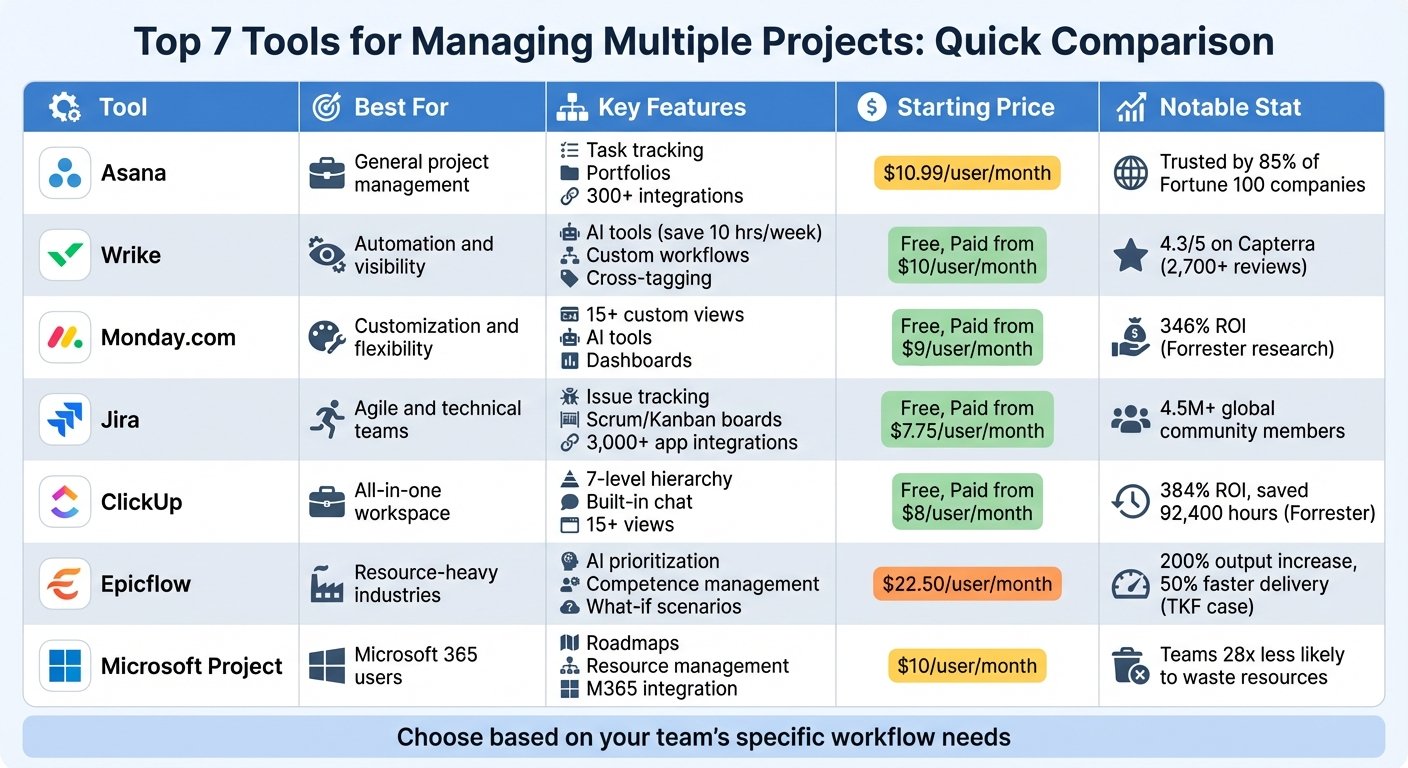
Asana treats views as equal citizens of the same data. Timeline and Gantt-style scheduling, portfolios that group projects, and Workload showing capacity per person are the features people actually leave Trello for. If you are shopping specifically for scheduling, our roundup of Gantt chart software for project management covers the tools built around that need.
Automation
Both automate, and both do it well for their shape. Trello’s Butler is unusually approachable — rules, card buttons, scheduled commands, written in something close to English, and available on the free tier with a monthly cap on command runs. For “when a card hits Done, archive it and post to Slack”, Butler is hard to beat for effort spent.
Asana’s rules operate on a richer object, so they do things Butler structurally cannot: set custom field values that feed reporting, trigger approvals, route work from a form response. Asana also layers AI Studio and AI teammates onto rules. Treat that as a bonus, not a reason to choose — the rules engine underneath is what you use daily.
Reporting and the ceiling
This is where the comparison stops being close. Trello’s Dashboard view reports on one board. There is no native way to ask “across our twelve projects, what is late and who is overloaded” without exporting or a Power-Up. Asana answers exactly that question with portfolios, universal reporting and goals that projects ladder up to.
If nobody in your organisation asks that question, Asana’s answer is overhead you are paying for. If someone does ask it monthly, Trello will fail that request every month until you replace it.
Admin overhead and governance
Trello is deliberately light: workspaces, boards, members, permissions. Organisation-wide permissions, Power-Up administration and SSO through Atlassian Guard land at the enterprise tier. Asana has more admin surface throughout — project admin controls, guest invite permissions, service accounts, and SAML plus SCIM at its top tier. More control also means more to configure and more to get wrong.
Side by side
| Decision criterion | Trello | Asana |
|---|---|---|
| Time to first useful board | Minutes, no training | A day or two of setup decisions |
| Natural unit of work | Card on a board | Task that can live in many projects |
| Dependencies between tasks | Not a first-class concept | Native, with timeline scheduling |
| Reporting across many projects | Board-level only | Portfolios, goals, cross-project reporting |
| Capacity and workload per person | Not native | Workload views on higher tiers |
| Automation approachability | Very high — Butler is plain-language | High, but richer and more configurable |
| Free tier usefulness | Genuinely usable, capped on boards and automation runs | Very limited seat cap; a trial, not a plan |
| Ongoing admin effort | Low | Moderate — someone must own conventions |
Who each one is really for
Trello is for teams whose work is genuinely a pipeline. Small agencies, editorial calendars, recruiting pipelines, support triage, a two-pizza product team. It is also the right pick when the real risk is that people quietly stop using the tool — Trello survives contact with reluctant users better than anything else in this category. Its free tier is usable rather than decorative, which matters for small teams.
Asana is for organisations coordinating work across teams. Marketing running campaigns that depend on design and legal, operations standardising a repeated process, anyone whose leadership expects a portfolio view. It rewards having one person who owns the setup and enforces conventions. Without that person, Asana degrades into an expensive to-do list.
When neither is the right answer
If your work is really structured data — an inventory, an applicant tracker, a content database where each record has fifteen attributes you need to filter and relate — both tools will fight you, and a database-style tool fits better. If you are a software team living in sprints and story points, a dedicated engineering tracker beats both. And if the real problem is that nobody agrees on priorities, no tool fixes that. Our comparison of the best task management tools and the wider project management software roundup cover the adjacent options.
FAQs
Is Trello’s free tier actually usable for a real team?
Yes, within limits. You get unlimited cards but a cap on boards per workspace, a monthly cap on automation command runs, and a per-file storage limit. Small teams run on it for years. The usual reasons to upgrade are board count and wanting views beyond the board.
Can Asana replace Trello for simple boards?
It can — board view is standard in Asana and works fine. The question is whether you want to pay for and administer the rest. If a board is all you will ever use, you are buying capability you will not touch.
How hard is it to migrate from Trello to Asana?
Asana provides a Trello import, and cards, lists and basic metadata come across reasonably. What does not migrate is structure you never had: dependencies, field conventions and portfolio grouping still have to be designed afterwards. Budget time for that design, not the import.
Do the AI features change the decision?
Not yet, for most buyers. Both vendors ship AI assistance — Trello for summarising and drafting card content, Asana for generating and running workflow steps. Choose on data model and reporting; treat AI capability as something to re-evaluate at renewal.
Features and pricing in this category move quickly, and tier boundaries in particular change more often than vendors announce. Check Asana’s and Trello’s current product and pricing pages before you commit.
More on this topic
Browse all 40 articles on Project & Team Management, or jump straight to our buying guide: Best Project Management Tools for Small Teams.