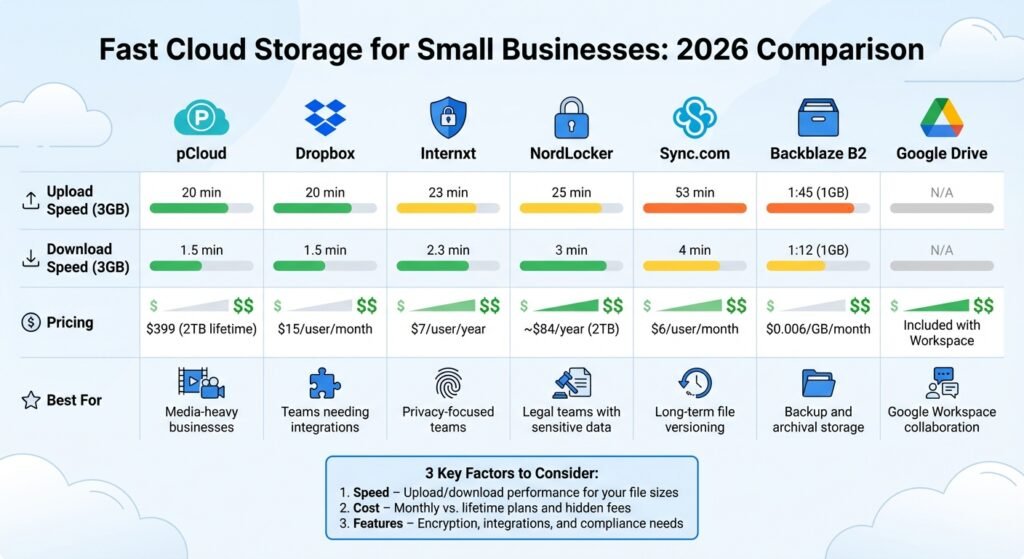
Finding the fastest and most efficient cloud storage for your small business in 2026 boils down to three key factors: speed, cost, and scalability. With remote work becoming the norm, choosing the right cloud storage impacts productivity, collaboration, and data security. Here’s what you need to know:
- Speed: Look for block-level sync, LAN sync, and a data centre near you. We removed the stopwatch figures this article used to print for named providers: we have not run those tests and could not source them. Test on your own connection instead.
- Cost: The models differ more than the numbers. pCloud sells one-off lifetime storage ($399 for 2 TB). Dropbox and Sync.com bill per user per month. Backblaze B2 and Wasabi bill per terabyte stored, which is much cheaper for archives you rarely touch.
- Features: Consider integration with tools like Google Workspace or Microsoft 365, end-to-end encryption for sensitive data, and global server networks for reduced latency.
Quick Comparison Table
Prices below were read off each vendor’s own pricing page in August 2026. Confirm them before you budget — several of these vendors changed price in the last two years.
| Provider | Published price | Unit and term | Best For |
|---|---|---|---|
| pCloud | $399 | 2 TB, one-off lifetime payment | Media-heavy businesses avoiding recurring fees |
| Dropbox | $15 | Per user per month, Standard tier, from 3 TB for the team | Teams needing integrations |
| Sync.com | $4 | Per user per month, Teams 1 TB on annual billing, 3-user minimum ($8 if billed monthly) | Long-term file versioning |
| Backblaze B2 | $6.95 | Per TB per month, pay as you go | Backup and archival storage |
| Wasabi | $7.99 | Per TB per month, pay as you go, no egress or API fees | Archives with frequent reads |
Key Takeaways:
- Choose based on your team’s needs: speed for large files, encryption for sensitive data, or integration with your existing tools.
- Test free trials to evaluate performance before committing.
- Use tools like BizBot to compare solutions, track subscription management software, and ensure compliance with regulations like HIPAA or GDPR.
The right cloud storage can transform how your business operates – improving efficiency, saving costs, and supporting growth.
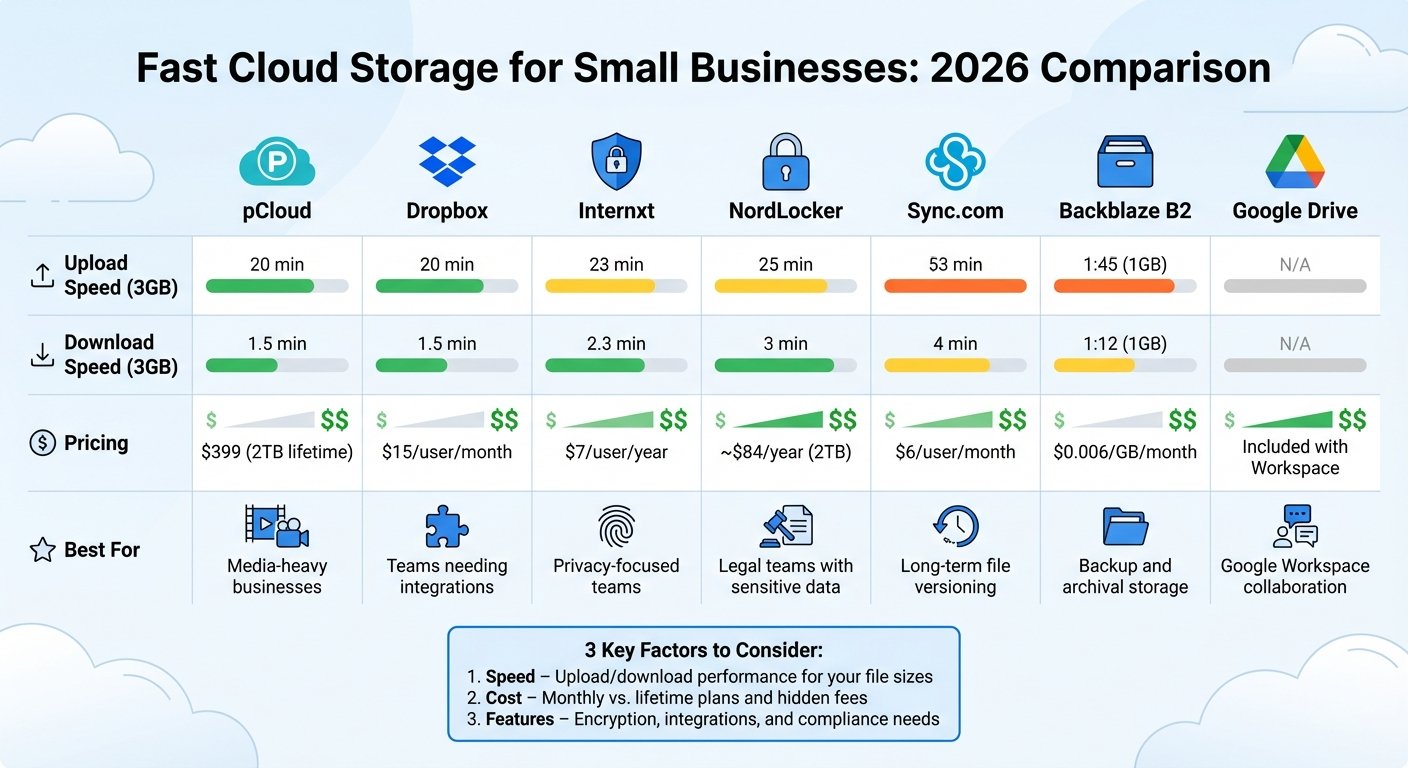
Cloud Storage Speed and Pricing Comparison for Small Businesses 2026
What Affects Cloud Storage Speed
The speeds you see advertised for cloud storage often don’t tell the whole story. Several technical factors influence how fast files upload, download, and sync, which can significantly impact collaboration and productivity. Understanding these factors can help you avoid slowdowns and choose the right service for your needs.
Upload and Download Speeds
File transfer speeds depend on more than just your internet connection. The protocol used for data transfer plays a huge role. For example, many services like Google Drive and Dropbox rely on TCP (Transmission Control Protocol), which confirms every packet of data sent. While reliable, this process adds overhead, especially over long distances. On the other hand, services like MASV use UDP-based protocols, which skip some of these handshakes, allowing for faster transfers.
Another factor is your internet plan. Many business and residential plans are asymmetric, meaning upload speeds are far slower than download speeds. A “500 Mbps” plan might only offer 20 Mbps up. That is the binding constraint when your team pushes large files out all day, and no provider can fix it. This article previously printed upload and download times for named providers on a specific connection; we removed them because we did not run those tests and could not source them to anyone who did.
Some providers use block-level syncing, which only updates the parts of a file that have changed. This can cut update times from minutes to seconds.
Your local setup matters too. A wired Cat6 Ethernet connection ensures stable performance, avoiding the packet loss and jitter common with Wi-Fi. Even with advancements like Wi-Fi 6, a physical cable still offers more consistent speeds. To identify bottlenecks, check your actual upload speeds using tools like fast.com.
Beyond raw transfer speeds, latency plays a big role in how smoothly teams can collaborate.
Latency and Sync Performance
Latency refers to the delay between saving a file and having it updated for others. For remote teams or small businesses, this delay can slow down collaboration. Amrit Singh, Product Marketer at Backblaze, explains:
“Latency, or the time it takes for data to travel from one point to another, affects everything from how snappy or responsive your application may feel to content delivery speeds.”
Cold-start sync latency – the time for a file to appear on a colleague’s device after you save it – varies between providers, and it is the number that actually annoys people day to day. We removed per-provider second-by-second figures and a percentage claim about version conflicts, because neither was sourced. If two people edit the same file often, measure this yourself during a trial: save on one machine, watch the other.
In-office teams can benefit from LAN sync, which transfers files directly between devices on the same network, bypassing the internet entirely for near-instant speeds.
Infrastructure and CDN Support
The location of data centers impacts latency. The farther the data has to travel, the longer the delay. Providers with servers in only one region can add 50–200 milliseconds of latency for users in distant locations.
Content Delivery Networks (CDNs) help solve this by caching data on edge servers closer to users. For example, a file stored in a Virginia data center can be delivered to a California user from a nearby Los Angeles server. Backblaze publishes a case study on Musify, a Japan-based music streaming service, which moved from Google Cloud to Backblaze B2 paired with Cloudflare as its CDN. Backblaze states that 90% of the transfer then happened at the Cloudflare layer, and quotes founder David Liu saying he saved about 70% in cloud costs. That is a vendor case study, so treat the figures as the vendor’s. Note the correction: the migration was from Google Cloud, not Amazon S3, as this article previously said.
Major providers like Google and Microsoft operate extensive global networks, connecting their data centers directly to avoid the public internet and maintain consistent speeds. Some newer providers take a different approach. Storj, for instance, uses a decentralized network of thousands of nodes, pulling files from the nearest ones simultaneously to maximize speed. For teams working with large media files, services like LucidLink allow users to start editing a 50 GB video almost immediately without waiting for a full download.
| Provider | Infrastructure Type | Primary Speed Benefit |
|---|---|---|
| Google Drive | Global Proprietary Network | Consistent throughput; avoids public internet |
| Dropbox | Block-level Sync / LAN Sync | Only uploads changes; direct local transfers |
| Storj | Decentralized Node Network | Parallel downloads from nearest nodes |
| LucidLink | Streaming Mount | On-demand access without full downloads |
| Egnyte | Hybrid (Cloud + Local NAS) | LAN-speed access for office users |
Before choosing a provider, check if they have data centers in your region. A U.S. company using a provider with servers only in Europe could face slower performance and even compliance issues with data residency rules.
Infrastructure decisions have a direct impact on your team’s workflow. Faster uploads, reliable syncing, and data served from somewhere near your people all matter for keeping small business information systems competitive in 2026.
Best Cloud Storage Options for Small Businesses in 2026
The market is crowded, and the hard part for a small business is not finding options but telling them apart. Here is a breakdown of the main contenders by what they charge and how they charge it. A market-size figure previously quoted in this paragraph has been removed as unsourced.
This article used to rank these providers by measured upload and download times. Those figures are gone: we did not run the tests, and we could not find a source that stands behind them. Transfer speed depends so heavily on your own uplink, your distance to the nearest data centre and the size and number of your files that a single benchmark from someone else’s office tells you very little. Run a real file set through a trial.
What can be checked is what each one charges, and how. Sync.com is worth a look for retention specifically: it keeps file version history for 180 days on the Teams 1 TB plan and 365 days on the 2 TB and 10 TB plans.
On pricing, the split is between one-off capacity, per-seat subscriptions and per-terabyte object storage. pCloud sells lifetime plans: $199 for 500 GB, $399 for 2 TB and $1,190 for 10 TB, each a single payment. Backblaze B2 charges $6.95 per TB per month, with egress free up to three times your average monthly storage and $0.01 per GB beyond that. Wasabi charges $7.99 per TB per month with no egress or API fees. Both of those are far cheaper than per-seat sync services for data you mostly store and rarely open. Internxt is often listed here as a cheap privacy-focused option, but it does not publish a business per-seat rate we could confirm, and its lifetime plans are priced in euros — the per-user and lifetime dollar figures this article carried have been removed rather than guessed at.
Provider Comparison Table
Published prices only, checked on each vendor’s own page in August 2026. Speed columns have been removed for the reason given above.
| Provider | Published price | Unit and term | Best For |
|---|---|---|---|
| pCloud | $199 / $399 / $1,190 | 500 GB / 2 TB / 10 TB, one-off lifetime payment | Media-heavy businesses avoiding recurring fees |
| Dropbox | $15 | Per user per month, Standard tier, storage starts at 3 TB for the team | Teams needing app integrations |
| NordLocker | Not published in a form we could read | Intro rate for 12 months then annual renewal; 3 GB free tier, up to 2 TB paid | Teams handling sensitive data |
| Sync.com | $4 | Per user per month, Teams 1 TB, annual billing, 3-user minimum ($8 monthly). 2 TB is $4.50 annual | Long-term file versioning (365 days on 2 TB and up) |
| Backblaze B2 | $6.95 | Per TB per month; egress free to 3x stored, then $0.01/GB | Backup and archival |
| Wasabi | $7.99 | Per TB per month; no egress or API fees | Archives you read from often |
| Google Drive | Included with Workspace | 30 GB per user on Business Starter, 2 TB on Standard, 5 TB on Plus | Google Workspace collaboration |
For businesses already on Microsoft tools, OneDrive for Business is the path of least resistance. Every Microsoft 365 Business plan includes 1 TB of OneDrive storage per user, and Business Basic is $7.00 per user per month on an annual subscription (checked August 2026). Meanwhile, teams handling highly sensitive data should consider zero-knowledge encryption providers like Proton Drive, NordLocker, or Tresorit, which ensure that even the provider cannot access your files.
Finding the right balance between speed, cost, and security can make a big difference in improving collaboration and efficiency for small businesses in 2026.
How to Pick the Right Cloud Storage for Your Business
Matching Features to Your Business Needs
When choosing cloud storage, start by evaluating how your team uses files daily. For example, design agencies working with large video files need fast upload speeds and plenty of storage space. Providers like pCloud or Dropbox are great options here. On the other hand, if your business handles sensitive information, look for providers offering end-to-end (zero-knowledge) encryption, such as Tresorit or Proton Drive.
Reliable syncing is another critical feature, especially for teams collaborating on projects, as it prevents version conflicts and data loss. However, if your primary goal is archiving files – like old invoices or tax records – object storage might be a better fit. For instance, Backblaze B2 charges $6.95 per TB per month, which makes it a good fit for long-term storage that does not need real-time syncing.
Next, think about your current tech stack. If your team already uses Google Workspace, Google Drive is the obvious choice, since it is already tied into Gmail, Docs, and Calendar. Similarly, if you are on Microsoft 365, OneDrive for Business gives you 1 TB per user and direct integration with Windows and the Office apps. Choosing a solution that aligns with your existing tools can save time and reduce workflow friction.
For businesses in regulated industries, compliance is non-negotiable. Whether you’re managing HIPAA regulations in healthcare, SOC 2 requirements in finance, or GDPR for European clients, ensure the provider meets the necessary certifications. Companies like Egnyte and Tresorit specialize in these standards. Confirming certifications upfront can help you avoid costly adjustments later.
To streamline your decision-making process, consider using a weighted decision matrix. For example, you could assign weights like this: Capacity (30%), Price (25%), Security (20%), Speed (15%), and Support (10%). Scoring providers against these criteria makes it easier to compare options and justify your choice to stakeholders with different priorities.
Once you’ve matched the features to your operational needs, take a close look at costs to ensure the solution fits your budget.
Budget Planning for Small Businesses
After identifying the right features, build a realistic budget. Buying storage you do not need is the usual mistake, and it is easy to avoid: audit what you actually hold before you buy, using a free tool like TreeSize Free or WinDirStat. Duplicates, old exports and abandoned project folders are where the volume goes. We removed two figures from this paragraph — a percentage for typical over-estimation and an anonymous customer example — because neither could be sourced.
Then plan for growth using your own trend, not a rule of thumb: compare what you stored a year ago with what you store now, and extend that line. We removed a generic annual growth percentage as unsourced. On value, iDrive is worth pricing up: the iDrive Team 5 TB plan is $83.88 for the first year and $119.88 on renewal, covering 5 users and 5 computers. Note the renewal step-up — iDrive states plainly that the discount applies to the first year only. The figure of $99.50 per year for 5 TB that this article previously gave was wrong, and the plan it described does not exist.
You might also weigh a lifetime plan, such as pCloud’s 500 GB for $199 as a single payment, against per-user subscriptions. On the subscription side, Microsoft 365 Business Basic is $7.00 per user per month on an annual subscription and includes 1 TB of OneDrive per user. Google Workspace lists Business Starter with 30 GB per user, Standard with 2 TB and Plus with 5 TB, with a discount for a one-year commitment; we could not read a current per-user rate off Google’s pricing page, so check it there rather than trusting the figure this article used to print.
Before committing, use the free trial. Upload at least 10 GB of your actual company data, not test files. Testing during peak hours will give you a clearer sense of upload and download speeds. Also, check if mobile apps and permission settings meet your team’s needs. A thorough trial can prevent you from being locked into a plan that falls short.
For businesses with large archives, object storage is often the most cost-effective choice. For example, Wasabi charges $7.99 per TB per month on pay-as-you-go, with no egress or API request fees. Keep in mind that these services typically require S3-compatible tools for access and lack built-in collaboration features. However, they are ideal for storing long-term records or projects that aren’t accessed frequently, offering considerable savings over time.
Using BizBot to Find Cloud Storage Tools
Choosing the right cloud storage solution can feel overwhelming with so many providers, pricing structures, and features to sift through. BizBot simplifies this process by offering a curated directory of business administration tools, including cloud storage options. Instead of bouncing between countless websites, you can compare solutions all in one place while focusing on the essentials: speed, security, and cost-efficiency – key priorities for small businesses.
BizBot doesn’t just help you find tools; it makes evaluating them easier too. The platform takes a practical, business-focused approach, emphasizing factors like ROI, ease of use, and scalability rather than drowning you in technical jargon. It also neatly separates collaboration tools from backup solutions, making it easier to zero in on what your business actually needs. A single place to compare helps you avoid the usual mistakes: buying more storage than you hold, or buying a per-seat plan for data that nobody edits. We removed a statistic about cloud adoption among US small businesses because it was not sourced.
Beyond discovery, BizBot helps you manage your subscriptions more effectively. Small businesses often accumulate multiple subscriptions without realizing how quickly costs can spiral. By centralizing all your tools on one platform, you can track spending, spot redundant services, and make smarter decisions about renewals or upgrades. Seeing every subscription in one list is what makes an unused one obvious; a percentage saving figure previously quoted here has been removed as unsourced. With this streamlined system, you can focus on cloud storage solutions that meet strict security and compliance requirements while delivering the fast performance small businesses need to thrive in 2026.
Another standout feature is BizBot’s ability to simplify compliance checks. The directory allows you to quickly verify if a provider meets important standards like HIPAA BAAs or SOC 2 certifications. This matters most in regulated industries, where the certification is the difference between a usable provider and one you cannot legally put client data on. Two widely repeated breach statistics have been removed from this paragraph because neither had a traceable source.
BizBot also covers document signing and storage tools, so contracts and compliance records sit alongside the storage comparison rather than in a separate hunt.
Conclusion
When it comes to choosing fast cloud storage for your small business in 2026, focus on three key factors: speed, cost-efficiency, and scalability. The ideal provider should offer dependable sync performance for your daily operations, fit comfortably within your budget (without surprise fees like hidden egress costs), and let you add capacity without a migration. We removed a data-growth percentage and a market-size figure from this paragraph as unsourced.
To make the right choice, align your priorities with specific features. For example, if handling sensitive client data in industries like healthcare or legal services, providers such as Proton Drive or Tresorit offer the end-to-end encryption you can’t compromise on. If your team already runs on Microsoft 365 or Google Workspace, OneDrive or Google Drive is the low-friction answer. For bulk archival storage, Wasabi and Backblaze B2 are both far cheaper per terabyte than any per-seat sync service, and neither charges you to read your own data back within their published limits. We removed a specific upload throughput figure for Wasabi and a durability percentage for Backblaze because neither appears on the vendors’ own pages.
Be mindful of the two opposite pitfalls: buying far more capacity than you hold today, and buying so little that you are re-platforming in a year. Measure what you have and extend your own growth line. Percentage figures previously given here have been removed as unsourced. Take advantage of free trials to test how well a service performs in your specific environment, and always enable two-factor authentication to keep your data secure.
Tools like BizBot make this process easier by centralizing your search for cloud storage solutions alongside other business tools. Instead of juggling multiple tabs and spreadsheets, you can compare providers, check for compliance with standards like HIPAA or SOC 2, and monitor subscription costs – all in one place. This streamlined approach helps you avoid redundant services and better control your expenses.
Whether you’re a freelancer managing client files or part of a growing team collaborating across locations, the right cloud storage removes a daily source of friction. Start by assessing your current data usage, predicting future growth, and using BizBot to identify tools that align with your business goals. That way, you can focus on what truly matters: running and growing your business.
FAQs
How can I test cloud storage speed in my real-world setup?
To gauge cloud storage speed, try uploading a large file – something between 2 and 5 GB – and track how long it takes to complete. After that, download the same file and record the time it takes. A stable internet connection is crucial since it can significantly affect the results. By comparing these upload and download times, you’ll get a practical sense of the service’s performance and whether it aligns with your expectations.
When should a small business use object storage instead of file sync?
Small businesses should turn to object storage when handling large amounts of unstructured data that require flexibility, affordability, and long-term reliability. This makes it perfect for storing multimedia files, IoT-generated data, or backups that need to be kept for extended periods or accessed via APIs.
On the other hand, file sync works better for tasks like real-time collaboration and document sharing. However, when dealing with massive unstructured datasets, object storage scales more cheaply and is easier to feed into pipelines that read data by API.
What features matter most for HIPAA or GDPR compliance?
Meeting HIPAA or GDPR compliance standards involves implementing several critical features to safeguard sensitive information. These include:
- Native data encryption: Ensures that all sensitive data is encrypted, protecting it from unauthorized access.
- Access controls: Limits data access to authorized personnel only, reducing the risk of breaches.
- Audit-ready reporting: Provides detailed logs and reports to demonstrate compliance during audits.
- Automated compliance tools: Helps streamline and simplify ongoing compliance management.
- Data residency options: Allows organizations to store data within specific geographic locations as required by regulations.
- Strict privacy regulation adherence: Ensures all data handling practices align with legal privacy standards.
These features work together to protect sensitive data and help organizations stay compliant with legal requirements.
More on this topic
Browse all 39 articles on IT, Cloud & Integrations, or jump straight to our buying guide: Best Collaboration Tools for Small Teams.