Want to cut your business phone bills? Here is the honest version.
A note before the numbers. This article previously carried a market-size forecast, headline savings percentages, several per-user prices, two detailed cost-comparison tables and an unnamed customer example. We checked all of them against the vendors’ own pricing pages in August 2026. Almost none survived: the market forecast was stale and unsourced, the savings percentages had no source, and several of the named plans no longer exist under those names. What follows is what we could verify, plus a clear note wherever a figure came out.
What VoIP does buy you, without needing a percentage attached:
- Low setup cost, because hosted systems need no on-site hardware
- Easy scaling — adding a user is a billing change, not an installation
- Features that used to be add-ons, often included
- Work-from-anywhere flexibility
Key cost-cutting strategies:
- Choose cloud-based systems for lower upfront costs
- Use softphone apps instead of desk phones
- Set up Quality of Service (QoS) for better call quality
- Regularly audit user accounts and call data
- Keep your system well-maintained to avoid costly issues
VoIP Cost Basics
Let’s look at the main factors that affect your VoIP expenses.
Monthly Fees and User Costs
VoIP providers usually charge per user, per month. The price changes with the features you get and, at some providers, with how many seats you buy.
Two things matter more than the headline rate. First, almost every provider quotes a lower per-user figure for annual billing than for monthly, and the difference is large — Nextiva and RingCentral both advertise savings of a third or more for paying yearly. Second, the plan you are quoted may not be the plan the review you read was describing, because these vendors rename tiers often.
Nextiva is a case in point. This article previously said its basic plan was $25.95 per user per month, dropping to $18.95 on annual billing. Neither figure nor that plan structure exists now: Nextiva’s small business plans are Core, Engage and Scale, with Core listed at $15 per user per month and $23 shown as the alternative billing rate, Engage at $25, and Scale at $75. Check which billing term you are being shown before comparing anything.
Equipment and Setup Costs
One of the best things about hosted VoIP is that you do not usually need to spend much upfront:
- You may not need new phones at all. Most VoIP systems run perfectly well on computers and smartphones through a softphone app, and that is the single biggest equipment saving available to you.
- If you do buy desk phones, price them yourself from a reseller. Per-handset and on-premise installation figures previously quoted in this section have been removed because we could not source them, and handset prices vary far too much by model to generalise.
- Setup is generally free with hosted VoIP. An on-site PBX is a capital project with installation labour attached, which is the main reason most small businesses no longer buy one.
International Call Costs
If your business calls overseas a lot, this is where the money is:
- Some providers include calls to a list of countries in the plan price. 8×8 has historically been the strongest on this. It no longer publishes plan prices or the included-country count on its pricing page, so the “48 countries from $24 per user per month” this article previously gave has been removed — ask 8×8 for the current list and rate.
- When calls are not included, per-minute rates vary enormously by destination. Per-minute figures previously quoted here for named providers have been removed as unsourced. Get a rate card for the specific countries you call, not an average.
If you make a lot of international calls, that rate card is the single most important document in the negotiation.
How to Pick the Right VoIP Provider
Picking a VoIP provider can make or break your business communication. Let’s look at what really matters when making this choice.
Features and Price Comparison
It’s all about getting what you need without overpaying. Here’s the scoop:
Must-Have Features: Most VoIP services offer the basics like call forwarding and voicemail-to-email. But how well do they work? That’s the real question.
Fancy Stuff: Need video calls or CRM integration? Some providers offer these. Make sure you’re not paying for bells and whistles you’ll never use.
What It’ll Cost You: This is the part of the article that had aged worst, so here is what we could and could not verify in August 2026:
- Nextiva: Core, Engage and Scale plans, listed from $15 per user per month. The old $25.95 / $18.95 pair is gone.
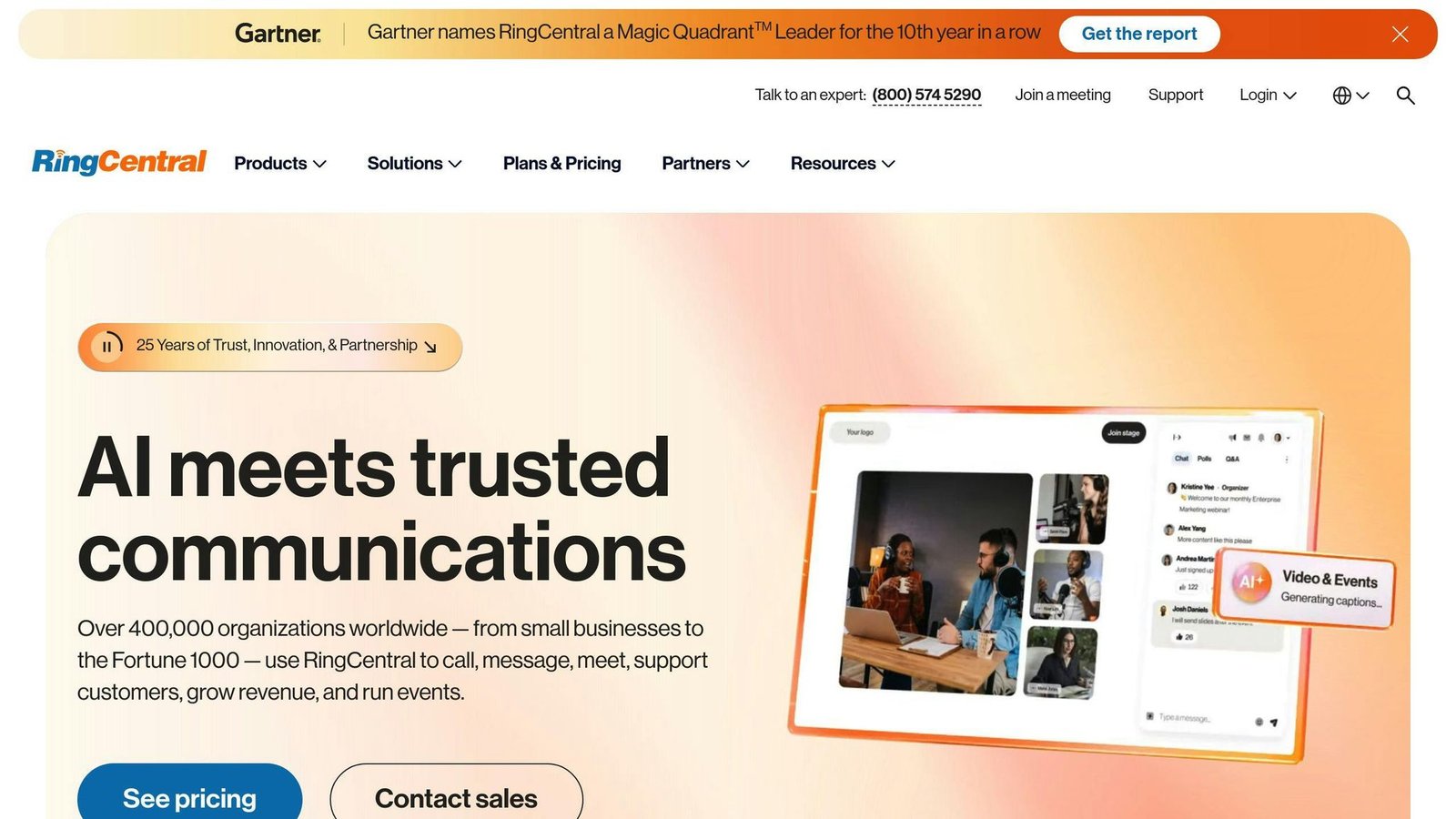
- RingCentral: advertises “save up to 33% by paying annually” but its pricing page did not render per-plan rates we could read, so the “$24.99 per user per month Standard plan” figure this article carried has been removed. There is no plan called Standard on the current page.
- GoTo Connect: now sells Phone System, Customer Experience, CX Complete and Contact Center, and directs pricing to sales. The “$19.95 per month for all voice features” plan this article named no longer exists.
- KrispCall: the one figure in this article that checked out. Essential is $12 per user per month billed annually, or $15 billed monthly; Standard is $32 annually or $40 monthly; Enterprise is custom.
Don’t just go for the cheapest option. Think about what you’re getting for your money — and get the quote in writing, because in this category the published rate is a starting position.
Hidden Costs and System Connections
Watch out for these extras:
Regulatory and 911 fees: US providers add per-line regulatory recovery and enhanced 911 charges on top of the plan rate. This article previously gave two different sets of figures for Nextiva’s fees in two different sections, which is a good sign that neither was checked. Both have been removed. These fees are real, they are per line, and they change; ask for them as a line item on a sample invoice rather than trusting any published figure, including ours.
Phone Costs: You might need to buy new phones. Some providers offer deals if you sign a long contract — which is a discount you pay for in contract length.
Linking to Other Tools: Want your VoIP to talk to your CRM? That might cost extra.
Always ask for a full breakdown of costs. A two-provider monthly cost table previously appeared here, with base prices, fees and totals down to the cent, but with no indication of how many users or which plans it described. It could not be sourced or reconstructed, so it has been removed. Build your own version from two written quotes at your own seat count; that comparison is worth more than anyone else’s.
BizBot: Your VoIP Selection Helper
BizBot (https://bizbot.com) can make choosing and managing your VoIP easier:
Keep Tabs on Subscriptions: BizBot helps you track what you’re spending on VoIP.
Compare Options: Use BizBot to see how different VoIP providers stack up.
Save Money: BizBot can help you spot ways to cut costs on your VoIP service.
Technical Ways to Cut Costs
Now the technical side, where the advice ages better than the pricing does. Two areas matter: QoS and bandwidth.
Setting Up QoS
Quality of Service (QoS) tells your network to treat voice packets as higher priority than everything else. Voice is unusual in that it tolerates almost no delay and very little loss, so without QoS a single large file upload can ruin a call.
Here’s the lowdown on setting it up:
1. Prioritize voice traffic
Tell your router to prioritise VoIP data. Set these UDP ports as high priority:
- UDP/5060
- UDP/6060
- UDP/16384 to 32768
Confirm the exact port range with your provider — it varies.
2. Turn on auto QoS
Many modern switches have this feature, and turning it on is usually enough for a small office.
3. Enable QoS on devices
Don’t forget your phones and PBX. When they mark traffic as priority, the switches have something to honour.
Setting up QoS is not just about call quality. It can save you money by removing the temptation to buy more bandwidth to solve a prioritisation problem.
Managing Internet Speed
Your VoIP system is only as good as your internet connection. Here’s how to make sure you’re not overpaying or underperforming:
1. Know your needs
A single VoIP call needs roughly 100 Kbps in each direction, depending on codec. Size for concurrent calls, not for headcount — most offices never have more than a fraction of staff on a call at once. As a rough guide:
| Number of Concurrent Calls | Minimum Bandwidth | Comfortable Bandwidth |
|---|---|---|
| 1-3 | 300 Kbps | 3 Mbps |
| 5 | 500 Kbps | 5 Mbps |
| 10 | 1 Mbps | 5-10 Mbps |
The minimum column is the arithmetic; the comfortable column allows for everything else sharing the line.
2. Test your speed
Use a tool like speedtest.net to check your actual throughput — and check the upload figure, which is the one that constrains VoIP and the one ISPs advertise least.
3. Plan for growth
Leave real headroom rather than sizing to today’s peak. It is cheaper than an emergency upgrade.
4. Consider your activities
Video calls use far more bandwidth than voice — megabits rather than kilobits per participant. If your team is on video all day, size for that, not for the phone system.
Track and Control Usage
Want to get the most out of your VoIP system while keeping costs in check? Let’s look at some practical ways to keep tabs on your usage.
User Account Management
Here’s how to match user accounts with actual needs:
- Audit accounts regularly: Check your active accounts every few months. Per-seat billing means a leaver whose extension nobody cancelled is a bill you keep paying indefinitely. This is the most reliable saving in the whole article, and it costs nothing to find.
- Set up tiered access: Not everyone needs all the bells and whistles. Only give international calling to those who actually need it — that also caps your exposure if an account is compromised.
- Use built-in analytics: Many VoIP platforms offer this. Nextiva, for example, shows real-time and historical data on how extensions are used and what types of calls are made.
An unnamed customer example claiming a specific monthly saving from removing unused extensions has been removed from this section as unsourceable. Run the audit on your own account and you will have a real number instead.
Check Call Data
Call Detail Records (CDRs) are great for optimizing costs. Here’s how to use them:
-
Review CDRs monthly: Set a reminder to check your CDRs at the start of each month. Look for:
- Calls that last longer than usual
- Unexpected calls to other countries
- Sudden jumps in data use
- Use business intelligence: For bigger companies, think about connecting CDRs with BI software. This makes monitoring automatic and can flag anomalies immediately.
- Try VoIP monitoring tools: Tools like SolarWinds VoIP and Network Quality Manager (VNQM) track Mean Opinion Score (MOS), packet loss, and jitter.
Unexpected international calls in a CDR review are worth treating as a security alert first and a cost problem second: toll fraud on a compromised extension gets expensive within hours.
Ways to Lower Costs
Two decisions move the number more than anything else: cloud versus on-premise, and softphones versus desk phones.
Cloud or Local System
Cloud-based VoIP: Cheaper upfront and predictable monthly. There is no server to buy, no installation, and no maintenance contract. A detailed two-year total-cost-of-ownership table comparing cloud and on-premise PBX previously appeared here, along with a percentage saving credited to RingCentral. We could not source either, so both have been removed rather than repeated.
The underlying argument does not need a table. On-premise means capital expenditure, a system you patch, and a box that fails at some point. Cloud means an operating expense that scales with headcount in both directions. For most small and medium businesses that settles it.
On-premise VoIP: Still makes sense if you have specific regulatory, integration or latency requirements, or enough scale that owning the hardware genuinely costs less over its life. Those are real cases, just not common ones.
Phone Apps vs Hardware
Softphones — apps on phones, tablets and computers — save real money:
- No need to buy physical phones
- Use devices you already have
- Less hardware to fix and replace
Ten-year cost figures for headsets and desk phones previously appeared here and have been removed as unsourced. The comparison you can make yourself is straightforward: price a decent headset against the desk phone you are considering, and remember the headset works with the laptop the employee already has.
Desk phones: They cost more, but sometimes they make sense:
- Consistent audio quality with a dedicated handset and no OS in the way
- Shared spaces — reception, warehouses, meeting rooms — where there is no personal device
- Staff who will not use a computer for calls, which is a real constraint and not worth fighting
For remote or hybrid teams, softphones win on both cost and flexibility.
Keep Your System Running Well
A well-maintained VoIP system isn’t just about call quality. It keeps costs down too, mostly by preventing the emergency spending that follows an outage.
Track System Health
Use monitoring tools: Set up software to watch VoIP performance continuously. These tools track call quality, network speed, and data usage.
ManageEngine OpManager, for example, offers a Cisco IPSLA monitoring toolkit that watches key VoIP metrics and flags issues.
Check key metrics: Focus on:
- Jitter (variation in packet arrival)
- Packet loss (data that doesn’t arrive)
- Latency (call delay)
- Mean Opinion Score (MOS) – overall call quality
If these numbers start to slip, it usually means trouble ahead.
Set up alerts: Don’t wait for complaints. Configure your tools to notify you when metrics cross thresholds, so you fix problems before your staff report them.
Test call quality: Make sample calls from different locations and at different times of day. Congestion problems only show up under load.
Check Provider Service
Your VoIP provider should help keep your costs down. Here’s how to make sure they’re doing their part:
Review regularly: Check in with your provider every few months. Ask about:
- Planned upgrades or new features
- How they’re addressing any issues
- Ways to optimize your current plan
Monitor their performance: Keep an eye on your provider’s uptime and call quality. If you’re seeing frequent issues, it might be time to look elsewhere.
Stay on top of updates: A good provider will tell you about system changes before they affect you rather than after.
Check your bills: Read the monthly statement line by line. Watch for unexpected charges, seats you no longer use, and fee increases applied quietly at renewal. This is where the savings actually are.
Conclusion
Optimizing VoIP costs isn’t about cutting corners. It’s about making choices you can defend. Here’s what to remember:
Pick the right provider: It’s not just about price. Look at features, reliability, and scalability too. RingCentral, GoTo Connect, Nextiva, 8×8 and KrispCall are all worth quoting.
Go cloud: For most small and medium businesses, hosted VoIP removes the capital cost and the maintenance burden. A percentage saving figure previously attributed to RingCentral has been removed as unverified.
Softphones save cash: Apps and a decent headset cost less than desk phones and use hardware your staff already have. Ten-year cost figures previously given here have been removed as unsourced.
Keep an eye on things: Use monitoring tools like ManageEngine OpManager. Regular check-ups prevent costly outages.
Don’t settle: Negotiate contracts and review bills regularly. Per-seat billing rewards whoever is paying attention.
A market-size forecast for VoIP that appeared twice in this article, dated to a year that has already passed, has been removed. It was never the reason to switch.
Take a hard look at your current setup: how many seats you pay for, how many are used, which billing term you are on, and what the fees below the plan line actually are. That audit is free and it is where the savings live.
FAQs
How much does VoIP cost per month?
It varies more than any published range suggests, which is why this article no longer prints one. What we can say from vendors’ own pages in August 2026:
- KrispCall Essential is $12 per user per month billed annually, or $15 billed monthly — among the cheapest published rates in the category.
- Nextiva lists Core from $15 per user per month, Engage at $25 and Scale at $75.
- RingCentral, GoTo Connect and 8×8 all direct pricing to sales rather than publishing readable per-plan rates.
Generic ranges previously given here — for VoIP per line, for basic and advanced plans, and for traditional landlines — have been removed because none was sourced.
Then there are the fees below the line: per-line regulatory recovery charges and enhanced 911 fees. This article previously quoted specific amounts for RingCentral and Nextiva, and gave two different figures for Nextiva in two places. All have been removed. Ask each provider for a sample invoice at your seat count, with every fee itemised, before you sign.
One practical tip: if you are new to VoIP, start month-to-month even though it costs more per seat. The annual discount is not worth being locked into a system your staff turn out to dislike.
More on this topic
Browse all 39 articles on IT, Cloud & Integrations, or jump straight to our buying guide: Best Collaboration Tools for Small Teams.