Disclosure: This page contains commercial links. BizBot may earn a commission from qualifying purchases. Paid placements do not buy a better ranking. Read our affiliate disclosure.
Disclosure: Some links in this article are affiliate links. If you sign up through one, BizBot may earn a commission at no extra cost to you. It does not change which tools we list, or what we say about them — including the parts that are critical. How we evaluate software.
Want to measure your marketing campaigns against industry standards? Campaign benchmarking tools let you compare metrics like engagement, ROI, and ad spend against industry averages or competitor performance.
Every price in this article was checked against the vendor’s own pricing page in August 2026, with the plan name and billing cycle stated. Two of the prices previously published here were badly out of date, so check the vendor page again before you commit to anything.
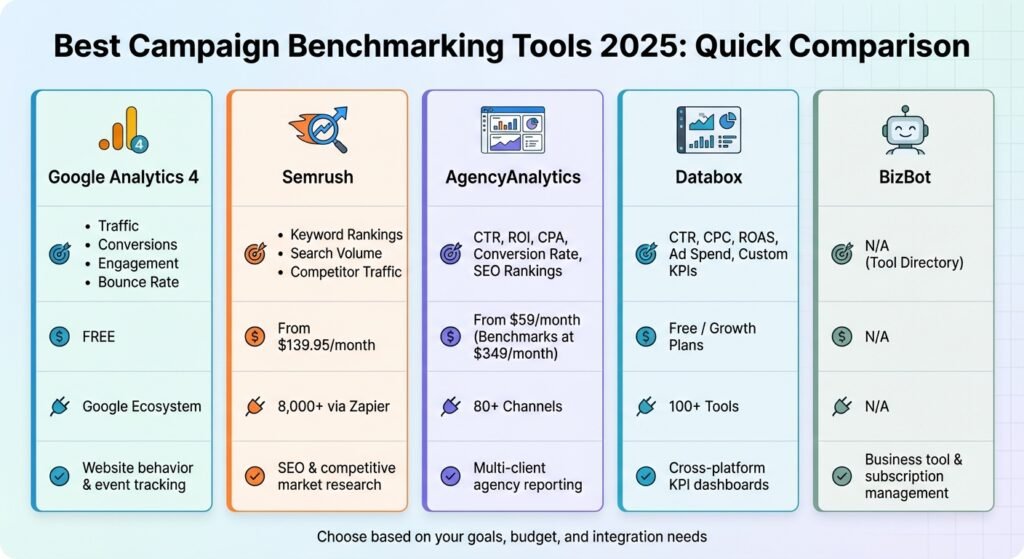
Here’s a quick overview of the tools covered:
- Google Analytics 4 (GA4): Free tool focused on tracking user behavior, conversions, and engagement metrics. Ideal for small businesses and eCommerce.
- Semrush: Paid platform starting at $139 per month, offering detailed SEO, PPC, and competitor research.
- AgencyAnalytics: Priced per client rather than per seat, from $20 per client per month on annual billing. Client-focused reporting and benchmarks for agencies.
- Databox: Combines data from 130+ sources into real-time dashboards. Free plan available, with paid tiers above it.
- BizBot: A directory for managing business tools and subscriptions, perfect for small businesses juggling multiple platforms.
Each tool has different strengths, from real-time alerts to broad integrations. Below is a comparison table to help you decide which one fits your needs.
Quick Comparison
| Tool | Key Metrics Tracked | Pricing (USD) | Integrations | Best Use Case |
|---|---|---|---|---|
| Google Analytics 4 | Traffic, Conversions, Engagement | Free | Google Ecosystem | Website behavior tracking |
| Semrush | SEO, Keywords, Competitor Traffic | From $139/month, or $117.33/month billed annually | 8,000+ via Zapier | SEO and competitor analysis |
| AgencyAnalytics | CTR, ROI, CPA, Conversion Rates | From $20 per client/month billed annually ($25 monthly) | Broad channel coverage | Multi-client agency reporting |
| Databox | KPIs, CTR, CPC, ROAS | Free tier; paid from $64/month billed annually | 130+ Tools | Real-time performance dashboards |
| BizBot | N/A | N/A | N/A | Tool and subscription management |
These tools simplify the benchmarking process, helping you make informed decisions and improve campaign performance. Some teams also rely on SEO analytics platforms to benchmark keyword rankings, analyze competitors, and track campaign performance across search channels. Choose the one that aligns with your goals and budget.
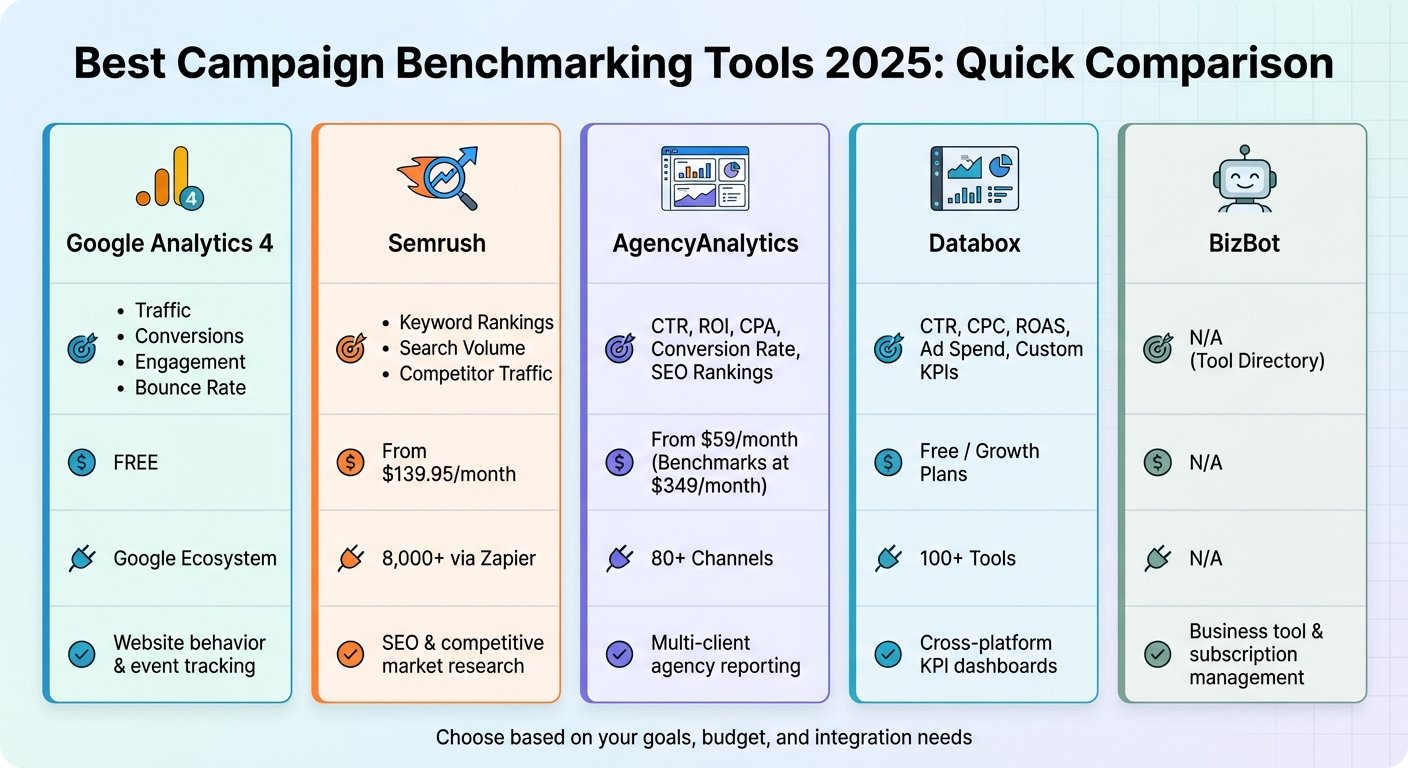
Campaign Benchmarking Tools Comparison: Features, Pricing & Best Use Cases
The Tools, One by One
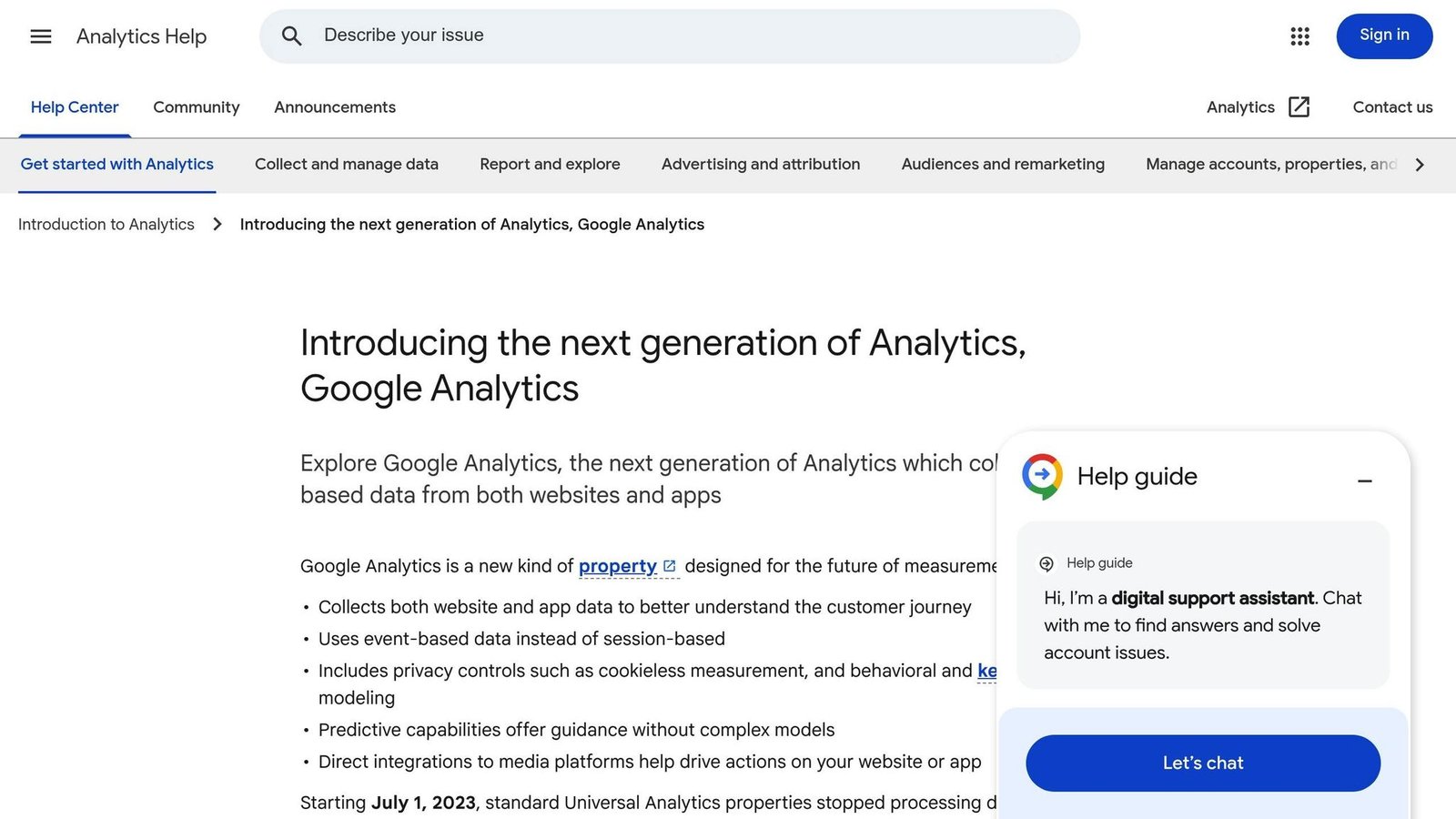
Google Analytics 4 (GA4) uses an event-based model rather than the older session-based one, so every user interaction is logged as its own event. The data is organised into four lifecycle stages: Acquisition, Engagement, Monetization, and Retention. Turning on benchmarking in GA4 gives small businesses a rough read on where they sit against their sector. Its predictive audiences use Google’s models to target the users most likely to convert. A customer result previously quoted in this paragraph came from an unnamed retailer and could not be sourced, so it has been removed. GA4 is most useful to retail businesses and app developers tracking eCommerce conversions or iOS campaign performance through SKAdNetwork.
The catch with GA4 is that it is free because you are inside Google’s ecosystem. Its benchmarks compare you to other GA4 properties, not to a curated industry panel, and the categories are coarse.

Semrush’s Advertising Toolkit surfaces competitor strategies, estimated budgets, and top-performing keywords across platforms including Google and Meta. Its Growth Quadrant lets you filter by channel and see which strategies are working for competitors. Semrush states that its database covers tens of billions of keywords and hundreds of millions of domain profiles; those are vendor figures rather than audited ones, and we have not repeated the exact counts. Its AI Visibility tools track how brands appear in large language models and AI search results. A customer testimonial and adoption statistics previously printed here could not be sourced and have been removed.
Pricing: Semrush’s entry plan is $139 per month billed monthly, or $117.33 per month billed annually. Higher tiers run to $199, $299 and $549 per month billed monthly. Checked August 2026. The figure of $139.95 previously published here was wrong.
Semrush suits businesses whose growth genuinely depends on search – agencies, B2B firms with long sales cycles, eCommerce brands competing on category terms. If search is a minor channel for you, this is an expensive way to satisfy curiosity.
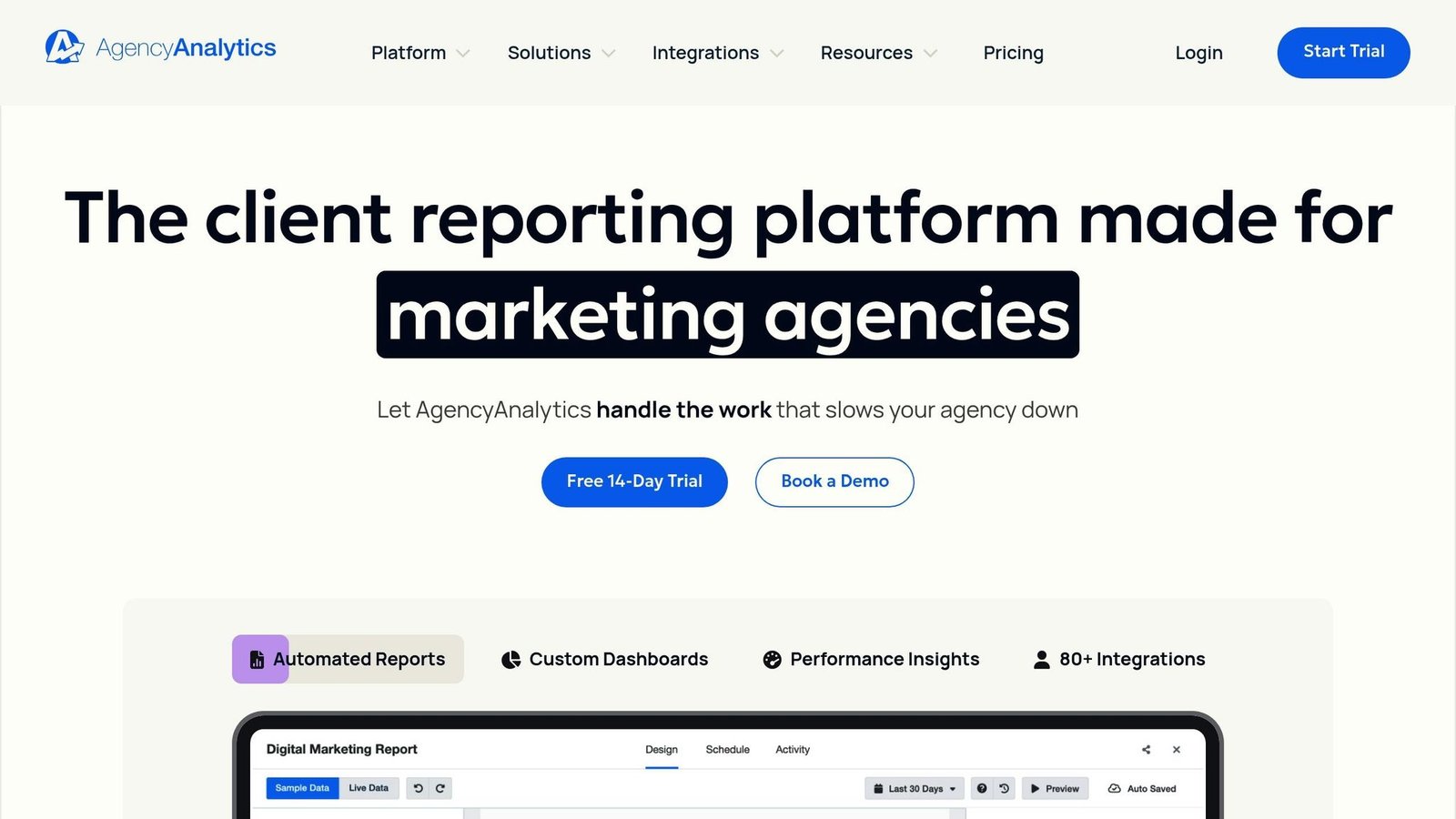
AgencyAnalytics pulls data from a broad set of marketing channels – including Google Ads, Facebook, and Mailchimp – into one dashboard per client. That per-client structure is the whole design: it is built for agencies reporting to many clients, not for one brand reporting to itself. Ben Spray, Managing Director at We Are Marketable, shared:
“AgencyAnalytics allows us to make data-informed decisions quickly”.
Pricing: the Core plan is $20 per client per month billed annually, or $25 per client per month billed monthly, with volume pricing negotiated above 25 clients. Optional add-ons are charged separately – an AI Tracker at $20.83 per month per 250 credits and a Rank Tracker at $41.67 per month per 500 keywords, both on annual billing. Checked August 2026.
Two things previously published here were wrong and have been corrected. The starting price is not $59 a month, and the Benchmarks feature is not a $349-a-month premium tier: benchmarks and forecasting are included in the Core plan. Satisfaction scores, support response times, campaign counts and a sample cost-per-lead comparison also appeared here; none could be sourced, and all have been removed.
Because the pricing is per client, the arithmetic is unusual. An agency with three clients pays for three clients; an agency with forty pays for forty regardless of how many staff log in. That is cheap for a small agency and worth negotiating for a large one.
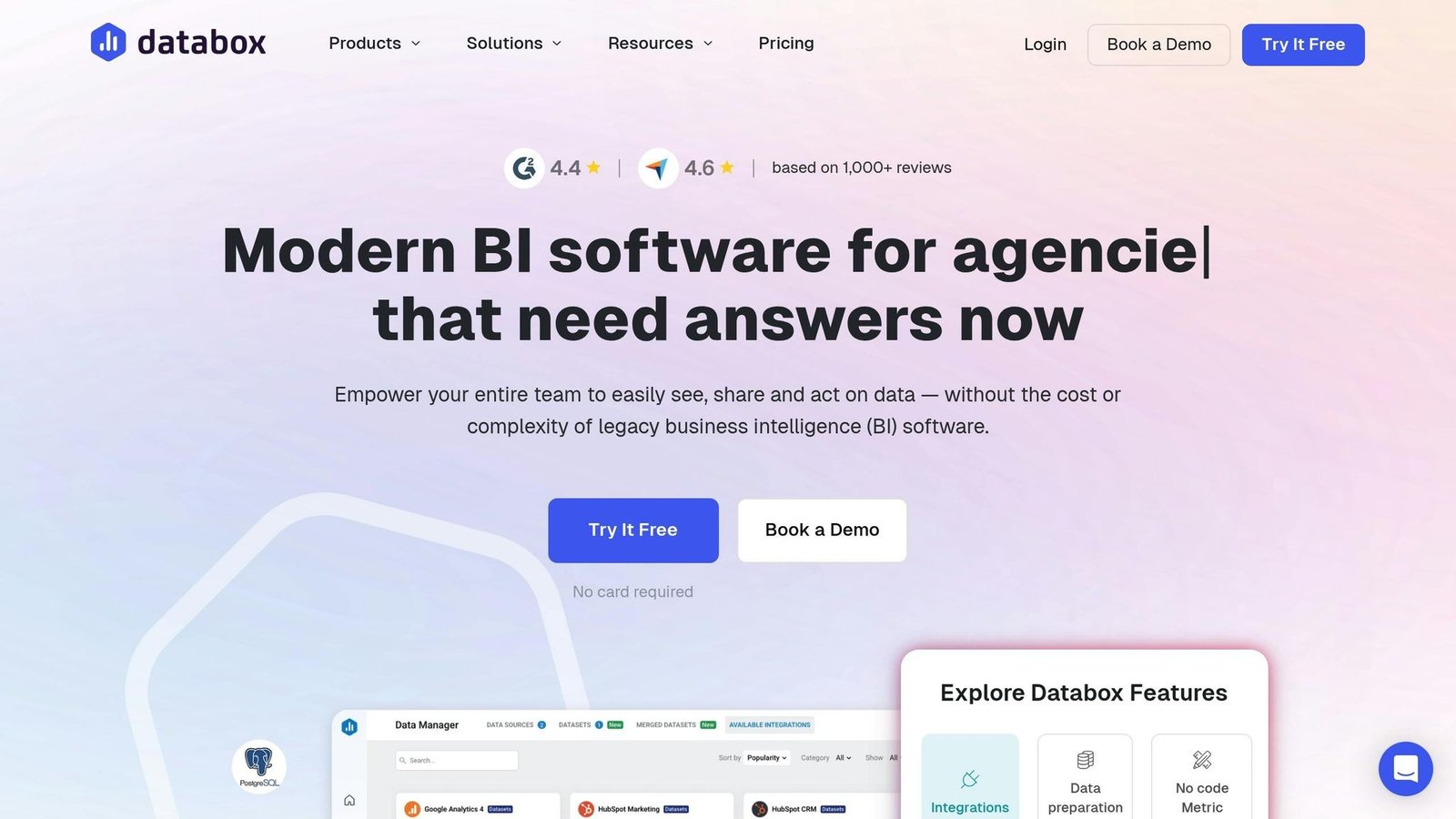
Databox pulls data from 130+ cloud tools, spreadsheets, SQL and NoSQL databases, and custom APIs into real-time dashboards with automated metric alerts. It includes peer group comparisons and anomaly detection to flag unusual movement in campaign data. Small businesses can set alerts on key metrics and schedule report delivery to stakeholders. A customer count and an anonymous user quotation previously printed here could not be sourced and have been removed.
Pricing: there is a genuinely free tier limited to three data sources. Paid plans are $64 per month (Analyst), $159 per month (Pro) and $399 per month (Growth), all billed annually, with additional data sources charged at $5.60 per month each on the Pro and Growth tiers. Checked August 2026.
The data-source count is where Databox bills get away from people. Three sources sounds like plenty until you realise Google Ads, Meta and GA4 have already used them all.
BizBot is a directory of business tools across categories like accounting software, banking, HR, legal services, and management tools, aimed at small businesses and freelancers. Its subscription management feature tracks software spend, which is useful when you are running several of the platforms above at once. It is not a benchmarking tool and is listed here for that adjacent purpose only.
Feature Comparison Table
Tool Comparison
Google Analytics 4 tracks website traffic, user behavior, and conversions at no cost. Semrush covers SEO analytics, keyword rankings, and competitor traffic patterns, from $139 per month. AgencyAnalytics monitors multi-channel metrics such as CTR, ROI, CPA, and conversion rates, priced per client from $20 per client per month on annual billing, with benchmarking included rather than sold separately. Databox centralises KPIs like CTR, CPC, and ROAS, with a free tier and paid plans from $64 per month billed annually.
On benchmarking specifically: AgencyAnalytics builds industry averages from anonymised campaign data across its agency customer base, and Databox lets you overlay benchmark lines on dashboards for live comparison. Specific benchmark values previously quoted here – a bounce rate, a monthly view count, and January 2026 Google Ads medians for CTR, CPC and conversion rate – could not be traced to a published source and have been removed. If you need a defensible industry median, take it from the tool you subscribe to, where you can at least see the sample size, rather than from an article.
Integrations differ more than the marketing suggests. Databox supports 130+ tools, spreadsheets, databases and custom APIs. AgencyAnalytics covers the standard agency channel set. Google Analytics 4 integrates tightly with the Google Marketing Platform and loosely with everything else, and Semrush connects to 8,000+ apps via Zapier, which is a different and weaker kind of integration than a native connector.
The table below provides a quick comparison of metrics, pricing, and integrations for these tools:
| Tool | Key Metrics Tracked | Pricing (USD) | Integrations | Best Use Case |
|---|---|---|---|---|
| Google Analytics 4 | Traffic, Conversions, Engagement, Bounce Rate | Free | Google Ecosystem | Website behavior and event tracking |
| Semrush | Keyword Rankings, Search Volume, Competitor Traffic | $139/mo, or $117.33/mo billed annually | SEO/PPC/Social, 8,000+ via Zapier | SEO and competitive market research |
| AgencyAnalytics | CTR, ROI, CPA, Conversion Rate, SEO Rankings | $20 per client/mo billed annually ($25 monthly); benchmarks included | Broad channel coverage | Multi-client agency reporting |
| Databox | CTR, CPC, ROAS, Ad Spend, Custom KPIs | Free (3 sources); $64 / $159 / $399 per mo billed annually | 130+ Tools | Cross-platform KPI dashboards and benchmarking |
| BizBot | N/A | N/A | N/A | Directory of business tools and subscription management |
Note: BizBot is included for its role as a centralized directory for managing business tool subscriptions, not as a benchmarking product.
How to Choose the Right Campaign Benchmarking Tool
Set Your Campaign Goals
Before comparing tools, define what you are trying to move. Are you chasing ROI, click-through rate, cost per acquisition, or audience engagement? Each needs different metrics and different features.
It also helps to separate KPIs from benchmarks. KPIs measure your own progress toward a goal; benchmarks tell you whether that progress is any good compared with everyone else. Without clear objectives you will pay for features you do not need. Once your goals are set, move on to budget and features. Using efficient business tools can help you scale these efforts.
Review Budget and Features
Pricing structures here differ more than the headline numbers do. Semrush and Databox charge per account with tiered feature access. AgencyAnalytics charges per client, so cost scales with your client roster rather than your headcount. GA4 charges nothing but limits what you can compare against. Work out which axis your business grows along before you compare monthly prices, because a $20 per-client tool is cheaper than a $139 flat fee at three clients and dearer at ten.
Time-saving claims previously quoted in this section could not be sourced and have been removed. Estimate the saving yourself: count the hours your team currently spends assembling reports, and be honest that a tool removes the assembling, not the interpreting.
Make sure the benchmark data is relevant to your industry. ROAS and engagement rates vary enormously between sectors, so a generic median is close to useless. Look for platforms that filter benchmarks by company size, revenue, and business type, and that tell you the sample size behind each figure. A benchmark drawn from eleven companies is not a benchmark.
Check Integration and Usability
A tool that connects directly to your existing stack saves the manual export-and-paste work that kills reporting discipline. Check it connects to your ad platforms, web analytics, and CRM natively rather than through a middleman like Zapier, which adds cost and a failure point.
Ease of use matters as much. Choose tools with clear interfaces and pre-built templates to cut training time. Automated data pulls are the feature that actually determines whether reports still get produced in month six.
Conclusion
Benchmarking is what separates an informed decision from a guess. A bounce rate that looks alarming in isolation may be sitting exactly on the industry median – but you only know that if the comparison is drawn from a sample you can inspect.
Outcome statistics previously printed in this section – on ROI gains, speed of strategic adjustment, and decision confidence – could not be traced to a published source, so they have been removed. As Anya Curry from Ambidextrous Services puts it:
Accurate information helps us make informed decisions and provide recommendations. Using a tool like AgencyAnalytics helps us do this efficiently so we can spend more time improving results for our clients.
Whether your focus is free website tracking with Google Analytics 4, competitive research through Semrush, per-client agency reporting via AgencyAnalytics, or real-time dashboards with Databox, the right tool depends on your goals and your budget structure.
Consolidating your tools also cuts cost. For small businesses juggling multiple platforms, BizBot acts as a hub for discovering and managing business tools – from choosing the right accounting software to digital marketing solutions – matched to your company’s size and budget.
Define clear objectives, choose tools that connect to the systems you already run, and re-check your benchmarks periodically. Benchmarks age, and so does published pricing: two of the figures in this article were badly out of date before this review.
FAQs
What are the main advantages of AI-powered benchmarking tools?
AI-driven benchmarking tools automate the data collection and comparison that used to be manual research, which makes the results faster to get and easier to refresh. They let you measure performance against industry standards continuously rather than once a quarter, so a slipping metric shows up while you can still do something about it.
The predictive side is more mixed. These tools estimate future results from historical campaign data and suggest budget allocation, which is useful directional input and a poor substitute for judgement. Treat the forecast as a hypothesis to test, not an instruction.
What makes Google Analytics 4 different from traditional tracking tools?
Google Analytics 4 uses an event-based tracking model rather than the older session-based system. That gives a more consistent picture of how users move between websites, apps, and devices – and it is why reports from GA4 rarely reconcile with the Universal Analytics numbers you may still have on file.
It also has built-in machine learning for automated trend detection and anomaly alerts, so unusual movement surfaces without someone going looking for it.
What should I look for in a campaign benchmarking tool?
Look for a tool that matches your marketing goals and produces comparisons you can act on. Multi-touch attribution is valuable because it shows which channels genuinely contribute rather than which one happened to be last. A customizable dashboard matters because default metric sets rarely match how you actually judge a campaign.
Prefer a tool that brings all your campaigns into one view. Check that the benchmark data is specific to your industry, regularly refreshed, and filtered to your business size, and that the vendor will tell you the sample size behind it. Finally, check it connects to the ad platforms, analytics tools, and CRM you already use, so tracking impressions, click-through rates, and ROAS does not become another manual job.
More on this topic
Browse all 44 articles on Marketing & Growth, or jump straight to our buying guide: Best Marketing and CRM Tools for Small Businesses.